

Tuilink
Tuilink · Business
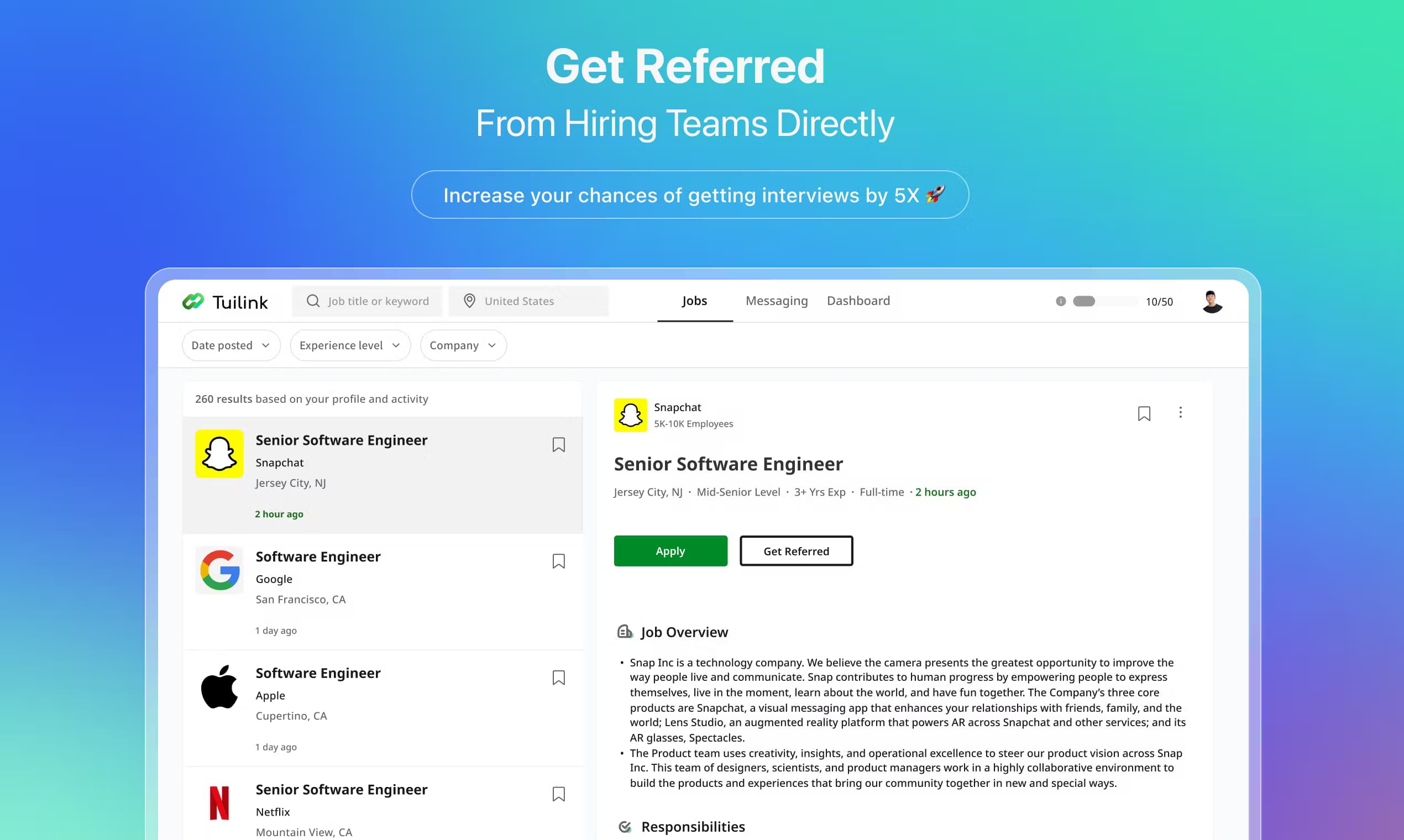
Tuilink is an AI job search assistant that pairs your resume with matched listings, finds alumni and hiring teams on LinkedIn, and sends referral follow-ups for you.
About Tuilink
What Is Tuilink
Tuilink is an AI job search assistant that runs on a Chrome extension connected to LinkedIn. Instead of you scrolling through job boards and cold-messaging strangers, the tool handles AI resume matching, surfaces a short daily list, and then finds people inside each company who can refer you. It sells the whole loop as one product: match, refer, follow up, interview.
The problem it targets is the gap between applying and getting seen. Most applications land in a pile nobody reads, while referrals walk past that pile. Tuilink leans into the second path and automates the manual work behind it: research a company, find a connection, write the note, chase a reply. The company says over 2,000 users have run it, and it frames the outcome as a higher interview rate rather than more applications sent.
Two limits are worth knowing before you sign up. The main workflow lives inside LinkedIn through a browser extension, so the tool assumes you already keep a working LinkedIn profile and enjoy using it. And the jump from the free tier to the paid one is steep, since every automated referral action sits behind the Premium plan.
Getting Started
- Install the Tuilink Chrome extension and connect it to your LinkedIn account
- Upload your resume so the matching engine can read your skills, roles and experience
- Review the daily set of matched jobs the tool recommends, then pick the ones worth pursuing
- Trigger the one-click referral so Tuilink finds alumni and hiring teams and opens the connection
- Let the assistant send smart follow-ups, then track replies and interview requests in your dashboard
Product Information
A quick look at Tuilink's pricing, supported platforms, and performance.
Best for
The users, tasks, and scenarios where this tool fits best.
Users
- Active job seekers
- Career switchers
- New graduates
- Busy professionals
Tasks
- Resume-based job matching
- Referral hunting
- Outreach writing
- Follow-up management
- Application tracking
Scenarios
- Applying to a dream company with no contacts
- Sending hundreds of applications with no replies
- Job hunting while employed
- A fresh graduate with a thin network
- A time-pressed search
Key features
Resume-Based Job Matching
Tuilink reads your resume and recommends a short set of jobs each day that fit your skills and experience. The promise is fewer, better-targeted listings rather than a wall of results. You still make the final call on which roles to chase, so the tool filters rather than auto-applies.
One-Click Referral
The core feature works as a LinkedIn referral tool: it finds alumni and hiring teams at a target company and opens a referral connection for you in a single click. It pulls the relationship you already have, say a shared school, and turns it into a warm intro instead of a cold application. This is the step that separates Tuilink from a plain job board.
Smart AI Reply and Follow-Ups
Once a connection is open, Tuilink drafts replies and sends follow-up messages on your behalf. The company says the assistant understands your goals and keeps nudging until you secure an interview. That removes the awkward part of outreach, which is remembering to chase people and finding the right words each time.
LinkedIn Chrome Extension
The whole product runs through a Chrome extension wired to LinkedIn, so it works inside the site you already use rather than a separate portal. Setup is one step, and the extension surfaces matched jobs and referral actions where you browse. The trade-off is that LinkedIn becomes a hard requirement.
Referral Call Cheat Sheet
Premium subscribers get a cheat sheet to prep for the referral call or interview that follows a successful intro. It's a small add-on, but it covers the moment right after outreach, when a referral turns into a real conversation and you need to be ready.
Daily Matched Job Feed
Every day the tool pushes a refreshed batch of matched openings, which the company reports as eight jobs a day. The cadence keeps the search moving without you refreshing job boards, and it pairs each listing with the referral route behind it. Used together, matching and referrals cover most of what job search automation promises, minus the auto-apply step some rival tools offer.
Pros and cons
Pros
- Turns referrals into the default path, which beats cold applications for getting seen
- Resume matching cuts the noise, so you review a short list instead of hundreds of postings
- One-click referral and automated follow-ups remove hours of manual messaging
- Free Basic tier lets you test the matching and referral flow before paying
- Runs inside LinkedIn through a Chrome extension, so there's no new site to learn
Cons
- Premium costs $249/mo, which is steep for anyone not job hunting full-time
- The core automation, unlimited referrals and follow-ups, sits behind the paid plan, so the free tier stays limited
- It depends on LinkedIn and a Chrome extension, so it won't fit candidates who avoid the platform or browse elsewhere
- The interview-rate and offer claims come from the company's own user numbers, so treat them as vendor figures rather than independent results
Frequently asked questions
Tuilink is used to run a referral-first job search. It matches jobs to your resume, finds alumni and hiring teams on LinkedIn, and sends referral outreach and follow-ups so more of your applications turn into interviews.
Related content
Explore related tools, skills, and articles for Tuilink.
Tuilink Alternatives
Liveplan
Palo Alto Software · BusinessLivePlan is business plan software that helps founders and small business owners turn an idea into a funder-ready plan. It combines AI-assisted writing, market research with cited sources, and connected financial forecasting so your income statement, cash flow, and balance sheet move together when you change one number. Over 1.5 million businesses have used it to plan, forecast, and track performance against real accounting data. That's a lot of founders. It's also a signal the tooling survived contact with real lenders.

Swms
Swms AI · Writing · Productivity · BusinessSwms is an AI safety compliance tool that turns a plain description of a job into ready-to-use safety documents. Describe your project, trade, and known hazards, and it writes a safe work method statement, job hazard analysis, safe work procedure, RAMS, or safety data sheet in seconds. It also ships with Oscar, a chat assistant that answers workplace safety questions in any language. Teams in construction, mining, transport, and warehousing use it to cut the paperwork that usually eats into a workday.

Rows
Rows (Superhuman) · Productivity · BusinessRows is an AI spreadsheet and data analysis tool that imports live data from more than 50 sources, then lets you work with it using plain language instead of SQL queries or nested formulas. You can pull numbers out of PDFs, connect ad platforms, databases, and bank accounts, and ask the AI to build reports, merge datasets, or set up models that recalculate themselves. It runs in the browser, works like a spreadsheet, and now sits under the Superhuman umbrella.