

Turbo AI - Notetaker
TurboLearn LLC · Productivity · Leaning
Turbo AI is an AI notetaker that turns lectures, PDFs and YouTube videos into structured notes, flashcards, quizzes and audio podcasts.
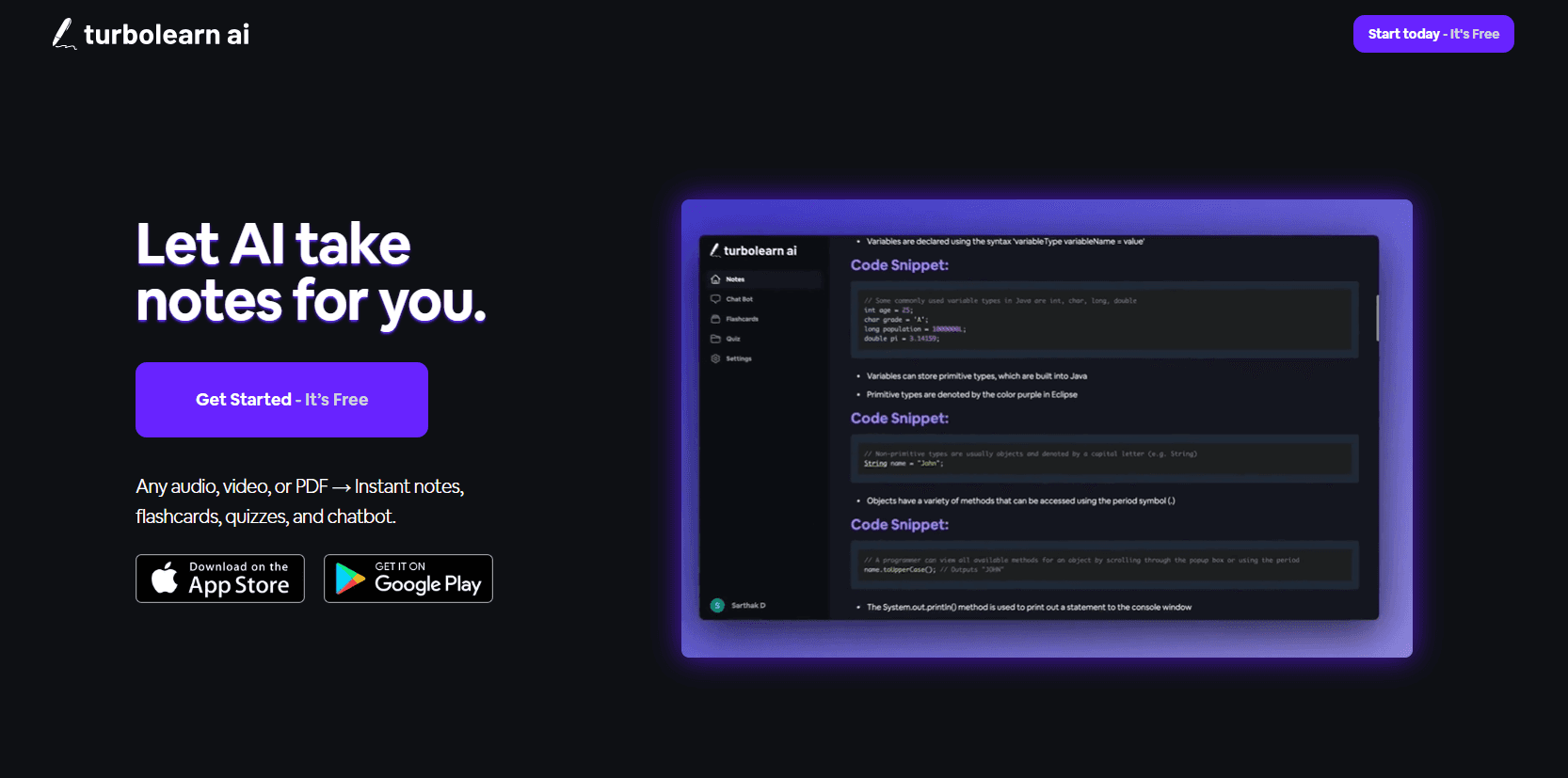
About Turbo AI - Notetaker
What Is Turbo AI
Turbo AI is an AI study assistant that listens to a lecture, reads a PDF or pulls a YouTube link, then hands back study material instead of a raw transcript. The notes arrive with headings, tables, diagrams and rendered equations, and the same upload feeds flashcards, practice quizzes and a podcast version you can listen to on a commute.
It works well for students who can't take good notes and follow a lecture at the same time, and it's spread to consultants, lawyers and analysts who need to digest long recordings quickly. The founders built it in 2023 after getting tired of missing lecture notes in college, and the product now trades as Turbo AI after rebranding from TurboLearn.
The catch is that it's a study aid, not a research tool. It won't verify claims against sources outside what you uploaded, and the free tier is capped by usage rather than by locked features, so a full course load pushes you toward a paid plan fast.
Getting Started
- Create an account at turbo.ai, or sign in through the iOS or Android app.
- Record a live lecture on your phone, upload an audio file, a PDF or a Word document, or paste a YouTube URL.
- Wait roughly 30 seconds while Turbo AI generates notes, flashcards and a quiz from the source.
- Edit the notes in the built-in editor, then review the flashcards and quiz, or generate a podcast to listen to later.
Product Information
A quick look at Turbo AI - Notetaker's pricing, supported platforms, and performance.
Best for
The users, tasks, and scenarios where this tool fits best.
Users
- College students
- Professionals who sit through long recordings
- Visual and audio learners
Tasks
- Turning a recorded lecture into notes
- Building flashcards for active recall
- Generating practice quizzes
- Digesting a YouTube video or PDF
Scenarios
- Catching up after a missed class
- Exam revision week
- Sharing study material with classmates
Key features
AI note generation from audio, video and documents
You feed in a recording, an audio file, a PDF, a Word document or a YouTube link, and this lecture notes app returns formatted notes in a Google Docs style editor you can keep editing. The output carries headings, tables, diagrams, emojis and rendered equations, so it reads like a set of notes rather than a transcript. A typical upload finishes in about 30 seconds.
Flashcards with spaced repetition
Acting as a flashcards generator, the app builds cards from the same source material and schedules them for review. A spaced repetition system tracks a Memory Score and points you at the terms you keep getting wrong, so review time goes to weak spots instead of material you already know.
Practice quizzes with explanations
As a quiz generator, Turbo AI writes multiple choice, fill-in-the-blank and open-ended questions from your notes. Each answer comes with an explanation, which turns revision into an active test rather than a re-read of the same pages. You pick the format depending on how close the exam is.
Conversational AI chat on your material
You can ask questions about a set of notes and get answers drawn from what you uploaded. It works as a tutor that sticks to the source instead of pulling in outside context, so the answers stay tied to what your professor or document actually said.
Podcast generation
Turbo AI can turn study material into a conversational podcast you listen to on the go. It's the feature that fits a commute or a gym session, when your eyes are busy but your ears aren't.
STEM support for formulas and diagrams
The notes render mathematical formulas, chemical equations, physics diagrams and code snippets. This is the part that separates it from plain transcription tools, which tend to mangle anything beyond straight prose. STEM subjects are where the formatting matters most.
Cross-device sync and folders
Notes, flashcards and quizzes sync across the web app, iOS and Android, so you can start on a laptop and finish on a phone. Notes can be filed into folders by class or topic, and no file is trapped on one device.
Pros and cons
Pros
- Turns an upload into notes, flashcards, a quiz and a podcast in about 30 seconds, which saves the hours spent rewriting lecture notes by hand.
- Formats output with headings, tables, diagrams and equations, so it handles STEM material that plain transcription tools struggle with.
- A real free tier lets you generate notes, flashcards and quizzes before paying, which is enough to judge the quality on your own subject.
- Syncs across web, iOS and Android and supports shared folders, which fits study groups and switching between devices.
Cons
- The free plan is capped by usage, around two hours of lecture and a single PDF upload a month in reported limits, so anyone on a full course load hits the ceiling fast.
- There is no public pricing page, and the in-app prices differ by region and platform, so you can't compare before you install the app.
- Generated summaries and notes can miss nuance or misread a source, so material you'll be graded on still needs a check against the original.
- There's no documented public API, so you can't wire it into your own study or work tools.
Frequently asked questions
Turbo AI is used to turn lectures, PDFs, Word documents and YouTube videos into study material. You get structured notes, flashcards, practice quizzes and a podcast version from a single upload, plus an AI chat that answers questions about the material you provided.
Related content
Explore related tools, skills, and articles for Turbo AI - Notetaker.
Turbo AI - Notetaker Alternatives

Base Code
Base44 (Wix) · Coding · ProductivityBase Code is a shared cloud development environment from Base44. Teammates describe changes to an existing GitHub codebase in chat, preview them live and send them back as pull requests.

Knocket
Knocket (Tencent RTC team) · Productivity · Business · ChatbotKnocket is a free live chat and contact page tool that lets visitors message you from your website, app, or a shareable link, with every reply handled from Telegram or one inbox.

FloorGen
Vinit Kumar (FloorGen) · Productivity · China AIFloorGen is a browser-based floor plan maker that turns a sentence or a sketch into an editable 2D plan and a 3D walkthrough. Export to PDF, DXF or video, and draw without an account.