

Scispace
SciSpace (Calaver Technologies) · Leaning · Business
SciSpace is an AI research assistant for students and academics that puts academic paper search, chat with PDF papers, and citation-backed writing in one place.
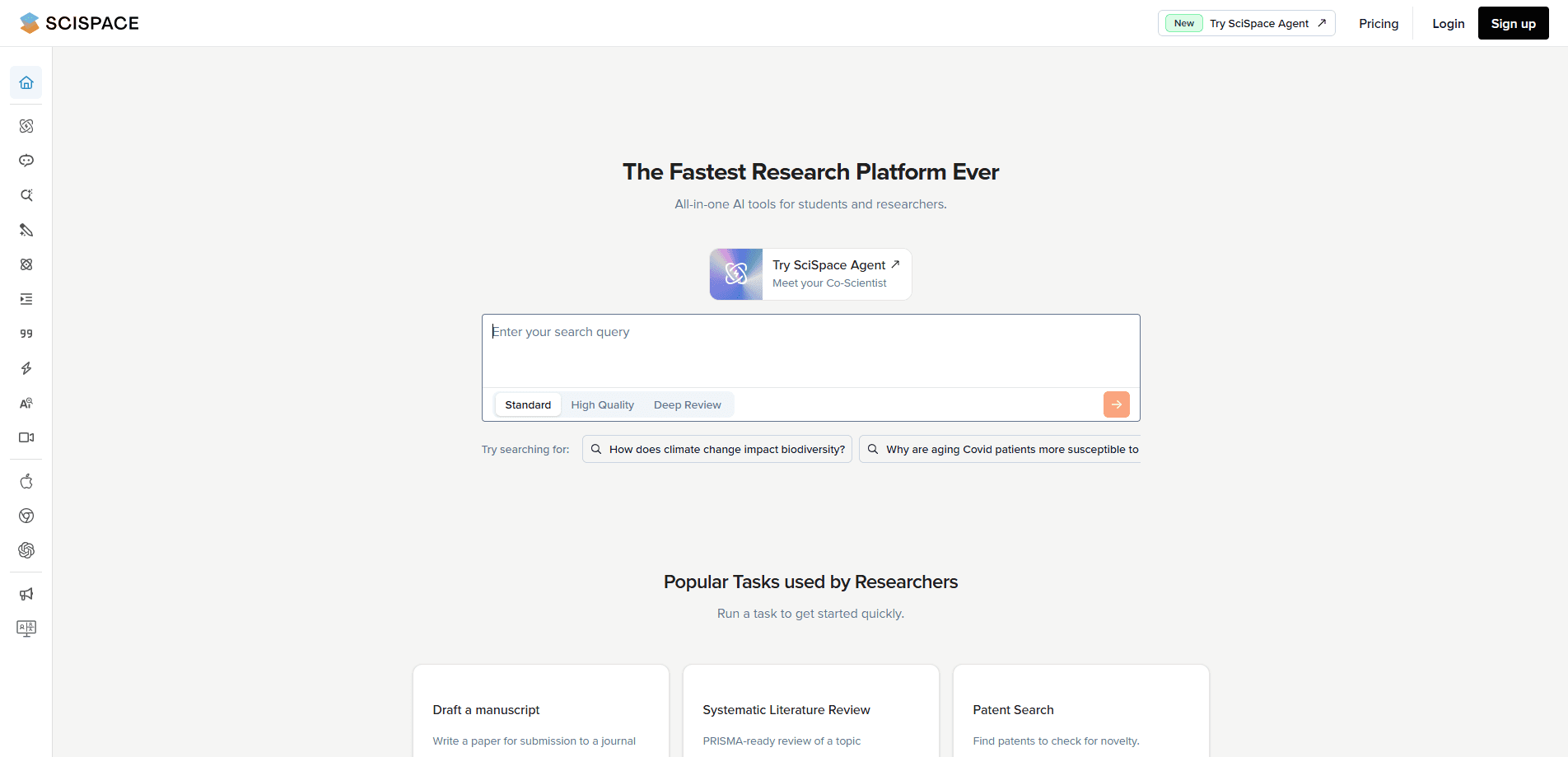
About Scispace
What Is SciSpace
SciSpace is an AI research assistant built around the academic workflow. It started life as Typeset, a formatting tool for manuscripts, and grew into a platform that covers searching for papers, reading them, and writing with those sources in one place. The pitch is straightforward: cut the hours spent hunting literature and skimming dense PDFs. An AI writing assistant sits at the end of that chain, so the search and reading work feeds straight into a draft.
The tool leans on a paper index of 280 million or more across scientific fields. You ask a question in plain language instead of building a keyword string, and it returns papers with the methodology and findings laid out in columns you can adjust. From there, a Copilot answers questions about any PDF you upload, explaining equations and jargon inline.
Two limits are worth knowing up front. The AI can misread or invent a claim, so you still need to check key facts against the source paper. Coverage for some hard sciences and non-English literature is thinner than for social science, which matters if your field sits outside those areas.
Getting Started
- Create a free account on the SciSpace site with an email address or a Google login.
- Type a research question into the search bar and scan the returned papers with their comparison columns.
- Upload a PDF or open a result, then use Copilot to ask about passages, tables, and equations.
- Save useful answers to your Notebook so you can return to them during writing.
- Move to AI Writer to draft an outline or section, and pull citations straight from your library.
Product Information
A quick look at Scispace's pricing, supported platforms, and performance.
Best for
The users, tasks, and scenarios where this tool fits best.
Users
- University students writing coursework and theses
- PhD candidates and postdocs running literature reviews
- Non-native English researchers
- Lab and research teams sharing sources
Tasks
- Finding papers on an open question
- Understanding a hard PDF
- Drafting a section with citations
- Formatting references
Scenarios
- Starting a systematic review
- Reading a paywalled paper you already have access to
- Rushing a submission deadline
- Teaching a class how to critique papers
Key features
Question-based search across 280M+ papers
You describe what you are looking for as a question, not a keyword chain, and SciSpace returns matching papers in adjustable columns that line up methodology and findings. That layout makes academic paper search faster to scan, letting you compare a shortlist at a glance instead of opening each PDF. It is the feature that replaces the opening round of a literature search.
Copilot that explains what you are reading
Copilot answers questions about any PDF you open, covering passages, tables and equations. Math and dense passages come back in plain language, and answers link back to where they came from so you can check the reasoning. For anyone who wants to chat with PDF papers without leaving the page, this is the part that saves the most time on a paper outside your specialty.
Deep Review for systematic synthesis
Deep Review scans hundreds of papers on a topic and pulls out structured data for a review. You set a focused question, then dig into results with follow-up Copilot queries. It suits scoping research across many studies rather than reading one paper closely.
AI Writer with real citations
AI Writer drafts outlines, introductions and sections, and it inserts references pulled from your saved library as you go. The citations come from papers you actually collected, so the draft stays anchored to sources. You still edit the prose and verify each claim.
Citation Generator and reference export
The Citation Generator formats references in APA, MLA and other common styles. Premium adds RIS and CSV export, which helps when you move a library into a reference manager. Getting formats right by hand is one of the boring parts it takes off your plate.
Chrome extension for papers anywhere
The Chrome extension runs Copilot on papers you open on other sites, including content you have access to behind a paywall. Responses can be saved to your Notebook for later. It extends the reading workflow past the SciSpace site itself.
Agent capabilities for multi-step tasks
Since mid-2025, SciSpace has added agent features that chain multiple steps across its research tools, from searching to extracting to drafting. It is aimed at longer tasks you would otherwise do by hand, but the output still needs a careful read.
Pros and cons
Pros
- Covers discovery, reading, writing and citation formatting in one platform, so you don't move between several tools.
- Question-based search with comparison columns speeds up the first pass over a topic.
- Copilot explains equations and tables inline with links back to the source passage.
- Deep Review pulls structured data from many papers, which fits systematic review work.
- A free Basic plan and a student license program lower the entry cost.
Cons
- The AI can misread or invent a claim, so you have to verify key facts against the papers yourself.
- Coverage for hard sciences and non-English literature is thinner than for social science, which limits some fields.
- The free plan caps previews and downloads, so heavy users hit the wall quickly.
- Public API access is still early access, so programmatic use isn't open to everyone yet.
Frequently asked questions
SciSpace is used to search, read and write around academic papers. You ask a research question, the platform returns matching papers, and Copilot explains what is inside them. From there you draft sections with citations, so a literature review moves from discovery to writing inside one tool.
Related content
Explore related tools, skills, and articles for Scispace.
Scispace Alternatives

HireKey
HireKey · Voice & Language · Productivity · LeaningHireKey is an AI job search copilot built by a former tech recruiter. It checks role fit, tailors resumes, runs interview practice and tracks every application.

Lune
Retrograde Labs · Productivity · LeaningLune is a research search engine for scientific AI agents. It runs as an MCP server that lets Claude, ChatGPT and Cursor search peer-reviewed computer science papers and cite them.
Coddy
Coddy · Coding · LeaningCoddy is a gamified platform to learn to code through short interactive lessons in 20+ languages, with a browser editor, an AI tutor and free certificates.