

TypeUI
TypeUI · Coding
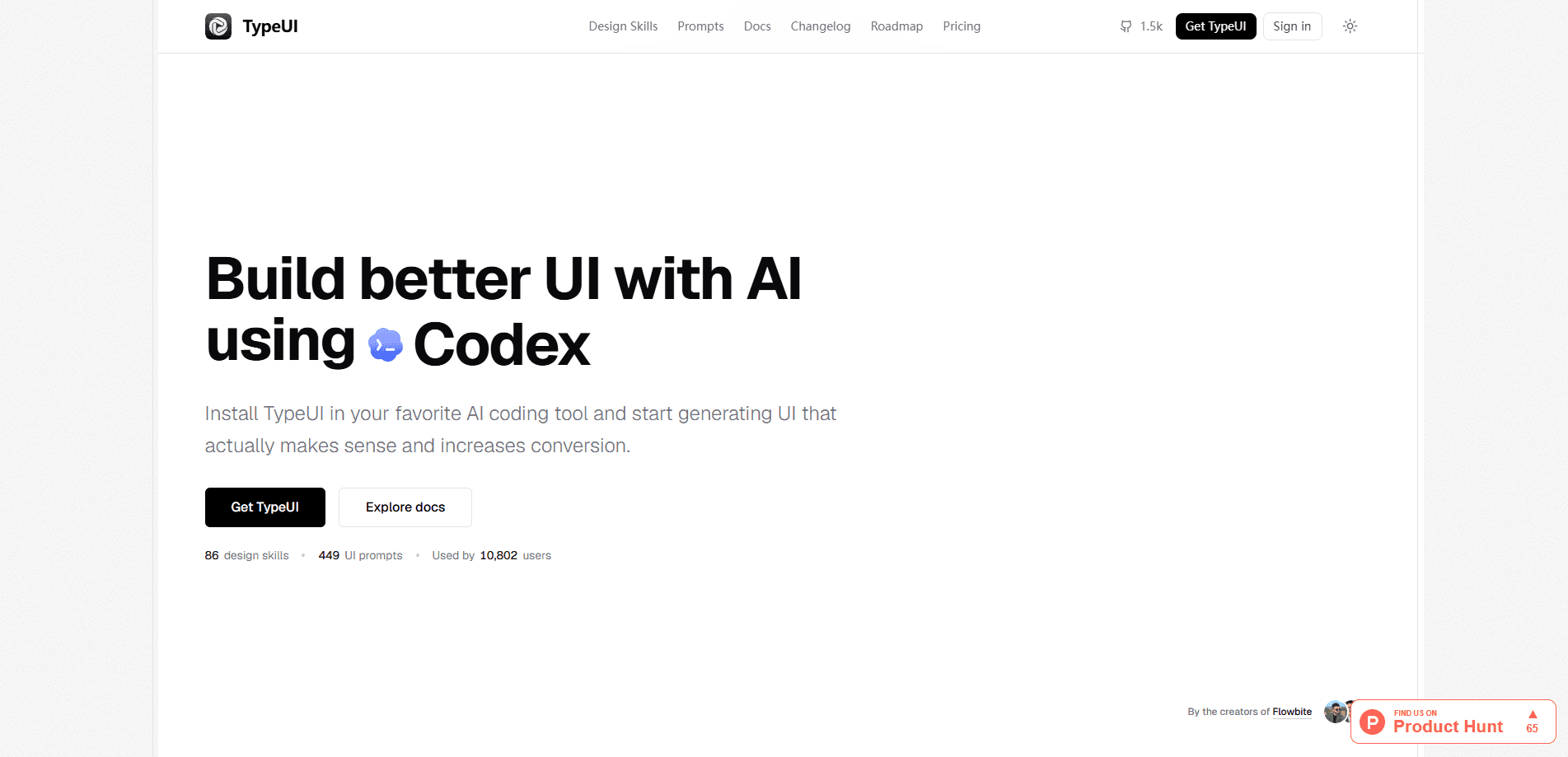
TypeUI is a design-context platform and open-source CLI that gives AI coding tools a reusable design system to follow. It packages design skills as SKILL.md files, UI prompts, and MCP integrations, then installs them into agents like Claude Code, Cursor, and Codex. On-brand interfaces, not template defaults. That's the pitch.
About TypeUI
What Is TypeUI
TypeUI solves a problem anyone building frontends with an AI agent runs into fast. Tools like Claude Code, Cursor, and Codex write functional code, but they arrive with no sense of your visual identity. Ask for a settings page and you get the same purple-to-blue gradient, the same oversized shadows, the same default type. You've seen it in a hundred other projects. TypeUI gives the agent a defined design system to work from. Its output looks intentional, not assembled from whatever the model saw most often during training.
The platform does this by generating design skills. A skill is a folder with a SKILL.md file inside, plus any reference material the agent needs. TypeUI ships these as reusable units covering color tokens, typography, spacing, component behavior, and accessibility expectations. It also offers UI prompts and MCP integrations, so you can wire the same design context into different tools without rewriting it each time.
The main limitation is scope. TypeUI defines and distributes design rules. It doesn't design screens for you, and it can't fix vague instructions. Loose prompts still leave layout to the agent. TypeUI narrows the aesthetic range, not the thinking.
Getting Started
- Open a terminal and run the TypeUI CLI to start the setup, which walks you through the design decisions it needs.
- Answer the questions about your color palette, type preferences, and component style to build the design context.
- Install the generated design skill into your agent's skill directory, such as
.claude/skills/for Claude Code or the equivalent path for Cursor. - Ask your agent to build a page and confirm it follows the new design skill rather than default styling.
- Refine the skill file as your product's look evolves, so every later session inherits the update.
Product Information
A quick look at TypeUI's pricing, supported platforms, and performance.
Best for
The users, tasks, and scenarios where this tool fits best.
Users
- Solo developers
- Design engineers
- Small product teams
Tasks
- Building marketing pages with an AI agent
- Prototyping dashboards
- Standardizing existing frontend work
- Generating component variants
Scenarios
- Shipping an MVP with a small team
- Switching between coding agents mid-project
- Handing a project to a new contributor
Key features
Reusable Design Skills as SKILL.md Files
TypeUI's core deliverable is a design skill written as a SKILL.md file. Skills load on demand, so the agent only pulls in design rules when a task actually calls for them. That keeps your context window from filling with instructions the model won't touch on a given request. Skills load only when needed. Once installed, the skill applies its tokens and component rules to whatever UI the agent builds.
UI Prompts That Encode Design Intent
Alongside skills, TypeUI provides UI prompts that describe how a component should look and behave before the agent writes code. Instead of a one line request, the agent gets direction on hierarchy, spacing, and interaction states. That matters. A button can work and still look wrong next to everything else. The prompt is what keeps weight, radius, and hover feedback aligned.
MCP Integrations for Multiple Agents
TypeUI connects to AI coding tools through MCP integrations, so the same design context reaches Claude Code, Cursor, and Codex without separate setups. MCP is the standard protocol agents use to reach external services, and using it here means the design platform sits behind your existing tools rather than replacing them. Change agents later and your design context moves with you, which is the point of putting it in a portable file rather than a tool-specific setting.
Open-Source CLI Workflow
The CLI is open source, which matters for anyone who wants to inspect or adjust how the design context gets generated. You run it locally, answer the design questions, and it produces the skill files. No lock-in. Skills are plain Markdown you can read, version in Git, and edit by hand.
Token-Based Design Consistency
By describing color, type, spacing, and component behavior as tokens, TypeUI keeps generated UI internally consistent. Change a primary color in one place, and every later generation picks it up, rather than drifting page by page the way loosely prompted agents tend to. For anyone producing more than a handful of screens, that steadiness removes a repetitive cleanup step.
Accessibility Grounded in the Design File
Because the design skill can spell out contrast targets, focus states, and semantic markup, it pushes agent output toward more usable interfaces. Freeform prompts almost never mention these details. A written design context makes them the default. That's harder to skip than a passing instruction in chat.
Pros and cons
Pros
- Installs a repeatable design system into Claude Code, Cursor, and Codex, so UI output stays on-brand across sessions.
- Skills are plain Markdown in SKILL.md format, which means you can read, version, and edit them without special tooling.
- MCP integrations let one design context serve multiple coding tools, so switching agents doesn't reset your visual language.
- The CLI is open source, so the generation step is inspectable rather than a closed black box.
- On-demand skill loading keeps design rules out of the context window until a UI task needs them.
Cons
- The design skill constrains tokens and component style but leaves layout decisions to the agent, so weak prompts still produce mediocre composition.
- Pricing and plan details aren't fully documented on the public site, which makes budgeting harder to predict than it should be for a tool you may end up rolling out to an entire team.
- It assumes comfort with a terminal and Markdown files, so designers who avoid code will find the setup less natural than a visual editor.
- The platform is early and documentation trails the feature set in places, so you may hit small setup snags across operating systems.
Frequently asked questions
TypeUI gives AI coding tools a design system to follow so the interfaces they generate stay consistent and match your brand. It's aimed at developers and design engineers who build UI with agents like Claude Code, Cursor, or Codex.
Related content
Explore related tools, skills, and articles for TypeUI.
TypeUI Alternatives
Forefront
Forefront · CodingForefront is a web platform for building with open-source AI. It lets you fine-tune leading open-source language models on your own data, evaluate how they perform, and run them through an API or export them to host yourself. Developers who want the convenience of a closed-source platform but insist on owning their models and data are the target audience here.

Startkit
StartKit.AI · CodingStartkit is a boilerplate for building AI SaaS and AI wrapper products. Think of it as an AI startup boilerplate with the boring parts already wired up: authentication, Stripe and Lemon Squeezy payments, usage limits, transactional email, and an AI API starter that talks to OpenAI, Anthropic, Groq, or Llama. You clone the repo, set your price, and start on the part of your product that people actually pay for. It's Next.js under React and Tailwind, so most of the boilerplate code already feels familiar.
Testim
Tricentis · CodingTestim is an AI-powered test automation platform for building and running end-to-end tests across web, mobile, and Salesforce applications. It leans on machine learning to keep tests stable when an interface changes, so teams spend less time fixing broken selectors. Not bad for an automated testing tool you can start using today. You create tests by recording actions in a browser, then optionally add JavaScript when you need more control. It's a solid pick for busy QA teams.