

Uizard
Uizard (Miro) · Image
Uizard is an AI UI design tool and UI mockup tool that turns text prompts, screenshots, and sketches into editable app and web mockups.
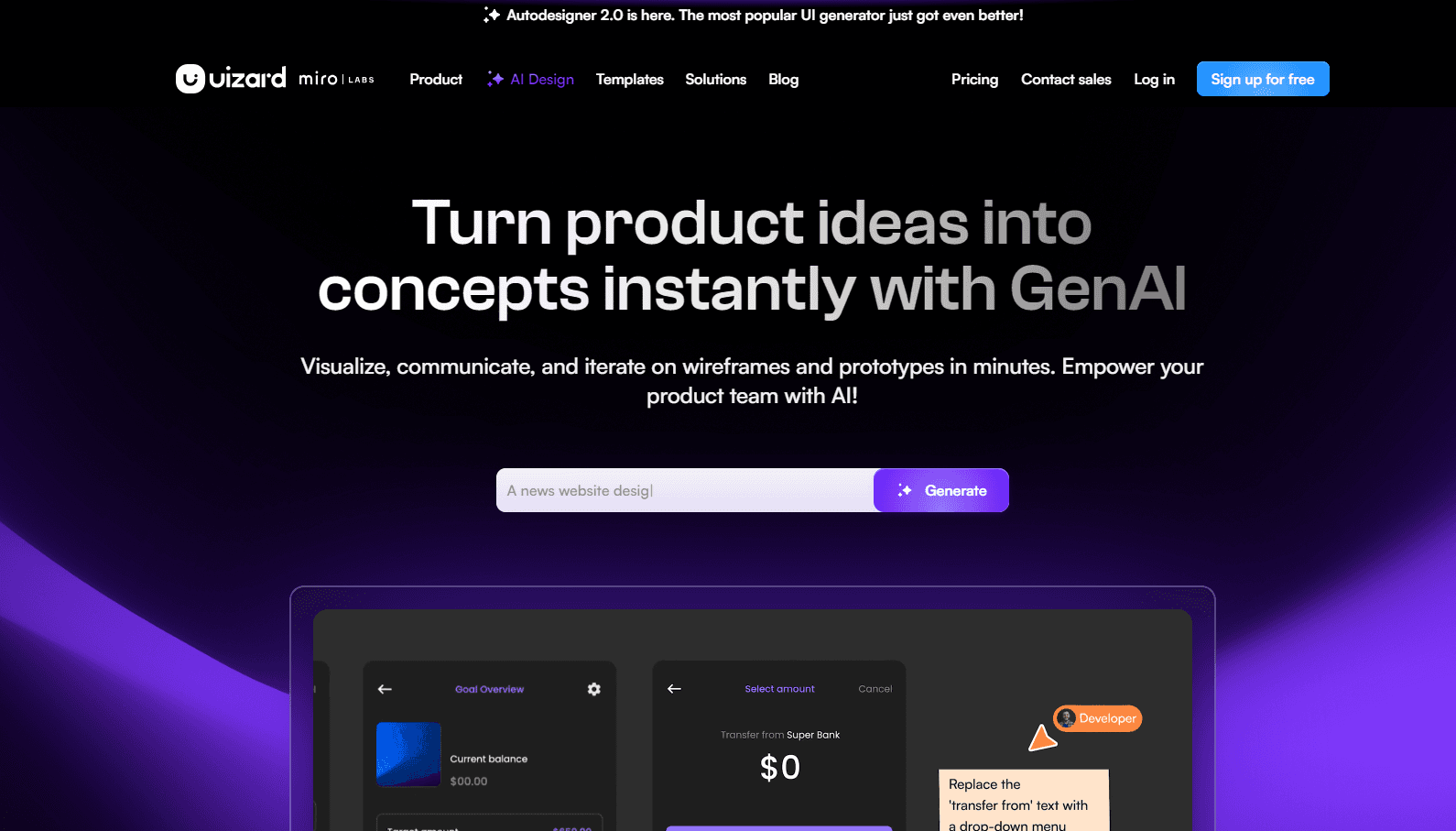
About Uizard
What Is Uizard
Uizard is a design tool for people who want to build app and web interfaces without spending hours inside a traditional editor. You describe a screen in plain text, upload a screenshot, or snap a photo of a sketch on paper, and Uizard returns an editable design. It sits between a full design suite and a blank canvas, aimed at product teams, founders, and marketers who need a prototype fast rather than a pixel-perfect handoff.
The platform leans on three AI features. Autodesigner 2.0 generates multi-screen mockups from a text prompt, often compared to a chatbot that builds layouts instead of writing copy. Screenshot Scanner turns a screenshot into a design you can edit, and Wireframe Scanner doubles as an AI wireframe generator that converts hand-drawn frames into digital screens. From there, everything stays editable in the browser, so the AI output is a starting point rather than a locked image.
The main catch is scope. Uizard is built for early-stage ideation, wireframes, and quick prototypes, not for final production design or complex design systems. Teams that hand off polished specs to engineers will still need a dedicated tool. There's no public API, and the free plan caps output at two projects and three AI generations a month.
Getting Started
- Sign up at uizard.io with an email or Google account to reach the editor and start on the free plan.
- Pick an entry point: type a prompt into Autodesigner, upload a screenshot, or scan a paper sketch.
- Let the AI produce a first draft, then rearrange screens, swap components, and tweak the layout in the drag-and-drop editor.
- Add the rest of your flow by duplicating screens, and pull colors and type into a theme for consistency.
- Export or share the project with teammates, then upgrade to Pro or Business when you hit the AI generation limit.
Product Information
A quick look at Uizard's pricing, supported platforms, and performance.
Best for
The users, tasks, and scenarios where this tool fits best.
Users
- Product managers and product teams
- Designers and UX freelancers
- Startup founders and marketers
Tasks
- Generating a multi-screen mockup from text
- Turning a screenshot into an editable design
- Digitizing hand-drawn wireframes
- Building a quick prototype for feedback
Scenarios
- A founder testing an app idea before hiring a designer
- A product team running a fast concept review
- A consultant rebuilding a reference interface
Key features
Autodesigner 2.0
Autodesigner 2.0 builds multi-screen mockups from a text prompt and fills in themes, copy, and layout. It's the go-to text to UI path: you describe the product and the flow, and it returns linked screens you can edit. That makes it the fastest route from an idea to something clickable.
Screenshot Scanner
Upload a screenshot and Screenshot Scanner carries it from screenshot to design, turning an app, site, or interface capture into editable layers. It's useful for rebuilding a layout you like, bringing a reference into your own project, or picking up a design that only exists as an image.
Wireframe Scanner
Snap a photo of a hand-drawn wireframe on paper and Wireframe Scanner converts it into a digital screen. A whiteboard sketch becomes an editable draft in seconds, which keeps low-fidelity ideas moving without redrawing them by hand.
Drag-and-Drop Editor
Every AI output lands in a browser editor where you move components, swap icons, and adjust spacing. Templates cover common screens, and a theme keeps colors and type consistent across a project. The AI gives you the draft, and the editor gives you control.
Team Collaboration
Projects can be shared with teammates for real-time editing and feedback. Comments and shared access let a small team review a flow together, which matters when the value of a fast mockup is getting everyone aligned quickly.
Text and Theme Assistants
A Text Assistant suggests copy for a screen, and a Theme Generator pulls a visual style from another app to apply across your design. Both cut the small decisions that slow a prototype down, so you spend time on structure rather than filler.
Pros and cons
Pros
- Autodesigner turns a written description into multi-screen mockups, so a first draft takes minutes.
- Screenshot and wireframe scanning convert references and paper sketches into editable designs.
- The free plan and low Pro price make it easy to try before committing.
- The browser editor keeps the whole flow editable, so AI output is a starting point, not a dead image.
Cons
- It's built for ideation and wireframes, so polished production design still needs a dedicated tool.
- The free plan is tight at two projects and three AI generations a month, and the paid tiers raise the limit rather than removing it.
- There's no public API, which limits teams that want to wire Uizard into an automated pipeline.
- Complex design systems and developer handoff are limited, so it fits early concepts better than final specs.
Frequently asked questions
Uizard is an AI UI design tool for turning ideas into app and web mockups. You type a prompt, upload a screenshot, or scan a sketch, and it returns editable screens you can share with a team.
Related content
Explore related tools, skills, and articles for Uizard.
Uizard Alternatives

Google EmbeddingGemma 2
Google DeepMind · Writing · Image · CodingGoogle EmbeddingGemma 2 is a 740M-parameter open model that turns text, code, images, audio, and video frames into vectors in one 768-dimension space, running on phones and laptops.

Tractionwave
TractionWave · Image · MarketingTractionWave is an AI attention heatmap tool for static ads. Upload a PNG or JPG and it returns predicted attention, ranked hotspots, and fixes before you spend budget.

Imejis.io
Imejis.io · Image · MarketingImejis.io is an AI design studio for agents and marketing teams. Describe an image in plain words, and it writes the copy, builds the layout, reflows it to every size, then exports a finished file.