

uList: Custom & Smart Lists
uList · Productivity
uList is an AI-powered lists and task app for building custom to-do lists, shopping lists, notes, and planner routines that sync across iOS and Android.
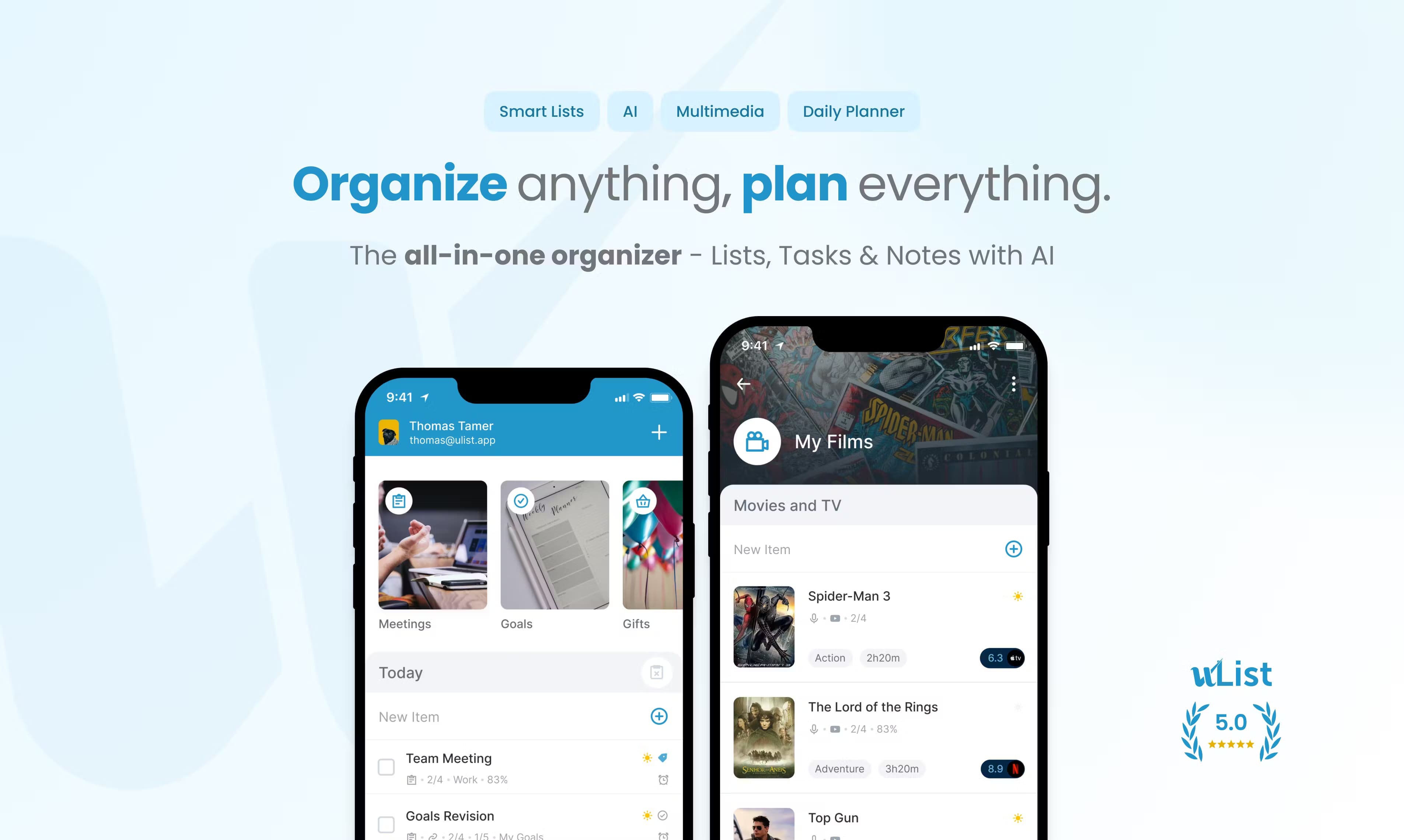
About uList: Custom & Smart Lists
What Is uList
uList is a task management app built around one idea: a list should hold everything you need, not just text. Each list can carry notes, checklists, images, videos, audio, and even YouTube links, so a grocery run, a project plan, and a trip itinerary all live in the same place. The name says it plainly. It's a to-do list app that tries to be smarter than a list.
Most checklists stop at text.
The pitch is personal organization without switching between five tools. Instead of a notes app here, a to-do app there, and a calendar somewhere else, uList folds agenda, tasks, reminders, and habits into a single workspace. AI notes help you draft and structure entries when you don't feel like typing out a full outline.
The trade-off is that uList bets on breadth. If you only need plain checklists, plenty of lighter apps do that job for free. As a checklist app, it goes further than most. uList is a productivity app for people who want their lists to hold context, media, and shared plans, and it runs on both iOS and Android with offline access so you can keep working without a signal.
Getting Started
- Download uList from the App Store or Google Play, then create an account.
- Pick a starting point: a blank list, a template, or a shared list from the community highlights.
- Add items, then attach notes, checklists, images, videos, or YouTube links to give them context.
- Set reminders, due dates, or habits through the agenda and calendar views.
- Share the list so others can view or edit it in real time.
Product Information
A quick look at uList: Custom & Smart Lists's pricing, supported platforms, and performance.
Best for
The users, tasks, and scenarios where this tool fits best.
Users
- Busy households
- Students
- Freelancers and small teams
Tasks
- Building a shopping list
- Planning a trip
- Managing daily tasks and habits
Scenarios
- Running errands with a weak signal
- Coordinating a group purchase
- Keeping a personal planner
Key features
Custom and Smart Lists
You can build lists that match how you actually think, not a fixed template. Add sections, reorder items, and mix checklists with freeform notes in the same list. Smart behavior keeps recurring items and due tasks visible. No digging required. Templates help too.
AI Notes
AI notes help you draft and structure list entries when a blank page stalls you. Describe what you need, and uList helps turn it into an organized list you can edit. It's most useful for turning a messy brain dump into a checklist you can act on, especially when you're staring at an empty list on a deadline and can't decide where to start.
Rich Media in Every List
Lists aren't limited to text. images, videos, audio clips, and YouTube links directly to items, which turns a list into a reference board as much as a task tracker. A recipe list can hold the video; a renovation list can hold the measurements and photos.
Agenda and Calendar
The agenda view keeps daily tasks, reminders, and habits in front of you, while the calendar tracks projects and deadlines. Between the two, you get a schedule and a task list that stay in sync instead of contradicting each other, which is the whole reason people abandon separate calendar and to-do apps in the first place. That combo saves real time.
Offline Support
uList works without a connection. You can add and edit items offline, and changes sync once you're back online. That matters when you're on a plane, in a basement store, or anywhere the signal drops. No wifi, no problem.
Real-Time Sharing and Sync
Shared lists update in real time, so a household or small team sees changes as they happen. Roles are simple. Anyone with access can view or edit, depending on what you allow. That's it. Replacing a group chat with a single live list is the feature most families actually feel day to day.
Widgets and Dark Mode
Home-screen widgets give you quick access without opening the app, and dark mode cuts eye strain during late-night planning, which matters more than it sounds when you're reviewing tomorrow's tasks at midnight and the screen is the last thing you see. Small touches, but they're the ones you use every day.
Pros and cons
Pros
- Lists hold media, notes, and checklists together, so you need fewer separate apps.
- Real-time sharing makes it genuinely useful for households and small teams.
- Offline support keeps lists usable when the connection fails.
- Available on both iOS and Android with widgets and dark mode.
- Template library gives you a head start instead of a blank list.
Cons
- No public API means you can't wire uList into your own tools or automations, which limits anyone who wants custom workflows that push list data into another system.
- If you only need simple checklists, the feature set may be more than you want.
- Pricing isn't spelled out clearly on the site, so you'll need to check the app store for current tiers.
Frequently asked questions
uList is a lists and task app for to-do lists, shopping lists, notes, and planner routines. It goes beyond text by letting each list hold images, videos, audio, and YouTube links, and it runs on iOS and Android.
Related content
Explore related tools, skills, and articles for uList: Custom & Smart Lists.
uList: Custom & Smart Lists Alternatives

Base Code
Base44 (Wix) · Coding · ProductivityBase Code is a shared cloud development environment from Base44. Teammates describe changes to an existing GitHub codebase in chat, preview them live and send them back as pull requests.

Knocket
Knocket (Tencent RTC team) · Productivity · Business · ChatbotKnocket is a free live chat and contact page tool that lets visitors message you from your website, app, or a shareable link, with every reply handled from Telegram or one inbox.

FloorGen
Vinit Kumar (FloorGen) · Productivity · China AIFloorGen is a browser-based floor plan maker that turns a sentence or a sketch into an editable 2D plan and a 3D walkthrough. Export to PDF, DXF or video, and draw without an account.