

Unbound AI
unboundai.net · Image · Video
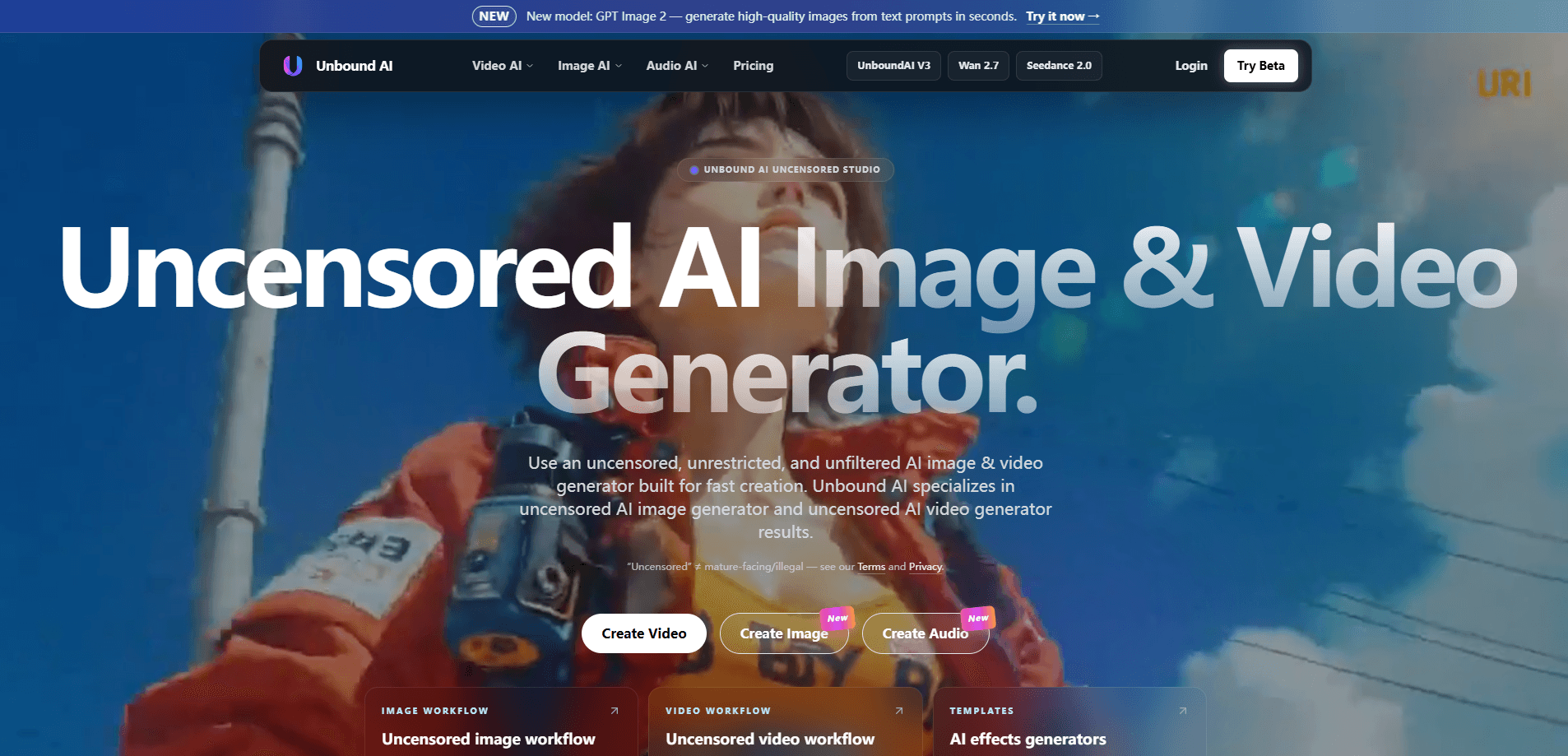
Unbound AI is a web-based uncensored AI image and video generator built for fast, unrestricted creation. It bundles text and image generation, image-to-video clips, face swap, an audio studio, and a visual canvas into one platform, with several underlying models to choose from. You start with free login credits, then buy one-time credit packs that never expire instead of a recurring subscription.
About Unbound AI
What Is Unbound AI
Unbound AI is an uncensored AI studio that runs in your browser. It's aimed at creators who want fewer filters on prompts and faster output, pulling text-to-image, image-to-video, face swap, and audio into a single account and a single credit balance. The pitch is straightforward: replace most of your separate creative tools with one platform.
The "uncensored" label is the main draw, and it's worth reading carefully. The site states that uncensored doesn't mean mature-facing or illegal content, and points users to its Terms and Privacy pages. If your work sits near platform content rules, check those pages before you commit. That limitation matters more than any feature list.
Pricing works differently from most AI tools. There's no monthly subscription. You buy credit packs once, and unused credits stay in your account, which suits people who create in bursts rather than daily. The trade-off is that you prepay for a chunk of credits rather than paying as you go.
Getting Started
- Sign in at unboundai.net. You get 3 free credits on your first login plus a daily login credit, which is enough to test the image and video workflows.
- Pick a workflow. Image, Video, Face Swap, Visual Canvas, and Audio Studio each open their own workspace.
- Choose a model. UnboundAI V4 and MiniMax H3 sit at the cheaper 480p tier, while UnboundAI V2, UnboundAI V1, Seedance 2.0, Nano Banana, and GPT Image 1.5 cover other quality and format needs.
- Write a prompt or upload a reference image, then generate. Video tasks can start from a still image, a text prompt, or a template effect.
- Estimate your credit use before buying a pack, then top up when you're ready to produce at scale.
Product Information
A quick look at Unbound AI's pricing, supported platforms, and performance.
Best for
The users, tasks, and scenarios where this tool fits best.
Users
- Independent creators and artists
- Marketing and social teams
- Hobbyist prompt explorers
Tasks
- Text to image
- AI image to video
- Face swap
- Audio work
Scenarios
- Fast concept testing
- Short-form content
- Occasional project work
Key features
Uncensored Image and Video Generation
Unbound AI markets itself as an uncensored AI image generator and uncensored AI video generator. Fewer prompt-level filters than mainstream tools. We'd treat that as a positioning claim, not a blank check: the site's own Terms still set the boundaries. The practical value is fewer interruptions when your prompts don't fit a conservative default policy.
Multiple Models in One Account
You aren't locked into one engine. The platform lists UnboundAI V4, UnboundAI V2, UnboundAI V1, MiniMax H3, Nano Banana, GPT Image 1.5, and Seedance 2.0, each with its own credit cost and output profile. Cheaper 480p models fit throwaway tests, while 720p options and dedicated image models cover finished work. One balance pays for all of them.
Image-to-Video Workflows
Video generation starts from a still image, a text prompt, or a ready-made motion template. The site recently added Seedance 2.0 with improved face consistency for image-to-video, which matters if characters recur across shots. Short 3-second and 5-second clips are the standard unit, aimed at social-length output rather than long-form film.
Face Swap and Visual Canvas
Face Swap and Visual Canvas are bundled workspaces rather than paid add-ons. Face Swap handles character swaps without exporting to another app, and the canvas gives you a place to assemble and refine visuals. Keeping these beside the generators cuts the usual copy-paste between tools.
Audio Studio
An Audio Studio rounds out the suite, so image, video, and audio production share one login and one credit pool. Think of it as a built-in AI audio studio. It's the least detailed part of the public feature set, but for creators who need voice or sound alongside visuals, it removes a separate subscription. Check current capabilities in-app, since the site lists it more briefly than the video tools.
One-Time Credit Packs
Instead of a subscription, Unbound AI sells credit packs you pay for once. Does a pack ever expire? No. Four tiers run from $120 (4,800 credits, doubled to 9,600 with bonus credits) up to $600 (48,000 credits, doubled to 96,000). The effective rate drops from $25 per 1,000 credits at the entry tier to $12.50 at the top, and unused credits never expire.
Pros and cons
Pros
- Uncensored positioning gives creators more room on prompts that get filtered elsewhere.
- One-time credit packs with no auto-renewal suit burst-based workflows.
- Purchased credits never expire, so unused balance isn't wasted.
- Multiple image and video models under a single balance, from cheap 480p tests to 720p and dedicated image models.
- Image, video, face swap, and audio tools share one login and account.
Cons
- No subscription means a higher upfront commitment; the cheapest pack is $120, so light users pay for credits they may not use soon.
- Uncensored doesn't mean anything goes. You still have to check the site's Terms, which limits how far the positioning actually stretches.
- Core capabilities like the ready-made template gallery and most generation queues are crowded behind a heavy marketing layer, so evaluating exact limits takes some digging.
- Credit costs vary a lot by model (from 5 credits per image up to 125 per 720p video generation), which makes budgeting less predictable than a flat plan.
Frequently asked questions
Yes. New accounts get 3 free credits on first login plus 1 daily login credit, which is enough to run a few image or short video generations before you spend anything.
Related content
Explore related tools, skills, and articles for Unbound AI.
Unbound AI Alternatives

Google EmbeddingGemma 2
Google DeepMind · Writing · Image · CodingGoogle EmbeddingGemma 2 is a 740M-parameter open model that turns text, code, images, audio, and video frames into vectors in one 768-dimension space, running on phones and laptops.

Tractionwave
TractionWave · Image · MarketingTractionWave is an AI attention heatmap tool for static ads. Upload a PNG or JPG and it returns predicted attention, ranked hotspots, and fixes before you spend budget.

Imejis.io
Imejis.io · Image · MarketingImejis.io is an AI design studio for agents and marketing teams. Describe an image in plain words, and it writes the copy, builds the layout, reflows it to every size, then exports a finished file.