

Meet Warren
Meet Warren · Business
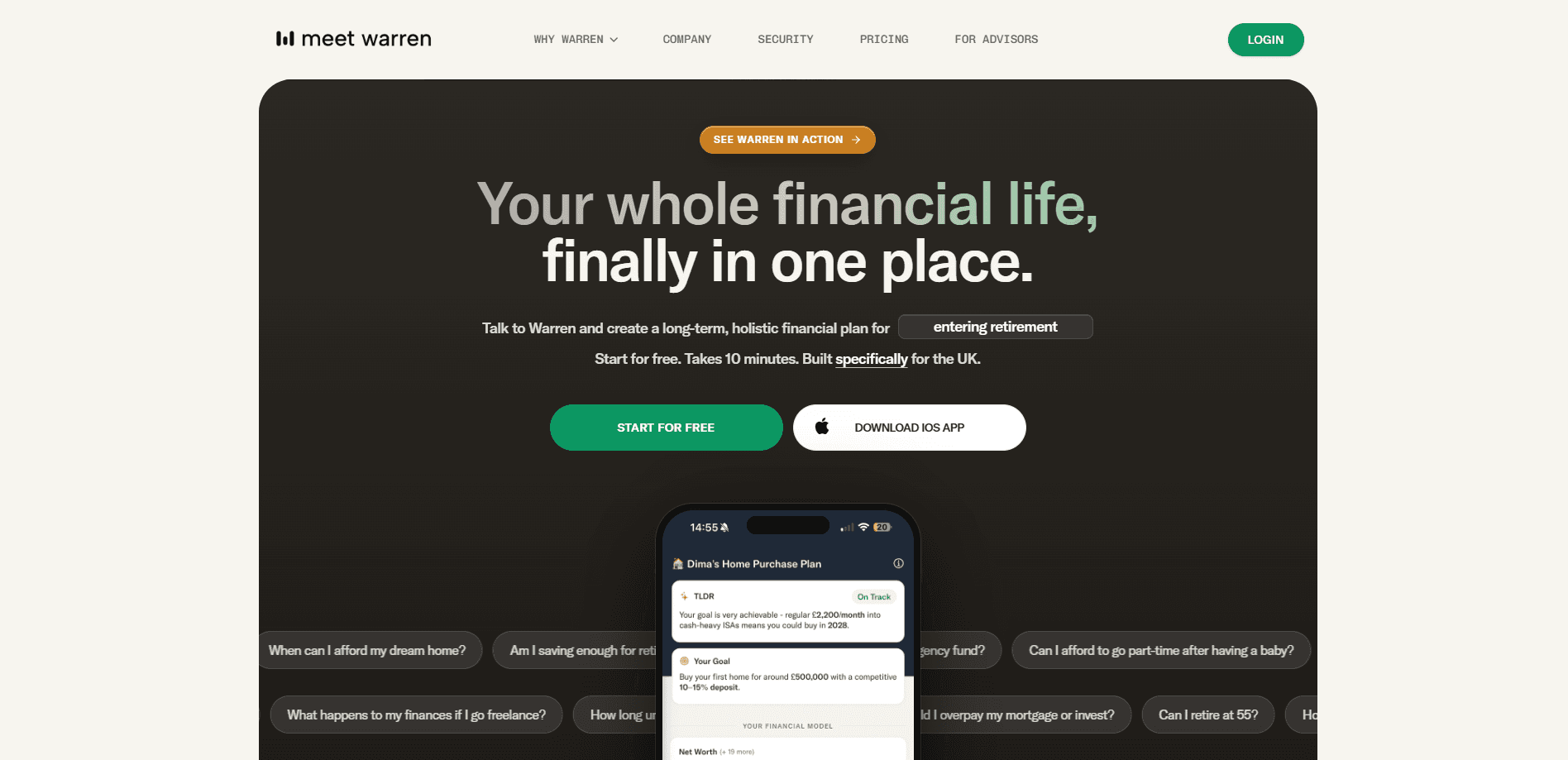
Meet Warren is a UK-focused AI financial planning tool that turns a short voice conversation into a joined-up retirement plan. You bring your pensions, ISAs, savings and property into one view, then model what happens if you retire earlier, spend more, or draw down assets in a different order. It works as an AI retirement planner for people who want a clear picture without hiring a traditional adviser. The numbers come from a deterministic engine rather than AI-generated maths, and a dashboard keeps the plan current as markets and UK tax rules shift.
About Meet Warren
What Is Meet Warren
Meet Warren is an agentic AI personal finance platform built for people who want a clear picture of retirement without hiring a traditional adviser. You start by talking, not typing. A ten-minute voice consultation with Warren, the AI companion, walks through your financial situation and goals, and from there the tool builds a plan around everything you own, pulling pensions, ISAs, savings and property into one connected model that you can actually inspect.
The core idea is that retirement isn't one pension and one date. Pensions, ISAs, investments, cash, property and mortgages all interact, and most people can't see how those moving parts fit together. That's the gap. Meet Warren puts them in one connected view, then lets you test decisions before you commit to them.
The limits matter here. Warren doesn't assess suitability, recommend specific financial products or execute anything on your behalf. It's decision support, not regulated financial advice. Is that a problem? It depends what you want. If you need someone to actually manage your money, this isn't that. It suits UK tax residents with a reasonably settled financial picture.
Getting Started
- Take the free ten-minute voice consultation and talk through your situation, goals and target retirement age.
- Add your assets and debts, including pensions, ISAs, investments, cash, property and mortgage. No bank connection is needed.
- Review the starting plan and the priority list of assumptions that move your outcome the most.
- Build and compare scenarios, such as retiring at 58 or changing contribution levels, side by side.
- Upgrade to the paid plan if you want the full cashflow model, household sharing and a year of monitoring.
Product Information
A quick look at Meet Warren's pricing, supported platforms, and performance.
Best for
The users, tasks, and scenarios where this tool fits best.
Users
- UK tax residents nearing retirement
- Couples planning together
- People who've avoided financial advice on cost grounds
Tasks
- Testing early retirement
- Ordering your drawdown
- Bridging the gap before pension access age
Scenarios
- A first serious look at how you're tracking, using the free assessment before paying for anything. Think of it as an AI financial adviser triage step.
- Revisiting a plan after a change such as a pay rise, a house move or a market drop.
- Ongoing monitoring between annual reviews, so your plan doesn't quietly drift.
Key features
Voice-First Onboarding
Warren opens with a spoken conversation rather than a long web form. You talk through your income, goals and what you own, and the tool turns that into a structured starting point. No blank spreadsheet. It's a low-effort way to get past the blank-page problem that stops most people from planning at all.
Deterministic Financial Modelling
The projections run on a deterministic engine, not generative AI making up arithmetic. Every assumption is inspectable and changeable, so you can see exactly why the model says what it says and trace any projection back to the input that produced it. That matters when a wrong number could mislead a retirement decision.
Joined-Up Asset View
Pensions, ISAs, investments, cash, property and your mortgage sit in one connected timeline. Instead of juggling three providers and a spreadsheet, you see how each asset funds your retirement and where the gaps are. The view updates as you add or adjust anything.
Scenario Comparison
You can put two plans next to each other, like retiring at 58 versus 62, and compare net worth and spending capacity over time. The tool is built for trade-offs, so you understand what a choice costs you before you make it. Asking follow-up questions in plain English keeps the comparison grounded in your own numbers.
Priority-Ordered Guidance
Rather than a wall of data, Warren surfaces the handful of assumptions that change your outcome the most. Reviewing pension contributions, planned spending and your mortgage repayment date shows up as concrete next steps. It's decision support, so the priorities point you toward what to check, not what to buy.
UK-Specific Tax Handling
The plan accounts for UK pensions, ISAs, the State Pension and tax rules rather than generic global assumptions. For a UK household this is the difference between a plan that reflects reality and one that quietly assumes a US 401(k). Rules change, and the monitoring is meant to keep the plan current.
Household Sharing and Monitoring
A paid plan covers your household, so partners share one plan at no extra cost. The tool monitors financial changes in the background and flags when something shifts, which means the plan you built last year doesn't quietly rot while markets, tax rules and your own circumstances move under it. That ongoing watch is what separates it from a one-off calculator you fill in and forget.
Pros and cons
Pros
- The ten-minute voice consultation is genuinely low-effort, which makes it easy to start without committing any money.
- Deterministic modelling means you can inspect the logic behind every figure, rather than trusting a black box.
- UK-specific treatment of pensions, ISAs and tax keeps the plan realistic for British households.
- Household sharing at no extra cost suits couples who plan together.
- The free tier gives a real assessment before you pay, so you can judge fit first.
Cons
- It provides decision support only, so you can't get regulated advice or have it act on your behalf. For people who want someone to execute the plan, this won't be enough.
- Pricing is quoted in pounds and aimed at UK tax residents, which limits use for anyone planning around another country's rules, tax systems or pension access ages.
- There's no public API, so you can't pull the modelling into your own spreadsheets or apps.
- The annual £149 plan covers a year of support, and there's no cheaper monthly option for short-term use. No middle tier either.
Frequently asked questions
It's used for UK retirement planning. You bring your pensions, ISAs, savings and property into one view, then model scenarios like retiring earlier or changing the order you draw down assets. It helps you understand trade-offs, not buy products.
Related content
Explore related tools, skills, and articles for Meet Warren.
Meet Warren Alternatives
Liveplan
Palo Alto Software · BusinessLivePlan is business plan software that helps founders and small business owners turn an idea into a funder-ready plan. It combines AI-assisted writing, market research with cited sources, and connected financial forecasting so your income statement, cash flow, and balance sheet move together when you change one number. Over 1.5 million businesses have used it to plan, forecast, and track performance against real accounting data. That's a lot of founders. It's also a signal the tooling survived contact with real lenders.

Swms
Swms AI · Writing · Productivity · BusinessSwms is an AI safety compliance tool that turns a plain description of a job into ready-to-use safety documents. Describe your project, trade, and known hazards, and it writes a safe work method statement, job hazard analysis, safe work procedure, RAMS, or safety data sheet in seconds. It also ships with Oscar, a chat assistant that answers workplace safety questions in any language. Teams in construction, mining, transport, and warehousing use it to cut the paperwork that usually eats into a workday.

Rows
Rows (Superhuman) · Productivity · BusinessRows is an AI spreadsheet and data analysis tool that imports live data from more than 50 sources, then lets you work with it using plain language instead of SQL queries or nested formulas. You can pull numbers out of PDFs, connect ad platforms, databases, and bank accounts, and ask the AI to build reports, merge datasets, or set up models that recalculate themselves. It runs in the browser, works like a spreadsheet, and now sits under the Superhuman umbrella.