

Unscreen
Image · Video
Unscreen was a browser tool that erased video backgrounds automatically, with no green screen. It closed on December 1, 2025, and unscreen.io now carries on the same job.
About Unscreen
About
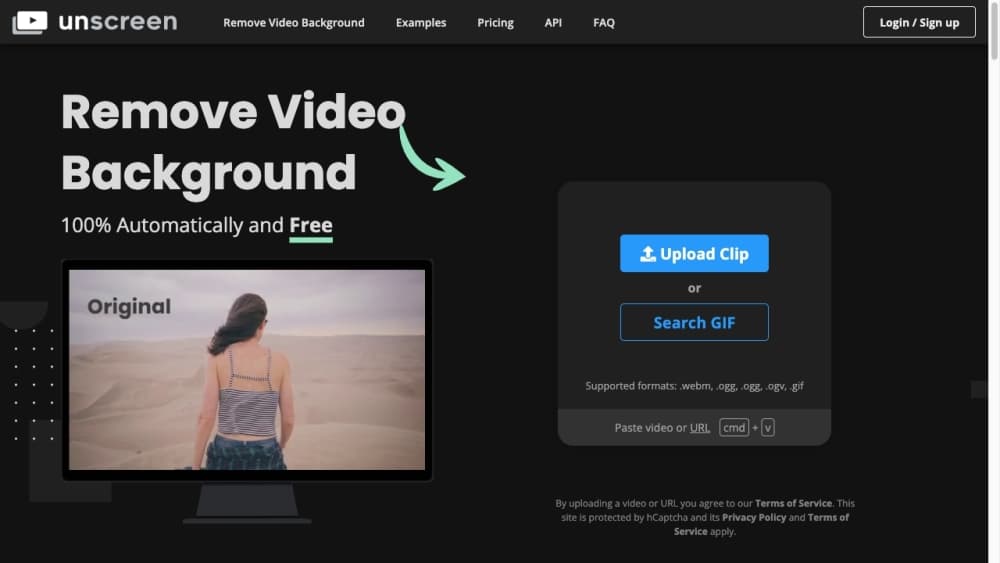
Unscreen was a video background remover that let anyone strip the background from a clip in a browser tab. You dropped in a file and the service cut out whatever sat behind the subject, so a person filmed in a messy room came out against a clean or transparent background. There was no chroma key setup, no masking by hand, and no software install.
The tool came from Kaleido AI, an Austrian computer vision company. Its sharpest trick was handling motion. A walking subject, windblown hair, or a waving hand would normally force an editor into frame-by-frame rotoscoping, and Unscreen aimed to do that work in one pass instead. Clips went up as MP4, MOV, WebM, or GIF, and finished renders came back with a transparent background or a replacement image.
Unscreen built a following among YouTubers, social media marketers, and small studios because it undercut the usual route to clean footage. Renting a studio, hanging a green screen, and rotoscoping each clip adds cost and turnaround time that most creators cannot absorb. Unscreen cut all three.
The service shut down on December 1, 2025. Video uploads, API access, and previously processed files stopped working, and Pro subscriptions ended. The domain still redirects, and the company points users toward unscreen.io, a separate service from RemBG that runs the same kind of background removal with 4K exports, an API, and pay-as-you-go credits.
Product Information
A quick look at Unscreen's pricing, supported platforms, and performance.
Best for
The users, tasks, and scenarios where this tool fits best.
Users
- YouTubers and vloggers who film in ordinary rooms and want broadcast-ready footage.
- Social media marketers producing short vertical clips for TikTok, Reels, and Shorts.
- Small studios and agencies that need clean cutouts without a green screen stage.
- Streamers who want a tidy webcam cutout behind their overlay.
- Editors who would rather skip manual rotoscoping on moving subjects.
Tasks
- Removing the background from a talking-head clip in one upload.
- Turning a clip into a transparent-background asset for compositing.
- Swapping a plain room for a branded backdrop without reshooting.
- Cutting out a moving subject where frame-by-frame masking would take hours.
- Batch clearing backgrounds across a set of short clips.
Scenarios
- Recording a product review at a desk and dropping in a studio backdrop afterward.
- Prepping vertical social clips from a shoot done in a home office.
- Isolating a presenter for a slide deck or online course module.
- Cleaning up webcam footage for a live stream overlay.
- Producing transparent clips for a motion graphics team to composite.
Key features
Automatic Background Removal
The core function took a video and returned the same clip with the background gone. To remove video background cleanly, Unscreen detected the subject and separated it from everything behind, so a person recorded in a cluttered space came out against transparency or a chosen image. No green screen, no masking, and no keying settings to tune.
Motion and Edge Handling
Moving subjects are where cutout tools usually fall apart. Unscreen tracked motion across frames so hair, hands, and fast movement stayed attached to the subject rather than smearing or flickering. This was the part that saved the most editing time, since manual rotoscoping on a moving subject is slow and tedious.
Transparent and Custom Backgrounds
Finished clips could come back with a transparent background ready for compositing, or with a solid color, image, or video dropped in behind the subject. That covered both workflows: handing a clean cutout to a compositor, or shipping a finished clip with a branded backdrop.
Format and Browser Support
You uploaded MP4, MOV, WebM, AVI, or GIF files and worked entirely in a browser, with no download or install. The tool ran on desktop browsers and did not ask for a dedicated app, which kept the barrier to entry low for occasional users.
Free Tier and Paid Plans
Unscreen offered a free tier that covered short clips with some limits, plus paid subscriptions that lifted length caps, removed restrictions, and opened higher output quality. The free option made it easy to test the output before paying, which matched how most creators adopt a new tool.
API and Batch Processing
Beyond the web app, Unscreen exposed an API so developers and agencies could wire background removal into their own products or process clips in bulk. That turned it from a one-off online video editor into a building block for automated AI video editing pipelines.
Pros and cons
Pros
- No green screen, no masking, and no editing skills needed to get a clean cutout.
- Ran in the browser, so there was nothing to install and nothing to configure.
- Handled motion well, which cut hours of manual rotoscoping on moving subjects.
- Transparent output made it easy to composite clips into other projects.
- A free tier let you test real output before committing to a plan.
Cons
- Unscreen shut down on December 1, 2025, so the service is no longer available.
- Previously processed videos and API integrations stopped working after the shutdown.
- The original tool capped resolution below 4K, which ruled out some broadcast work.
- Results on complex scenes still needed cleanup, since edge cases tripped the detection.
- Free-tier clips carried limits that pushed regular users toward a paid plan.
Frequently asked questions
Unscreen removed the background from video clips automatically. You uploaded a file, the tool cut out whatever sat behind the subject, and you downloaded the result with a transparent background or a replacement image. It covered talking-head videos, product clips, and social content without a green screen.
Related content
Explore related tools, skills, and articles for Unscreen.
Unscreen Alternatives

Google EmbeddingGemma 2
Google DeepMind · Writing · Image · CodingGoogle EmbeddingGemma 2 is a 740M-parameter open model that turns text, code, images, audio, and video frames into vectors in one 768-dimension space, running on phones and laptops.

Tractionwave
TractionWave · Image · MarketingTractionWave is an AI attention heatmap tool for static ads. Upload a PNG or JPG and it returns predicted attention, ranked hotspots, and fixes before you spend budget.

Imejis.io
Imejis.io · Image · MarketingImejis.io is an AI design studio for agents and marketing teams. Describe an image in plain words, and it writes the copy, builds the layout, reflows it to every size, then exports a finished file.