

Unshift AI
Unshift · Coding
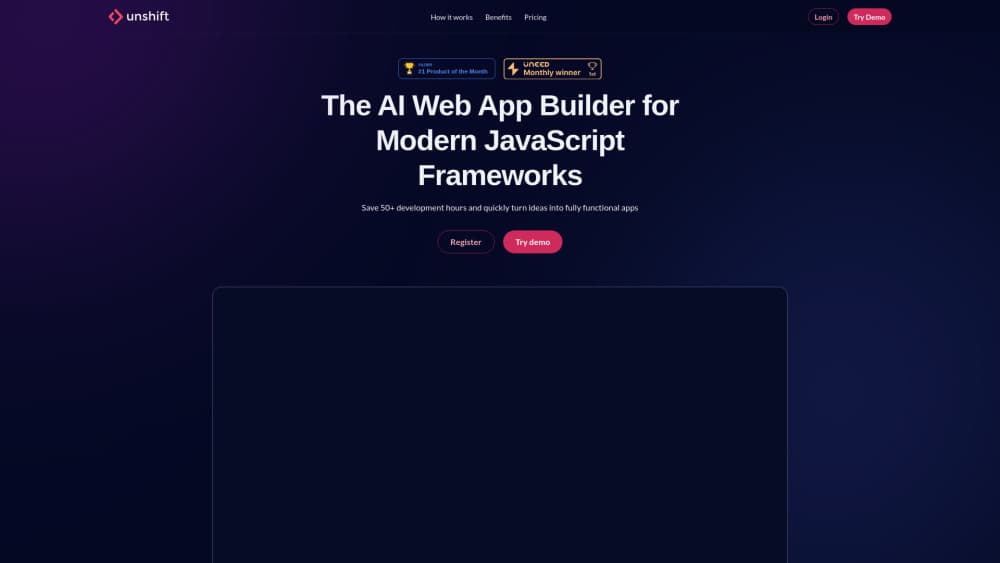
Unshift AI is a website builder that turns a chat with your own Claude or ChatGPT account into a finished site you can edit visually. The free tier publishes three sites on unshift.dev addresses.
About Unshift AI
What Is Unshift
Unshift is an AI website builder for people who want a real site without handing their work to a builder that keeps it. You start from a finished template or describe your business in a chat, then adjust every word and photo yourself. The pitch isn't the AI. It's where the AI runs.
Most builders bundle a model and charge you for prompts. Anyone who wants to build a website with AI has been paying twice for the privilege. Unshift AI connects to your own Claude or ChatGPT account through MCP, so generation runs on the subscription you already pay for and hits your own usage limits. For everyone else it's a no-code website builder with a code escape hatch, and the visual editor works with no AI account at all.
The output is ordinary React code: Vite, TypeScript, Tailwind CSS and shadcn/ui components, with Framer Motion for movement and Three.js for 3D scenes. Pro lets you download the whole project and host it anywhere. That matters if you've been stuck before on a platform that won't let your site leave.
Getting Started
- Sign up at unshift.ai. The free account needs no card.
- Open a template from the library, or connect your Claude or ChatGPT account and describe your business in one message.
- Read the draft, then click any line of text on the live page to rewrite it. Swap photos, drag sections, change colors.
- Fill in a page title, meta description and social image for each page you plan to publish.
- Publish to a free unshift.dev address, or move to Pro when you want your own domain.
Product Information
A quick look at Unshift AI's pricing, supported platforms, and performance.
Best for
The users, tasks, and scenarios where this tool fits best.
Users
- Freelancers and small studios
- Founders shipping a first site
- Developers who want a head start
- People already paying for Claude or ChatGPT
Tasks
- Launch and campaign pages
- Restaurant, portfolio and studio sites
- Keeping content fresh after launch
Scenarios
- Agency handoffs
- Replacing a slow site
- Testing an idea before committing
Key features
A First Draft From Your Own AI Account
You connect Claude or ChatGPT through MCP and describe what the business does. The model writes and lays out the whole site, including menus, sections and placeholder photos. Usage limits follow your AI provider and plan, and Unshift doesn't sell you tokens on top.
Click-to-Edit on the Live Page
Click a headline and type over it. Click a photo and replace it. The editor works on the rendered page rather than a form in a sidebar, so what you change is what visitors will see. No code, no rebuild step.
Templates and Swappable Sections
The library ships finished designs for restaurants, portfolios and studios, each built to be opened and filled in. Inside a page, an extensive set of ready-made sections covers heroes, feature grids, pricing tables, testimonials and galleries. Don't like a layout, swap it for a variant in one click.
Built-in CMS and Data Connectors
Copy, images and structured content live in the CMS, so a menu price or a project entry changes once and updates everywhere it appears. Data connectors pull live values from a REST API into supported blocks, which suits stock levels, listings and event schedules.
Fast Publishing on the Edge
Published sites are generated ahead of time and served from Cloudflare's network instead of assembled per request. Unshift's own Lighthouse run on a published site reports 98 for performance, 99 for accessibility, 98 for best practices and 96 for SEO, and the page passes the agentic browsing check that AI assistants use when they read a site for someone.
React Code Export on Pro
Pro gives you the project as React, Vite, TypeScript and Tailwind CSS with shadcn/ui components. Download it, open it in your editor, deploy it wherever you like. Unshift hosting stays available if you'd rather not move.
Pros and cons
Pros
- Generation runs on your own Claude or ChatGPT plan, so there's no markup on prompts and no second AI bill.
- The exported stack is mainstream React, which any frontend developer can pick up without learning a proprietary system.
- Free tier is permanent and covers three published sites, enough to run a real project before paying.
- Pages ship pre-built from the edge, and the agentic browsing pass means AI assistants can actually read the site.
- CMS and data connectors cover the content updates most small sites need, without a plugin stack.
Cons
- Custom domains, analytics and code export all sit behind Pro at $12 a month per site, so a real launch means paying.
- The AI path depends on your own provider's limits. Heavy drafting eats your Claude or ChatGPT allowance, and Unshift can't raise it.
- The Business tier with shared workspaces and roles is listed as coming soon, so teams have no shared project space today.
Frequently asked questions
Yes. The free plan is designed to be permanent and includes the visual editor, templates, forms and data connectors, with up to three published sites on unshift.dev addresses. Unshift branding stays on those sites.
Related content
Explore related tools, skills, and articles for Unshift AI.
Unshift AI Alternatives

Udon
Udon · Coding · ProductivityUdon turns an Apple Silicon Mac into a home server you run from a browser, with container controls, file shares, and an optional AI sysadmin.

offstage
offstage cloud · Coding · Productivityoffstage gives AI coding agents and CI jobs a real Mac: a fresh macOS account on Apple silicon, driven over an API and billed by the second.

BotBus
Chengdu Tuyang Tusen Technology Co., Ltd. · Coding · ProductivityBotBus lets you control AI coding agents from your phone and watch: approve commands, start tasks and read results while the code stays on your desktop.