

uPresenter
uPresenter · Productivity · Leaning
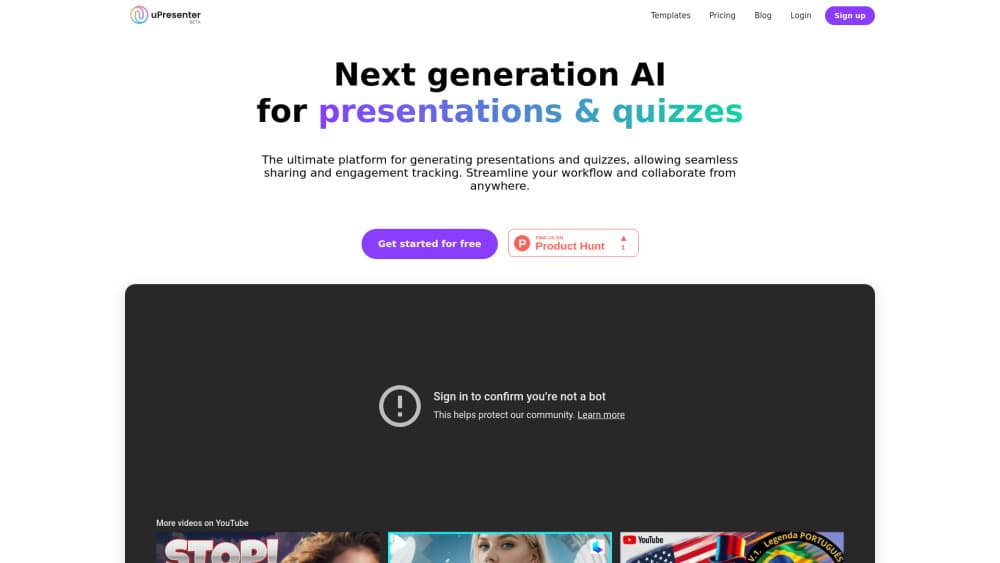
uPresenter is a browser-based AI eLearning authoring tool for building interactive lessons, quizzes, and learning reports, then share them by link or export SCORM and xAPI to any LMS.
About uPresenter
What Is uPresenter
uPresenter is a browser-based platform for building interactive eLearning. You create lessons as fixed slides or responsive, scrolling pages, add quizzes, animations, and voice narration, then deliver them by link, run them as a class, or export standards-based packages for a learning platform. An AI assistant can draft a full lesson from a topic, a prompt, or an uploaded document.
Most authoring setups split the work across slide software, a course builder, a classroom tool, and a reporting dashboard. Content gets handed between them, and something breaks every time. uPresenter keeps design, questions, scoring, delivery, and learner results in one web workspace, so you edit the same source project and skip the file juggling.
Two limits matter before you commit. Everything runs in the browser, so offline delivery depends on an HTML5 export rather than a desktop app. And the features that make the platform interesting for teams, like publishing, advanced analytics, and standards export, sit on the paid Pro plan.
Getting Started
- Open upresenter.ai and create a free account. The Free plan starts with 250 AI credits and a 14-day Pro trial, no card required.
- Start a project from a blank file, a template, a duplicate, or a reusable public lesson, then pick a fixed slide layout or a responsive fluid layout.
- Build the experience. Apply a theme, drop in text, media, charts, and narration, then add a file or a URL, or let the AI assistant generate slides, quizzes, and images you can edit.
- Add learning behavior. Configure question types, scoring, attempts, feedback, navigation, animations, and event-based interactions.
- Deliver and track. Publish a link, assign the lesson to a class, or export SCORM 1.2, SCORM 2004, xAPI, HTML5, or PDF, then review completion, scores, and time spent in Reports.
Product Information
A quick look at uPresenter's pricing, supported platforms, and performance.
Best for
The users, tasks, and scenarios where this tool fits best.
Users
- Teachers and trainers
- Instructional designers
- Corporate L&D teams
- Online course creators
Tasks
- Turning a document into a lesson
- Writing quizzes
- Recording or generating narration
- Packaging for an LMS
- Running a live class
Scenarios
- Onboarding a new hire cohort
- Training staff across several locations
- Building a semester of classroom material
- Updating a course after the first run
Key features
AI-Assisted Authoring
The AI assistant is the fastest way to a first draft. You describe a topic or drop in a document, and it generates slide text, whole slides, an AI quiz generator output with questions, charts, and images. Every result stays editable, so the model proposes and you decide. It also rewrites for clarity and grammar if you want a faster pass. It works across 40+ languages.
Slide and Fluid Layouts
One editor covers two very different formats. A pixel-precise slide canvas suits presentation-style lessons, while a responsive fluid layout produces scrolling pages that read well on phones. You switch between them inside the same project, so a lesson built for a projector can be adapted for mobile without rebuilding it in another app.
Interactive Lesson Builder
The quiz engine offers 14 interactive question types, from multiple choice and true or false to matching, hotspots, sliders, and Drag the Words. You set scoring, attempt limits, and per-answer feedback, and learners get a review at the end. That turns a passive deck into an interactive lesson builder that produces graded results rather than a slideshow.
Classes and Learner Reports
You create classes, invite learners with a join code, order the lessons, and follow each person's progress in Reports. Completion, average scores, pass status, and learning time show up without an LMS. On Pro, you also see every answer in each attempt. For trainers, that closes the loop between teaching and evidence of learning.
Media, Narration, and Text-to-Speech
Images, video, YouTube embeds, audio, screen recording, icons, and graphics drop into the canvas next to the text they support. Text-to-speech adds narration with a choice of voice and style, capped at 1,000 characters per generation on Free and 8,000 on Pro. It keeps a polished voiceover available without a recording session.
Live Collaboration and Version History
Viewers, commenters, and editors can work in the same project, with live collaborator pointers, inline comments, and version history. Feedback and edits stay on the source file instead of bouncing through email attachments. For review-heavy training content, that removes a lot of back-and-forth.
SCORM, xAPI, and Multi-Format Export
Delivery isn't locked to one platform. You can share a link, run a class in uPresenter, or export the lesson as SCORM 1.2, SCORM 2004 (3rd Edition), xAPI, HTML5, PDF, JPG, or PNG. SCORM export and xAPI export ship as .zip packages that any standards-compliant LMS accepts, and your system receives score, completion, pass or fail, time spent, and each question's response.
Pros and cons
Pros
- The Free plan is genuinely usable, with 250 AI credits at sign-up, 200MB of storage, collaborative editing, basic analytics, and a 14-day Pro trial that needs no card.
- AI authoring stretches from a single slide to a whole lesson, and it ingests common file types like PDF, DOCX, PPTX, XLSX, and TXT in 40+ languages.
- Quizzes are a real part of the build, with 14 question types, scoring, attempts, and answer feedback rather than a bolt-on survey.
- Built-in classes and Reports let small teams track learning without an LMS, and standards export covers groups that already have one.
Cons
- Publishing, advanced analytics, quiz tracking, and every export format sit behind the $48 per user per year Pro plan, so the free tier is mainly for drafting and previewing.
- Storage is capped at 200MB on Free and 5GB on Pro, which is tight if you lean on video or large media.
- AI credits run out and are bought separately from Pro features, with packs starting at $5 for 2,500 credits.
- It runs only in the browser, with no desktop app, so offline use means exporting an HTML5 package first.
Frequently asked questions
uPresenter builds and delivers interactive eLearning. You create lessons as slides or scrolling pages, add quizzes and narration, then share them by link, teach them in a class, or export SCORM and xAPI packages for an LMS. It covers authoring, delivery, and learner tracking in one browser workspace.
Related content
Explore related tools, skills, and articles for uPresenter.
uPresenter Alternatives

Udon
Udon · Coding · ProductivityUdon turns an Apple Silicon Mac into a home server you run from a browser, with container controls, file shares, and an optional AI sysadmin.

offstage
offstage cloud · Coding · Productivityoffstage gives AI coding agents and CI jobs a real Mac: a fresh macOS account on Apple silicon, driven over an API and billed by the second.

BotBus
Chengdu Tuyang Tusen Technology Co., Ltd. · Coding · ProductivityBotBus lets you control AI coding agents from your phone and watch: approve commands, start tasks and read results while the code stays on your desktop.