

VectorShift
VectorShift · Coding
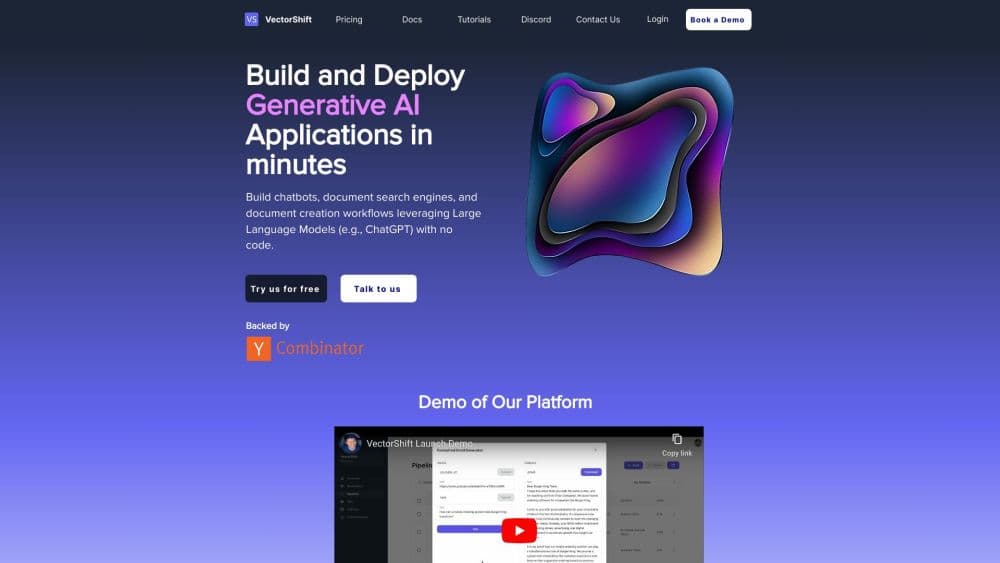
VectorShift is a no-code platform for building AI workflows, agents, and searchable knowledge bases. You connect nodes on a canvas, deploy the result, or write the same flow in Python.
About VectorShift
What Is VectorShift
VectorShift is an AI workflow builder for people who would rather drag than code. Everything starts on a visual canvas. You drop blocks called nodes onto a canvas, connect them with edges, and each connection passes data downstream. An input node takes the user message, a knowledge base node searches your documents, an LLM node writes the answer, an output node returns it. That chain is a workflow, and it's how most teams build their first RAG pipeline here without touching code.
The platform covers more than that one recipe. Agents sit on top of workflows and decide for themselves which tool to call, from web search to Python execution to your own automations. Knowledge bases ingest PDFs, spreadsheets, audio, video, and live sources like Google Drive, so answers come back with citations to the source page. Everything ships to end users through interfaces, portals, or an embed.
The company now markets the product mainly to private market investors, with interfaces for data room review, portfolio monitoring, and investment committee memos. The general-purpose builder is still the same product most people sign up for. Two limits matter early. The free plan carries one pipeline and a very small AI credit balance, so it's a test bed, not a host for live traffic. And model calls bill separately from pipeline actions, which makes cost harder to predict than the sticker price suggests.
Getting Started
- Sign up at vectorshift.ai with an email or a Google account. The Starter plan needs no credit card.
- Create a workflow from the canvas or import a template from the Marketplace. Add an input node and a knowledge base, then upload or connect your documents.
- Drop an LLM node and type your prompt. Reference earlier outputs with the double curly brace syntax, or pick the field from the variable builder.
- Connect an output node and run the workflow to test it. Check the intermediate values on each node when an answer looks wrong.
- Export it as a chat interface or a portal, or grab an API key and call the same workflow from code.
Product Information
A quick look at VectorShift's pricing, supported platforms, and performance.
Best for
The users, tasks, and scenarios where this tool fits best.
Users
- Operations teams with document-heavy work
- Developers who want a visual layer
- Private market investors
- Solo builders shipping a small AI tool
Tasks
- Building a RAG chatbot over internal docs
- Automating a multi-step back-office flow
- Reviewing a data room under time pressure
- Drafting recurring reports
Scenarios
- A team that has one repetitive document task and no engineer free
- An analyst who needs sourced answers, not guesses
- A product team prototyping an AI feature before a build
Key features
Node-Based Workflow Canvas
The canvas is the center of the product. Each node does one job, whether that's scraping a URL, calling a model, running Python, or reading a table, and you wire them left to right. Outputs from any upstream node drop into downstream fields through a variable picker, so a prompt can carry the scraped page and the user question at once. Testing is per node: run the whole flow and inspect what each block produced, which makes broken steps obvious instead of buried in a stack trace.
Agents That Choose Their Own Tools
An agent is an LLM with instructions, tools, and typed inputs. This is the part of the platform most people call an AI agent builder, and it's where the canvas stops being a fixed script. Instead of a fixed sequence, it reasons about the request and picks what to call next, from web search through Google, Exa, or Perplexity, to code execution, file parsing, and connectors for Slack, Airtable, Salesforce, and similar services. Agents can also call sub-agents or trigger a workflow as a tool, which puts full multi-step automations inside a conversation. That last part is rare among agent builders.
Knowledge Base With Citations
Uploading a document starts a pipeline: ingestion, chunking, text extraction, embedding, then retrieval. You control the splitter method and chunk size, and code files split along function and class boundaries by default. Integrations keep the index fresh, so a new file in Google Drive or a new message in Slack becomes searchable without a manual reindex. Answers come back with a link to the exact source, which matters more in compliance and due diligence work than a confident paraphrase.
Deployment Through Interfaces and Portals
Workflows reach users through four interface types: chatbots, search engines over your knowledge bases, forms for document collection, and voicebots. Portals go a step further and bundle chosen agents, interfaces, and knowledge bases behind one URL with your branding and access controls. That lets you give a client a clean product without exposing the builder, or route each team straight into the workspace built for them.
Python SDK and REST API
Anything on the canvas has a code equivalent. The Python SDK builds pipelines with a fluent chain, so you can add nodes, save, and run from a script or a scheduled job. A type checking plugin catches miswired nodes before you deploy. The REST API covers the same objects for other languages, and pipelines triggered through either surface stay editable in the visual editor.
Marketplace Templates
The Marketplace holds published workflows and chatbots you can import into your workspace in one click. A compliance assistant with a tuned prompt and a knowledge base hookup that would take hours to assemble lands in minutes, and you swap in your own content afterward. Organizations also get a private tab for templates their own team has built and approved.
Pros and cons
Pros
- The visual canvas and code paths hit the same backend, so a prototype can move to the SDK without a rebuild.
- Knowledge base answers carry source citations, which saves hours of manual verification on document-heavy work.
- Agents can call workflows as tools, covering multi-step automation inside a single chat session.
- The free Starter plan needs no card, so you can test a real workflow before paying anything.
- Templates cut the path to a first working chatbot from days to an afternoon.
Cons
- Model calls bill from a separate AI credit balance on top of your plan. A busy chatbot can run up a usage bill while your pipeline actions sit mostly unused.
- The free plan allows one pipeline and roughly $1 of AI credits, which runs out after a short test session.
- The pricing page lists annual rates first. Monthly billing costs more, and the gap is wide enough to change the math for a short project.
- The site now leads with private market intelligence, so tutorials and examples targeted at generic automation are easier to find in the docs than on the homepage.
Frequently asked questions
VectorShift builds and deploys AI systems without code. You connect nodes on a canvas to create a workflow, and that workflow can answer questions over your documents, run multi-step automations, or act as an agent that picks its own tools. Used as an AI automation platform, it takes the output and ships it as a chatbot, a search page, a form, or an embedded portal.
Related content
Explore related tools, skills, and articles for VectorShift.
VectorShift Alternatives

Udon
Udon · Coding · ProductivityUdon turns an Apple Silicon Mac into a home server you run from a browser, with container controls, file shares, and an optional AI sysadmin.

offstage
offstage cloud · Coding · Productivityoffstage gives AI coding agents and CI jobs a real Mac: a fresh macOS account on Apple silicon, driven over an API and billed by the second.

BotBus
Chengdu Tuyang Tusen Technology Co., Ltd. · Coding · ProductivityBotBus lets you control AI coding agents from your phone and watch: approve commands, start tasks and read results while the code stays on your desktop.