

Velocity: Prompt Assistant
Totem Interactive · Prompts
Velocity: Prompt Assistant is an AI prompt optimizer that turns rough drafts into stronger prompts in one click and carries your saved context across ChatGPT, Claude, Gemini, and 40+ AI tools.
About Velocity: Prompt Assistant
What Is Velocity: Prompt Assistant
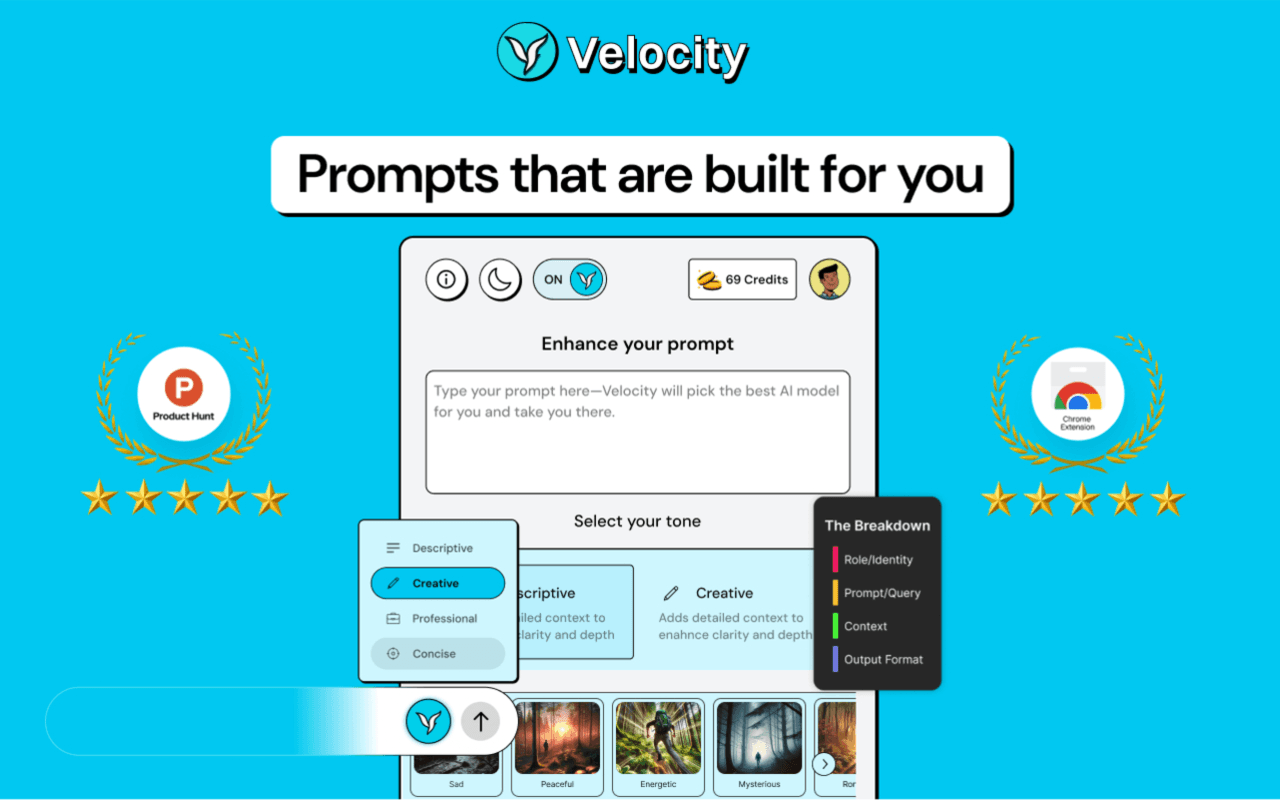
Velocity: Prompt Assistant is a co-pilot for prompting itself. Instead of learning prompt engineering from scratch, you type a rough thought, hit the Enhance button, and get a clearer instruction with the role, context, and format the model needs.
It targets a common problem. Most people treat a chatbot like a search box, get a flat answer, and blame the model. Velocity rewrites the input so the same model returns something usable, then remembers the details you keep repeating so you stop retyping them.
The limits are worth knowing. The free tier caps how often you can rewrite a prompt, the deepest features sit behind Pro or a lifetime plan, and the tool improves your input rather than picking the right model for the job.
Getting Started
- Install the Chrome extension or open the web app and sign in, then pick the AI tool you already use.
- Type a rough prompt and hit the Enhance button, or choose a mode like Build, Research, or Media for the task at hand.
- Confirm the goal when asked, then let Velocity rewrite the prompt with added context and structure.
- Use Improve or Refine for follow-up questions that sharpen the prompt further.
- Save the prompt to your library and reuse your stored memory in other AI tools.
Product Information
A quick look at Velocity: Prompt Assistant's pricing, supported platforms, and performance.
Best for
The users, tasks, and scenarios where this tool fits best.
Users
- Everyday ChatGPT and Gemini users
- Content creators and marketers
- Developers using coding assistants
- Teams on a shared AI workflow
Tasks
- Turning a vague idea into a usable prompt
- Carrying context between tools
- Refining an answer that missed
- Reusing prompts that work
- Picking the right mode for a job
Scenarios
- A marketer pastes a three-word brief and needs a full campaign outline before a meeting.
- A student studying a dense topic refines a prompt until the explanation finally lands.
- A solo developer switches between ChatGPT and Claude for the same project without re-explaining the setup.
- A support lead drafts customer replies where a clearer prompt keeps the tone consistent.
Key features
One-click prompt enhancement
The core action is a single Enhance button. You type a rough thought, and Velocity rewrites it with a defined role, clearer goal, added context, and a request for structured output. You can accept the result or refine it, so the rewrite stays a suggestion rather than a black box.
Goal Confirm and AI modes
Before it rewrites, Velocity can confirm the goal so the result matches what you actually want. Separate modes fit different jobs: Flash for fast everyday turns, Best for the strongest rewrite, Build for coding, Research for analysis, and Media for image work. Picking a mode is how you tell the tool what kind of help you need.
Memory and context transfer
Memory stores details you repeat, like your project, tone, or audience. Context transfer carries that saved context into a different AI tool, so you don't reintroduce yourself every time you switch. On the free plan you keep three memories; Pro removes the cap.
Prompt Library with collections and versions
The Prompt Library holds ready-made starter prompts plus everything you save. You sort prompts into collections and keep versions of each one, so you can see how a prompt changed and roll back to an earlier take. It stops your best prompts from disappearing into old chat threads.
Improve and Refine
Improve and Refine act as a follow-up loop. After a first pass, Velocity asks targeted questions that sharpen the prompt, and you answer until the instruction is precise. The free plan allows up to three rounds per prompt, which is enough for most quick jobs but not for deep iteration.
Chrome extension across 40+ AI tools
The Chrome extension puts the same rewrite flow inside the tools you already open. It runs in ChatGPT, Claude, and Gemini, plus 40+ other AI apps, and behaves the same on a personal account as it does on a company one. That reach is the main reason to use it over a prompt tool that lives only on its own website.
Pros and cons
Pros
- Turns a rough idea into a structured prompt in one click, so you don't need to learn prompting from scratch.
- Works inside ChatGPT, Claude, Gemini, and 40+ AI tools through one Chrome extension.
- Carries saved context between tools, which cuts the retyping when you switch apps.
- Free plan with 10 weekly enhancements lets you test the core idea before paying.
- Lifetime options from $49 make a one-time payment possible instead of a subscription.
Cons
- The free plan caps you at 10 prompt enhancements every 7 days, which runs out fast for daily use.
- AI modes, unlimited memory, and full library features are locked behind Pro, so the free tier hides much of the product.
- It improves the prompt you write but doesn't choose the best model for a task, so model choice is still on you.
- No public API is documented, which rules it out for teams wanting to improve prompts from their own code.
Frequently asked questions
It is an AI prompt optimizer, or prompt enhancer, that rewrites rough drafts into clearer, structured instructions and works inside the AI tools you already use. You type an idea, hit the button, and the tool adds the role, context, and format a model needs for a better answer.
Related content
Explore related tools, skills, and articles for Velocity: Prompt Assistant.
Velocity: Prompt Assistant Alternatives
Dorkgpt
PredictaLab · Other · PromptsDorkgpt is a free, browser-based Google dork generator that writes the queries for you. You describe what you want to find in everyday language, and it returns a ready-to-paste search query built from the operators that power Google dorking. It's a handy AI search tool for anyone who needs precise results without memorizing advanced search queries.
The Prompt Index
The Prompt Index · Productivity · PromptsThe Prompt Index is a web-based AI workspace that pairs a curated prompt library with a set of built-in tools. You get 780+ tested prompts, a prompt generator, an AI writing assistant and an AI humanizer, all under one login. It suits people who want a ChatGPT prompt database they can actually search and reuse instead of scrolling endless browser tabs.

Pretty Prompt
Pretty Prompt · Productivity · PromptsPretty Prompt is an AI prompt enhancer that rewrites a rough request into a clear, structured prompt in one click. It runs as a Chrome extension for prompts inside ChatGPT, Claude, Gemini, Perplexity and dozens of other AI tools. No copy-paste between tabs. Better prompts, better answers, and no need to learn prompt engineering first.