

Versive
Mirio, Inc. · Business
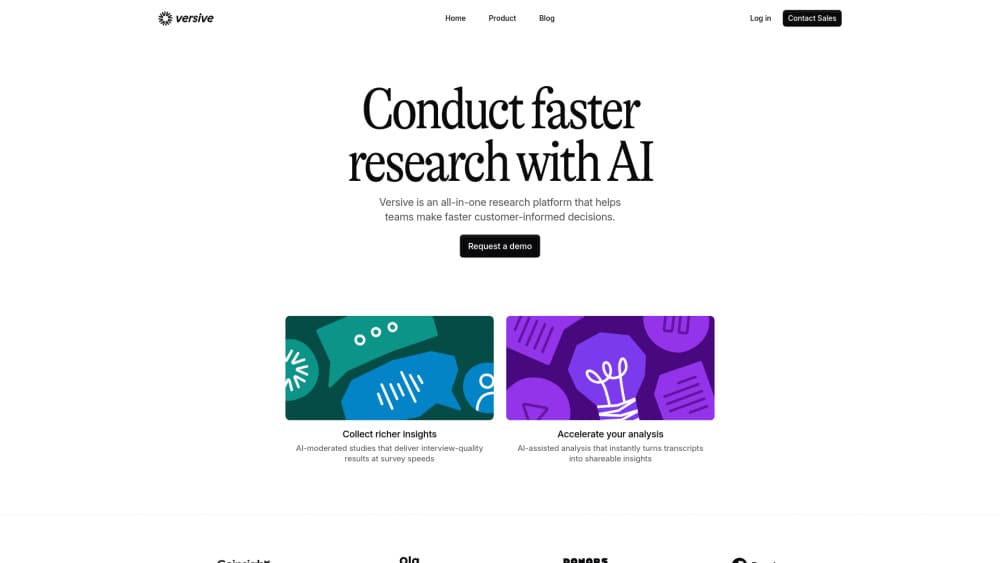
Versive is an AI research platform that tests designs with synthetic personas and runs AI-moderated interviews with real users, then turns both into shareable reports.
About Versive
What Is Versive
Versive is a user research platform built around two workflows: AI tests that need no participants, and AI-moderated studies that do. The company behind it is Mirio, Inc., a Y Combinator-backed team based in San Francisco. The platform is SOC 2 Type 2 certified and holds data in US or EU regions.
Product teams use it to answer questions that normally wait weeks for a recruiter. You can point an AI persona at a Figma prototype or a live website and get a transcript, screenshots, and a list of usability problems in minutes. When a decision needs real people, the same workspace runs conversational interviews and surveys with text, voice, or video responses.
The main limit is the nature of simulated feedback. Synthetic personas produce plausible reactions, not proof of what customers will do. Treat an AI test as a way to find obvious problems before you spend a recruitment budget, and keep real participants for pricing, positioning, and anything with money attached. Credits are also shared across AI tests and interviews, so heavy testing months cost more than the plan price suggests.
Getting Started
- Create a workspace, then choose between an AI test and a study with real participants.
- For an AI test, paste a live URL or import frames from the Figma plugin, then pick one or more personas.
- For a study, describe your research goal and let the assistant draft questions, or build them by hand with the question library.
- Set branching, quotas, and device rules, then publish a shareable link or embed the study in your product.
- Open the report to read transcripts, themes, and prioritized recommendations, then export a PDF or CSV for stakeholders.
Product Information
A quick look at Versive's pricing, supported platforms, and performance.
Best for
The users, tasks, and scenarios where this tool fits best.
Users
- Product designers
- UX researchers
- Startup founders and product managers
Tasks
- Testing a Figma prototype before engineering time is committed
- Running a survey that needs follow-up questions
- Screening early concepts against each other
- Analyzing open-ended responses
Scenarios
- A weekly design review where the team wants fresh feedback before Friday
- A study that has to run in several countries
- An agency handling several clients
Key features
AI Tests on Prototypes, Sites, Images and Video
Point a persona at a Figma prototype, a live website, a screenshot, or a recorded walkthrough. This is usability testing without a recruiting round. On live sites the AI drives a real browser, so you get a step-by-step action log, screenshots, and a video of the session. A set of AI users can run the same test in parallel and you can watch the sessions live.
Synthetic Personas Built From Your Own Research
Each persona carries goals, friction points, and a Big 5 profile, and you can generate one from uploaded interviews or survey data instead of inventing traits. Personas are reusable, so a persona calibrated for one project can test the next release too. Three modes control the output: a dynamic interview, a heuristic evaluation against Nielsen's ten rules, or structured per-screen feedback.
AI-Moderated Interviews With Real Participants
The interviewer asks follow-up questions based on what the participant just said, and you can set how deep it probes. Text, voice, and video modes cover different budgets and levels of detail, and the real-time voice engine runs a natural spoken conversation. A quality mode trades speed for better probing when the topic is sensitive.
20+ Question Types With Branching Logic
The survey tool covers the basics plus card sorts, rankings, allocation, conjoint, tree tests, and prototype tasks. Conditions can jump to a question, end the session, redirect, or screen a participant out, and open-ended answers can trigger logic written in plain language. Quotas, device enforcement, and screen recording keep a study from collecting the wrong responses.
Automated Analysis and Reports
AI research analysis starts as soon as responses land. Every interview gets a summary, a sentiment label, and a quality score, and low-effort or fraudulent responses are flagged before they reach your charts. Themes link back to the exact quote and timestamp, so a claim in the report is traceable. Reports export as PDF or CSV, and video clips can be cut for a stakeholder presentation.
API, MCP Server and Figma Plugin
A public API and an MCP server let an AI agent create, edit, or analyze studies without opening the dashboard, which suits teams that already work inside chat tools. Webhooks push events to your own systems, and the Figma plugin imports frames directly. The API is part of the paid tiers, so the free plan cannot automate anything.
Pros and cons
Pros
- Combines synthetic testing and real-participant research in one workspace, which removes the usual handoff between tools.
- The AI follow-up questions produce richer answers than a fixed questionnaire, especially on open-ended topics.
- Reports arrive with screenshots, quotes, and severity ratings, so a designer can act without re-reading every transcript.
- Twenty languages and a participant panel through Respondent make international studies practical for a small team.
- SOC 2 Type 2, SSO on Enterprise, and a no-training-on-customer-data policy answer the security questions large buyers ask.
Cons
- The free plan only covers surveys with 100 responses a month, so AI tests require a paid plan or the 14-day trial.
- Credits are shared across tests and interviews, and running out pauses studies until you top up or upgrade.
- Synthetic persona output can sound confident while being wrong about real user behavior, which makes it a poor substitute for validation.
- Recruiting from the panel is billed separately and is not covered by credits, so costs are hard to predict for large studies.
Frequently asked questions
Versive runs two kinds of research: AI tests where synthetic personas review a design or website, and studies where an AI moderator interviews real participants. Both produce transcripts, analysis, and a shareable report.
Related content
Explore related tools, skills, and articles for Versive.
Versive Alternatives
Liveplan
Palo Alto Software · BusinessLivePlan is business plan software that helps founders and small business owners turn an idea into a funder-ready plan. It combines AI-assisted writing, market research with cited sources, and connected financial forecasting so your income statement, cash flow, and balance sheet move together when you change one number. Over 1.5 million businesses have used it to plan, forecast, and track performance against real accounting data. That's a lot of founders. It's also a signal the tooling survived contact with real lenders.

Swms
Swms AI · Writing · Productivity · BusinessSwms is an AI safety compliance tool that turns a plain description of a job into ready-to-use safety documents. Describe your project, trade, and known hazards, and it writes a safe work method statement, job hazard analysis, safe work procedure, RAMS, or safety data sheet in seconds. It also ships with Oscar, a chat assistant that answers workplace safety questions in any language. Teams in construction, mining, transport, and warehousing use it to cut the paperwork that usually eats into a workday.

Rows
Rows (Superhuman) · Productivity · BusinessRows is an AI spreadsheet and data analysis tool that imports live data from more than 50 sources, then lets you work with it using plain language instead of SQL queries or nested formulas. You can pull numbers out of PDFs, connect ad platforms, databases, and bank accounts, and ask the AI to build reports, merge datasets, or set up models that recalculate themselves. It runs in the browser, works like a spreadsheet, and now sits under the Superhuman umbrella.