

VetRec
VetRec · Productivity
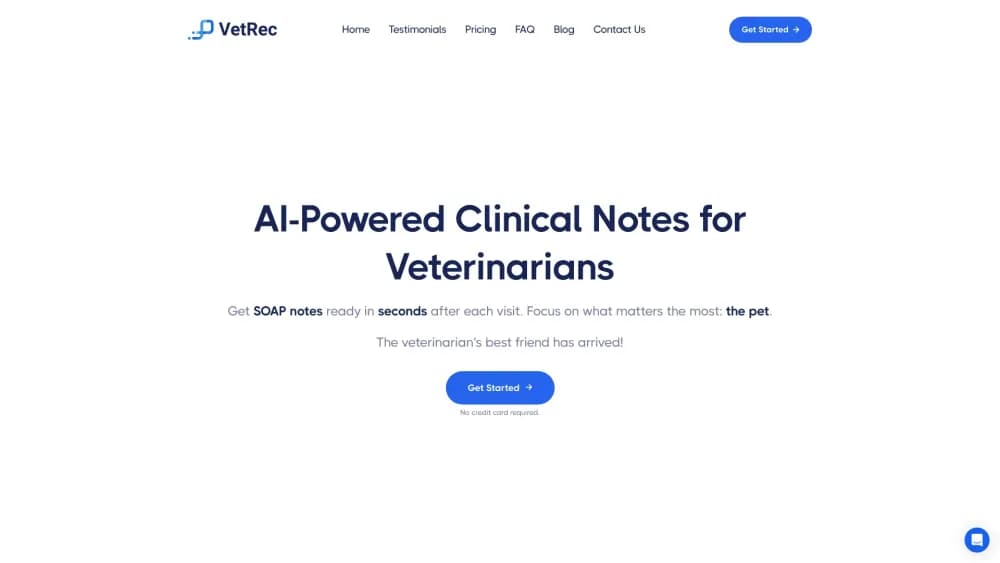
VetRec is an AI veterinary scribe that listens during the exam and drafts a review-ready SOAP note in seconds, then sends it into your practice software.
About VetRec
What Is VetRec
VetRec is vet documentation software built for clinics. You open it on a phone, tablet, or laptop before an appointment, and it records the conversation between vet, client, and patient. When the visit ends, the veterinary SOAP notes are waiting on screen: subjective history, exam findings, assessment, and plan. You read it, fix anything that sounds off, and send it to the practice management system (PIMS) without retyping the visit.
The problem it targets is the charting that happens after the last client leaves. Veterinary teams routinely stay late to finish records, and that backlog is one of the reasons burnout runs high in the field. VetRec's pitch is narrow and practical: cut the typing, keep the vet in the room, and hand back a note that's close enough to sign after a quick read. It's an AI scribe for veterinarians who'd rather finish on time than type after close.
Three limits matter before you buy. The output is a draft and still needs a clinician's review, especially around drug names and doses. Pricing is per veterinarian, so a five-doctor practice pays five licenses. And the one-click PIMS transfer works through supported systems and a Chrome extension, which means older or homegrown software may need a copy-and-paste step instead.
Getting Started
- Create an account at app.vetrec.io and start the 14-day trial. No credit card is required for the trial.
- Pick a template for the visit type, such as general practice SOAP with physical exam, dental, surgery, or emergency. You can also build your own template.
- Start the recording at the beginning of the appointment and let VetRec listen. For multi-pet visits, tag each patient so the note splits correctly.
- Review the generated note, edit the assessment or plan, and approve it.
- Send the note to your PIMS with the one-click transfer or the browser extension, then close the visit.
Product Information
A quick look at VetRec's pricing, supported platforms, and performance.
Best for
The users, tasks, and scenarios where this tool fits best.
Users
- Small animal general practitioners
- Emergency and specialty clinicians
- Technicians and front desk staff
- Relief and locum veterinarians
Tasks
- Writing SOAP notes after each appointment
- Documenting phone calls
- Reviewing a long patient history
- Checking a dose or a toxicology question mid-visit
Scenarios
- A packed schedule with back-to-back appointments
- A multi-doctor practice with shared support staff
- A clinic that already runs ezyVet, Cornerstone, Pulse, or another major PIMS
Key features
Real-Time SOAP Note Drafting
VetRec records the appointment and turns the conversation into a structured note while the visit is still running. The draft follows the SOAP layout most clinics already use, with separate fields for history, exam findings, assessment, and treatment plan. You edit wording, correct a detail, and sign. The point isn't a perfect note on the first pass, it's a note that's 90 percent done when the client leaves.
30+ Specialty Templates and a Builder
The template library covers general practice, emergency, surgery, dental, and several specialty workflows. Each one preloads the fields that matter for that visit type, so a dental chart asks for periodontal grading and tooth-level findings instead of generic text. If your clinic has its own format, the template builder lets you define sections and prompts yourself.
One-Click Transfer to Your PIMS
Completed notes move into the practice management system through a direct integration or the Chrome extension for ezyVet. VetRec says it connects to more than 10 major PIMS platforms, and the transfer fills multiple note sections at once rather than pasting a single block of text. Setup happens at the practice level, and day-to-day use needs no extra IT work.
Records Recap for Patient History
Records Recap reads the chart you already have and produces a short summary of prior visits, referrals, and diagnostics. It's aimed at the moment before an appointment when you'd otherwise scroll through pages of history. The summary is generated, so you should confirm anything you plan to act on.
Phone Call Documentation
The phone calling feature captures client calls, transcribes them, and saves a summary tied to the patient. Callbacks about lab results, medication questions, and post-op check-ins stop living on sticky notes. Front desk teams can hand off a call with the details already written down.
DAVID Clinical Assistant
DAVID is the assistant layer behind the scribe and the recap tool. It answers clinical questions in the workflow, runs drug dose calculations, looks up toxicology and emergency protocols, and suggests differential diagnoses. Treat it as a fast reference, not a replacement for your own judgment or a formulary.
Pros and cons
Pros
- Notes are drafted during the visit, which cuts the after-hours charting that most clinics struggle with.
- Per-vet pricing includes unlimited technician and front-desk seats, so the whole team can document without extra licenses.
- The 30+ template library covers everyday general practice plus emergency, surgery, and dental formats.
- Direct PIMS integrations and the ezyVet extension remove most copy-and-paste work.
- The 14-day trial needs no credit card, and enrolled veterinary students get free access.
Cons
- Every note still needs a clinician's review, and misheard drug names or doses are the errors most likely to slip through.
- At $99 to $150 per vet each month, a multi-doctor practice faces a real recurring cost that small clinics may find hard to justify.
- The one-click transfer depends on a supported PIMS, so practices on older or custom software fall back to manual pasting.
- There's no public API, which limits custom automation for clinics that want to build their own workflows.
Frequently asked questions
It listens to a veterinary appointment and turns the conversation into a draft SOAP note, then sends that note into your practice management system. You review and sign before it counts as a record.
Related content
Explore related tools, skills, and articles for VetRec.
VetRec Alternatives

Base Code
Base44 (Wix) · Coding · ProductivityBase Code is a shared cloud development environment from Base44. Teammates describe changes to an existing GitHub codebase in chat, preview them live and send them back as pull requests.

Knocket
Knocket (Tencent RTC team) · Productivity · Business · ChatbotKnocket is a free live chat and contact page tool that lets visitors message you from your website, app, or a shareable link, with every reply handled from Telegram or one inbox.

FloorGen
Vinit Kumar (FloorGen) · Productivity · China AIFloorGen is a browser-based floor plan maker that turns a sentence or a sketch into an editable 2D plan and a 3D walkthrough. Export to PDF, DXF or video, and draw without an account.