

VibeIcons
Siteklar · Image
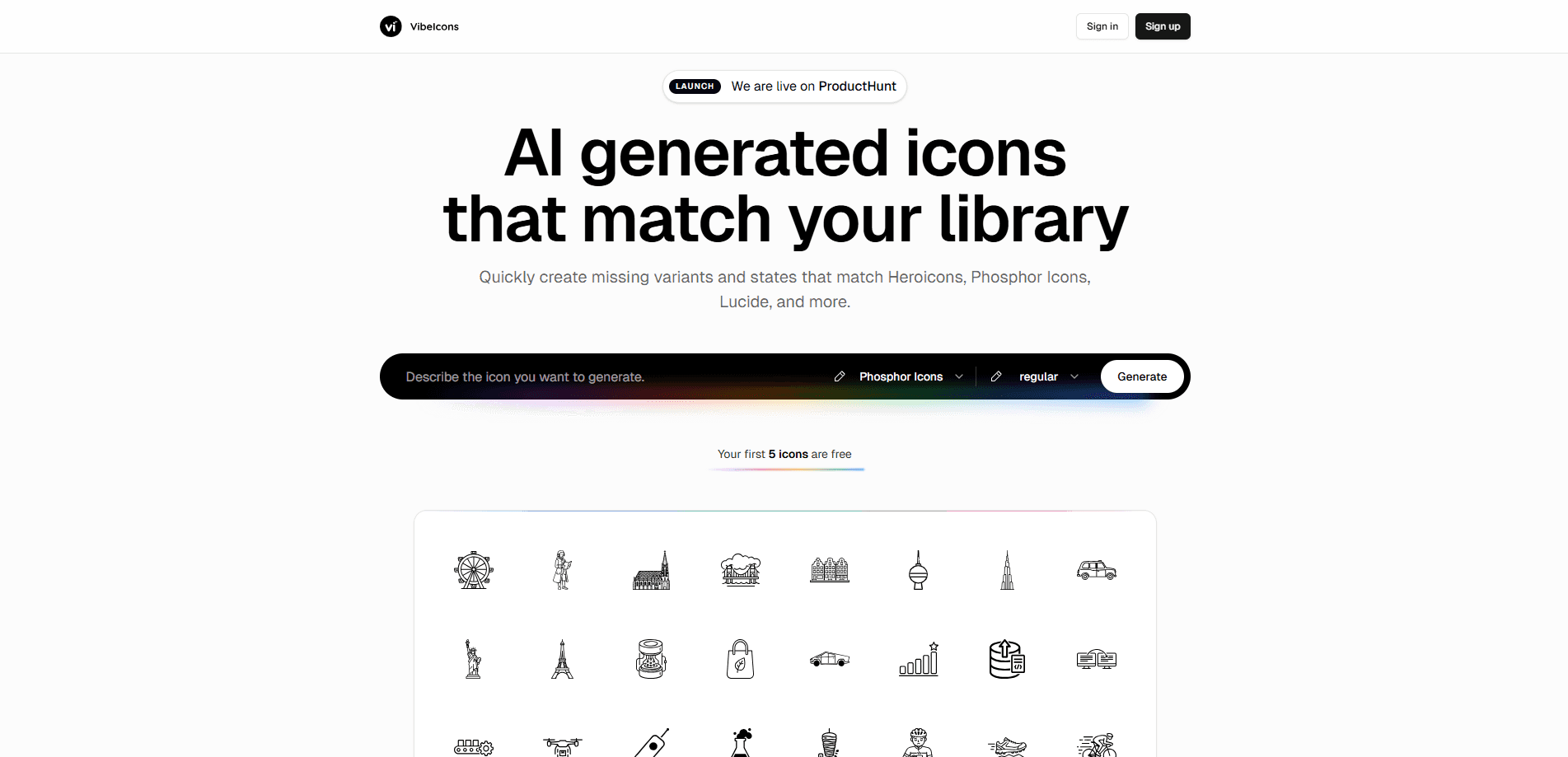
VibeIcons is an AI icon generator that creates style-consistent SVG icons from short text prompts, filling the gaps in libraries like Heroicons, Phosphor Icons, and Lucide.
About VibeIcons
What Is VibeIcons
VibeIcons is a web-based AI icon generator built for designers and developers who keep hitting the same wall: the icon they need doesn't exist in the set they already use. Instead of switching libraries or drawing it by hand, you describe the icon in plain words and let the model produce something that looks like it belongs.
The tool leans on style matching rather than raw image generation. Pick a target pack such as Heroicons, Phosphor Icons, Lucide, Material, Eva, or Airbnb, and VibeIcons aims at that pack's stroke weight, corner treatment, and grid so the new icon sits next to the originals without standing out. That's the whole point of a design system, and it's usually where one-off icons break a layout.
The main limitation is scope. VibeIcons is a generator for UI and product icons, not a place for logos, illustrations, or photographic art, so the custom icons you get stay within that lane. Output quality also depends on the prompt, and you should expect to regenerate a few times before an icon matches your intent. Credits drive the paid side, so heavy iteration has a cost.
Getting Started
- Create an account with your email or continue with Google, then open the generator.
- Paste a description of the icon you need, or start from a suggested prompt.
- Choose the library style you want the result to match, such as Phosphor, Heroicons, or Lucide.
- Generate the icon and refine your wording until the shape and weight feel right.
- Download the finished icon as an SVG file or copy the ready React code.
Product Information
A quick look at VibeIcons's pricing, supported platforms, and performance.
Best for
The users, tasks, and scenarios where this tool fits best.
Users
- Product designers
- Front-end developers
- Solo founders and indie makers
Tasks
- Filling gaps in an icon library
- Extending a design system
- Quick prototyping
Scenarios
- A dashboard that needs one more action icon that matches its existing line set.
- A marketing site where a custom feature icon has to sit beside stock ones without clashing.
- An early-stage app where speed matters more than a bespoke drawing.
Key features
Style Matching Across Popular Packs
VibeIcons targets the visual rules of Hericons, Phosphor Icons, Lucide, Material, Eva, and Airbnb styles. You pick the pack you already use, and the generator aims at its stroke weight and geometry so the result drops in without a redraw. That fit is what separates a matched icon from one that looks pasted in.
Text-to-Icon Generation
You describe the icon in everyday language, and the model turns it into a vector. There's no prompt syntax to learn, which puts the tool in reach of people who aren't comfortable in design software. The trade-off is that short or vague prompts return weaker results, so clearer wording pays off.
Missing Variants and States
Beyond brand-new glyphs, VibeIcons is built to produce the variants a pack left out, like a filled or outlined counterpart, or a state the original library never included. One consistent set beats stitching together icons from three different sources.
SVG Download and React Code Export
Every icon leaves the tool as a full vector, either as an SVG file or as clean React code you can paste into a project. There's no conversion step in between, which keeps the workflow short for developers working in a component-based stack.
Credit-Based Pricing
The first five icons are free, and paid use runs on credits. That model suits people who generate in bursts rather than every day, and it keeps the entry cost at zero while you test whether the output fits your project.
Pros and cons
Pros
- Produces icons that match the stroke weight and geometry of established packs like Heroicons and Lucide.
- Exports straight to SVG or React code, so icons move into a project without extra tooling.
- Generates missing variants and states that the original library never shipped.
- No prompt engineering required, which makes it usable for people without a design background.
- Free for the first five icons, so you can judge output quality before paying.
Cons
- Credit-based pricing means heavy iteration adds up, and test-heavy workflows cost more than a flat plan.
- Results still depend on your prompt, and you'll often regenerate several times before an icon lands.
- It covers UI and product icons only, so logos, illustrations, and artwork are out of scope.
- A single generated icon can drift from the rest of your set, so you still need to check each one before shipping.
Frequently asked questions
VibeIcons is an AI icon generator that turns short text descriptions into SVG icons. Its focus is matching the style of popular icon libraries so new icons fit into a set you already use.
Related content
Explore related tools, skills, and articles for VibeIcons.
VibeIcons Alternatives

Google EmbeddingGemma 2
Google DeepMind · Writing · Image · CodingGoogle EmbeddingGemma 2 is a 740M-parameter open model that turns text, code, images, audio, and video frames into vectors in one 768-dimension space, running on phones and laptops.

Tractionwave
TractionWave · Image · MarketingTractionWave is an AI attention heatmap tool for static ads. Upload a PNG or JPG and it returns predicted attention, ranked hotspots, and fixes before you spend budget.

Imejis.io
Imejis.io · Image · MarketingImejis.io is an AI design studio for agents and marketing teams. Describe an image in plain words, and it writes the copy, builds the layout, reflows it to every size, then exports a finished file.