

Video Face Swap
VideoFaceSwap · Image · Video
Video Face Swap is a browser-based AI video face swap tool that swaps faces in clips, GIFs, and photos. It runs free with daily credits and supports multi-person swaps.
About Video Face Swap
What Is Video Face Swap
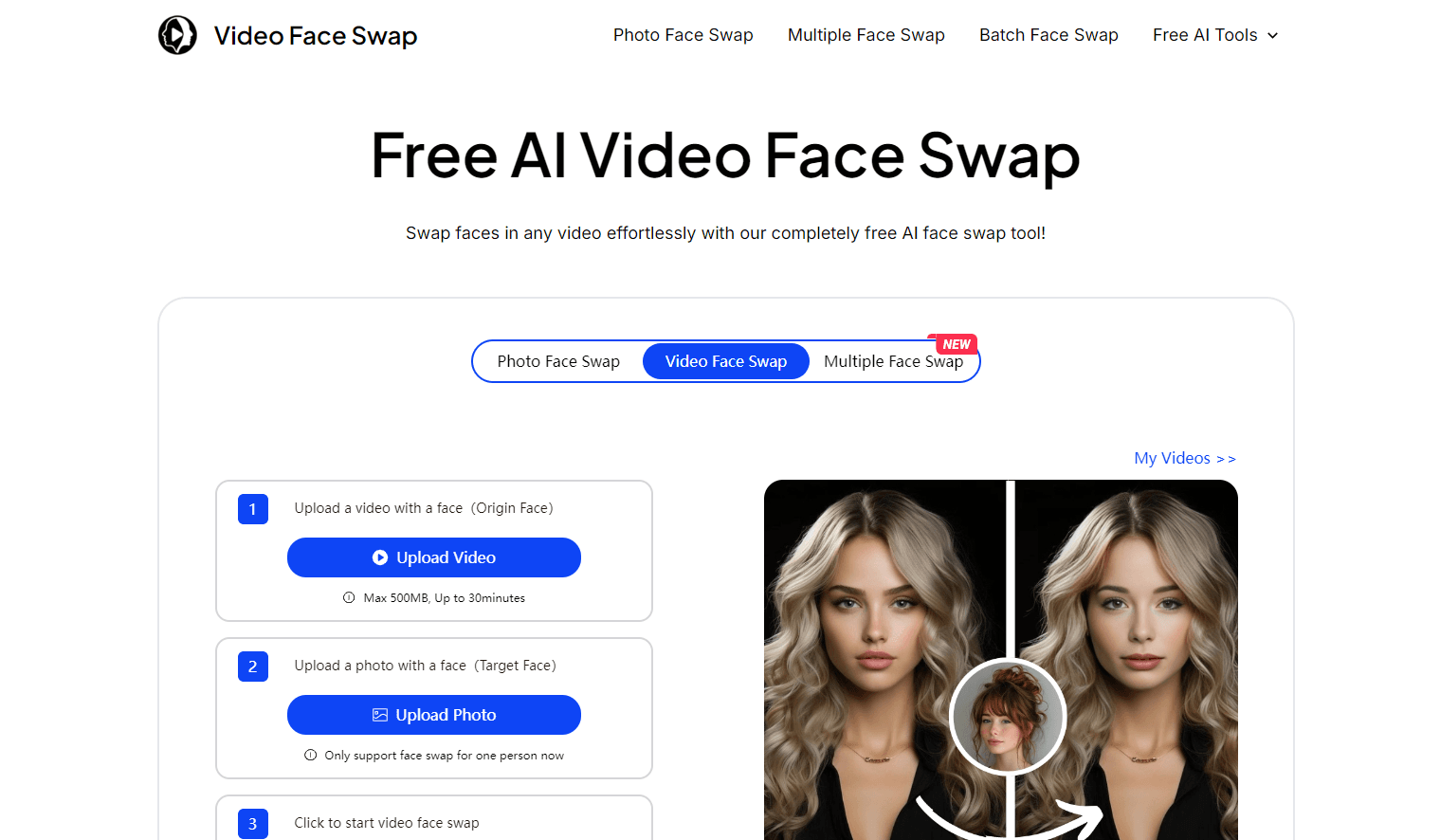
Video Face Swap is an online AI face swap tool from videofaceswap.io. You upload a clip and a target face photo, and the platform replaces the faces throughout the video while keeping the original movement and expressions. Nothing installs on your machine, and you work the whole time in the browser.
Most face swap apps stop at still images. This one treats video as the main event. It also handles GIFs, batch jobs, and multi-person scenes, so you can swap several faces in one clip instead of editing them one by one. A daily credit system, with free credits resets, sits underneath all of it.
The engine tracks facial landmarks frame by frame and blends the new face so lighting and motion stay believable. Formats like MP4 and MOV upload without conversion, and the platform accepts clips up to 30 minutes. Shorter ones render faster. For the sharpest output, feed it a clear, front-facing photo.
Two limits matter going in. The free tier runs on daily credits, so heavy use means buying more, and some generators, like the AI kiss or twerk tools, sit behind a paid VIP tier. Everything else, from basic to HD swaps, you can start free.
Getting Started
- Open videofaceswap.io and pick Video Face Swap from the tool list.
- Click Upload Video and choose the clip you want to edit. MP4 and MOV both work.
- Click Upload Photo and select the target face you want to drop in.
- Press the face swap button and let the AI track and blend the faces.
- Download the finished clip, or clear your history from the account page when you're done.
Product Information
A quick look at Video Face Swap's pricing, supported platforms, and performance.
Best for
The users, tasks, and scenarios where this tool fits best.
Users
- Social media creators who want quick, funny edits
- Meme and parody makers
- Reaction and comedy channels
- Beginners with no editing background
Tasks
- Swapping faces in a short clip
- Making a GIF gag
- Handling group footage
- Batching a run of edits
- Turning a photo into content
Scenarios
- Posting weekly social content
- Making a birthday or group-chat joke
- Testing an idea before committing
- Building a character look for a project
Key features
Single and multi-person video swaps
The core tool replaces one face or several across a single clip. Upload a video plus the target photos, and the AI detects each face and swaps it while tracking movement frame by frame. Multiple face swap video matters for group scenes and reaction clips, where editing one face at a time would take far longer. The result keeps the original expressions and head motion, so the swap reads as natural rather than pasted on.
GIF face swap
The GIF face swap turns an animated GIF into a looping face swap. You get the same tracking as the video tool, but the output stays short and light enough for chat apps and social feeds. It's built for gags, reactions, and the kind of clip people forward to a group chat. Keeping the loop clean matters more here than length, since the whole point is a repeatable punchline.
Photo and batch swaps
Beyond video, the platform handles photo face swaps and batch jobs. Batch mode lets you queue several projects at once instead of running them one after another, which saves time when you're producing a run of edits. The photo tool doubles as a feeder for video work, so a single image can anchor several projects. This is the layer that separates it from single-purpose swap apps.
Daily free credits
Every user gets free credits that reset each day, and there's a starter bonus of 300 credits for a permanent base. That's enough to try the main tools without paying. Credits cover different tools at different rates, from 2 credits per second for the basic video swap to 10 per second for multi-person video. Once you run out, you buy more. For someone who wants a face swap video online free, the daily credits are a real trial rather than a teaser.
HD rendering option
The HD video face swap costs more credits per second than the basic model, but it raises the detail on facial features, skin, and blending. That's the setting to use when a clip is going on a large screen or into a polished edit, where a soft face would show. For quick social posts, the basic model is usually enough. The choice lets you trade credits for quality based on where the clip ends up.
Privacy controls and format support
Uploads and finished swaps stay in secure storage, and you can delete history and generated files from your account at any time. The platform accepts common formats, including MP4 and MOV, so most clips upload without conversion. Support for clips up to 30 minutes means longer footage fits, and shorter clips render faster and track faces more reliably.
Pros and cons
Pros
- Full video face swap in the browser, so there's no software to install and it works on any device with internet.
- Multi-person mode saves real time on group scenes and reaction clips compared with swapping one face at a time.
- Daily free credits plus a 300-credit starter bonus let you test the main tools before paying.
- Accepts popular formats like MP4 and MOV and clips up to 30 minutes, so most footage works as is.
- Privacy controls let you delete uploads and generated files whenever you want.
Cons
- Free access runs on daily credits, so anyone generating in volume hits the cap and has to buy more.
- Some generators, such as the AI kiss and twerk tools, sit behind the paid VIP tier, so they aren't part of the free plan.
- The best results depend on upload quality; blurry or angled source photos weaken facial tracking and blending.
- The HD model costs more credits per second, which raises the real price of longer high-quality clips.
Frequently asked questions
Video Face Swap is an online tool that replaces faces in videos, GIFs, and photos using AI. You upload a clip and a target face photo, and the platform swaps the face across every frame while keeping the original movement. It runs entirely in the browser at videofaceswap.io, with no software to install.
Related content
Explore related tools, skills, and articles for Video Face Swap.
Video Face Swap Alternatives

Google EmbeddingGemma 2
Google DeepMind · Writing · Image · CodingGoogle EmbeddingGemma 2 is a 740M-parameter open model that turns text, code, images, audio, and video frames into vectors in one 768-dimension space, running on phones and laptops.

Tractionwave
TractionWave · Image · MarketingTractionWave is an AI attention heatmap tool for static ads. Upload a PNG or JPG and it returns predicted attention, ranked hotspots, and fixes before you spend budget.

Imejis.io
Imejis.io · Image · MarketingImejis.io is an AI design studio for agents and marketing teams. Describe an image in plain words, and it writes the copy, builds the layout, reflows it to every size, then exports a finished file.