
Vidguru All In One AI Video Image Maker
Vidguru · Image · Video · Marketing
Vidguru All In One AI Video Image Maker is a web-based content studio that puts AI video generation, image creation, voiceovers, talking avatars, and ad making in a single dashboard. Instead of paying for separate subscriptions to ChatGPT, Midjourney, ElevenLabs, and a video tool, you get access to leading models like Sora 2, Veo 3.1, and Flux 1.1 Pro from one login. New users start with daily free credits, so you can test the workflow before spending anything.
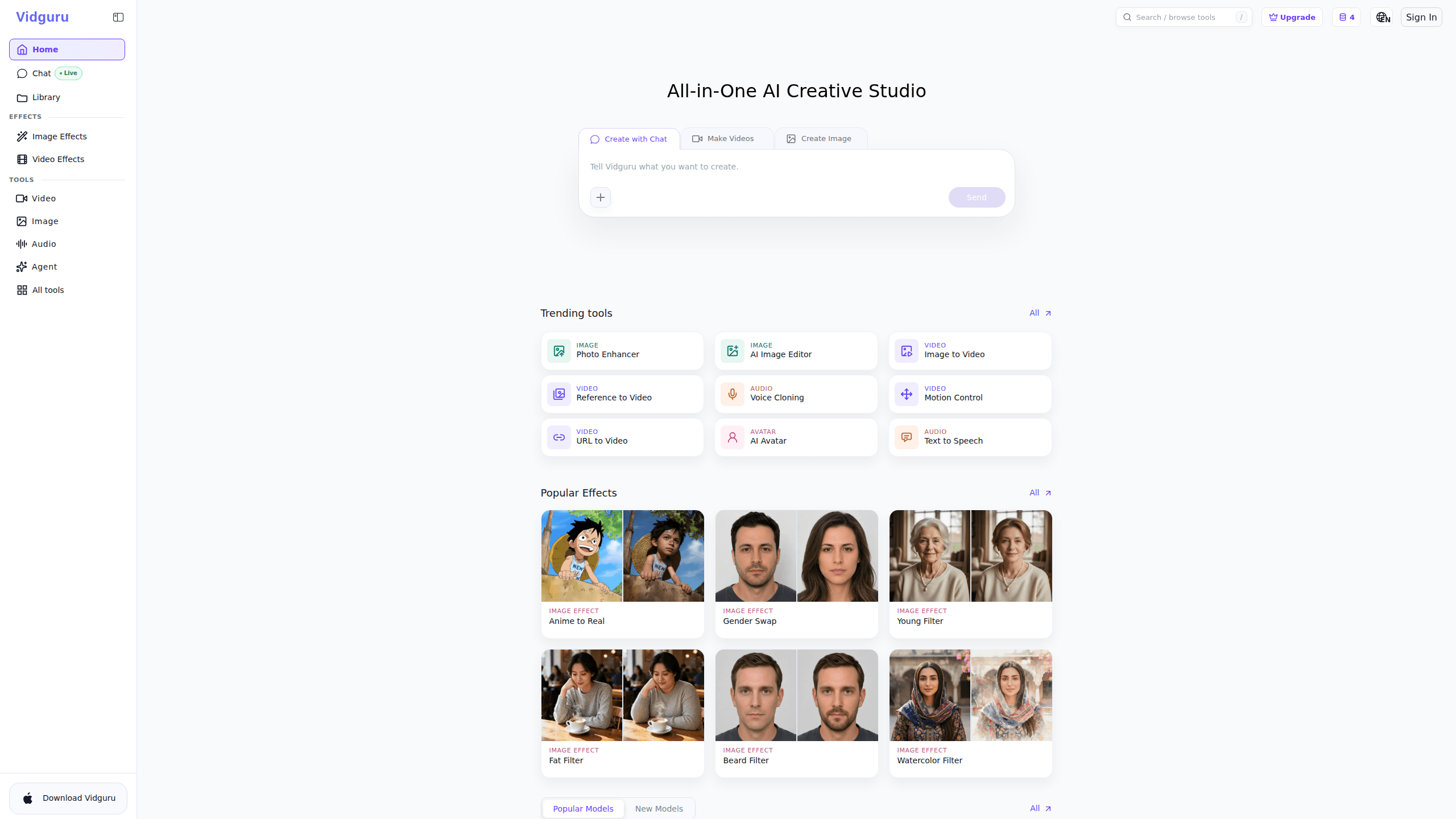
About Vidguru All In One AI Video Image Maker
What Is Vidguru All In One AI Video Image Maker
Vidguru is an AI content creation platform that collects the tools most creators used to buy one by one. It generates videos from text or a single image, makes still images from prompts, clones voices, animates photos into talking avatars, and turns a product URL into a finished ad. The pitch is simple: one subscription where you'd otherwise stack five.
What separates it from a single-model tool is model choice. You can send a prompt to Veo 3.1 for cinematic motion, to Flux 1.1 Pro for photorealistic stills, or to Kling v2.1 and Hailuo 02 for shorter social clips, all inside the same project. That matters if you sell content to clients who want different looks without a different account each time. No new logins. No extra bills.
The main limitation is the credit system. Generation runs on credits, so heavy output costs more, and the free allowance is small. There's no separate mobile app to check on, and no public API, which rules it out for teams that need to plug generation into their own software.
Getting Started
- Create a free account on the Vidguru website using your email.
- Pick a tool from the dashboard, such as Text to Video, Image to Video, or the AI Image Editor.
- Type a prompt or upload a reference image, then choose which AI model should handle the job.
- Adjust length, aspect ratio, and voice settings, then hit generate and spend your credits.
- Download the result and, if you plan to produce regularly, upgrade to a paid plan for more credits.
Product Information
A quick look at Vidguru All In One AI Video Image Maker's pricing, supported platforms, and performance.
Best for
The users, tasks, and scenarios where this tool fits best.
Users
- Social media creators
- Small business owners
- Marketing and content teams
- Podcasters and voiceover users
Tasks
- Turning a product page into a short video ad
- Creating talking avatars
- Generating photorealistic images
- Producing multilingual voiceovers
- Making social-ready videos fast
Scenarios
- Last-minute campaign assets when a launch date moves up and you can't wait on a freelancer.
- Solo creators testing whether a video idea lands before paying for a full production.
- Teams comparing how the same prompt looks across Veo 3.1, Kling, and Hailuo before locking a style.
- Small shops that need steady social posts but don't have an editor on staff.
Key features
All Content Types in One Dashboard
Videos, images, voiceovers, avatars, ads, and audio live in the same workspace. You don't export a script from one tool, generate a voice in a second, and stitch visuals in a third. Sound familiar? That tab-juggling is exactly what this setup removes. For anyone who's paid for four subscriptions at once, keeping the whole job in one place is the real selling point.
Access to Leading AI Models
Vidguru routes your prompt to models including Sora 2, Veo 3.1, Flux 1.1 Pro, Nano Banana, Kling v2.1, Hailuo 02, Seedream 4, Seedance 1, and WAN 2.5. That range lets you match the model to the task. Photorealistic still? Reach for Flux. Cinematic motion? Try Veo 3.1. The tradeoff is that you're trusting Vidguru's routing rather than driving each model's own interface.
Text to Video and Image to Video
Two of the core generators turn written prompts or a single starting frame into a moving clip. Image to Video is the more controllable of the pair, since you set the first frame and let the model animate from there. It's the fastest path from a static product shot to something you can post.
URL to Video for Ads
The URL-to-video feature takes a product or landing page link and builds a promotional clip from it. Reviews from users on the site claim a polished ad in about three minutes. Treat that timing as a marketing claim, not a promise. The concept still helps. Small shops that need an ad without a production crew get one from a link.
AI Voiceover and Voice Cloning
Vidguru generates voiceovers and clones voices, with the site advertising output in multiple languages. That's a big time saver for anyone who pays per recording session. The quality holds up for short scripts; for long or emotional reads, you'll want to listen closely before shipping.
AI Avatars and Talking Photos
Vidguru doubles as an AI avatar generator and a photo animator. You feed it a still image, and the tool syncs speech to the face so the person appears to talk. That's handy for explainers, welcome clips, and social posts where a face lifts engagement. Results vary with the source photo. Use a clean, front-facing image.
AI Image Editor
The AI Image Editor handles prompt-driven edits and image creation, covering thumbnails, mockups, and cover art. It rounds out the studio so you're not leaving the platform just to touch up a still.
Pros and cons
Pros
- One subscription covers video, image, voice, and avatar generation instead of several, which is the whole reason most people switch to it in the first place.
- Access to a wide model lineup, including Sora 2, Veo 3.1, and Flux 1.1 Pro, without separate accounts.
- A free tier with daily credits lets you test the workflow before paying.
- URL to video turns a product link into a promo clip with little manual work.
Cons
- Generation runs on credits, so heavy output gets expensive, and the free allowance is small.
- No public API means you can't wire generation into your own product or workflow.
- No mobile app, so everything happens in the browser.
- Model routing happens behind the scenes, which gives you less direct control than using each model's native tool.
Frequently asked questions
It's an all-in-one AI content studio for making videos, images, voiceovers, and talking avatars from prompts or reference files. You use one account and one credit balance across every tool.
Related content
Explore related tools, skills, and articles for Vidguru All In One AI Video Image Maker.
Vidguru All In One AI Video Image Maker Alternatives

X Ray Interpreter
X-ray Interpreter · ImageX Ray Interpreter is a web-based AI radiology tool that turns X-rays, CT scans, MRI, ultrasound, and PET images into plain-language reports. You upload a scan, get a preliminary X-ray interpretation in moments, then ask follow-up questions if something needs explaining. It works as a second opinion and a learning aid, not as a medical diagnosis.

Aieasypic
AIEasyPic · ImageAIEasyPic is an AI image generator that turns plain text prompts into finished artwork in seconds. You can also train custom models on your own photos, swap faces in existing images, and create short video clips from text, all from a browser. It suits casual creators who want quick visuals and hobbyists who want to build a personal model without touching any code.

Chargen
Chargen · ImageChargen is an AI character generator and worldbuilding toolkit built for Dungeons & Dragons and other tabletop RPGs. It turns a one-line idea into a painted character portrait, spins up NPCs, monsters, maps and encounters from the same session, and keeps every creature's details close at hand. The tabletop RPG art side runs on a credit system called Gold, while the text generators stay free for everyone.