
Instant Virtual Staging
Virtual Staging AI · Image · Business
Instant Virtual Staging is a web tool that furnishes empty property photos with AI in around 10 seconds, aimed at real estate agents who need listing-ready rooms without booking a staging crew.
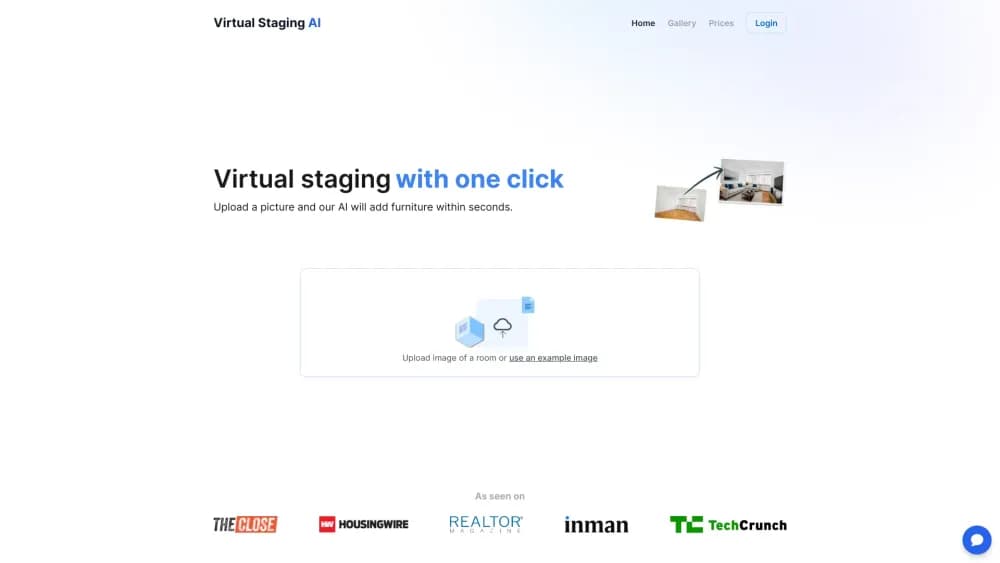
About Instant Virtual Staging
What Is Instant Virtual Staging
Instant Virtual Staging, sold at virtualstagingai.app, takes a photo of an empty room and adds furniture, flooring, and decor in one pass. The company says the product grew out of work at the Harvard Innovation Lab, and the pitch is narrow: upload, pick a style, download. Nothing to install.
It solves a scheduling problem more than a design problem. Physical staging means a crew, a truck, and days of lead time, while an empty listing photo gives buyers little to picture. This tool fills that gap in seconds, and every upload can be rendered again as often as you like, so a shot that looks wrong costs regeneration rather than a new invoice.
The limits matter just as much. Photo credits are capped by plan and don't roll over, furnished photos come out less predictable than empty ones, and edited images posted to an MLS need a disclosure that the room isn't really furnished.
Getting Started
- Open virtualstagingai.app and upload a room photo. The free trial works without an account or a card.
- Crop the photo and mark any furniture you want removed. This step can only be done at upload.
- Choose a room type and a design style from the catalog.
- Generate the staged image, which typically finishes in about 10 seconds, then regenerate until the layout looks right.
- Download the full-resolution file and add the virtual staging disclaimer your MLS requires.
Product Information
A quick look at Instant Virtual Staging's pricing, supported platforms, and performance.
Best for
The users, tasks, and scenarios where this tool fits best.
Users
- Real estate agents
- Listing photographers
- Small brokerages
Tasks
- Furnishing an empty room for a listing
- Clearing furniture from an occupied room
- Fixing a dull listing photo
Scenarios
- A house sits empty while the owner has already moved out
- A photographer shoots ten units in one morning
- A new build is finished before the furniture arrives
Key features
Ten Second Turnaround
A typical render lands in roughly ten seconds, according to the company, which is what makes the workflow usable on a listing deadline. You can sit on a photo and try five styles before you commit to one, rather than waiting overnight for a designer's draft.
Furniture Removal
Before staging, you mark the items that should disappear and the AI rebuilds the floor, walls, and light behind them. It's the feature that makes occupied homes usable as source material. This step only runs once per upload, so a bad removal means spending another credit.
50 Plus Design Styles
The style catalog covers modern, Scandinavian, industrial, and other looks, and the room list spans the spaces buyers judge first: living room, bedroom, dining area, home office. Style choice matters most when the furnishing has to match the price bracket of the property.
Unlimited Regenerations
A paid upload can be re-rendered as many times as you want without spending credits, and there's no cap on downloads. Real estate AI output varies from run to run, so this turns a weak result into a retry rather than a loss.
Masked Editing at Upload
Crop, mask, and remove furniture all happen in a single upload flow. You see the photo the way the buyer will see it before any render starts, which cuts down on the classic mistake of staging a bedroom that the camera never actually captured.
Image Editing Add-On
A separate subscription adds image enhancement for contrast and color plus a day-to-dusk conversion, handy for exteriors shot under a flat grey sky. It bills independently, and the upgrade lasts the whole year if your main plan is annual.
API Access on Enterprise
The Enterprise tier includes API access alongside 150 photos a month and a success manager. Photographers and portals that run a steady pipeline can push listings through their own software instead of clicking through the web editor.
Pros and cons
Pros
- One click gets you a furnished room: the workflow is upload, style, download, with no layers or brushes to learn.
- Fast enough for same day listings: about 10 seconds per render means you can stage a whole property in one sitting.
- Regenerations are free of credits, so a result you don't like doesn't cost extra.
- The entry plan covers 6 photos a month for $16, which undercuts most agencies charging per image.
- API access exists for high-volume work, included in the Enterprise plan.
Cons
- Credits reset monthly and don't roll over, so a quiet month still burns the quota.
- Furniture removal can't be repeated on the same upload, and a poor removal needs a fresh credit to fix.
- Results vary between runs, and furnished source photos come out less consistent than empty rooms.
- Any edited image needs a disclaimer on an MLS, so publishing requires an extra labeling step.
Frequently asked questions
It adds furniture and decor to photos of empty rooms using AI, a form of real estate photo staging that produces listing images in about ten seconds. It also removes existing furniture from a photo before staging so occupied homes can be presented as open floor plans.
Related content
Explore related tools, skills, and articles for Instant Virtual Staging.
Instant Virtual Staging Alternatives

Google EmbeddingGemma 2
Google DeepMind · Writing · Image · CodingGoogle EmbeddingGemma 2 is a 740M-parameter open model that turns text, code, images, audio, and video frames into vectors in one 768-dimension space, running on phones and laptops.

Tractionwave
TractionWave · Image · MarketingTractionWave is an AI attention heatmap tool for static ads. Upload a PNG or JPG and it returns predicted attention, ranked hotspots, and fixes before you spend budget.

Imejis.io
Imejis.io · Image · MarketingImejis.io is an AI design studio for agents and marketing teams. Describe an image in plain words, and it writes the copy, builds the layout, reflows it to every size, then exports a finished file.