

Viso Now
Viso.ai · Image · Video · Coding
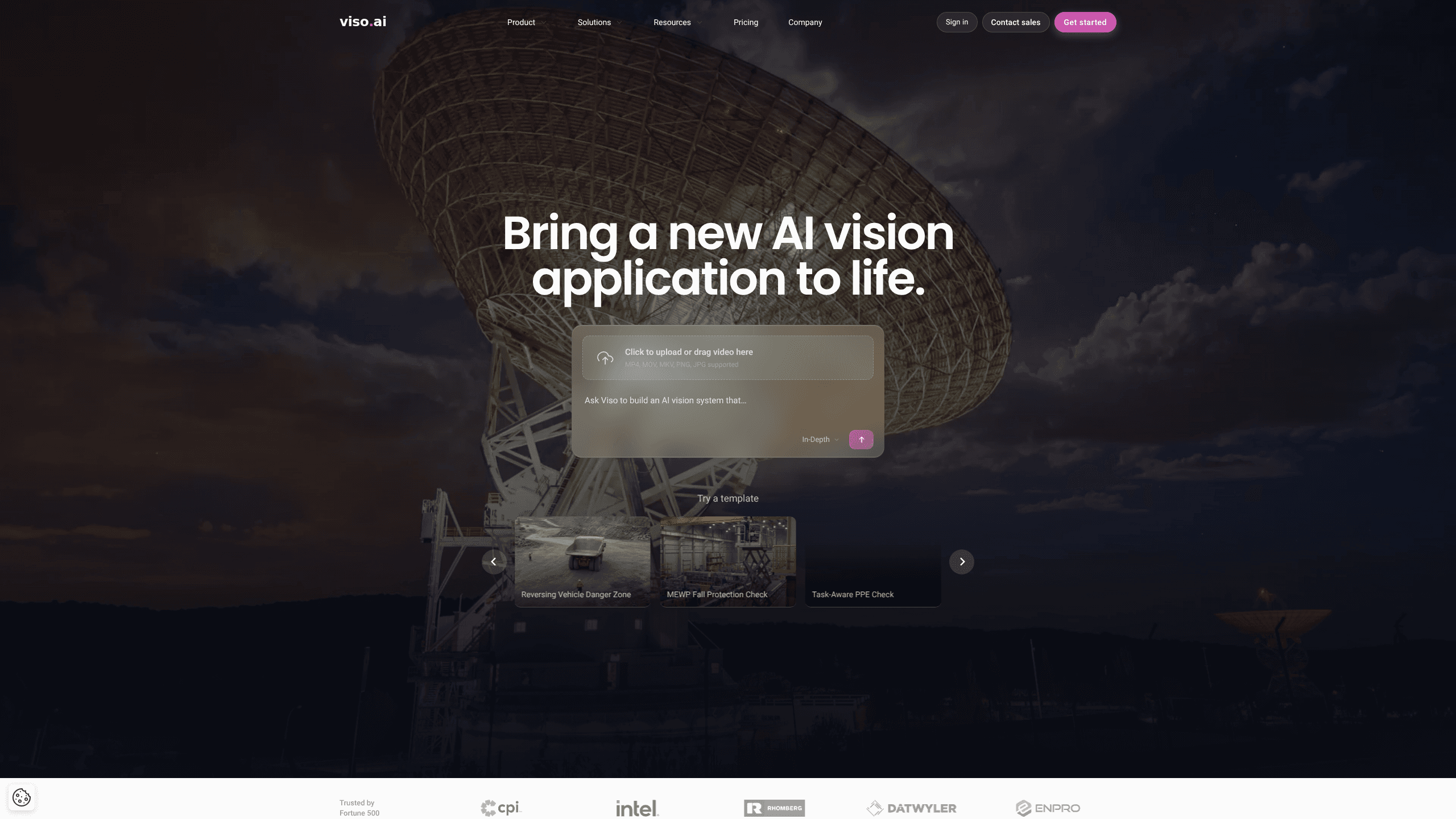
Viso Now is a computer vision platform from Viso.ai that lets you describe a real-world situation in plain language and get a working vision agent in minutes. Instead of labeling datasets or training models, you drop in a video or type a prompt, and the platform writes the detection logic, wires up alerts, and runs the app live. It's aimed at teams who want to build AI computer vision systems without an ML team behind them. That's the whole point.
About Viso Now
What Is Viso Now
Viso Now is a platform for building and running real-world computer vision applications. You start with a plain-language description of what you want to watch for, and the platform connects the feed, recognizes the scene, and writes the detection logic on its own. The pitch is simple: if you can describe it, you can build it. That's a big claim. For once, the product backs it up.
So what does it actually solve? The setup cost of computer vision. Traditional projects need annotated datasets, model selection, training runs, and someone who knows their way around ML tooling. Viso Now skips most of that. It runs on Viso's Visual General Intelligence engine, which handles perception and reasoning so you don't have to pick or tune a model.
The catch is that the platform is built for real-world monitoring work, not research. It shines on scenes like loading docks, factory floors, and waiting areas where cameras are already in place. If you need something highly specific, you'll depend on how well the engine reads your scene without custom training. Credit limits also shape what you can run on smaller plans.
Getting Started
- Create a free account on the Viso Now site. No credit card is needed, and you get 5 daily credits.
- Start from a template, like a loading dock exclusion zone or a PPE check, or describe your own use case in plain language.
- Drop in a video clip or connect a camera so the platform can recognize the scene.
- Review the detection logic and tune any rule, threshold, or output until it matches your process.
- Publish the app so it runs live and pushes events to the tools your team already uses.
Product Information
A quick look at Viso Now's pricing, supported platforms, and performance.
Best for
The users, tasks, and scenarios where this tool fits best.
Users
- Operations and safety teams
- Small teams without an ML engineer
- Enterprise departments that later scale
Tasks
- Building a prompt-to-app vision agent
- Monitoring workplace safety rules
- Queue and traffic analysis
Scenarios
- A warehouse manager who wants to cut near-miss incidents
- A facility team testing one camera before scaling
- A support or retail team watching a service counter
Key features
Prompt to Working App
You type what you want to watch for, and Viso Now builds the vision agent in front of you. It recognizes the scene, writes the detection logic, and connects the alerts without any labeling, datasets, or model selection. No data prep. No training runs. That removes the slowest part of a traditional computer vision project, which is usually the data preparation.
Ready-Made Vision Templates
The template gallery gives you a starting point for common problems, such as hazardous area PPE checks, loading dock exclusion zones, or clinical hygiene protocols. You adapt a template to your own environment instead of building from zero, which is faster for teams that don't want to design logic themselves. There are dozens of these templates across safety, logistics, and retail use cases.
Visual General Intelligence Engine
Every plan runs on Viso's Visual General Intelligence engine, which handles perception and reasoning for any use case. You don't pick a model or tune parameters, so the same engine covers a factory floor and a checkout counter. One engine, many scenes. This is what makes prompt-based building practical, since the platform reads new scenes without custom training.
Connectors and Alerts
Viso Now pushes events to the systems your team already uses, so a detection becomes an alert in your existing workflow rather than a separate dashboard. Connectors are available on the free plan, and paid tiers add third-party API connectors. When a rule breaks, the shift supervisor hears about it where they're already working.
Dashboards and Performance Tracking
You can create dashboards to see how each vision app is performing and what it's catching over time. That matters for teams that need to justify the setup or refine detection rules. Seeing the outcomes makes it easier to tune thresholds and show results to managers. Numbers beat hunches.
Team Collaboration
The free plan allows unlimited collaborators, so a whole team can work on a vision agent without extra seats. Shared credits across unlimited users on paid plans mean you don't manage per-seat bills. For departments that rotate staff, this keeps access simple.
Security and Compliance
Viso.ai states that its platform holds SOC 2, ISO 27001, GDPR, and CCPA compliance, with edge, on-prem, and cloud deployment options on the enterprise side. Teams handling sensitive footage get governance controls, audit logs, and role-based access as they move up to higher tiers. That's the enterprise side, not the free one.
Pros and cons
Pros
- You can build a working computer vision app from a prompt, with no labeling or model training.
- The free plan is genuinely usable, with 5 daily credits and unlimited collaborators.
- Dozens of ready-made templates cover common safety, logistics, and retail scenarios.
- Paid plans start at $25/mo with credits shared across unlimited users, so teams scale without per-seat costs.
- Events push into existing tools through connectors, so alerts land where your team works.
Cons
- Credit-based pricing means heavy use across many cameras gets expensive, and you'll need a custom Enterprise quote.
- Scenes that need very specific detection may not match the engine's read without custom training.
- Enterprise features like SSO, audit logs, and advanced governance sit behind Business and Enterprise tiers.
Frequently asked questions
Viso Now builds and runs AI computer vision apps for real-world monitoring, such as safety checks, queue tracking, and vehicle alerts. You describe what you want to watch for and it creates the vision agent. No coding needed.
Related content
Explore related tools, skills, and articles for Viso Now.
Viso Now Alternatives

X Ray Interpreter
X-ray Interpreter · ImageX Ray Interpreter is a web-based AI radiology tool that turns X-rays, CT scans, MRI, ultrasound, and PET images into plain-language reports. You upload a scan, get a preliminary X-ray interpretation in moments, then ask follow-up questions if something needs explaining. It works as a second opinion and a learning aid, not as a medical diagnosis.

Aieasypic
AIEasyPic · ImageAIEasyPic is an AI image generator that turns plain text prompts into finished artwork in seconds. You can also train custom models on your own photos, swap faces in existing images, and create short video clips from text, all from a browser. It suits casual creators who want quick visuals and hobbyists who want to build a personal model without touching any code.

Chargen
Chargen · ImageChargen is an AI character generator and worldbuilding toolkit built for Dungeons & Dragons and other tabletop RPGs. It turns a one-line idea into a painted character portrait, spins up NPCs, monsters, maps and encounters from the same session, and keeps every creature's details close at hand. The tabletop RPG art side runs on a credit system called Gold, while the text generators stay free for everyone.