

Vizcom
Vizcom · Image
Vizcom is an AI design tool that turns rough sketches and 3D models into photorealistic renders in seconds, built for industrial designers, footwear, and gaming artists.
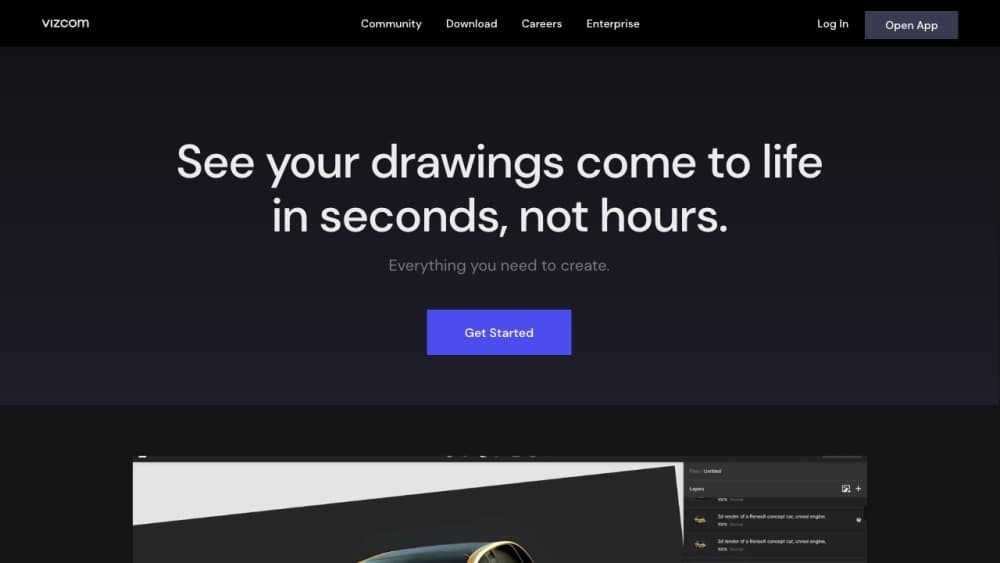
About Vizcom
What Is Vizcom
Vizcom is an AI rendering tool and concept design platform for people who draw products for a living. You bring a sketch, a photo, or a 3D model, and it returns a finished render with light, material, and texture. This product design app is used by industrial designers, footwear teams, and gaming artists to see an idea in near-final quality before anyone commits to CAD.
The pitch is speed. A sketch that would take a day of modeling comes back in seconds, and you can spin it to any angle, swap materials, and iterate without redrawing. Vizcom sits between a whiteboard sketch and a production render, filling what the company calls the messy middle of idea generation.
The trade-off is control. You steer with prompts and region maps rather than exact geometry, so a render reads as a strong concept, not a manufacturing file. Designers who need precise dimensions still take the idea into CAD afterward.
Getting Started
- Sign up at vizcom.com with an email address; the Starter plan is free and needs no card.
- Upload a sketch (PNG or JPG), drop in a 3D model, or start on a blank canvas.
- Write a prompt describing form, proportions, colors, and materials, then generate.
- Refine with Region Maps to recolor or rematerial one part at a time.
- Export at up to 4K, or install the desktop app for Mac and Windows.
Product Information
A quick look at Vizcom's pricing, supported platforms, and performance.
Best for
The users, tasks, and scenarios where this tool fits best.
Users
- Industrial designers
- Footwear and apparel teams
- Gaming and concept artists
Tasks
- Sketch to render
- Material and colorway exploration
- Placing designs in context
- 3D model visualization
Scenarios
- Early concept reviews
- Pitching under deadline
- Iterating with a team
Key features
Sketch to Render
Vizcom turns line work into light, form, and texture in seconds. You upload a hand sketch and it returns a finished-looking image with materials and shading, so a rough idea reads as a real product. The point is volume: you can test many directions in the time one careful render used to take.
Live Render
Live Render gives real-time feedback as you draw, prompt, and edit. Instead of waiting on a batch job, you see the render shift while you adjust the prompt or sketch, which keeps the creative loop tight. It's tuned for exploration, where momentum matters more than a final pass.
Region Maps
Region Maps let you work part by part, recoloring or rematerialing one area without touching the rest. Small changes in color and material give a design a whole new feel, and this tool makes those choices easy to compare. It's the feature Vizcom leans on for decisions that happen surface by surface.
Context-First Rendering
Drop a drawing onto any photo and see the design in context. Instead of an object floating on white, you watch it land in a real setting, which helps when a client needs to picture the product in use. This matters most for footwear, apparel, and lifestyle products where the environment sells the idea.
3D Model Visualization
Vizcom accepts 3D models and lets you swap colors, materials, and scenes instantly. A team can visualize a model from every angle and try finishes without rebuilding the scene. It bridges the gap between a modeled object and a client-ready image.
Data Privacy and Ownership
On paid plans, your designs stay private and Vizcom doesn't train models on them; free users may have images used to improve the service but keep full rights to their work. Team roles separate admins, editors, and free viewers, so a studio can open a concept to a client without handing over edit access.
Pros and cons
Pros
- Sketch to render in seconds makes it practical to explore many concepts, not just one.
- Region Maps and material swaps let you compare finishes part by part without redrawing.
- Context rendering places a design in a real setting, which lands well in client reviews.
- Free Starter plan and a student tier lower the barrier for individual designers.
Cons
- Renders steer through prompts, not exact geometry, so they aren't manufacturing-ready files.
- The free plan caps you at 800 credits and standard speed, which runs out quickly on heavy use.
- Full privacy and 4K exports sit behind the $49 Professional plan, so free work stays semi-public.
- There's no public API, so teams can't wire Vizcom into an automated pipeline yet.
Frequently asked questions
Vizcom turns sketches and 3D models into photorealistic renders for product design. Industrial designers, footwear teams, and gaming artists use it to see concepts in near-final quality before moving into CAD.
Related content
Explore related tools, skills, and articles for Vizcom.
Vizcom Alternatives

Google EmbeddingGemma 2
Google DeepMind · Writing · Image · CodingGoogle EmbeddingGemma 2 is a 740M-parameter open model that turns text, code, images, audio, and video frames into vectors in one 768-dimension space, running on phones and laptops.

Tractionwave
TractionWave · Image · MarketingTractionWave is an AI attention heatmap tool for static ads. Upload a PNG or JPG and it returns predicted attention, ranked hotspots, and fixes before you spend budget.

Imejis.io
Imejis.io · Image · MarketingImejis.io is an AI design studio for agents and marketing teams. Describe an image in plain words, and it writes the copy, builds the layout, reflows it to every size, then exports a finished file.