
vLex - Legal Intelligence Information
vLex (part of Clio) · AI Assistant
vLex is an AI legal research platform built on a library of over one billion documents from 100+ countries. Vincent answers legal questions and returns cited sources you can check.
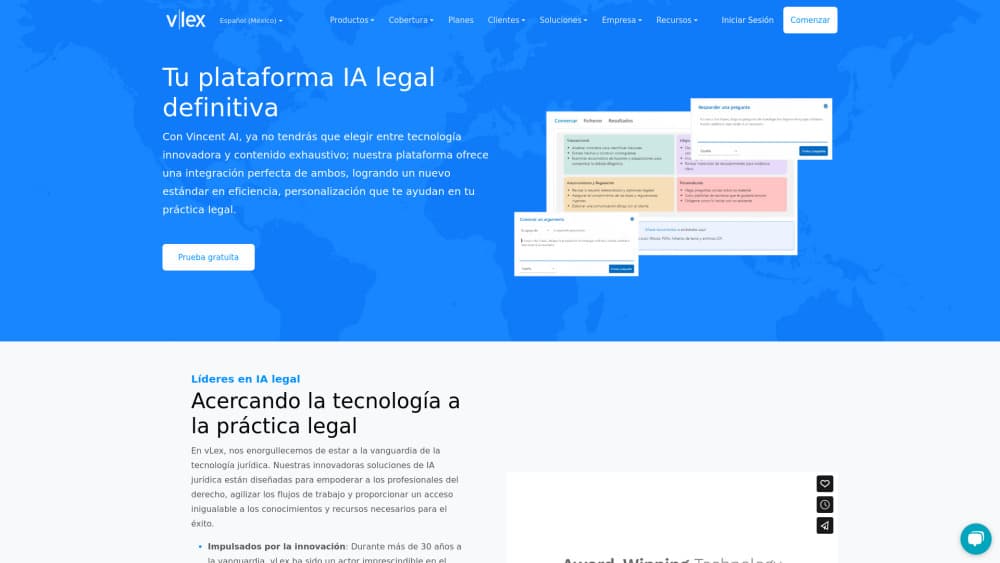
About vLex - Legal Intelligence Information
What Is vLex
vLex is a legal intelligence platform aimed at lawyers, not at the general public. Underneath sits a legal database of case law, statutes and commentary. It bundles case law, statutes, regulations, court filings, books and practice notes into one searchable system, then layers an AI assistant named Vincent on top. The company has spent 25 years collecting and structuring legal content, mostly in common law and civil law jurisdictions across Europe and Latin America. Mexico sits inside that core coverage area, which is why the platform shows up in local practice more often than US-first tools do.
The problem it solves is familiar to anyone who bills by the hour. A research question that touches three jurisdictions used to mean three separate databases, three search habits and a stack of screenshots. vLex puts those sources behind one query box and lets Vincent draft the first version of a memo with links back to the underlying documents.
The limits matter as much as the strengths. vLex is a paid, quote-based product. There's no public price list, no self-serve checkout and no free tier that gives you real research access. Pricing depends on jurisdiction, content modules and seat count, and small firms often find the entry point steep compared with cheaper US-focused legal research tools. Vincent also works best inside the jurisdictions vLex has licensed. Ask it about a country outside that coverage and you get thinner results, or none.
Getting Started
- Request a demo or a trial through the vLex site and tell the sales team which jurisdictions you actually need.
- Pick the content modules for those jurisdictions. A Mexico practice doesn't need the full US package, and paying for it wastes budget.
- Sign in, then run one real research question through Vincent instead of a sample query. Judge it on citations, not on prose.
- Install the Word or Outlook add-in if your team drafts in Microsoft tools, so citations and links land in the document you're already editing.
Product Information
A quick look at vLex - Legal Intelligence Information's pricing, supported platforms, and performance.
Best for
The users, tasks, and scenarios where this tool fits best.
Users
- Litigators who work across borders
- Small and mid-size firms without a dedicated research librarian
- In-house counsel in Mexico and Spain
Tasks
- Drafting a research memo from scratch
- Running a 50-state survey
- Reviewing a contract for risk
Scenarios
- A matter that spans Mexico and the US
- Checking whether a cited case is still good law
- Building a repeatable intake workflow
Key features
Natural Language Research with Vincent
Vincent takes a plain question and turns it into a research path across the vLex library. It reads primary and secondary sources, then returns an answer with citations that link straight to the documents. The useful part isn't the summary. It's the trail of authority behind it, which you can audit line by line. vLex says independent benchmarking puts the productivity gain at 38% or more, and that's the company's own number, so treat it as a claim rather than a guarantee.
Multi-Jurisdiction Surveys and Comparisons
Two workflows handle the work that usually eats a week. The 50-state survey tool builds a state-by-state breakdown of a legal question from a single prompt. The jurisdiction comparison tool puts two or more legal systems side by side and highlights procedural and substantive differences. Both output cited results. Both still need a human read before anything reaches a client.
The vLex Library
The library is the reason the AI output holds up. It carries case law, statutes, regulations, dockets, pleadings, treatises and practice notes from more than 100 countries, with daily updates across hundreds of US courts and deep historical coverage in the UK and Spain. Mexico and Latin America are covered as core markets, not as an afterthought. For a legal database, depth in your own jurisdiction beats breadth you never touch.
Docket Alarm Court Records
Docket Alarm adds 850+ million court records on top of the library, with real-time alerts and litigation analytics. You can profile judges, opposing counsel and parties before a hearing, or search for templates from similar cases. It also exposes APIs, which matters if your firm wants docket data inside its own systems.
Document Analysis for Contracts and Pleadings
Upload a contract and vLex reviews clauses against the legal database, flags risk and suggests cited alternatives. Feed it a complaint and it maps allegations to authority, lists gaps and builds an evidence checklist. Pleading analysis lines up each allegation with the response in a table, so a new team member can get up to speed without reading 200 pages cold.
Vincent Studio
Studio is a no-code builder for firm workflows. You describe the steps your team follows, and Vincent runs them in that order every time. It's the difference between an AI tool individuals use inconsistently and a process the whole team follows. Setup takes real thought about how your firm actually works, so treat it as a project, not a toggle.
Word and Outlook Integration
Most legal drafting happens in Word, so the add-in matters more than the standalone site for daily use. It detects citations in your document, checks whether the cited authority is still good law and links to full text on vLex. Outlook integration pulls research into email threads. The platform is SOC 2 and ISO 27001 certified, which is the baseline most firm IT departments ask about first.
Pros and cons
Pros
- Genuine depth outside the US. Mexico, Spain and Latin America coverage is a real differentiator for cross-border practices.
- Citations are clickable and auditable, so you can verify each claim instead of trusting a generated paragraph.
- Docket Alarm's 850+ million court records add litigation intelligence that pure research tools don't have.
- Word and Outlook integrations put research where lawyers already work.
Cons
- No public pricing and no free plan. You have to talk to sales before you know whether the legal research platform fits your budget.
- Vincent's quality drops outside licensed jurisdictions, which limits its value for firms with scattered international work.
- The interface carries a lot of modules, and new users often need training before they find the workflows they need.
Frequently asked questions
vLex combines a global legal database with an AI assistant called Vincent. You ask a legal question in plain language and get an answer with citations that link to case law, statutes and commentary. It also handles contract review, pleading analysis and court record research.
Related content
Explore related tools, skills, and articles for vLex - Legal Intelligence Information.
vLex - Legal Intelligence Information Alternatives
Agibot
Agibot · Productivity · AI Assistant · ChatbotAgibot is a personal AI agent for Mac that keeps running after you close the window, runs routines on a schedule, and works from Telegram or Slack with your own API keys.

Foley
Hanamori Labs, LLC · Voice & Language · Productivity · AI AssistantFoley is a voice to-do list that turns a spoken sentence into a filed task, complete with project, date and time, then helps you plan the day around what is already there.

Ghost Core
Ghost · Productivity · AI AssistantGhost Core is a $3,499 screenless personal AI computer that runs local AI models on its own hardware, builds context from your apps and devices, and acts without waiting for a prompt.