

VoilÃ
Voilà · Productivity · Other
Voilà is a ChatGPT-powered browser assistant that writes, rewrites, summarizes, and answers questions on any site, with desktop and mobile apps and plans from $8/mo.
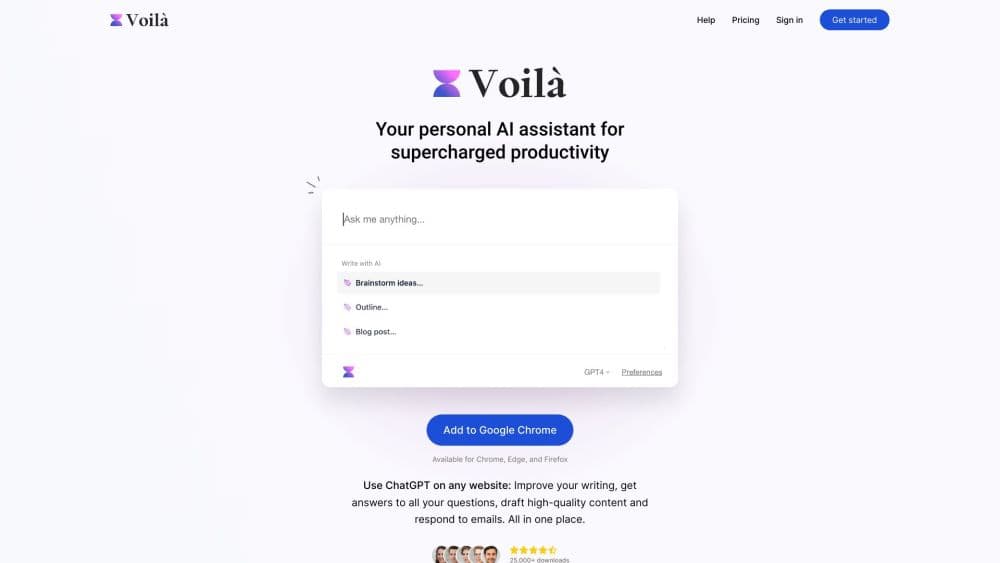
About VoilÃ
What Is Voilà
Voilà is an AI browser extension that sits on top of whatever page you have open and works on the text in front of you. The company behind it, also called Voilà, shipped the first Chrome build in January 2023 and now runs the same assistant on Chrome, Firefox, Edge, Brave, Safari, Windows, macOS, iOS, and Android. The site says more than 100,000 people use it.
The pitch is simple: stop copying text into a chat window. Highlight a paragraph on a client site and ask for a tighter version. Open a long report and ask what changed. Land in your inbox and let it draft the reply. Voilà reads the page, the PDF, the image, or the YouTube transcript, then answers in a panel that stays on top of the tab.
The limits are worth knowing before you pay. The assistant leans on OpenAI models, so you inherit their behavior and their refusals. Document uploads cap at three files of 2.5MB each, and scanned PDFs fail because there's no OCR. Anyone who needs an audit trail or a public API has to look elsewhere.
Getting Started
- Install the extension from the Chrome Web Store, Firefox Add-ons, or the Edge store, or download the desktop app from getvoila.ai. Sign in with an email address or a Google account.
- Open any website and press the Voilà shortcut, or highlight text and pick an action from the popup. The free plan gives you 250 requests to test with.
- Choose a task from the prompt library, such as Summarize, Rewrite, Translate, or Reply to email, then edit the result in the panel.
- Save prompts you reuse, set an output language and a Persona in settings, and upgrade to Premium or Ultimate when the request count runs low.
Product Information
A quick look at VoilÃ's pricing, supported platforms, and performance.
Best for
The users, tasks, and scenarios where this tool fits best.
Users
- Marketers and content writers
- Sales and support reps
- Students and researchers
Tasks
- Turning a page into a first draft
- Clearing an inbox
- Checking a claim against sources
Scenarios
- Reading a 40-page vendor contract the night before a renewal
- Writing a launch post while the research tabs are still open
- Answering a customer in a second language
Key features
Works on Any Website
The AI writing assistant opens as a floating panel on top of the current tab, so the page you're reading stays visible. You can highlight a sentence, a paragraph, or a whole article and run an action on the selection. On the desktop app the same panel works over native apps, not just browser windows, which covers docs, chat clients, and email software.
Webpage, Document, and Image Reading
A webpage summarizer and a YouTube summarizer share one reading engine. The assistant pulls the text of the page you're on, a video transcript, or an uploaded file and answers questions about it. Supported formats include PDF, DOCX, XLS, XLSX, CSV, JSON, YAML, TXT, MD, and HTML, with up to three attachments of 2.5MB each. There's no OCR, so a scanned PDF comes back empty.
Prompt Library and Custom Actions
An AI prompt library ships with ready-made prompts for summarizing, rewriting, translating, paraphrasing, and drafting long-form content. You can save your own prompts and build custom actions with their own model, output language, and instructions. That turns a repeated three-step chore into one click.
Email Drafting and Instant Reply
As an AI email assistant, Voilà works inside Gmail and Outlook. It drafts a message from a short instruction, improves an existing one, or produces a reply to the thread on screen. Email templates and Instant Reply cover the repetitive messages. Tone control matters here, since a reply that reads like a robot costs you more than it saves.
Personas and Output Language
Personas let you describe your role, your preferred tone, and how much detail you want, and the assistant applies that profile across every conversation. A separate output language setting keeps answers in the language you pick, even when the source page is in another one.
Deep Search with Sources
Deep Search runs a broader web search before it answers and lists the pages it used. For research tasks, that's the difference between a confident paragraph and something you can check. You can follow each link and decide whether the source holds up.
Image Generation from Text
The AI image generator turns a written prompt into a picture, and you can set the aspect ratio in the prompt itself with words like square, wide, or 16:9. It's fine for blog headers and social posts, not for work that needs a designer's eye.
Desktop Quick Actions and Bring Your Own Key
The Windows and macOS app adds Quick Actions on selected text in any application, custom hotkeys, and screenshot capture. You can also bring your own key: an OpenAI API key unlocks Ultimate features at a lower price, and an OpenRouter key adds models such as Claude and Gemini. Webhooks connect the assistant to Zapier, Make, or your own endpoint.
Pros and cons
Pros
- No tab switching: the assistant reads the page you're on, so research and writing happen in one window.
- Cheap entry: Premium is $8/mo for 3,000 requests, roughly a third of a ChatGPT Plus subscription.
- Works across browsers and devices: Chrome, Firefox, Edge, Brave, Safari, Windows, macOS, iOS, and Android share one account.
- Bring your own key: an OpenAI or OpenRouter key cuts the subscription cost and widens the model list.
- Clear privacy stance: the company says conversations aren't stored on its servers or used for training, and it markets GDPR and CCPA compliance.
Cons
- OpenAI-only by default: without your own key, you get GPT-5.6 and GPT-5 mini, and nothing from Anthropic or Google.
- No OCR: scanned PDFs and photographed pages return nothing useful, which rules out a lot of archived paperwork.
- Attachment limits are tight: three files at 2.5MB each is small for anyone working with long reports or data exports.
- No public API: teams that want to call Voilà from their own systems can't, and webhooks only push content out.
Frequently asked questions
Voilà is an AI browser extension and desktop app that works on the page you have open. It writes, rewrites, summarizes, translates, and answers questions about websites, documents, images, and YouTube videos.
Related content
Explore related tools, skills, and articles for VoilÃ.
Voilà Alternatives

Base Code
Base44 (Wix) · Coding · ProductivityBase Code is a shared cloud development environment from Base44. Teammates describe changes to an existing GitHub codebase in chat, preview them live and send them back as pull requests.

Knocket
Knocket (Tencent RTC team) · Productivity · Business · ChatbotKnocket is a free live chat and contact page tool that lets visitors message you from your website, app, or a shareable link, with every reply handled from Telegram or one inbox.

FloorGen
Vinit Kumar (FloorGen) · Productivity · China AIFloorGen is a browser-based floor plan maker that turns a sentence or a sketch into an editable 2D plan and a 3D walkthrough. Export to PDF, DXF or video, and draw without an account.