

Wabi
Wabi, Inc. · Productivity · AI Assistant · Chatbot
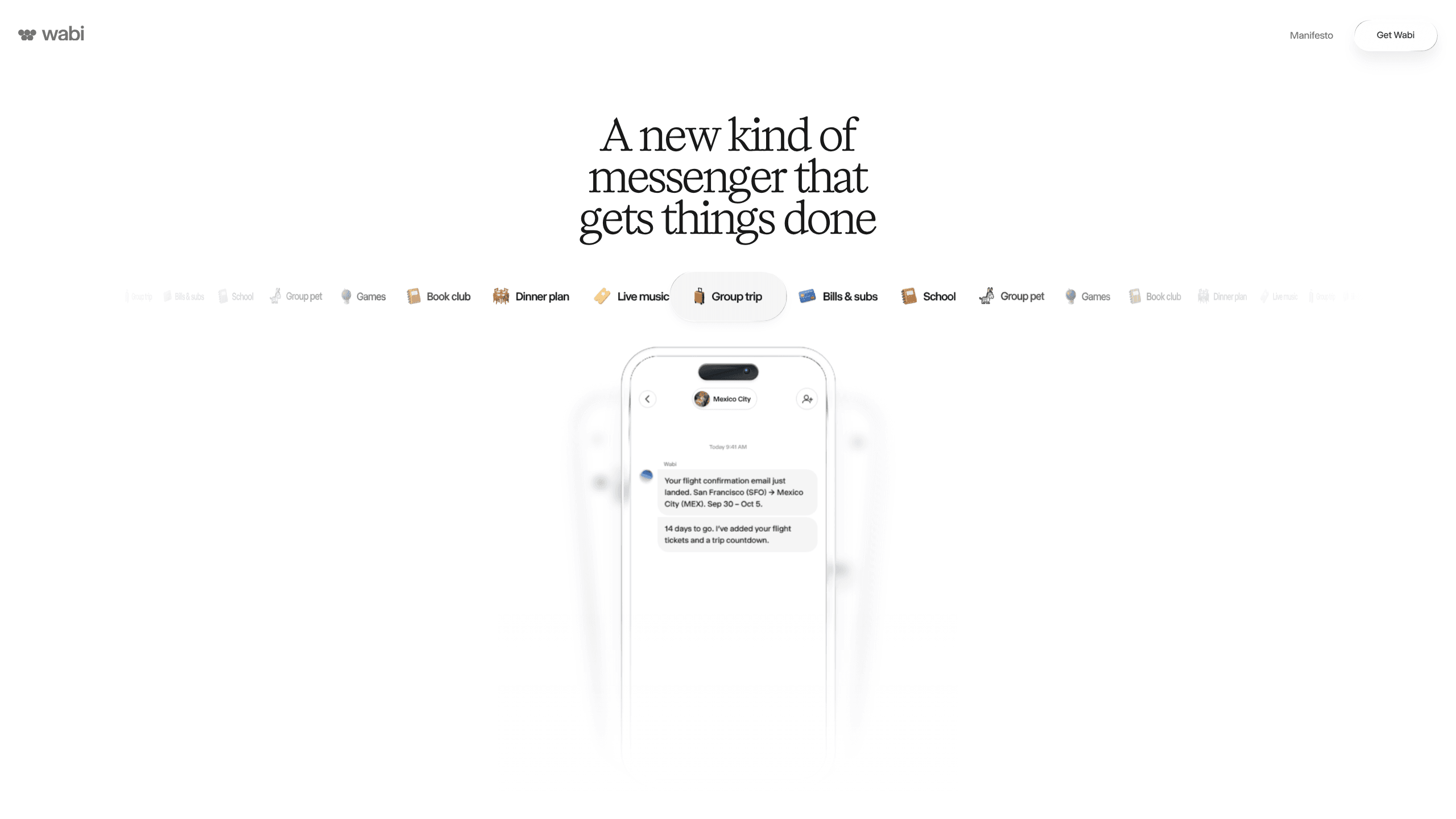
Wabi is a messenger-style AI assistant for iOS, Android and Mac. It sorts your life into shared threads, builds small apps inside each one, and handles email, calendar and errands after you approve.
About Wabi
What Is Wabi
Wabi is a personal AI assistant that behaves like a messaging app. You talk to it in threads, one for your health, one for the kids, one for a trip, and each thread keeps its own history, files and small apps. The company calls it a multiplayer AI assistant because you can invite other people into a thread and let it work for the whole group.
The product comes from Wabi, Inc., founded by Eugenia Kuyda, who also started Replika. Wabi raised a $20 million pre-seed round led by Andreessen Horowitz in November 2025. The first version was a platform for prompting small apps into existence. The current release, Wabi 2.0, keeps that app-building idea and wraps it in a messenger.
What separates it from a plain chatbot is where the answers land. Ask about a dinner plan and you may get a map, a shortlist of restaurants and a shared calendar entry instead of a wall of text. Ask for a workout log and the thread grows a logger with your history in it. The assistant decides which interface fits the request.
The limits matter too. Wabi is free while the company works out a business model, so nothing guarantees the current terms. It asks for access to email, calendar, contacts, location, photos or health data to be useful, and a thread with no connections stays fairly thin. There is no public API.
Getting Started
- Download the Wabi app from the App Store, Google Play or the Mac build on wabi.ai, then create an account.
- Connect the accounts you want it to read, such as email and calendar. You can disconnect any of them later.
- Let Wabi propose a few starter threads, or create your own for a project, a household or a group trip.
- Invite people into a thread when the work involves them. Each person chooses what to share, and the chat shows when someone's data is requested.
- Ask for what you need in plain language: a booking, a tracker, a countdown, a game. Approve the actions that need a green light.
Product Information
A quick look at Wabi's pricing, supported platforms, and performance.
Best for
The users, tasks, and scenarios where this tool fits best.
Users
- Families juggling school email, activity schedules and appointments
- Couples planning trips, dinners and shared lists
- People who tried a single-thread assistant and lost the plot
Tasks
- Booking travel and stays
- Chasing returns, refunds and appointments
- Building a small tracker
Scenarios
- A group trip where plans keep changing
- Back-to-school season
- Subscription cleanup
Key features
Threads for each part of your life
Wabi splits conversations by topic instead of piling everything into one endless chat. A health thread can hold appointments and logs, a family thread can hold schedules, and neither one has to know about the other. The structure is the point: long single conversations degrade as context grows, and separate threads keep each request focused.
Shared threads that work like group chats
Any thread can be opened to other people, which turns it into an AI group chat with the assistant as a participant. Everyone sees the same plans and apps, and anyone can ask Wabi a question about the shared context, such as whether someone is free on Thursday. Access is granted per thread rather than per account.
Apps that appear when a conversation needs them
Wabi builds interfaces inside the chat: maps, shared calendars, trackers, countdowns and simple games. The output shows up as a small app at the top of the thread, not as another paragraph to scroll past. This is the part that feels least like a chatbot and most like a workspace that assembles itself.
Connections scoped to a single chat
You choose which sources Wabi can read, including email, calendar, contacts, location, photos and health data. Permission is tied to the thread where you granted it, and the chat displays a notice when someone requests personal information. Connections can be cut at any time from settings.
Proactive updates and approval before actions
The assistant watches the sources you connect and posts when something changes: a bill goes up, a plan collides with the weather, a refund lands. Actions that carry weight, such as booking or submitting a form, wait for your approval. You stay in the loop without opening five other apps.
The same assistant on phone, desktop and home screen
Wabi runs on iOS, Android and Apple silicon Macs, with an Intel build for older Macs. Threads sync across devices, so a plan started on a laptop continues on a phone. On Android it can use background location to notice a new city, read Health Connect metrics such as steps and sleep, and start voice or video calls from a chat. iOS and Android users can also pin Wabi widgets to the home screen.
Pros and cons
Pros
- Puts friends, family and the assistant in one conversation, which removes the usual copy-and-paste between a chat and a chatbot.
- Builds a usable interface for the task instead of returning text you have to act on yourself.
- Permissions are scoped per thread and visible to everyone in it, a clearer model than handing an assistant full account access.
- Runs on iOS, Android and Mac with synced threads and home-screen widgets.
- Free to use right now, with no credit card and no waitlist.
Cons
- No paid tier or announced business model, so pricing and feature limits can change without much notice.
- Usefulness depends on connecting email, calendar, location or health data. Skip those and threads have little to work with.
- No public API or documented integration list, which rules out custom workflows and team tooling.
- Many active threads produce many notifications, and muting them one by one takes effort.
Frequently asked questions
Wabi is an AI assistant built as a messenger. You work in separate threads for different parts of your life, invite other people into them, and get small apps such as trackers, maps and calendars when a task calls for one.
Related content
Explore related tools, skills, and articles for Wabi.
Wabi Alternatives

Base Code
Base44 (Wix) · Coding · ProductivityBase Code is a shared cloud development environment from Base44. Teammates describe changes to an existing GitHub codebase in chat, preview them live and send them back as pull requests.

Knocket
Knocket (Tencent RTC team) · Productivity · Business · ChatbotKnocket is a free live chat and contact page tool that lets visitors message you from your website, app, or a shareable link, with every reply handled from Telegram or one inbox.

FloorGen
Vinit Kumar (FloorGen) · Productivity · China AIFloorGen is a browser-based floor plan maker that turns a sentence or a sketch into an editable 2D plan and a 3D walkthrough. Export to PDF, DXF or video, and draw without an account.