

WAIT - AI Weight Loss Fasting
BERRYMORE · Leaning · AI Assistant
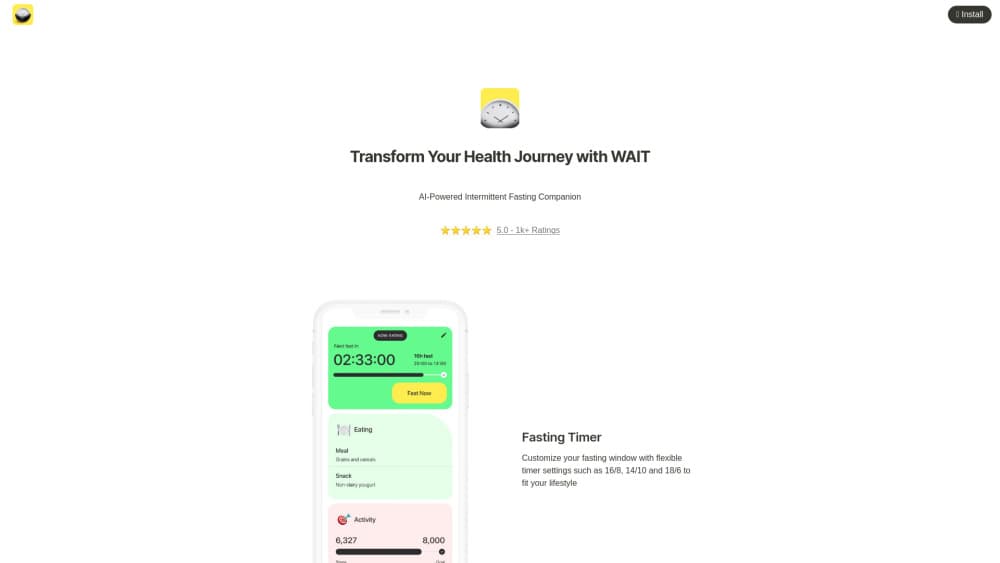
WAIT is an AI fasting and nutrition app for iOS. It tracks your fasting window, answers food questions in chat, and shows what your body does hour by hour, alongside calorie, water, and weight logs.
About WAIT - AI Weight Loss Fasting
What Is WAIT
WAIT is an intermittent fasting app for iPhone built around one idea: the clock matters more than the menu. You pick a window such as 16:8 or 14:10, and the app keeps time in the background, nudges you when the window opens or closes, and logs what happens in between.
The AI side is where it separates itself from plain timers. An in-app nutritionist answers questions in chat with your fasting history in view, so "what should I eat to break this fast" gets an answer tied to your day instead of a generic blog paragraph. A body state panel walks through glycogen use, fat burning, ketones, and autophagy on an hourly timeline, with sources listed.
The limits are worth knowing up front. WAIT runs on iOS only (iOS 16 or later), there's no Android build and no public API, and the app itself says it isn't a medical tool. Anyone managing a condition, pregnant, or on medication should talk to a clinician before changing how they eat.
Getting Started
- Download WAIT from the App Store and allow notifications, since the timer relies on them.
- Pick a fasting window: 16:8, 14:10, 18:6, or a custom schedule that matches your day.
- Start the fast. The timer keeps running in the background and shows on the lock-screen widget.
- Log meals, water, weight, and mood through the day, then ask the AI nutritionist about anything that came up.
Product Information
A quick look at WAIT - AI Weight Loss Fasting's pricing, supported platforms, and performance.
Best for
The users, tasks, and scenarios where this tool fits best.
Users
- Beginners who want a weight loss app that explains itself
- People who already fast and want better food decisions
- Data-minded users
- iPhone owners who dislike loud health apps
Tasks
- Running a 16
- Breaking a fast well
- Spotting patterns across a month
Scenarios
- Desk jobs with irregular lunch breaks
- Training blocks where weight and energy both matter
- Travel and shift work
Key features
Fasting timer with presets and custom windows
Choose 16:8, 14:10, 18:6, or set your own hours. WAIT counts down in the background and shows the current state on a lock-screen widget, so you don't have to open the app to know where you stand. The presets cover the plans most beginners start with, and custom windows handle odd schedules.
AI nutritionist in chat
The built-in assistant answers food questions in plain language and keeps your recent fasting and eating data in view. Ask about macros, what to eat after a long fast, or why you feel flat at 4pm. Answers point to specific food choices rather than a diet brand.
Hour-by-hour body state
A timeline breaks a fast into stages: glycogen use, fat burning, ketone production, and autophagy. Each stage explains what it means and cites the research behind it. These are estimates, and the app frames them that way, because bodies don't switch modes on a stopwatch.
AI food log and calorie reports
Log meals in the food diary and the app estimates calories, then returns a short report on the week's eating patterns with suggestions. It works as a calorie tracker first, so accuracy depends on how carefully you log, especially with mixed dishes.
Progress stats that stay readable
Streaks, average fast length, longest fast, and 7-day, 30-day, and 1-year charts. The point is reading a trend rather than keeping a daily score. Data exports to Apple Health, which matters if you already track weight or activity somewhere else.
Hydration, weight, and mood in one timeline
Water reminders, weight graphs, and a mood log share the same day view. Seeing a low mood next to a short fast and two glasses of water tells you more than three separate apps each reporting nothing.
Pros and cons
Pros
- The fasting timer runs in the background, which makes 16:8 practical on busy days.
- The AI nutritionist answers with your own log in context, so advice fits the fast you actually did.
- Body state explanations cite sources and avoid promising a fixed fat-burning hour.
- Apple Health export and a lock-screen widget cover the two things most people check daily.
Cons
- iOS only, with no Android version and no web app, so mixed-device households can't share the experience.
- Subscription details aren't published on the official site, which makes budgeting awkward before you install.
- Calorie estimates depend on manual logging and get shaky with restaurant food.
Frequently asked questions
The app is a free download, and the fasting timer works without paying. The official site doesn't list paid tiers, so check the App Store listing for any current in-app purchase prices.
Related content
Explore related tools, skills, and articles for WAIT - AI Weight Loss Fasting.
WAIT - AI Weight Loss Fasting Alternatives

HireKey
HireKey · Voice & Language · Productivity · LeaningHireKey is an AI job search copilot built by a former tech recruiter. It checks role fit, tailors resumes, runs interview practice and tracks every application.

Lune
Retrograde Labs · Productivity · LeaningLune is a research search engine for scientific AI agents. It runs as an MCP server that lets Claude, ChatGPT and Cursor search peer-reviewed computer science papers and cite them.
Coddy
Coddy · Coding · LeaningCoddy is a gamified platform to learn to code through short interactive lessons in 20+ languages, with a browser editor, an AI tutor and free certificates.