

Wand
Wand Technologies Inc. · Image
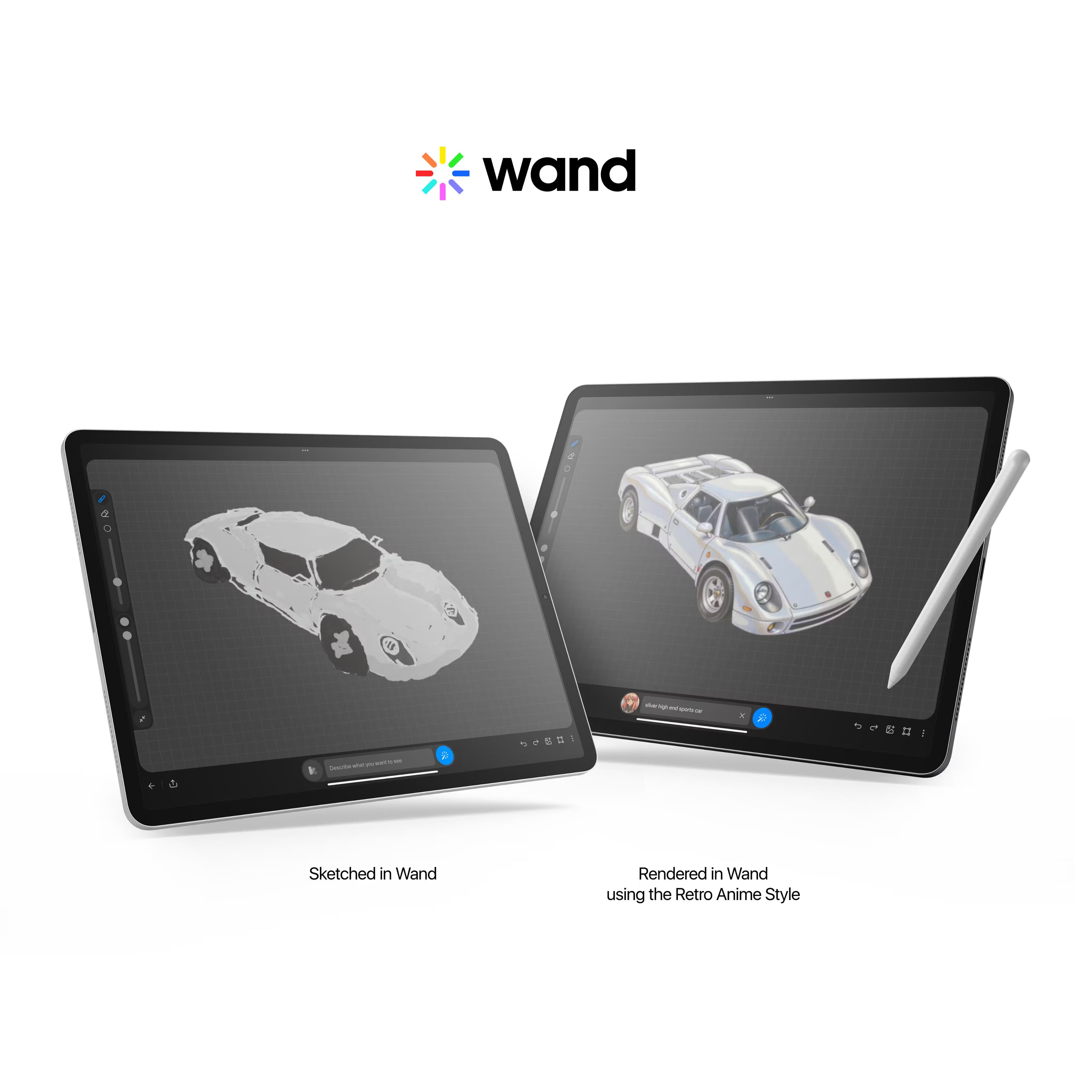
Wand is an AI drawing app for iPhone and iPad that turns sketches into rendered artwork in seconds. You keep control, train a private AI model on your own style, and edit in real time.
About Wand
What Is Wand
Wand is an AI drawing tool built for iPhone and iPad, and it treats drawing as the input rather than typing. You sketch with a finger or an Apple Pencil, and the AI interprets the strokes and renders them into a finished image. The pitch is speed without losing authorship: you keep drawing by hand, and the model fills in detail you would normally spend hours on.
The standout feature is fine-tuning. You upload a handful of images that share a style or an object, and Wand trains a private AI model on them. It can learn a look, like your line weight and palette, or a specific subject, like your dog, a character, or a building you designed for a project. You can hold several of these custom AI models at once and switch between them as you work. The developer says those models stay private to you.
Two limits matter before you commit. Wand runs only on iOS, so Android, Windows, and the web are out. It also leans on a credit system for AI generation, so heavy use pushes you toward a paid tier.
The company behind it is Wand Technologies Inc. Wand has been acquired by Krea.ai, and Krea has folded the brush technology into a dedicated iPad app.
Getting Started
- Install Wand from the App Store on an iPhone or iPad running iOS 17.0 or later.
- Open a canvas and draw a rough sketch with your finger or an Apple Pencil.
- Pick a preloaded style from the library, or train a private model by uploading a few reference images.
- Render the sketch, then use regional editing and layers to fix only the parts you want to change.
- Export the result as a standard image or a transparent PNG for use in other projects.
Product Information
A quick look at Wand's pricing, supported platforms, and performance.
Best for
The users, tasks, and scenarios where this tool fits best.
Users
- Illustrators who draw by hand and want faster rendering
- Concept artists exploring many variations
- Comic and storyboard artists
- Designers mocking up products or clothing
- Students learning digital art
Tasks
- Turning a rough sketch into a finished image
- Training a custom AI model on your own work
- Fixing one part of an image
- Building a consistent character or object
- Preparing assets with clean edges
Scenarios
- Working on an iPad in the studio or on the move
- Pitching a concept to a client or creative director
- Keeping a personal style off someone else's servers
- Seeding a longer project
Key features
Custom Brush Engine
The brush engine is the drawing half of the app, and it is what separates this AI illustration tool from generators that start with a text box. Strokes respond to pressure and speed, and the way you draw feeds the AI directly, so line quality carries into the result. Artists who already have a drawing practice get to keep it.
Private model training
You upload a few images and Wand trains a personal model on them. The fine-tuning covers both styles and objects, from a color palette to a recurring character. You can keep multiple models and swap between them, which suits a project that needs one look for line art and another for backgrounds. The developer states these models are private.
Preloaded style library
If you do not want to train anything yet, a set of ready styles applies a look to your sketch in one step. It is the fastest path from an empty canvas to something presentable, and it gives beginners a way in before they build custom models. You can also save your own styles back to the library.
Regional iterative editing
Regional editing lets you mark one area of an image and change only that. A hand that came out wrong, a background that needs a different mood, a prop that should not be there. On a full piece, this saves you from re-rendering the whole image to fix a small problem, and it is the feature that keeps an AI-assisted workflow practical over a long session.
Layers and morph intensity
Wand keeps layers, so line art, color, and effects sit apart and you can edit one without flattening the others. A morph intensity slider controls how far the AI pushes your input, from a light pass that keeps the sketch tight to a heavier pass that invents more. Together they give you a dial for how much of the image is yours and how much is the model's.
Native iPad and Apple Pencil support
The app is iOS-only and built around the iPad and Apple Pencil rather than ported to them. Pressure, tilt, and stroke behavior register natively, so drawing feels close to a dedicated art app. The trade-off is that the same build does not run on Android, Windows, or in a browser, which rules Wand out for anyone without an Apple device.
Pros and cons
Pros
- Drawing stays the input, so real-time AI drawing keeps the artist's hand instead of a prompt-driven look.
- Training a private AI model lets you work in your own style and hold several models at once.
- Regional editing and layers make long sessions practical, since you fix small areas instead of re-rendering everything.
- Native iPad and Apple Pencil support gives pressure and tilt that feel like a dedicated drawing app.
Cons
- iOS only, so anyone on Android, Windows, or the web cannot use it.
- AI generation runs on a credit system, and heavy use pushes you toward the paid tiers.
- Paid plans climb quickly, with a pro yearly tier at $229, which is a real cost for a hobbyist.
- It is a drawing tool, not a general image generator, so text-to-image prompt workflows are not the point here.
Frequently asked questions
Wand is used to turn drawings into finished artwork. You sketch by hand on an iPhone or iPad, and the AI renders the sketch, fills in detail, and lets you edit parts of the image without redrawing it.
Related content
Explore related tools, skills, and articles for Wand.
Wand Alternatives

Google EmbeddingGemma 2
Google DeepMind · Writing · Image · CodingGoogle EmbeddingGemma 2 is a 740M-parameter open model that turns text, code, images, audio, and video frames into vectors in one 768-dimension space, running on phones and laptops.

Tractionwave
TractionWave · Image · MarketingTractionWave is an AI attention heatmap tool for static ads. Upload a PNG or JPG and it returns predicted attention, ranked hotspots, and fixes before you spend budget.

Imejis.io
Imejis.io · Image · MarketingImejis.io is an AI design studio for agents and marketing teams. Describe an image in plain words, and it writes the copy, builds the layout, reflows it to every size, then exports a finished file.