

Wave AI
waveai.io · Image
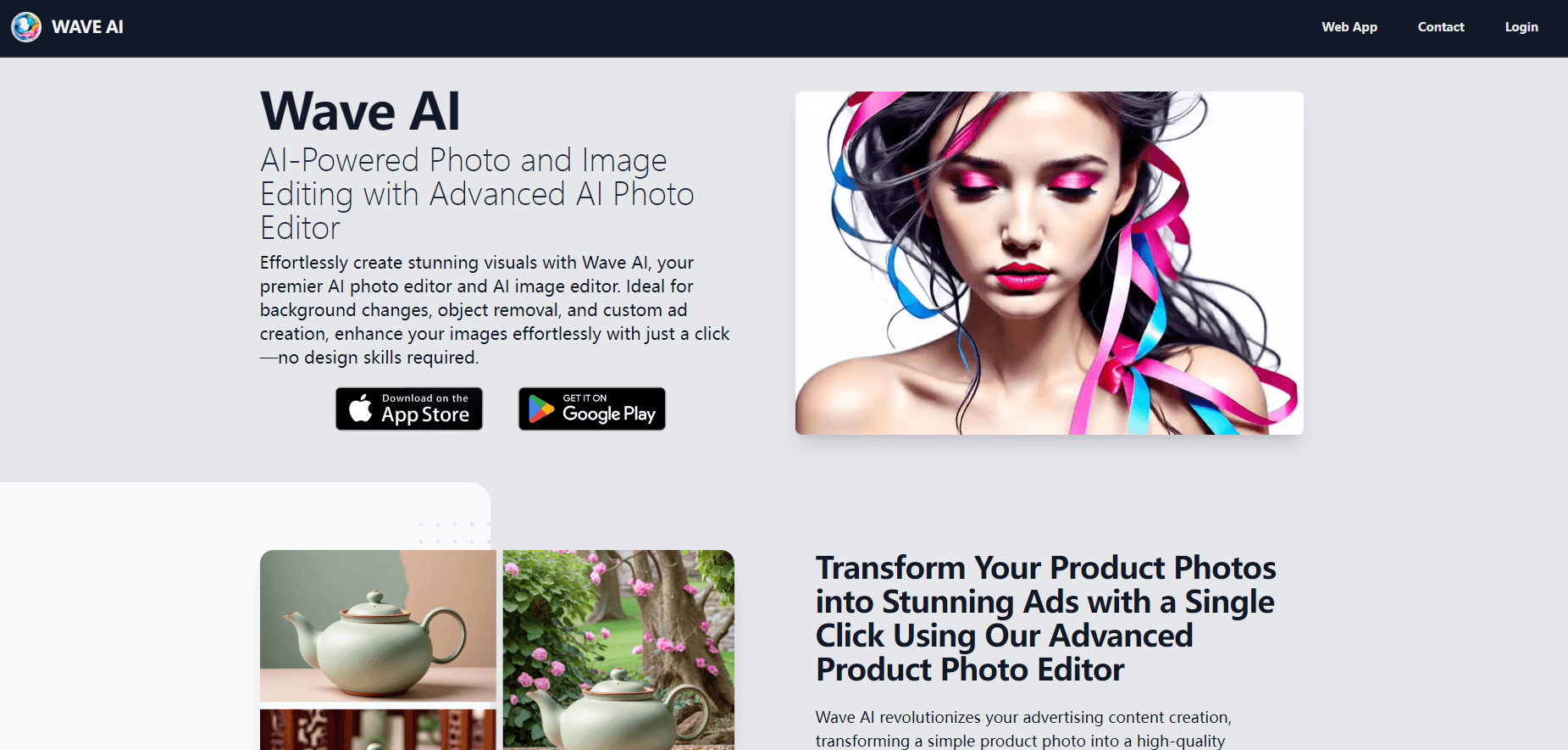
Wave AI is an AI photo and image editor available on the web, iOS, and Android. It swaps backgrounds, removes unwanted objects, turns product shots into ads, and generates images from text prompts.
About Wave AI
What Is Wave AI
Wave AI is an AI photo editor built around a simple promise: you describe the change you want and the tool does the editing. Instead of masking regions by hand, you upload an image, type or highlight what should happen, and the software rebuilds the scene. That covers four recurring jobs in one place: changing a background, deleting objects, dressing up product photos for ads, and generating new images from a written prompt.
The product comes from the team behind waveai.io, and it runs on the web plus dedicated apps for iOS and Android. The Android build (WaveAI - AI Photo Editor, package app.waveai.io) sits in the Art & Design category on Google Play, has passed 10,000 installs, and carries a 3.4-star average from a small set of reviews. It is a consumer-first tool, aimed at people who edit photos on a phone or in a browser and do not want to learn layers, masks, or curves.
Its main audience splits in two. Casual users want clean profile pictures and better travel shots without a desktop editor. Marketers and small sellers want product images that look like they came from a studio shoot without booking one. Both use the same interface, and that overlap is where the tool tries to stand out: the same background tool that deletes a photobomber also drops a product onto a polished set.
Two limits matter before you commit. Access to the generation features is credit-based, and the free entry point is a trial rather than an unlimited free tier, so heavy use costs money. And the mobile app is the primary surface. Anyone who needs a full desktop editing timeline, batch pipelines, or a documented API will have to look at other tools.
Getting Started
- Go to waveai.io or install the app for iOS or Android; sign in to reach the editing tools.
- Upload a photo from your device or pick one of the built-in samples.
- Choose what you want to do: change the background, remove an object, polish a product shot, or generate an image from text.
- Describe the result you want in words, or highlight the area the AI should work on.
- Review the result, run another pass if needed, then save or share the edited image.
Product Information
A quick look at Wave AI's pricing, supported platforms, and performance.
Best for
The users, tasks, and scenarios where this tool fits best.
Users
- Online sellers and small brands
- Casual photo editors
- Marketers and social media managers
- Content creators and digital artists
Tasks
- Changing a background
- Removing unwanted objects
- Editing product photos for ads
- Generating images from text
Scenarios
- Refreshing an online store listing when you need consistent product images fast.
- Building ad creatives for a small campaign without a photo shoot or a designer.
- Making a profile or social post stand out by moving the subject to a new location.
- Producing concept art or character images for a personal project from a short prompt.
Key features
Background changing and removal
Background editing is the feature Wave AI leads with. You upload a photo, point at the subject, and describe where it should go, from a studio backdrop to an outdoor scene. For simple jobs, such as a profile picture, the tool removes the background outright to leave a clean cutout. The appeal is speed: what once took a mask and several adjustments happens from a text instruction.
Object removal
The removal tool takes out elements you do not want, such as a photobomber, a stray cable, or clutter behind a product. You highlight the item or name it, and the AI identifies that region and fills the space so the image still reads as a single photo. It is most reliable on distinct, well-lit objects against a reasonably simple background.
Product photo and ad creation
This mode targets commerce. You upload a product image, choose or describe a background, and the tool produces an ad-style result meant to look like it came from a studio session. Wave AI markets it as a way to replace expensive shoots and to keep a store's visuals consistent. The benefit is practical rather than dramatic: faster turnaround and lower cost per image, provided the source photo is sharp.
Text to image generation
Beyond editing, Wave AI generates images from text prompts. You describe a scene and the model produces the visual. The company notes that it handles detailed anime-style art well, which makes it useful for concept work, character design, and posters. Results depend heavily on how specific the prompt is; vague descriptions tend to produce loose, generic output.
Web and mobile access
Wave AI runs in a browser and as apps for iOS and Android, so you can start an edit on a phone and finish a related task later on the web. The mobile build keeps the same core tools in a touch interface. Anyone who needs a large screen for precise retouching can use the web version instead of the app.
Pros and cons
Pros
- Handles background changes, object removal, product ad images, and text to image in one tool.
- Text-driven editing means no manual masking or layer work.
- Available on the web, iOS, and Android, so it fits phone-first workflows.
- Product photo mode targets sellers who need ad-ready images without a studio.
- Anime-friendly text to image covers concept and character work.
Cons
- No unlimited free tier; generation runs on credits, so regular use adds cost.
- The Android app has a small review base (10,000+ installs, 3.4-star average), so it is not a widely proven build.
- The mobile app has not seen an update in a long time, which raises support questions.
- Output quality depends on the source photo and the wording of the prompt, so results vary.
- No public API is documented, which blocks automated or batch use.
Frequently asked questions
Wave AI edits and generates photos and images. It changes or removes backgrounds, deletes unwanted objects, turns product photos into ad-style images, and creates new visuals from text prompts.
Related content
Explore related tools, skills, and articles for Wave AI.
Wave AI Alternatives

Google EmbeddingGemma 2
Google DeepMind · Writing · Image · CodingGoogle EmbeddingGemma 2 is a 740M-parameter open model that turns text, code, images, audio, and video frames into vectors in one 768-dimension space, running on phones and laptops.

Tractionwave
TractionWave · Image · MarketingTractionWave is an AI attention heatmap tool for static ads. Upload a PNG or JPG and it returns predicted attention, ranked hotspots, and fixes before you spend budget.

Imejis.io
Imejis.io · Image · MarketingImejis.io is an AI design studio for agents and marketing teams. Describe an image in plain words, and it writes the copy, builds the layout, reflows it to every size, then exports a finished file.