
WebLens
GrowthBook · Image · Coding · Marketing
WebLens is a free AI hypothesis generator from GrowthBook. Paste a URL, and it reads the page, then returns A/B test ideas scored by impact, effort, and how easily each one can be built.
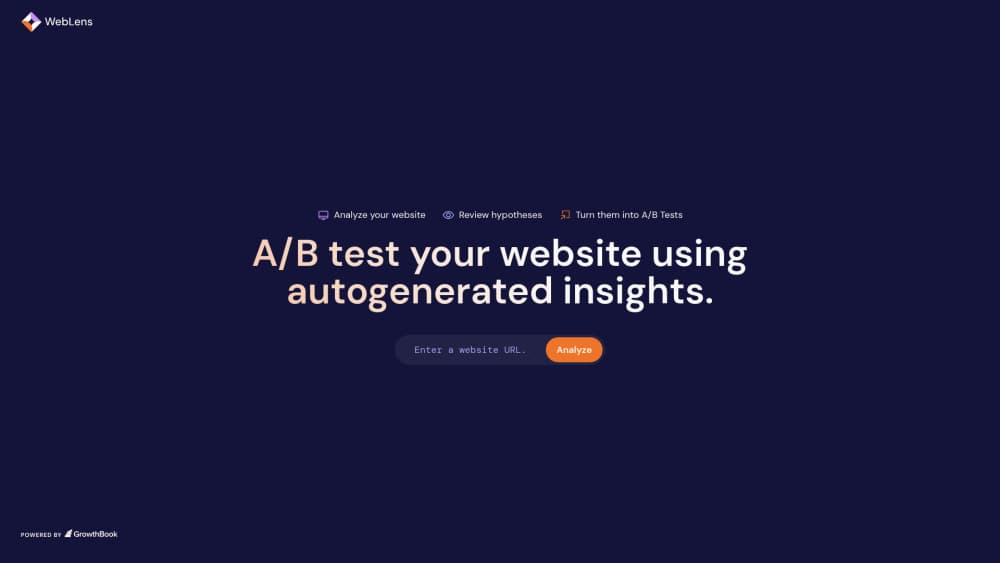
About WebLens
What Is WebLens
WebLens is a small AI A/B testing tool that turns a page address into a list of experiment hypotheses. GrowthBook built it for teams who know they should be testing but can't agree on what to test next. You type in a URL, the service scrapes the page, and a large language model reads the copy, the layout, and a screenshot before writing down changes worth measuring.
The output isn't vague advice. Each idea arrives with a hypothesis statement, a difficulty rating, an impact estimate, and a note on whether the change targets an element the visual editor can actually edit. That last flag matters more than it sounds. A brilliant idea about restructuring your checkout flow is useless to a tool that can only rewrite headline text.
There's a catch worth stating up front. As of late 2026, weblens.ai and the hypgen.growthbook.io address both redirect to GrowthBook's main site, so the standalone page isn't reachable the way old tutorials describe it. The idea generation itself hasn't vanished. It now sits inside GrowthBook's own AI features, which come with the paid plans. Treat WebLens as the free on-ramp it was designed to be, and expect to finish the work inside the platform.
Getting Started
- Open the tool in a desktop browser. You don't need an account for the first pass, which is the whole point of a free A/B testing tool aimed at people who are still deciding.
- Paste the URL of the page you want to test. Pick one page, not your homepage and pricing page at once. Focused pages produce focused ideas.
- Wait for the scrape. The service pulls the rendered HTML, a markdown version of the text, and a screenshot, so pages behind a login or heavy client-side rendering may come back thin.
- Read the scored list. Sort by impact if you want the big swings, or by ease if you need something a designer can ship this week.
- Take an idea forward. If a hypothesis has an editable element attached, open the preview to see the rewritten copy on a live version of the page, then create the experiment in GrowthBook and let it run.
Product Information
A quick look at WebLens's pricing, supported platforms, and performance.
Best for
The users, tasks, and scenarios where this tool fits best.
Users
- Growth marketers at small companies
- Product managers who don't run tests themselves
- Designers asked to justify a redesign
- Teams already on GrowthBook
Tasks
- Filling an empty experiment backlog
- Sanity checking a landing page before you spend on ads
- Writing the first draft of a test brief
- Benchmarking your page against how a model reads it
Scenarios
- A Monday planning meeting where nobody brought a test idea.
- A pricing page that's been unchanged for a year and nobody wants to touch.
- Pre-launch review of a new landing page, before traffic makes mistakes expensive.
- Handing a junior marketer something concrete to own in their first month.
Key features
URL In, Ranked Hypotheses Out
The core loop is one input field. Drop in a link and the tool returns a batch of experiment hypotheses written in plain language, each tied to a specific element on the page. No dashboard setup, no tracking snippet, no data warehouse connection. That low ceiling on setup is why it works as a first step for people who have never run a test.
Scoring That Separates Big Bets From Quick Wins
Every idea carries several scores: expected impact, implementation difficulty, and a yes or no on whether an editable DOM element exists. The ranking step came from a real problem. Early versions returned twenty plausible ideas with no way to choose between them, which is the same paralysis the tool was meant to cure. Filtering by effort turns a reading exercise into a shortlist.
Live Copy Previews
When a hypothesis touches text, WebLens generates DOM mutations in the JSON format GrowthBook's visual editor understands. The page re-renders with the new headline or button label in place, so you see the proposed change instead of imagining it. GrowthBook narrowed this to copy edits on purpose. Layout changes looked impressive in demos and broke often enough to be more trouble than they were worth.
Trained on Real Test Archetypes
The prompts include examples of tests that worked, tests that failed, and ideas that never translate into a clean experiment. That mix does more for output quality than a longer prompt does. It's also why the suggestions skew toward familiar patterns like call to action changes, headline rewrites, and social proof placement rather than exotic restructures.
Built for Handoff to GrowthBook
A generated hypothesis can be onboarded into GrowthBook as an experiment in a few clicks, which is the difference between a brainstorm document and a queue of work. Teams that already pay for GrowthBook get the most from this, since the idea, the variant, and the results end up in the same place. Everyone else can still use the output as a starting brief.
Free and Browser Only
There's no app, no extension, and no account wall for the first run. It's a web page that does one job. For conversion rate testing on a budget, that simplicity is the feature. You'll want a GrowthBook account once you move from ideas to running tests, because that part needs traffic, statistics, and somewhere to store the results.
Pros and cons
Pros
- Turns a URL into usable A/B test ideas in about a minute, with no setup.
- Scores ideas by impact and effort, so you can pick a quick win instead of guessing.
- Writes hypotheses in a format you can paste into a ticket or a doc.
- Copy previews show the change on the actual page, which sells the idea to stakeholders faster than a paragraph does.
- Free, and the ideas transfer cleanly into GrowthBook if you already use it.
Cons
- The standalone site redirects to GrowthBook's homepage as of late 2026, so following an old bookmark gets you a marketing page, not the tool.
- Suggestions stay close to the page you fed it. Thin pages, logged-in screens, and single-page apps with heavy client rendering return weaker ideas.
- It generates ideas, not results. You still need traffic, a way to split visitors, and enough patience to wait for significance.
- Nothing here replaces customer research. The model guesses from a screenshot, and it can't hear what your users complain about.
Frequently asked questions
It reads a web page and writes experiment hypotheses for it. You give it a URL, it scrapes the page and sends the content to a language model, and you get back a list of proposed changes with impact and effort scores plus a preview of the rewritten copy.
Related content
Explore related tools, skills, and articles for WebLens.
WebLens Alternatives

Google EmbeddingGemma 2
Google DeepMind · Writing · Image · CodingGoogle EmbeddingGemma 2 is a 740M-parameter open model that turns text, code, images, audio, and video frames into vectors in one 768-dimension space, running on phones and laptops.

Tractionwave
TractionWave · Image · MarketingTractionWave is an AI attention heatmap tool for static ads. Upload a PNG or JPG and it returns predicted attention, ranked hotspots, and fixes before you spend budget.

Imejis.io
Imejis.io · Image · MarketingImejis.io is an AI design studio for agents and marketing teams. Describe an image in plain words, and it writes the copy, builds the layout, reflows it to every size, then exports a finished file.