
WebSim AI
Websim, Inc. · Coding
WebSim AI is a browser-based AI app builder that turns a text prompt into a playable game, an interactive page, or a small web app you can post, remix, and play with friends.
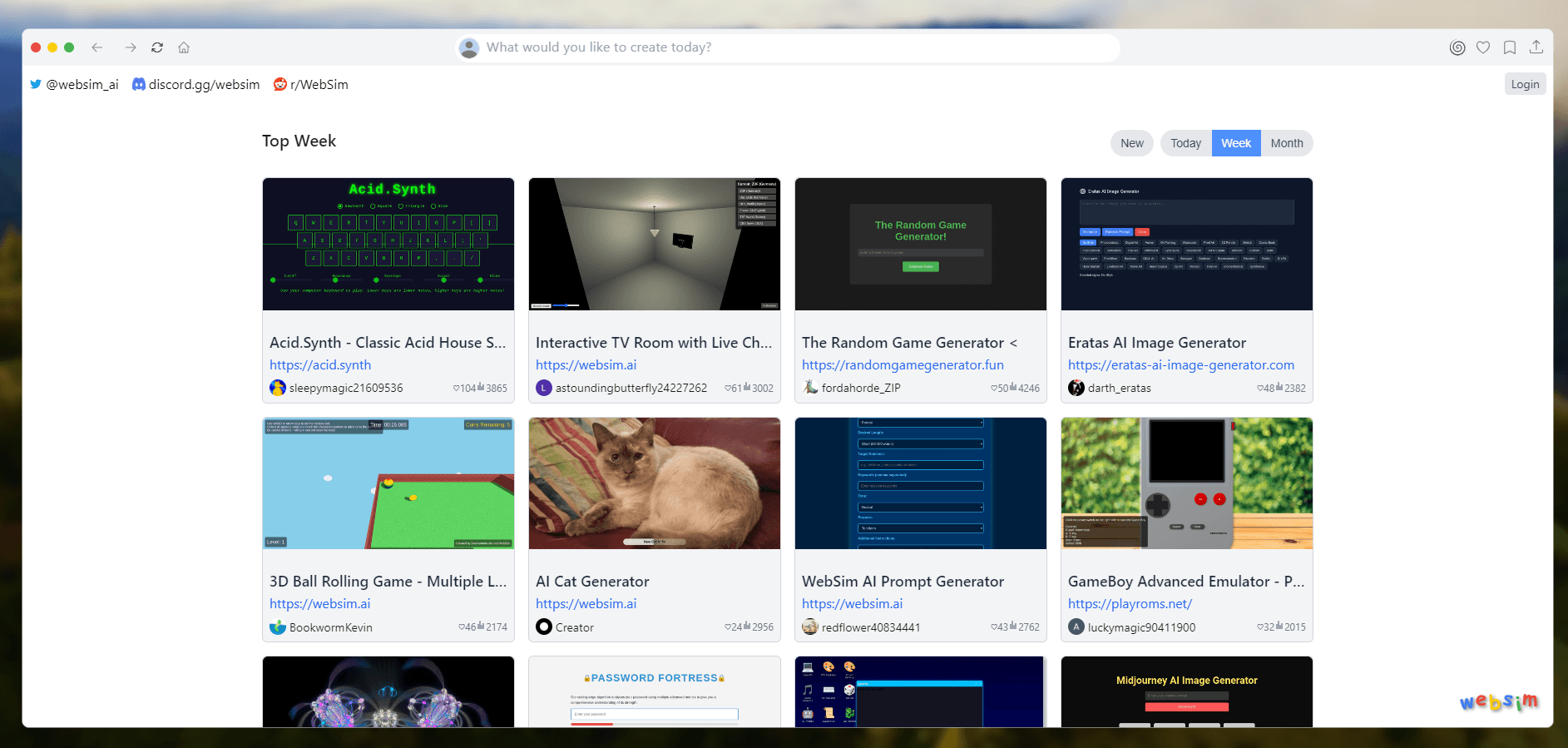
About WebSim AI
What Is WebSim AI
WebSim AI is a build-and-share platform for small web projects. You type an idea into a box, the AI writes the HTML, CSS, and JavaScript, and a working page appears at its own address on websim.com. No download, no local setup, no build tools.
The site doubles as a feed. Post a project and other people can play it, comment on it, fork it into a remix, or send you credits as a thank you. That loop is why the place feels closer to an arcade than to a code editor. Most of what gets built is short and silly: a Windows XP simulator, a Numberblocks playground, a ragdoll sandbox. Some of it turns into real tools.
It works as an AI website generator for plain pages, and as an AI game maker for the browser toys people actually pass around. The interesting part sits in between, where a prompt produces something interactive instead of a static layout.
The limits are real. Projects live on Websim's domain, so there's no documented way to lift the code onto your own host. Everything is public by default. Free models cover small experiments, and the stronger models burn credits. Websim discontinued its free daily credit program in January 2026, so heavy use now means earning credits through the community or paying for a plan.
Getting Started
- Open websim.com in a desktop browser and log in. Creating an account takes an email address or a social login, and you land straight on the prompt box.
- Describe what you want in plain language. A sentence or two is enough to get a first version, and you can name a genre, a look, or a mechanic you want copied.
- Play the result, then change it. Comment on the page and the site's agent reads the comment and edits the project in place, which is faster than rewriting the prompt from scratch.
- Post it to the feed. Once it's live, other users can like it, remix it, or tip you credits, and any project can be opened up for multiplayer.
- Watch your credits if you switch to a premium model. Free models stay free, paid models draw down a balance you top up with a Starter or Pro plan or a one-time purchase.
Product Information
A quick look at WebSim AI's pricing, supported platforms, and performance.
Best for
The users, tasks, and scenarios where this tool fits best.
Users
- Beginners with no coding background
- Hobbyist game makers
- Teachers, streamers, and workshop hosts
Tasks
- Prototyping a game mechanic
- Building a small internal tool
- Making an interactive page for a lesson or a stream
- Learning what prompts actually do to code
Scenarios
- A weekend experiment that goes nowhere
- A group activity where everyone is on a laptop
- Testing whether an app idea deserves real engineering
Key features
Prompt to Playable Page
One prompt produces a full page with markup, styling, and logic already wired together. The output runs immediately at a websim.com address, so there's no deploy step between the idea and the test. Re-prompting rewrites the whole page, while commenting changes a specific piece, which keeps small fixes from breaking what already works.
Comment Agent
Leave a comment on any project and an agent reads it as an instruction, then edits the page in place. This is the feature that changed how the site gets used in 2026: instead of rewriting a prompt and hoping the rest survives, you point at the broken part in words. Visitors can comment on other people's projects too, which turns feedback into a visible change.
Multiplayer and Shared Databases
Any project can be opened to multiple players, with shared state handled by the platform rather than by code you write. The improved database support shipped in August 2026 lets those projects store data between sessions, so leaderboards, saved rooms, and inventories survive a refresh. For a class or a friend group, this is the difference between a demo and something you can actually play together.
Remixing and Remix Suggestions
Every public project can be forked, and the fork keeps a link back to the original. Remix suggestions surface projects that are close to yours, which is how a lot of people find a starting point instead of a blank prompt. The norm on the site is that copying is welcome, and credit goes to whoever built the first version.
Image, Speech, and Text Generation Inside Projects
Projects can call AI models as part of what they do, so a game can generate art on the fly or a tool can transcribe speech. Websim positions this as building AI apps rather than generating a picture: the model becomes a component inside an interface you designed. That's the main reason to pick it over a plain site builder.
Credits and Premium Models
Free models cost nothing and cover most learning projects. Premium models draw on a credit balance, spent per run, and credits arrive through engagement rewards, tips from other users, a one-time purchase, or a Starter or Pro subscription. The trade is straightforward: heavier builds on better models cost money, and the free daily allowance that used to soften that is gone.
ChatGPT Account Connection
Since July 2026 you can link a ChatGPT account and build with that agent inside Websim, and free ChatGPT accounts work for it. In practice this gives you a second route to the same editor when you already pay for a model subscription elsewhere. It also means the assistant you're used to can write the code that Websim hosts.
Pros and cons
Pros
- The time from idea to a playable link is measured in minutes, which is faster than any setup-heavy alternative.
- Multiplayer and shared storage come from the platform, so group projects don't need a backend.
- The comment agent makes small fixes cheap and keeps you from rewriting a prompt that mostly worked.
- A free tier with free models lets you test the whole loop before spending anything.
- The remix culture hands you working starting points instead of blank pages.
Cons
- Premium models are metered by credits, and the free daily credits ended in January 2026, so regular use on good models means a subscription.
- Projects stay on Websim's domain with no documented export, which matters if you want the code on your own server.
- Everything is public unless you keep a project unposted, so don't build anything with private data in it.
- Output quality swings with the prompt, and a broken build is often easier to fix by commenting than by debugging line by line.
Frequently asked questions
It's used to build small interactive web projects from a text prompt: browser games, quizzes, toy tools, and simple AI apps. The output is a live page you can share, not a code file you take elsewhere.
Related content
Explore related tools, skills, and articles for WebSim AI.
WebSim AI Alternatives

Udon
Udon · Coding · ProductivityUdon turns an Apple Silicon Mac into a home server you run from a browser, with container controls, file shares, and an optional AI sysadmin.

offstage
offstage cloud · Coding · Productivityoffstage gives AI coding agents and CI jobs a real Mac: a fresh macOS account on Apple silicon, driven over an API and billed by the second.

BotBus
Chengdu Tuyang Tusen Technology Co., Ltd. · Coding · ProductivityBotBus lets you control AI coding agents from your phone and watch: approve commands, start tasks and read results while the code stays on your desktop.