
Website Audit AI
Popupsmart Inc · Image · Marketing
Website Audit AI turns a URL into a UX audit, a CRO review, and copy feedback, with desktop and mobile screenshots plus section by section fixes.
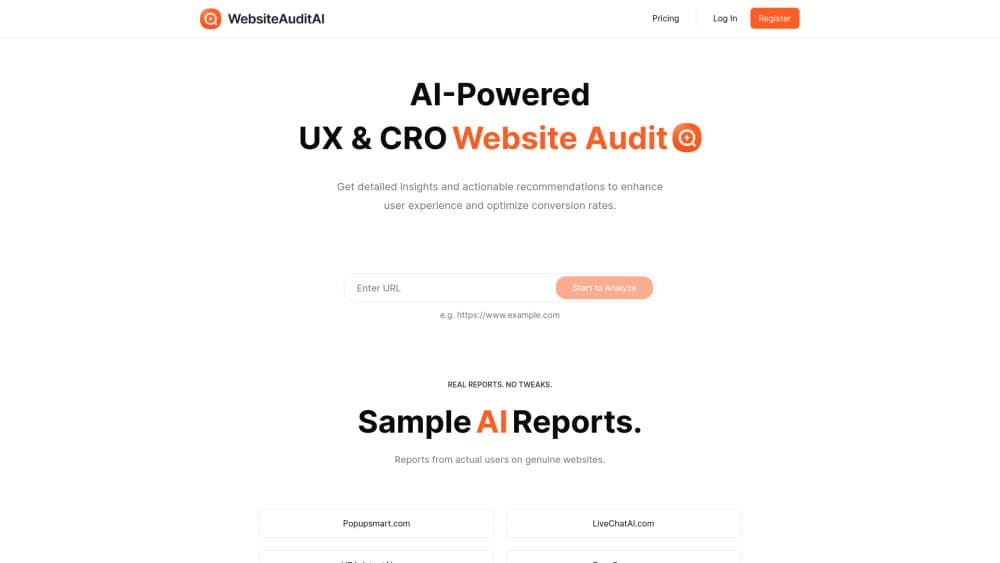
About Website Audit AI
What Is Website Audit AI
Website Audit AI is a web app that reads a page the way a picky visitor would. You paste a URL, and it loads the site on desktop and mobile, takes screenshots, and writes up what gets in the way of signing up, buying, or reading further. The output is a page you can share, not a spreadsheet of scores.
The team behind it is Popupsmart Inc, which has spent years building popup and lead capture tools. That background shows in the angle: the reports lean toward conversion work, meaning the steps between a visitor landing and a visitor acting. A UX audit sits next to a CRO audit in the same document, so design complaints come with a reason tied to a specific goal.
The ceiling is worth knowing before you start. This is an outside-in review of a rendered page. It doesn't read your analytics, watch real sessions, or crawl an entire site. A landing page audit takes minutes. Judging whether a headline change actually moved revenue still needs your own traffic data.
Getting Started
- Open websiteauditai.com and paste the full URL of the page you want reviewed. Include the https prefix so the crawler loads the right version.
- Submit the address and let the run finish. The tool captures desktop and mobile views before the analysis starts, which is why you should point it at a live page rather than a staging link behind a password.
- Read the report from the top. Findings come grouped by page section, so you see the hero, the navigation, the forms, and the footer in the order a visitor meets them.
- Work through the recommendations by priority. Each item describes what's weak and what to change, and the closing section suggests the next moves worth testing.
- Share the report link with whoever implements the changes. Designers, developers, and clients open the same page, so nobody is working from a screenshot pasted into a chat.
Product Information
A quick look at Website Audit AI's pricing, supported platforms, and performance.
Best for
The users, tasks, and scenarios where this tool fits best.
Users
- Marketers running paid traffic
- Freelance designers and CRO consultants
- Founders without a growth team
Tasks
- Auditing a landing page before a campaign launch
- Sanity checking a redesign
- Getting copy feedback at the section level
- Preparing a client deliverable
Scenarios
- A campaign underperforms and nobody can say why
- A small business site hasn't been touched in years
- A team argues about the homepage in meetings
Key features
Audit From a Single URL
There's nothing to install and no tracking snippet to paste. You give the tool an address, it loads the page in a browser, and the AI website analysis starts from what a real visitor would see. That keeps setup to a few seconds and means you can audit a competitor's page as easily as your own.
Separate Desktop and Mobile Reviews
Each run captures both viewports and reviews them independently. Mobile findings matter because a layout that holds together on a wide screen often collapses on a phone, and the report names the sections where that happens. You get two sets of notes instead of one review with a mobile disclaimer at the bottom.
Section by Section Recommendations
Feedback lands on the block it belongs to: the hero, the social proof strip, the form, the pricing table. A note about a confusing button sits next to that button rather than in a general usability chapter. This structure is what makes the output usable by a developer who wasn't in the meeting.
CRO Analysis of the Conversion Path
The CRO audit, the conversion rate optimization half of the report, traces the path from first impression to the action you want: sign up, book a call, add to cart. It flags competing calls to action, missing reassurance near a form, and copy that describes features while the visitor is deciding whether to trust you. Since the tool has no access to your traffic, treat the severity as informed opinion rather than measured impact.
Content and Copywriting Feedback
Headlines get checked for clarity, not cleverness. The report calls out jargon, vague claims, and sections that explain the product before saying what problem it solves. For teams without a writer, this is often the cheapest part of the audit to act on, since changing text takes minutes.
Shareable Report Pages
Every audit lives at its own public link, and the site publishes sample reports from real companies so you can judge the format before submitting your own URL. That makes a website audit report a deliverable rather than a private note, which suits agencies billing for the review.
Pros and cons
Pros
- Fast first pass. A landing page audit finishes in minutes, so you can test several URLs in one sitting.
- No setup or code access needed. Anyone with the URL can run it, including people outside your engineering team.
- Advice is anchored to what's on screen. Section level notes are easier to hand to a developer than a generic usability checklist.
- Mobile gets equal weight. Separate viewport reviews catch the layout breaks that desktop only checks miss.
- The share link lowers friction. Clients and teammates read the same document without a login or an exported PDF.
Cons
- It reviews rendered pages, so problems that only show up in code, server logs, or analytics stay invisible. You still need technical SEO and performance tools alongside it.
- Each run covers the URL you submit. Auditing a multi step funnel means several runs, and the reports don't connect into one journey view.
- Findings are suggestions, not fixes. Somebody still has to rewrite the copy, adjust the layout, and test whether it worked.
- There's no public pricing page, so you have to create an account to see what a report costs. That's a real hurdle if you're comparing tools for a client pitch.
Frequently asked questions
It reviews the page you submit for user experience, conversion blockers, and copy quality, using screenshots from desktop and mobile. Expect comments on layout, hierarchy, calls to action, form friction, and headline clarity. It doesn't run a technical crawl, check backlinks, or measure page speed.
Related content
Explore related tools, skills, and articles for Website Audit AI.
Website Audit AI Alternatives

Google EmbeddingGemma 2
Google DeepMind · Writing · Image · CodingGoogle EmbeddingGemma 2 is a 740M-parameter open model that turns text, code, images, audio, and video frames into vectors in one 768-dimension space, running on phones and laptops.

Tractionwave
TractionWave · Image · MarketingTractionWave is an AI attention heatmap tool for static ads. Upload a PNG or JPG and it returns predicted attention, ranked hotspots, and fixes before you spend budget.

Imejis.io
Imejis.io · Image · MarketingImejis.io is an AI design studio for agents and marketing teams. Describe an image in plain words, and it writes the copy, builds the layout, reflows it to every size, then exports a finished file.