

Webstorio
Webstorio · Image · Coding
Webstorio is an AI website builder that bundles a visual editor, CMS, database, and hosting into one platform. You describe the site you want, the AI suggests a layout, and you edit every detail by hand before you publish. It's a no-code website builder for people who want a working site without buying plugins or setting up separate services.
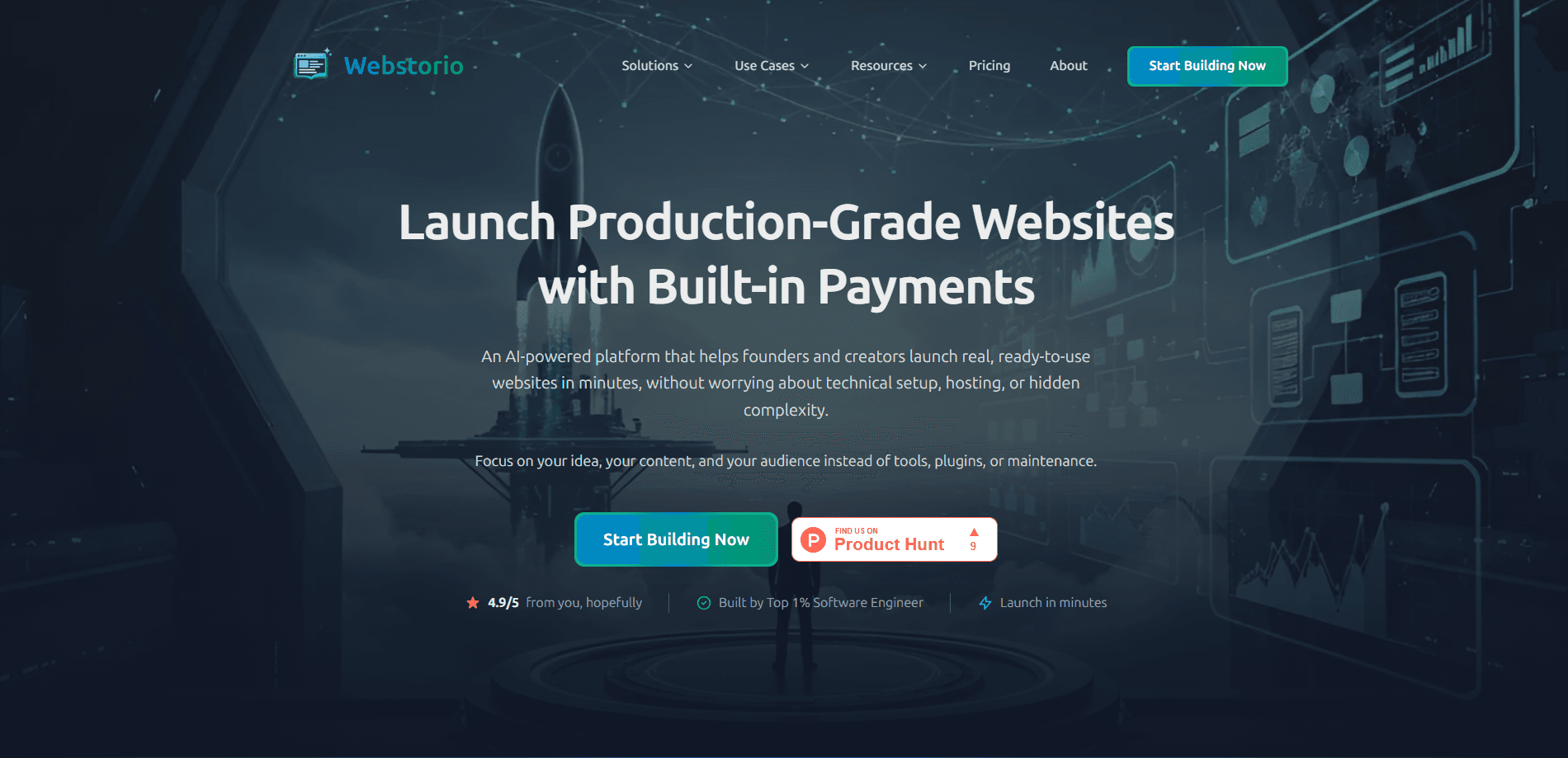
About Webstorio
What Is Webstorio
Webstorio is a web-based platform for building and running a website from a single place. Instead of generating code you have to maintain later, it gives you an AI page builder, a visual editor, and a production-ready backend that already includes the pieces most sites need.
The problem it goes after is fragmentation. Many builders hand you a design, then leave you to bolt on a CMS, a database, a booking tool, and hosting from different vendors. Webstorio keeps those in one place. You describe the site. You get a starting layout. Then you adjust it by hand. Nothing locks you in. You can edit any part of the result.
The main limit is that Webstorio is young. It reports a 4.5/5 rating from early users, and its feature set is still settling, so some workflows may shift. It's also a builder rather than a finished product, so you still supply the content, images, and decisions.
Getting Started
- Open the Webstorio site and start a new project with the "Build My Website" flow.
- Describe your site in plain language, for example a company profile with a portfolio and a contact form.
- Let the AI propose a layout and structure, then review the pages it generates.
- Open the visual editor to adjust text, styling, and components, or toggle on features like a store or booking.
- Connect a domain and publish, then manage content through the built-in CMS.
Product Information
A quick look at Webstorio's pricing, supported platforms, and performance.
Best for
The users, tasks, and scenarios where this tool fits best.
Users
- Small business owners
- Founders launching a first version
- Freelancers and studios
Tasks
- Building a company profile site
- Running a simple online store
- Taking bookings
Scenarios
- Launching a site this week
- Replacing a plugin stack
- Keeping a site maintainable as it grows
Key features
AI-Powered Page Builder
You describe what you need in plain language, and Webstorio proposes a page structure and styling. A company profile example on its site shows a single prompt producing a professional layout with a portfolio, a services overview, and a contact form. The result is a starting point. It's not a finished design. So you spend time refining instead of building from a blank page. It's the fastest path to a first draft when you know what the site should contain but not how to lay it out.
Visual Editor
After the AI generates a layout, the visual editor lets you change anything by hand. You tweak text, spacing, and components. Each change shows up right away. There's no lock-in here, which matters if you'd rather not depend on the AI for every later edit. The trade-off is the usual one for visual editors. Precise control takes time, and heavy customization can pull you away from the speed the AI flow gives you.
Modular Web Features
Webstorio ships with ready-made features you toggle on, including user authentication, an online store, and booking systems. Rather than installing plugins, you switch on the pieces your project needs and leave the rest off. This keeps the site closer to what you actually use. The catch is simple. You're limited to the features the platform offers today, not any plugin on the market.
Built-In CMS and Database
Content and data live inside Webstorio instead of an outside service. You manage pages and structured data through a built-in CMS and database that are ready from day one. For a small team, that removes the setup and the moving parts that usually come with connecting a separate CMS. The catch? You're working within Webstorio's data model, not a system you fully control.
Built-In SEO and Analytics
Webstorio includes automatic SEO handling and integrated analytics, so a new site is crawlable and measurable without extra tools. You can see how pages perform and adjust content based on that data. For anyone who's stitched SEO plugins and a separate analytics account onto a site before, having both in one place saves the usual setup. The depth of these tools is basic compared with dedicated analytics platforms.
Production-Ready Backend
The platform comes with a modular backend that's meant to run in production rather than just preview a design. That's the difference it draws against builders that output untested code. For users, it means the site you publish is the one meant to keep running, not a prototype you have to rebuild.
Pros and cons
Pros
- Everything sits in one platform, so you avoid buying and connecting separate CMS, database, and hosting services.
- The AI builder produces a usable layout from a short description, which shortens the path from idea to a published page.
- The visual editor lets you change any part by hand, so you aren't locked into what the AI generated.
- Toggle-on features like authentication, a store, and booking cover common needs without plugins.
- Built-in SEO and analytics mean a new site is measurable from the start.
Cons
- The feature set depends on what the platform offers, so you can't reach for any plugin or add-on to fill a gap.
- Basic SEO and analytics tools won't match dedicated platforms if you need deep reporting.
- As a young product, some workflows and details may still change, which adds uncertainty for long-term projects.
- You still supply the content and choices yourself, so the AI won't write your copy or pick your images for you.
Frequently asked questions
Webstorio is used to build and publish a website from a single platform. You describe the site. The AI generates a layout. You edit it by hand. Then you manage the content through a built-in CMS, all without setting up separate hosting or plugins.
Related content
Explore related tools, skills, and articles for Webstorio.
Webstorio Alternatives

X Ray Interpreter
X-ray Interpreter · ImageX Ray Interpreter is a web-based AI radiology tool that turns X-rays, CT scans, MRI, ultrasound, and PET images into plain-language reports. You upload a scan, get a preliminary X-ray interpretation in moments, then ask follow-up questions if something needs explaining. It works as a second opinion and a learning aid, not as a medical diagnosis.

Aieasypic
AIEasyPic · ImageAIEasyPic is an AI image generator that turns plain text prompts into finished artwork in seconds. You can also train custom models on your own photos, swap faces in existing images, and create short video clips from text, all from a browser. It suits casual creators who want quick visuals and hobbyists who want to build a personal model without touching any code.

Chargen
Chargen · ImageChargen is an AI character generator and worldbuilding toolkit built for Dungeons & Dragons and other tabletop RPGs. It turns a one-line idea into a painted character portrait, spins up NPCs, monsters, maps and encounters from the same session, and keeps every creature's details close at hand. The tabletop RPG art side runs on a credit system called Gold, while the text generators stay free for everyone.