

Webvizio
Webvizio · Productivity
Webvizio is a visual feedback and bug reporting tool that lets teams pin comments, tasks and bug reports onto live web pages, then feeds that data to AI coding agents.
About Webvizio
What Is Webvizio
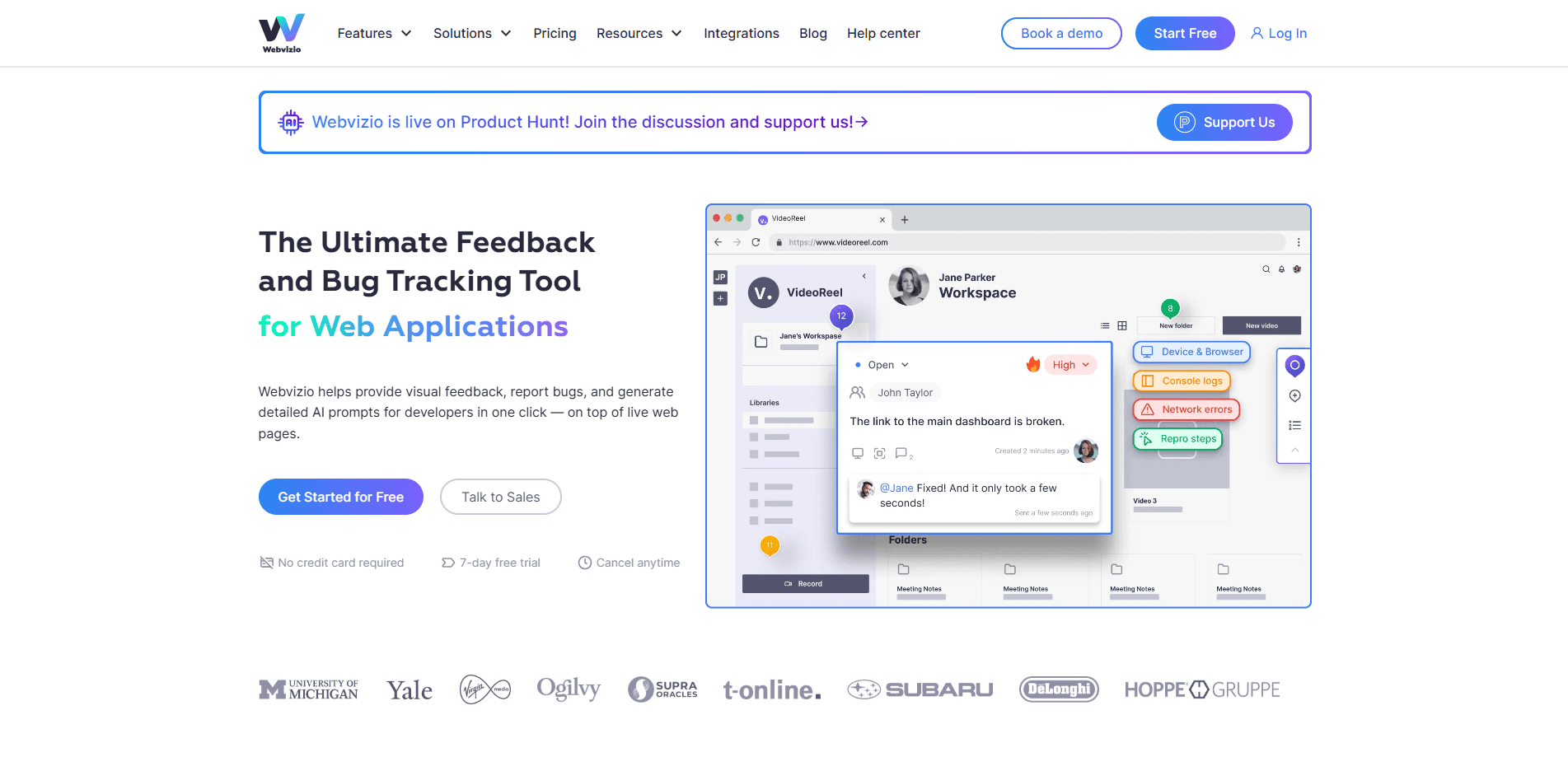
Webvizio is a web-based tool for reviewing websites and web apps. Instead of trading screenshots and long email threads, anyone on the team can click a live page element, drop a comment or a task, and keep the whole discussion attached to the spot it refers to.
The bug tracking and reporting side is where it stands apart. Each bug report it captures bundles the console logs, network requests, browser and OS details, a DOM snapshot, and a recording of the user's last actions. That package can be handed straight to a coding agent as a ready-made prompt, which is the angle Webvizio leans on hardest.
The catch is scope. Webvizio is a feedback and reporting layer, not a project manager or a full test suite. It also leans on a browser extension for its deepest features, so the richest data collection only works when the extension is installed.
Getting Started
- Sign up at app.webvizio.com and start the free 7-day trial, or install the Webvizio browser extension from the Chrome Web Store.
- Add a project and paste in the URL of a public site, or open a logged-in page with the extension.
- Click any element on the page to leave a comment, create a task, or file a bug report.
- Review the auto-collected data and send the task to your tracker, messenger, or AI coding agent.
Product Information
A quick look at Webvizio's pricing, supported platforms, and performance.
Best for
The users, tasks, and scenarios where this tool fits best.
Users
- Web agencies handling client feedback
- QA testers and product managers
- Developers receiving vague bug reports
Tasks
- Collecting website feedback
- Reporting web app bugs
- Annotating images, PDFs and design files
Scenarios
- Website redesign review with a client
- QA passes on a live app
- Feeding AI coding tools
Key features
Visual feedback on live pages
You open a page inside Webvizio or through the extension and comment on any element in place. Comments stay tied to the element they point at, so revisions map to a specific spot instead of a paragraph of description. Reviewers can also check changes across different screen resolutions without leaving the tool.
One-click bug reports with full context
The bug reporting side captures the technical payload automatically. Each report bundles console logs, network requests, browser and OS details, screen resolution, a DOM snapshot, and the user's recent actions. That means a tester files one report and the developer gets the reproduction data without asking for it.
AI prompts and MCP server for coding agents
Webvizio turns each task into a text prompt aimed at AI coding tools. The prompt packs the element, logs and repro steps in a form that agents like Cursor or Windsurf can act on. An MCP server lets those agents pull the data straight from the Webvizio API, so the connection runs without manual copying.
Annotation for images, PDFs and Figma
Beyond live pages, Webvizio handles feedback on images, design files, PDFs and Figma files. Teams keep website projects and asset reviews in one workspace rather than juggling a second annotation app.
Task boards, assignments and reporting
Tasks support due dates, tags, folders and status tracking, with Kanban boards for a visual overview. Managers can watch assignments, deadlines and performance, and export time reports or Excel status files. This is the productivity layer that sits on top of the feedback.
Integrations and webhooks
Webvizio connects to Trello, Jira, ClickUp, Zapier, Slack and Figma, and offers an API alongside incoming and outgoing webhooks. Reports can flow into the trackers and messengers a team already uses, which lowers the cost of adopting it.
Pros and cons
Pros
- Feedback pins directly to live page elements, which cuts the vague back-and-forth that screenshots and emails cause.
- Bug reports carry console logs, network data, browser details and repro steps automatically, so developers get context without a follow-up.
- Generates AI-ready prompts and runs an MCP server, letting coding agents pull task data on their own.
- Handles images, PDFs and Figma files in the same workspace as website projects.
- Connects to the common trackers and messengers, so it slots into a team's existing stack.
Cons
- No free plan. The cheapest paid tier starts at $8/month for 2 users, so you cannot test it free beyond the 7-day trial.
- The deepest bug-capture features rely on the browser extension, so page-only review misses much of the technical data.
- It is a feedback layer, not a project manager or a test automation suite, so teams still need separate tools for those jobs.
- User and project counts are capped per tier, and extra collaborators cost $2.28 to $5.6 per member a month on the lower plans.
Frequently asked questions
Webvizio is used to gather visual feedback and report bugs on websites and web apps. Teams comment directly on live pages, track tasks, and send bug reports with technical data to their issue trackers or AI coding tools.
Related content
Explore related tools, skills, and articles for Webvizio.
Webvizio Alternatives

Base Code
Base44 (Wix) · Coding · ProductivityBase Code is a shared cloud development environment from Base44. Teammates describe changes to an existing GitHub codebase in chat, preview them live and send them back as pull requests.

Knocket
Knocket (Tencent RTC team) · Productivity · Business · ChatbotKnocket is a free live chat and contact page tool that lets visitors message you from your website, app, or a shareable link, with every reply handled from Telegram or one inbox.

FloorGen
Vinit Kumar (FloorGen) · Productivity · China AIFloorGen is a browser-based floor plan maker that turns a sentence or a sketch into an editable 2D plan and a 3D walkthrough. Export to PDF, DXF or video, and draw without an account.