

Wefaceswap
Wefaceswap · Image · Video
Wefaceswap is an AI face swap tool that runs in your browser. It swaps faces in photos, videos, GIFs and live camera feeds, with a small free daily quota and credit packs from $17.99.
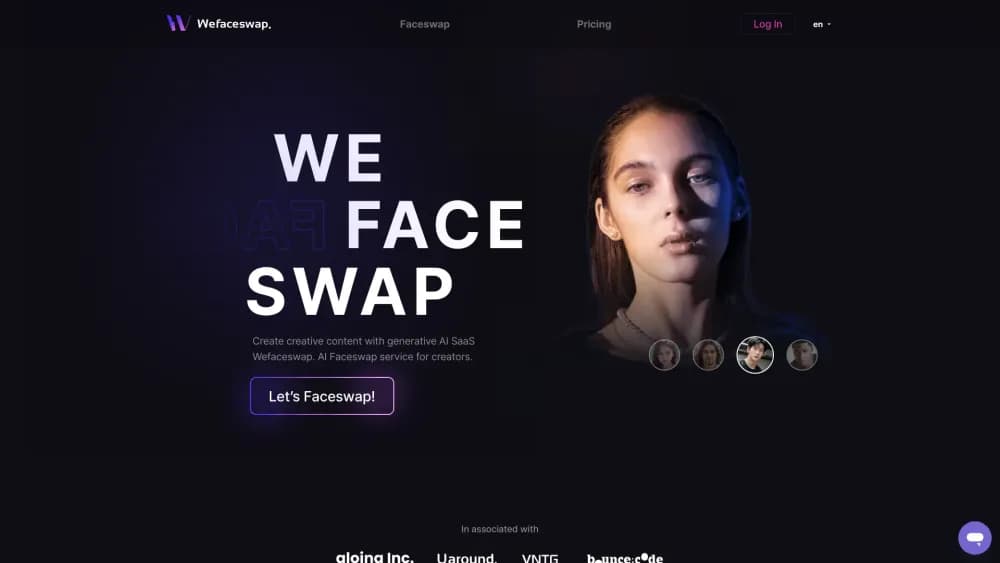
About Wefaceswap
What Is Wefaceswap
Wefaceswap handles the kind of face swap you used to need a desktop suite for. You upload a base photo, video or GIF, add the face you want on it, and the site blends the two in the cloud. Nothing installs, and the same page works on a laptop, an Android phone or an iPhone.
The job it does is narrow and clear. Only the face is replaced. Background, clothing and framing stay as they were, and the engine adjusts lighting, angle and skin tone so the seam doesn't show. That's the part most people fail to do by hand.
The limits are worth knowing before you start. The free tier is a daily allowance rather than a permanent free plan, so heavy use means buying credits. The pricing table is also short on detail, and some plan names on the site are ambiguous. Check the credits page before you pay for anything.
Getting Started
- Go to wefaceswap.com and pick a mode: photo, video, GIF, multi face swap or live.
- Upload the base media. Choose a file from your device or start from an example already on the site.
- Upload the face you want to use. One face, front on and well lit, gives the cleanest result.
- Press Swap Face Now and wait. Photo jobs finish in seconds, and video jobs take minutes depending on length.
- Download the output. Free users get a capped resolution, and paid credits unlock higher settings and watermark-free exports.
Product Information
A quick look at Wefaceswap's pricing, supported platforms, and performance.
Best for
The users, tasks, and scenarios where this tool fits best.
Users
- Social media creators
- TikTok and YouTube editors
- Casual users who want a laugh
Tasks
- Making memes and reaction images
- Swapping heads in a group photo
- Producing short video edits
- Keeping your face off camera
Scenarios
- Turning a single portrait into a set of character edits
- Testing an idea before a shoot
- Anonymizing a face in footage you own
Key features
Photo, Video and GIF Face Swap
The tool covers three media types with one flow. Photo swaps land in seconds and suit memes, thumbnails and profile pictures. Video swaps keep the new face aligned as the subject moves, and GIF swaps handle short looping clips. Each mode takes the same two inputs: base media and source face.
Multi Face Swap
You can replace up to four faces in one image or video. That covers group selfies, class photos and team shots where several people want a different look. The engine maps each face separately, so one subject's swap doesn't bleed into a neighbor's features.
Head Swap for Fixing a Shot
Head swap goes past the face outline and rebuilds the whole head, including hair and the neck line. It's the fix for a blink, a subject who looked away or a bad angle. For portraits you can't reshoot, that saves the shot.
Live Face Swap
A browser-based live mode swaps your face on a camera feed in real time. The site pitches it for video calls, streaming and staying anonymous on camera. It asks for camera access and works without installing anything, which matters on machines where you can't add software.
Built-in Editing Toolkit
The account ships with a background remover, an AI image upscaler that goes up to 4K, a text to video tool and a live portrait maker that animates a still photo. None of them are the reason to sign up, but they cover the follow-up edits a photographer or editor usually needs after a swap.
Cloud Rendering with Short File Retention
Processing happens on cloud GPU servers, so a laptop or a phone can handle a 4K job without local hardware. Wefaceswap says uploaded files are removed within an hour and that no user data is kept on its servers once processing ends. That short window is the main privacy fact worth checking your own use against.
Pros and cons
Pros
- Runs fully in the browser, so it works on Windows, Mac, Android and iOS without an install.
- Covers photos, videos, GIFs, group shots and live camera in one place instead of one tool per format.
- Free daily quota of 15 photo swaps and 30 seconds of video lets you test quality before paying.
- Multi face swap and head swap handle the two jobs most single-face tools can't: group photos and fixing a bad shot.
- Files are said to be deleted within an hour, which limits how long your uploads sit on a server.
Cons
- Credit pricing is hard to read. The table shows pack sizes and per-task credit costs, but not a clear monthly plan.
- The free tier resets daily rather than offering unlimited access, so steady use means recurring purchases.
- Resolution and watermark removal sit behind credits, so free output isn't post-ready for commercial work.
- No public API, which rules it out for teams that want to automate swaps inside their own app.
Frequently asked questions
Wefaceswap is a face swap online service for photos, videos and GIFs. You upload a base image or clip plus a source face, and the AI blends the new face into the original while leaving the background and body alone. It also has a live mode for camera feeds.
Related content
Explore related tools, skills, and articles for Wefaceswap.
Wefaceswap Alternatives

Google EmbeddingGemma 2
Google DeepMind · Writing · Image · CodingGoogle EmbeddingGemma 2 is a 740M-parameter open model that turns text, code, images, audio, and video frames into vectors in one 768-dimension space, running on phones and laptops.

Tractionwave
TractionWave · Image · MarketingTractionWave is an AI attention heatmap tool for static ads. Upload a PNG or JPG and it returns predicted attention, ranked hotspots, and fixes before you spend budget.

Imejis.io
Imejis.io · Image · MarketingImejis.io is an AI design studio for agents and marketing teams. Describe an image in plain words, and it writes the copy, builds the layout, reflows it to every size, then exports a finished file.