
WhatsBotPro
WhatsBotPro · Coding · Marketing · Chatbot
WhatsBotPro is a no-code WhatsApp automation bot that sends bulk broadcasts, schedules campaigns, and replies to chats with AI. It also offers an API gateway for developers.
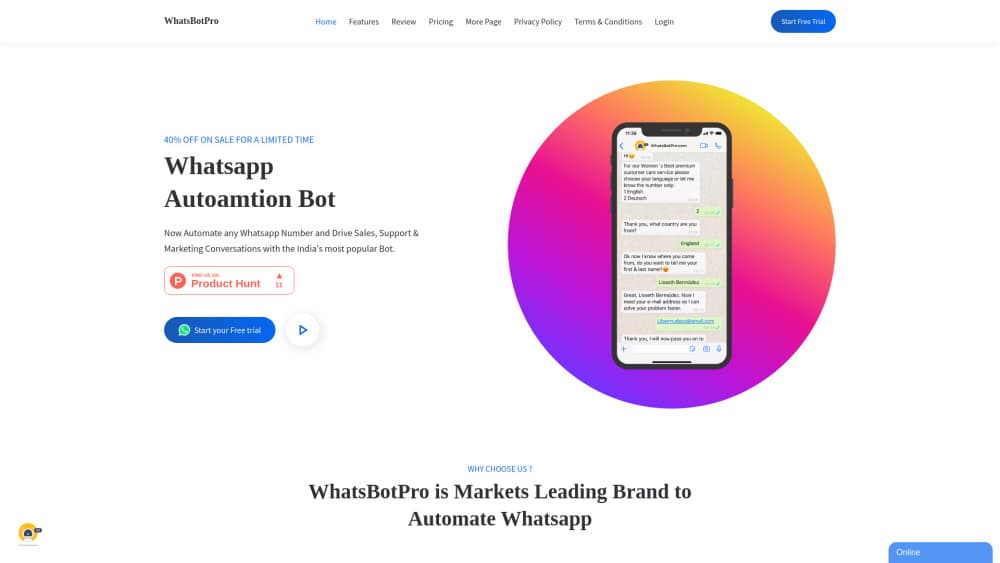
About WhatsBotPro
What Is WhatsBotPro
WhatsBotPro is a web-based tool that automates a WhatsApp business number. You connect your number, build reply flows without writing code, and let the bot handle bulk messages, scheduled campaigns, and incoming chats. The company markets it as one of the more popular automation bots in India.
Most small teams use it to replace manual replying. Instead of typing the same answer for every customer, you set up a chatbot once and the bot sends promotions, order updates, and answers day and night. Bulk sending and campaign scheduling are the other two jobs it covers.
The main limits are worth knowing up front. The bulk and SMS features lean on unofficial WhatsApp access, so number restrictions carry real risk. Pricing is not published on the public site, and the free trial runs only two days. The company does not publish a clear data policy on the English pages.
Getting Started
- Open the WhatsBotPro site and click the start trial button.
- Fill in your details and connect the WhatsApp number you want to automate.
- Build a chatbot flow or reply rule with the no-code editor, and pick any button templates you need.
- Add contacts or a list, then schedule a broadcast or campaign.
- Watch replies and delivery in the dashboard, and adjust the flow as you go.
Product Information
A quick look at WhatsBotPro's pricing, supported platforms, and performance.
Best for
The users, tasks, and scenarios where this tool fits best.
Users
- Small business owners in India and similar markets
- Marketing teams running frequent promotions
- Developers who only want the API
Tasks
- Replying to common customer questions
- Sending bulk offers and order updates
- Scheduling time-bound campaigns
Scenarios
- A shop that gets the same questions all day
- A seasonal sale push
- Testing automation before paying
Key features
No-Code Chatbot Builder
The chatbot builder lets you set reply flows without touching code. You map what the bot says when a customer types a keyword or taps a button, which is enough for most support and sales scripts. The point is speed: a small team can launch a working bot in a session.
Bulk Broadcast and SMS Messages
As a WhatsApp bulk message sender, the tool puts one message in front of a large contact list at once. It markets fast delivery and what it calls unlimited sends, and you can push offers, notifications, and order updates in a single action. This is the feature most buyers come for, so throughput matters more than finesse here.
Campaign Scheduling
You can queue messages for a later time and set several campaigns in advance. Personalized offers and discounts go out on the date you pick, which means you do not have to be online when the message should land. It suits recurring promotions and event reminders.
Link and Call Buttons
Messages can carry link buttons and call buttons. A link button opens your site, and a call button starts a phone call from the message itself. Both cut the steps between a customer reading the message and taking the action you want.
AI Chat Replies
The bot's AI layer handles incoming chat with automated replies. It answers common questions and keeps a conversation moving when no one is available, then hands off when a human needs to step in. The depth of the AI is not spelled out on the official site.
WhatsApp API Gateway
A separate gateway plan gives developers direct API access to WhatsApp, without the no-code builder. It targets teams that already have their own system and only want the messaging channel. This is the clearest route for anyone building automation around an existing app.
24/7 Support
The company offers around-the-clock technical support as part of the service. For teams running the bot on a live number, quick help when something breaks matters more than a long feature list. Response quality is not documented on the site.
Pros and cons
Pros
- No coding needed for the chatbot, so non-technical teams can launch it quickly.
- Bulk sending and campaign scheduling sit in one tool, which cuts the need for separate apps.
- Link and call buttons are built in, which helps turn a message into an action.
- An API gateway option exists for developers who want only the messaging layer.
- The company claims a large user base in India, so there is a track record to check.
Cons
- Pricing is not published on the public site, so you cannot estimate cost before signing up.
- The free trial lasts only two days, which is short for judging a bulk messaging tool.
- Bulk sending depends on unofficial WhatsApp access, so number restrictions or bans are a real risk to weigh.
- The AI chatbot's depth, model, and limits are not documented on the official pages.
Frequently asked questions
It automates a WhatsApp business number. You use it to send bulk messages and promotions, schedule campaigns ahead of time, and let a chatbot answer customer chats without manual typing.
Related content
Explore related tools, skills, and articles for WhatsBotPro.
WhatsBotPro Alternatives

Udon
Udon · Coding · ProductivityUdon turns an Apple Silicon Mac into a home server you run from a browser, with container controls, file shares, and an optional AI sysadmin.

offstage
offstage cloud · Coding · Productivityoffstage gives AI coding agents and CI jobs a real Mac: a fresh macOS account on Apple silicon, driven over an API and billed by the second.

BotBus
Chengdu Tuyang Tusen Technology Co., Ltd. · Coding · ProductivityBotBus lets you control AI coding agents from your phone and watch: approve commands, start tasks and read results while the code stays on your desktop.