

Windframe
Devwares · Coding
Windframe is an AI Tailwind CSS builder. You describe a page or upload a screenshot, tweak the result in a visual editor, and export responsive code for React, Vue, Svelte or plain HTML.
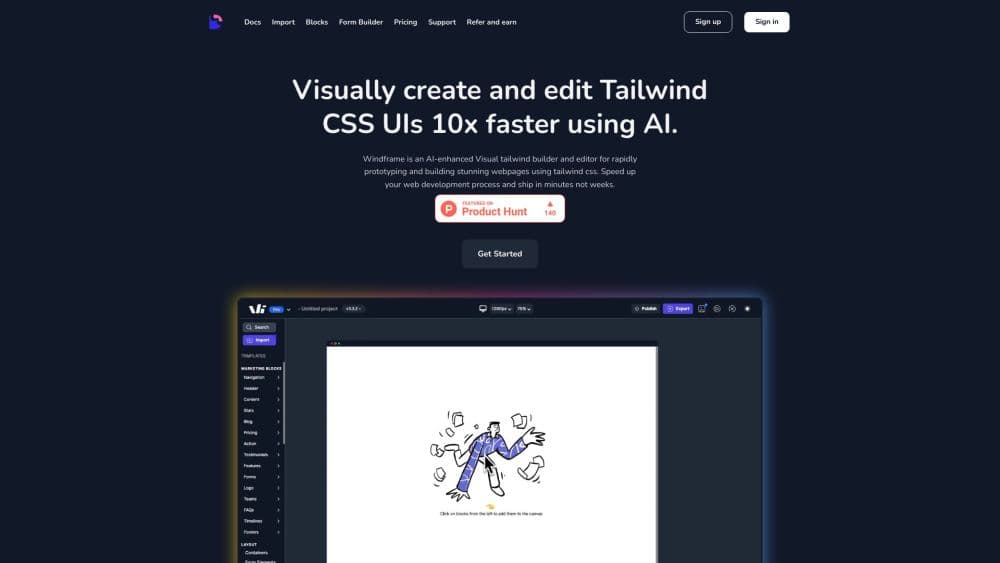
About Windframe
What Is Windframe
Windframe is a visual builder for Tailwind CSS sites and app screens, made by Devwares. You start from a sentence, a screenshot or one of the prebuilt templates, adjust the layout on a canvas, and walk away with code you can drop into a project. The pitch is speed: people who can describe a page can ship one without hand-writing every utility class.
What separates it from a plain AI website builder is the exit. Most of those tools want to host your site. Windframe hands over the source: React, Next.js, Vue, Nuxt, Angular, Svelte, Astro, SolidJS, Rails ERB or plain HTML. The markup uses standard Tailwind classes, so an engineer can read it, review it and keep building in the same repo as everything else.
The limits matter too. AI output isn't pixel perfect, and the official docs say so: custom icons, images and charts often drift from the source screenshot. AI features run on credits, and each generation draws one. A free account offers 3 MCP calls and a limited taste of the editor, while the pro plans start at $25 a month.
Getting Started
- Sign up at windframe.dev and open the editor, which runs in the browser with nothing to install.
- Enter a prompt such as "modern landing page with a hero section", upload a screenshot, or pick a template from the library.
- Refine the result on the canvas: drag components, edit colors and spacing, and use the properties panel for exact values.
- Choose an export target, copy the generated files or download them as a project.
- Add the Windframe MCP server to Claude Code, Cursor or VS Code if you'd rather generate UI assets straight from your coding agent.
Product Information
A quick look at Windframe's pricing, supported platforms, and performance.
Best for
The users, tasks, and scenarios where this tool fits best.
Users
- Frontend developers who want a first draft of a Tailwind page without writing every class by hand. The exported code is clean enough to review and extend in your own repo, so the tool saves typing rather than locking you in.
- Founders and designers at small teams who can describe what they want but don't write Tailwind daily. They can build a landing page themselves and hand working code to an engineer afterwards.
- Freelancers shipping client sites
Tasks
- Turning a Figma mockup into code
- Prototyping a marketing page
- Building admin dashboards
- Rebuilding an existing site
- Giving a coding agent design context
Scenarios
- A weekend when you need a portfolio page live
- A redesign where the client keeps changing their mind
- A team with a non-technical founder
- A legacy Rails or Astro codebase
Key features
AI That Starts From a Sentence
You type what you need ("modern landing page with hero section", "pricing table with three plans") and get a full section or page with responsive layout, real spacing and readable typography. The Tailwind CSS generator leans on built-in design defaults, so the first result usually looks deliberate instead of like a wall of unstyled boxes. Each generation costs one AI credit, which is a cost worth tracking during long experiments.
Screenshot to Code
Upload a design image, a mockup or a screenshot of a live site and Windframe analyzes it into HTML with Tailwind classes. This is the quickest path when a design already exists and you only need working code. The official pages are upfront about the tradeoff: exported files may not match pixel for pixel, and custom icons, images and charts can come out differently from the source.
A Visual Editor That Keeps Code in Sync
Every change you make on the canvas updates the Tailwind output. Point at an element, adjust color, size or spacing, and the markup follows. The drag and drop canvas plus a properties panel cover most day-to-day tweaks, and the editor handles responsive variants so one design adapts across desktop, tablet and phone.
Export to Ten Frameworks
One design becomes code for React, Next.js, Vue, Nuxt, Angular, Svelte, Astro, SolidJS, Rails ERB or plain HTML. The output uses standard utility classes with no proprietary runtime, so an engineer can read it in a pull request and keep it. The official landing page says the exported code belongs to you and needs no attribution.
Over 1,000 Templates
The library covers Tailwind CSS templates for headers, hero sections, pricing tables, dashboards, forms, footers and complete pages, with new versions added weekly. These are professional designs rather than blank starting points, which cuts the empty-canvas hesitation when you start. Blocks, admin pages and call to action layouts are sorted separately, so you can find a piece before you need the whole.
Import and Edit Existing Tailwind
Drop in a Tailwind UI, Flowbite or DaisyUI component, or import your own project, and the editor opens it for visual work. That turns Windframe into a layer over code you already own, rather than a walled garden. It's the feature that makes it useful for maintenance, not just net-new pages.
MCP Server for Coding Agents
The Windframe MCP server gives Claude Code, Cursor, VS Code and Codex real design tokens and style systems, including Linear, Shadcn, Notion, Stripe and Apple inspired looks. The agent gets typography, spacing and color decisions instead of guessing values. Three calls come free, and Pro or lifetime accounts unlock unlimited use.
Pros and cons
Pros
- Exports production code for ten frameworks, so the work doesn't stop at a hosted preview.
- The visual editor and code stay in sync, which keeps non-technical teammates contributing without breaking the build.
- Over 1,000 templates shorten the blank page phase, especially for pricing tables, dashboards and landing pages.
- Screenshot to code handles an existing design in seconds.
- The MCP server plugs the same design system into Claude Code, Cursor and VS Code.
Cons
- AI generations burn credits, and the monthly plan includes 50, so heavy experimenters will either top up or jump to the annual plan.
- Output isn't pixel perfect, and icons, images and charts can differ from the source screenshot, which means manual fixes before shipping.
- There's no public API for building Windframe into another product. The MCP server is for agents, not custom integrations.
- The editor is a browser tool. Work stops without a connection, which hurts when you're on a plane or a bad hotel network.
Frequently asked questions
Windframe builds Tailwind CSS interfaces visually. You generate or import a design, adjust it on a canvas, and export the result as code for React, Vue, Svelte, Angular, Astro, Rails or plain HTML. Teams use it for landing pages, dashboards and quick prototypes.
Related content
Explore related tools, skills, and articles for Windframe.
Windframe Alternatives

Udon
Udon · Coding · ProductivityUdon turns an Apple Silicon Mac into a home server you run from a browser, with container controls, file shares, and an optional AI sysadmin.

offstage
offstage cloud · Coding · Productivityoffstage gives AI coding agents and CI jobs a real Mac: a fresh macOS account on Apple silicon, driven over an API and billed by the second.

BotBus
Chengdu Tuyang Tusen Technology Co., Ltd. · Coding · ProductivityBotBus lets you control AI coding agents from your phone and watch: approve commands, start tasks and read results while the code stays on your desktop.