
WorkPPT
SoftTooler · Productivity
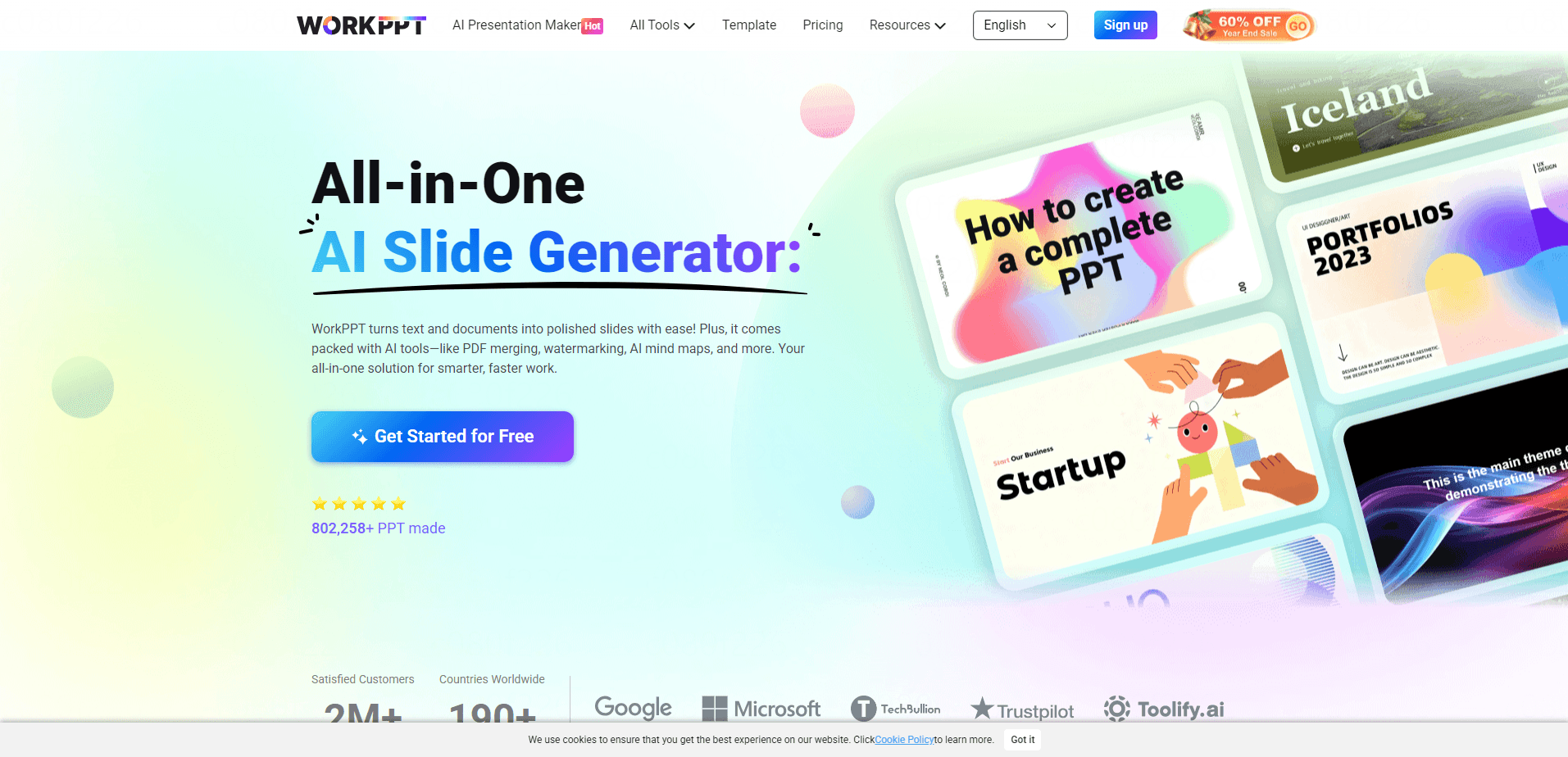
WorkPPT is an all-in-one AI office platform that turns text, documents, and images into polished presentations in minutes, and it does so without asking you to learn a single design tool or sit through a tutorial. Alongside its AI PPT generator, it bundles an AI summarizer, mind map builder, PDF tools, and a writing assistant under one web account, so you don't have to jump between five different subscriptions to finish a deck.
About WorkPPT
What Is WorkPPT
WorkPPT is a browser-based AI presentation maker for people who need a finished deck without touching design software. You type a topic, paste text, or upload a PDF, Word, Excel, or image file, and the tool builds an outline, matches a template, and lays out the slides for you. It targets students, teachers, marketers, and business teams who care more about the message than the layout grid.
Above all, it saves time. No blank page, no fiddling with alignment. That matters when a deadline is hours away. The same engine also covers everyday AI productivity tools like PDF merging, summarization, and mind mapping, so one login handles a whole workday of small tasks.
The bigger pitch is consolidation. Most people stitch together a slides tool, a PDF editor, a summarizer, and a note app, then pay for each one separately, and the cost creeps up every month without anyone noticing. WorkPPT folds all of that into one account, which cuts down on tabs and license fees. The catch: it runs entirely in the browser. There's no desktop install and no mobile app, so offline work isn't an option.
Getting Started
- Open the WorkPPT site and create a free account with your email.
- Choose a starting point: type a topic, paste your text, or upload a PDF, Word, Excel, or image file.
- Let the AI generate an outline, then edit section titles and key points in the built-in editor.
- Pick a template and let the auto-layout arrange your slides, adjusting text and visuals as needed.
- Export the finished deck as PPTX, PDF, or images, or share a link to present straight from the browser.
Product Information
A quick look at WorkPPT's pricing, supported platforms, and performance.
Best for
The users, tasks, and scenarios where this tool fits best.
Users
- Students and teachers
- Business professionals
- Marketers and content teams
Tasks
- Turning a long PDF into a clean slide outline
- Summarizing a dense document
- Building a mind map from a single topic
Scenarios
- Last-minute meeting prep
- Converting class notes into a review deck
- Merging and watermarking PDFs before sharing
Key features
Text-to-PPT generation
Type a topic or paste raw text and WorkPPT builds a structured deck, identifying sections, key points, and visual hierarchy on its own. It's aimed at reports, pitches, and lessons where you want a sensible starting point rather than a blank page. Want a deck from a single sentence? That works too.
PDF, Word, and Excel conversion
Upload a PDF, DOCX file, or spreadsheet and the AI pulls out titles, sections, and tables, then drops them into editable slides. Spreadsheets get summarized into charts, which saves you from rebuilding graphs by hand. The PDF to PPT flow is the one most people reach for first.
Picture-to-slides
Upload an image like a chart, infographic, or hand-drawn sketch and WorkPPT generates slides that explain or extend the visual. It's a practical way to turn a screenshot into something presentable.
AI summarizer
The summarizer condenses long documents into clear takeaways in seconds, and when you're staring down a fifty-page report the night before a review, that speed is the difference between skimming and actually understanding the material. Point it at a report and it highlights the points that matter, so you cut reading time before a meeting or review.
AI mind map builder
Enter a topic and get a logical mind map in a single click. It's built for brainstorming and project planning where a visual structure beats a wall of text, and it's genuinely useful when your notes are a mess of half-finished ideas that need to be sorted before anything else can move forward.
PDF management tools
Merge or split PDFs in one click, convert between images and PDFs, and add text or image watermarks. These are the everyday file chores that usually push people to a separate PDF editor. Small stuff, but it adds up.
AI writing assistant
A chat-style assistant answers questions, sparks ideas, and polishes wording while you work on a presentation. It doubles as a general writing helper when you're stuck on phrasing.
Pros and cons
Pros
- Bundles presentation, PDF, summarizer, and mind map tools into one account, which trims the number of subscriptions you juggle.
- File conversion covers PDF, Word, Excel, and images, so you're not stuck retyping content.
- Auto-layout and template matching mean no design skills are needed to get polished-looking slides.
- Exports to PPTX, PDF, and images, and supports shareable links for online presenting.
- Runs in the browser with no installation, so you can pick it up on any machine.
Cons
- There's no desktop or mobile app, so you can't work offline or from a phone.
- The paid plan is billed annually at $99.99, which is a commitment if you only need it for a one-off project.
- No public API means you can't wire WorkPPT into an automated workflow or script it.
Frequently asked questions
WorkPPT generates presentations from text, documents, or images, and also handles PDF tasks, document summaries, and mind maps. It's a single web workspace for the office chores that normally spread across several tools. Think of it as a Swiss Army knife for desk work.
Related content
Explore related tools, skills, and articles for WorkPPT.
WorkPPT Alternatives

Base Code
Base44 (Wix) · Coding · ProductivityBase Code is a shared cloud development environment from Base44. Teammates describe changes to an existing GitHub codebase in chat, preview them live and send them back as pull requests.

Knocket
Knocket (Tencent RTC team) · Productivity · Business · ChatbotKnocket is a free live chat and contact page tool that lets visitors message you from your website, app, or a shareable link, with every reply handled from Telegram or one inbox.

FloorGen
Vinit Kumar (FloorGen) · Productivity · China AIFloorGen is a browser-based floor plan maker that turns a sentence or a sketch into an editable 2D plan and a 3D walkthrough. Export to PDF, DXF or video, and draw without an account.