

Wowable
Wowable · Image · Coding
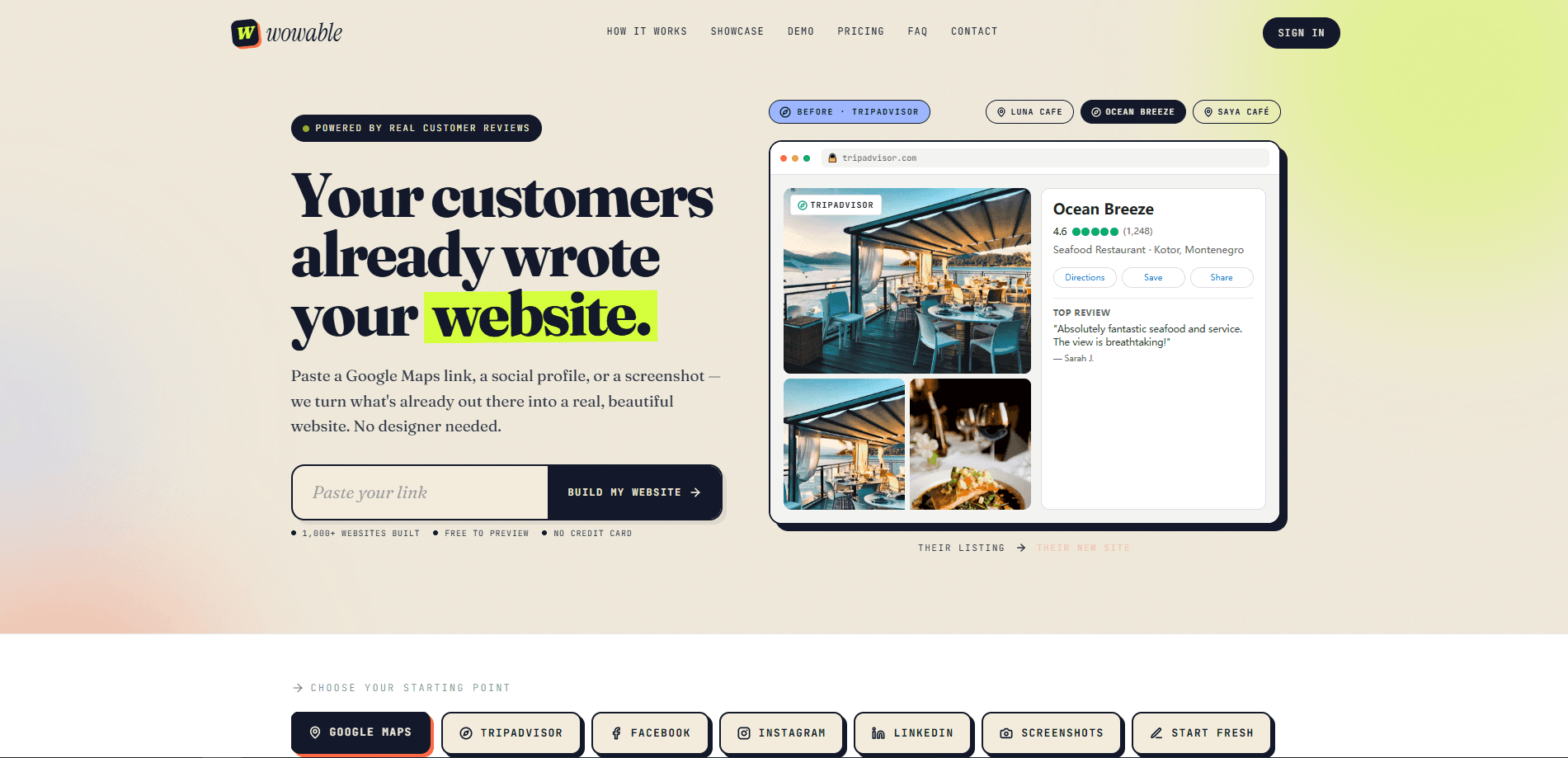
Wowable is an AI website builder that turns material you already have into a finished, editable site. Paste a Google Maps listing, a TripAdvisor, Facebook, Instagram, or LinkedIn profile, or upload a few screenshots, and it reads your public details, customer reviews, and photos to shape the content for you. The result is a polished business website you can preview for free, edit, and publish with no design or copywriting work. It suits shop owners, restaurants, salons, and freelancers who never got around to building a site.
About Wowable
What Is Wowable
Wowable is an AI website builder aimed at people who have an online footprint but no website, and who would rather not spend a weekend learning a traditional drag-and-drop tool. Instead of asking you to write copy and pick layouts, it pulls from sources that already describe your business: your Google Maps listing, a TripAdvisor page, a social profile, or plain screenshots. It reads the reviews customers left, the photos they took, your hours, and your location, then assembles a real site from that material.
The pitch is simple. Your customers already wrote most of your marketing for you in reviews, and Wowable just gives it a place to live. That's a small business website builder doing the one job you kept putting off.
The catch is that anything built from public data inherits the limits of that data. If your Google listing is thin, your site starts thin. So what should you check before paying? Make sure your listing has enough reviews and photos to work with. You can also hit the ceiling of the free preview fast, since publishing and custom domains sit behind a paid plan. And the whole product targets small, local, service-style businesses, so a complex storefront with hundreds of products isn't what it's built for.
Getting Started
- Open Wowable and pick a starting point: Google Maps, TripAdvisor, Facebook, Instagram, LinkedIn, Screenshots, or Start Fresh.
- Paste your listing link or upload screenshots. Wowable pulls your business name, reviews, photos, hours, and location automatically.
- Preview the generated website on your free wowable.ai address and check the copy, photos, and layout.
- Edit anything you want with the full content editor, and upload your own photos if the pulled ones aren't right.
- Pick a plan and publish, then connect your own domain if you have one.
Product Information
A quick look at Wowable's pricing, supported platforms, and performance.
Best for
The users, tasks, and scenarios where this tool fits best.
Users
- Local shop and restaurant owners
- Freelancers and solo professionals
- Small agencies and freelancers managing clients
Tasks
- Turning Google reviews into site copy
- Building a menu page with prices
- Creating a landing page from a social profile
Scenarios
- A café with 1,200 reviews and no website
- A new salon that only has photos
- A freelancer rebranding on a deadline
Key features
Build a Website From a Link
The core move is pasting a single URL. Wowable accepts Google Maps, TripAdvisor, Facebook, Instagram, and LinkedIn links, then reads the useful public details on its own. You don't copy text or hunt for images. Your only job is the paste. The reading, shaping, and layout happen on Wowable's side.
Generate From Screenshots or a Blank Start
Not every business has a public listing. Want a screenshot to website conversion instead? If yours only exists in photos or a few screenshots, upload those. There's also a Start Fresh option that walks you through a handful of questions if you'd rather describe the business yourself. All three paths land in the same editor.
Real Reviews as Site Content
Wowable treats customer reviews as source material, not decoration. It lifts the language people already used about your business and turns it into section headings and testimonial blocks. For a coffee shop rated 4.8 stars, that means the site reads like the people who actually visit. Real words. Real voices. You can sync your Google reviews to keep the site current as new ones come in.
Full Content Editor
The generated site isn't locked. A full content editor lets you rewrite copy, swap photos, and adjust sections after the first pass. You can upload your own hero image and change colors and branding to match what you already use. If the AI's first draft misses, you fix the paragraph rather than starting over. No rebuild required.
Custom Domain and Branding Removal
On any paid plan you can point Wowable at your own domain and strip the Wowable branding from the footer. That combination is the difference between a demo and a site you'd put on a business card. Pro covers up to 3 websites, and Agency stretches that to 20.
Analytics, Lead Capture, and SEO Tools
The Boost plan adds growth tools on top of publishing, including visitor analytics, call-to-action tracking, lead capture, AI SEO tools, and Google Maps optimization for businesses that want local search traffic. If your goal is getting found in local search and capturing enquiries, these are the features that turn a brochure site into a working one.
Pros and cons
Pros
- Skips the blank-page problem entirely, since you start from a link or screenshots you already have.
- Uses real customer reviews and photos, so the copy sounds like your business rather than generic filler.
- Free preview means you can see the whole site before paying anything.
- The Agency plan at $35/mo for 20 client sites is cheap if you build sites for others.
- Full editor and custom domain support stop it from being a locked template.
Cons
- Output quality depends on how complete your Google or social listing is; a thin listing makes a thin site.
- Publishing only works while your subscription is active, so the site goes down if you stop paying.
- 10 regenerations per month is a real ceiling if you keep changing your mind on the layout.
- No public API, so you can't wire Wowable into another system or automate builds at scale.
Frequently asked questions
Wowable builds a finished business website from material you already have, like a Google Maps listing, a social profile, or screenshots, so you never start from a blank page. You use it when you need a real site but have no designer, no copywriter, and no interest in learning a traditional builder.
Related content
Explore related tools, skills, and articles for Wowable.
Wowable Alternatives

X Ray Interpreter
X-ray Interpreter · ImageX Ray Interpreter is a web-based AI radiology tool that turns X-rays, CT scans, MRI, ultrasound, and PET images into plain-language reports. You upload a scan, get a preliminary X-ray interpretation in moments, then ask follow-up questions if something needs explaining. It works as a second opinion and a learning aid, not as a medical diagnosis.

Aieasypic
AIEasyPic · ImageAIEasyPic is an AI image generator that turns plain text prompts into finished artwork in seconds. You can also train custom models on your own photos, swap faces in existing images, and create short video clips from text, all from a browser. It suits casual creators who want quick visuals and hobbyists who want to build a personal model without touching any code.

Chargen
Chargen · ImageChargen is an AI character generator and worldbuilding toolkit built for Dungeons & Dragons and other tabletop RPGs. It turns a one-line idea into a painted character portrait, spins up NPCs, monsters, maps and encounters from the same session, and keeps every creature's details close at hand. The tabletop RPG art side runs on a credit system called Gold, while the text generators stay free for everyone.