

WP AI Text Summarizer
Unknown · Writing · Other
WP AI Text Summarizer is an open-source WordPress plugin that turns long blog posts into short, editable summaries you can insert straight from the post editor.
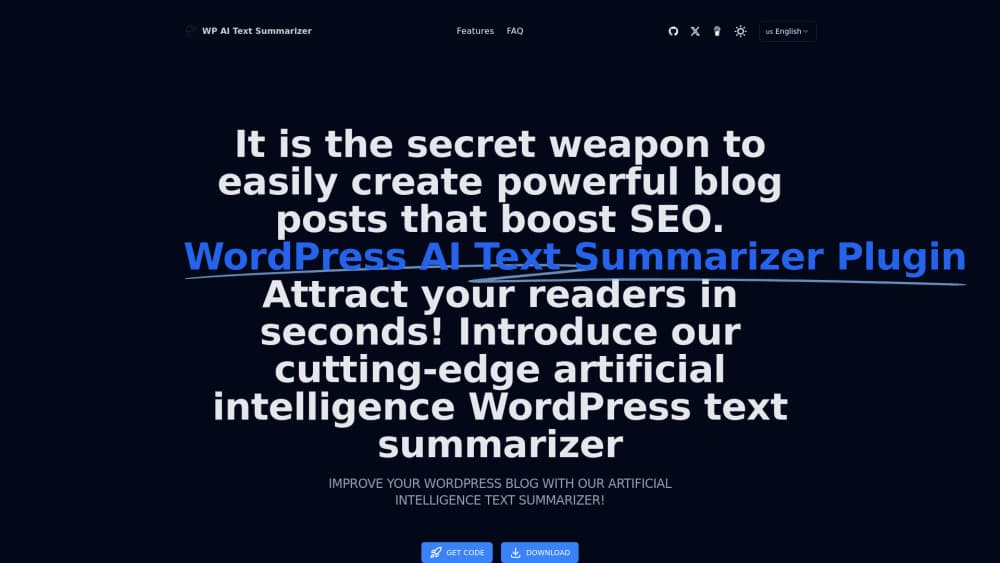
About WP AI Text Summarizer
What Is WP AI Text Summarizer
WP AI Text Summarizer is a WordPress plugin that writes a summary of a post for you. You open a draft, click the summary option, and the tool reads the article and hands back a shorter version. No second tab, no copying text into a chatbot and pasting it back.
The tool goes after a plain problem. Most posts run past 1,200 words, and plenty of readers leave before the second heading. A tight summary at the top gives them the gist and a reason to keep scrolling. Search engines sometimes lift that block into a featured snippet, which is the SEO angle the plugin's own listings lean on.
Keep the scope in mind. This is an AI text summarizer, not a writing suite. It doesn't draft articles, suggest keywords, or touch your theme files. You still need to read the output and fix it, because machine summaries flatten nuance and drop numbers. Treat the result as a first draft.
Getting Started
- Download the plugin package and drop the folder into wp-content/plugins, or upload the zip through Plugins > Add New > Upload Plugin.
- Activate it, then enter the activation code the plugin asks for during setup.
- Open any post in the editor and click the summarize option in the post panel.
- Wait a few seconds while the service returns a draft.
- Rewrite what needs rewriting, set your preferred length, then insert the summary into the post.
Product Information
A quick look at WP AI Text Summarizer's pricing, supported platforms, and performance.
Best for
The users, tasks, and scenarios where this tool fits best.
Users
- Bloggers who publish long posts
- SEO specialists working without a copy team
- One-person content operations
Tasks
- Writing post summaries for archive pages and the top of an article
- Drafting meta descriptions
- Turning a long post into a newsletter opener or social blurb
Scenarios
- Daily publishing schedules
- Multi-author sites
- Older archives
Key features
One-Click Summary in the Editor
The main action sits inside the WordPress post screen. You click once and the plugin reads the current draft, then returns a condensed version in a panel next to your content. Nothing gets sent to a separate app, so the publish flow stays in one place. That matters most on a laptop with twelve tabs already open.
Editable Output Instead of Locked Text
Every summary arrives as text you can change. Cut the opening line, swap a generic phrase for a concrete number, or rewrite the whole thing. The plugin doesn't freeze the block after generation, which is the difference between a usable AI summary generator and a novelty. Your voice survives the process.
Length and Tone Controls
Summaries for a meta description, a newsletter intro, and a card on the homepage shouldn't read the same. The plugin exposes settings for how long the result runs and how it sounds, so you can pull a two-line version for search results and a longer one for the article header. You set the shape before you generate, then fine-tune after.
Insert Without Leaving WordPress
Once the text looks right, you push it into the post from the same screen. No clipboard gymnastics, no formatting cleanup in a second editor. The summary lands where you want it, and you keep working on the rest of the page.
Open Source Code You Can Inspect
The plugin ships as open-source software, so the code is readable and editable. If your team wants to change the prompt, hook it to a different model, or strip features you don't need, nothing stops you. Self-hosting also means the article text moves through infrastructure you can name.
Summary Blocks Built With Search in Mind
The output is shaped to work as a blog post summary near the top of an article, which is where search engines look for snippet material. It won't rank a thin post on its own. It does give crawlers a clean, factual paragraph to work with, and that's a decent reason to run an SEO summary plugin on a content site.
Pros and cons
Pros
- Free and open source, so there's no subscription and no seat count to manage.
- Runs inside the post editor, which keeps publishing to a single window.
- Output stays editable, so the summary still sounds like the person who wrote the post.
- Length and tone controls cut the retyping you'd otherwise do for meta text and newsletters.
- Works on old posts too, which makes it useful for archives that never had summaries.
Cons
- Documentation is thin. There's no official product site, so setup questions land on the repository readme or a support email.
- First-run setup asks for an activation code, and that extra step trips people who expect a plugin to work right after activation.
- Generated text needs a fact check. Short summaries tend to drop caveats and specific figures, and a wrong number in a snippet is worse than no snippet.
- No API and no bulk mode. On a 500-post archive you're opening posts one at a time, which is slow work.
Frequently asked questions
It reads a WordPress post and writes a shorter version of it. You trigger it from the post editor, review the draft, and insert the summary into the article. That's the whole job.
Related content
Explore related tools, skills, and articles for WP AI Text Summarizer.
WP AI Text Summarizer Alternatives

NoteWorthy
Suman Hansada · Writing · Productivity · AI AssistantNoteWorthy is a notes app for iPhone, iPad and Mac that writes titles, tidies formatting, summarizes long notes and files each one with on-device AI. No account, no upload, no network requests.

Pilot5 Legal
Pilot5 Inc. · Writing · Productivity · BusinessPilot5 Legal is a legal AI console that runs five frontier models on one matter, lets them challenge each other, and returns one sourced recommendation with the dissent kept.

Reactive Resume v6
Amruth Pillai and contributors · Writing · Productivity · BusinessReactive Resume v6 is a free, open-source resume builder with 18 templates, live preview, ATS checks, job tracking and optional AI help through your own API key.