
AI Face Swap Video Online Free
SwapFace AI · Image
SwapFace AI is a browser based face swap tool for videos, photos and GIFs. It runs on free credits first, then one-time credit packs, and deletes uploads within 24 hours.
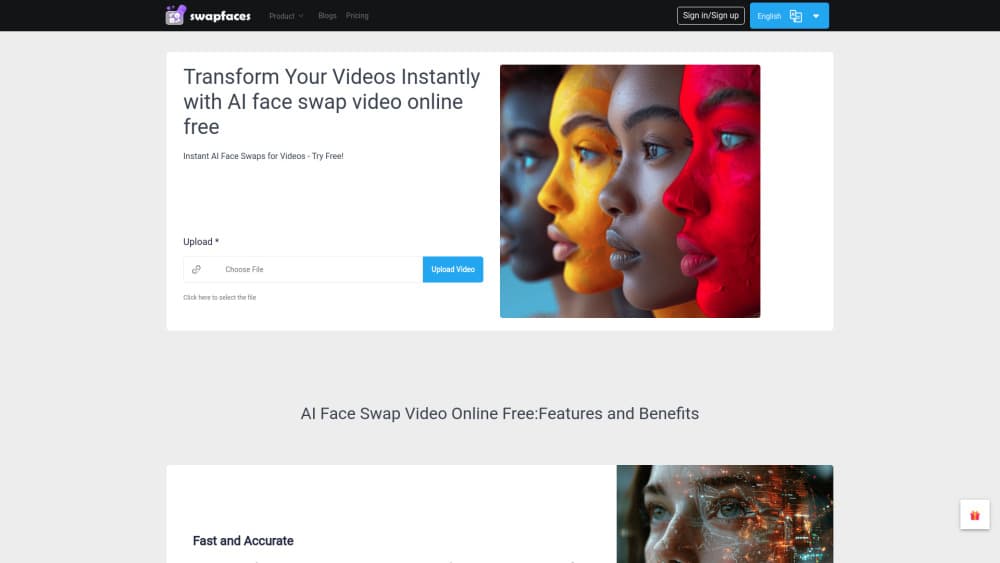
About AI Face Swap Video Online Free
What Is SwapFace AI
SwapFace AI is a face swap online service that replaces one face with another inside existing footage, working as a browser based AI face swapper for clips and stills. You upload a clip or a picture, mark the face you want to keep, add the face you want to see, and the service renders a new file. No desktop software, no GPU, no editing timeline.
The draw is speed and price structure. Most face swap sites sell monthly subscriptions that keep charging after a single project ends. SwapFace AI sells credits once and lets them sit in your account until you use them. The company says a typical swap finishes in about 15 seconds, and that paid output goes up to 4K without a watermark.
Limits matter here. This is a consumer grade tool, not a VFX pipeline. You cannot fine tune lighting, blend masks or frame-by-frame corrections, so awkward angles and heavy occlusion still slip through. The site is also age gated at 18+, and it asks you to use only faces you own or have explicit consent for. Treat those rules as the real entry cost, not the credits.
Getting Started
- Open the site in any modern browser and clear the 18+ age gate.
- Upload a video (mp4, webm or avi), a photo, or a GIF. The tool detects faces automatically.
- Pick the face to replace and add the replacement face image.
- Choose Quick Swap for a faster render or HD Swap for higher resolution and finer detail.
- Preview the result for free, then download it before the 24 hour cleanup removes the files.
Product Information
A quick look at AI Face Swap Video Online Free's pricing, supported platforms, and performance.
Best for
The users, tasks, and scenarios where this tool fits best.
Users
- Social media creators
- Meme and GIF makers
- Small advertisers and print shops
Tasks
- Putting yourself into a movie or music video scene
- Group photo fixes
- Batch product or campaign images
- Trying a new hairstyle or look before committing
Scenarios
- A weekend video project with no budget for editing software
- An agency pitching a concept before the shoot
- A creator who posts a few clips a month
Key features
Video Face Swap With Automatic Face Tracking
The core tool lets you swap faces in video across every frame of a clip and tracks head movement so the swap stays anchored through turns and tilts. You pick the time range, so a 10 minute file only costs you the segment you actually need. Short range renders finish in seconds, which makes iterating on a single scene practical instead of painful.
Quick Swap and HD Swap Modes
Two quality levels sit behind the same workflow. Quick Swap burns fewer credits and returns a fast preview grade render. HD Swap costs more per task and pushes resolution and skin detail, with paid output going up to 4K. Starting on Quick Swap and re-running only the keeper in HD is the cheapest way to work.
Photo, GIF and Multiple Face Swap
Beyond video, the same upload box handles stills, animated GIFs and group shots. Multiple Face Swap finds every face in a frame and swaps them individually, while Batch Face Swap sends one target face across a queue of images. That covers most of what a small content team needs without a second subscription.
One-Time Credits Instead of Subscriptions
Credits are bought once and do not expire. Every plan unlocks the same tool set; the only difference is the credit balance. Daily sign-in adds free credits, with a bonus after seven consecutive days. For anyone who works in bursts, this removes the usual monthly charge between projects.
24 Hour File Deletion
Uploads, outputs and face models are deleted within 24 hours, and the company says files are not used for model training. Swapped results stay private to the account. If your material includes other people's faces, this short retention window is the main reason to prefer it over tools that keep a history.
Long Video and YouTube Clip Support
Full video mode accepts clips up to around 10 minutes, so a movie scene or a YouTube segment can be processed in one pass instead of sliced into fragments. Combined with HD output, that covers trailer style edits and fan videos where the face has to hold up on a large screen.
Pros and cons
Pros
- No subscription: credits are bought once and stay in the account, which suits project based work.
- Free preview before you pay, plus free daily credits for testing a clip before committing.
- Face tracking handles normal head movement in video without manual keyframes.
- Files are deleted within 24 hours, and the site states uploads are not used for training.
- Works entirely in a browser, including on phones, so nothing needs installing.
Cons
- Credits are consumed per render, and HD video eats them fast, so a long clip can burn a pack in one sitting.
- No manual controls for blending, lighting or mask correction, which limits fixes on odd angles or partial occlusion.
- Prices are not listed on the page until checkout, so you cannot compare packs without starting a purchase flow.
- The 18+ gate and adult oriented sibling tools will block school, workplace and some brand accounts from using the site at all.
Frequently asked questions
Yes, in a limited way. New accounts get free credits and the preview step costs nothing when you only check a result. Sustained video work needs a credit pack, since free credits run out quickly on HD renders.
Related content
Explore related tools, skills, and articles for AI Face Swap Video Online Free.
AI Face Swap Video Online Free Alternatives

Google EmbeddingGemma 2
Google DeepMind · Writing · Image · CodingGoogle EmbeddingGemma 2 is a 740M-parameter open model that turns text, code, images, audio, and video frames into vectors in one 768-dimension space, running on phones and laptops.

Tractionwave
TractionWave · Image · MarketingTractionWave is an AI attention heatmap tool for static ads. Upload a PNG or JPG and it returns predicted attention, ranked hotspots, and fixes before you spend budget.

Imejis.io
Imejis.io · Image · MarketingImejis.io is an AI design studio for agents and marketing teams. Describe an image in plain words, and it writes the copy, builds the layout, reflows it to every size, then exports a finished file.