

Wyndo
Jeremy G · AI Assistant
Wyndo is a weather decision engine for people who head outside. Instead of handing you another hourly graph, it reads the conditions for what you actually plan to do. Then it answers with a direct go now, wait, or avoid. Every call comes with the rain, wind, heat, air quality, and warnings behind it, so you know why that answer came out the way it did.
About Wyndo
What Is Wyndo
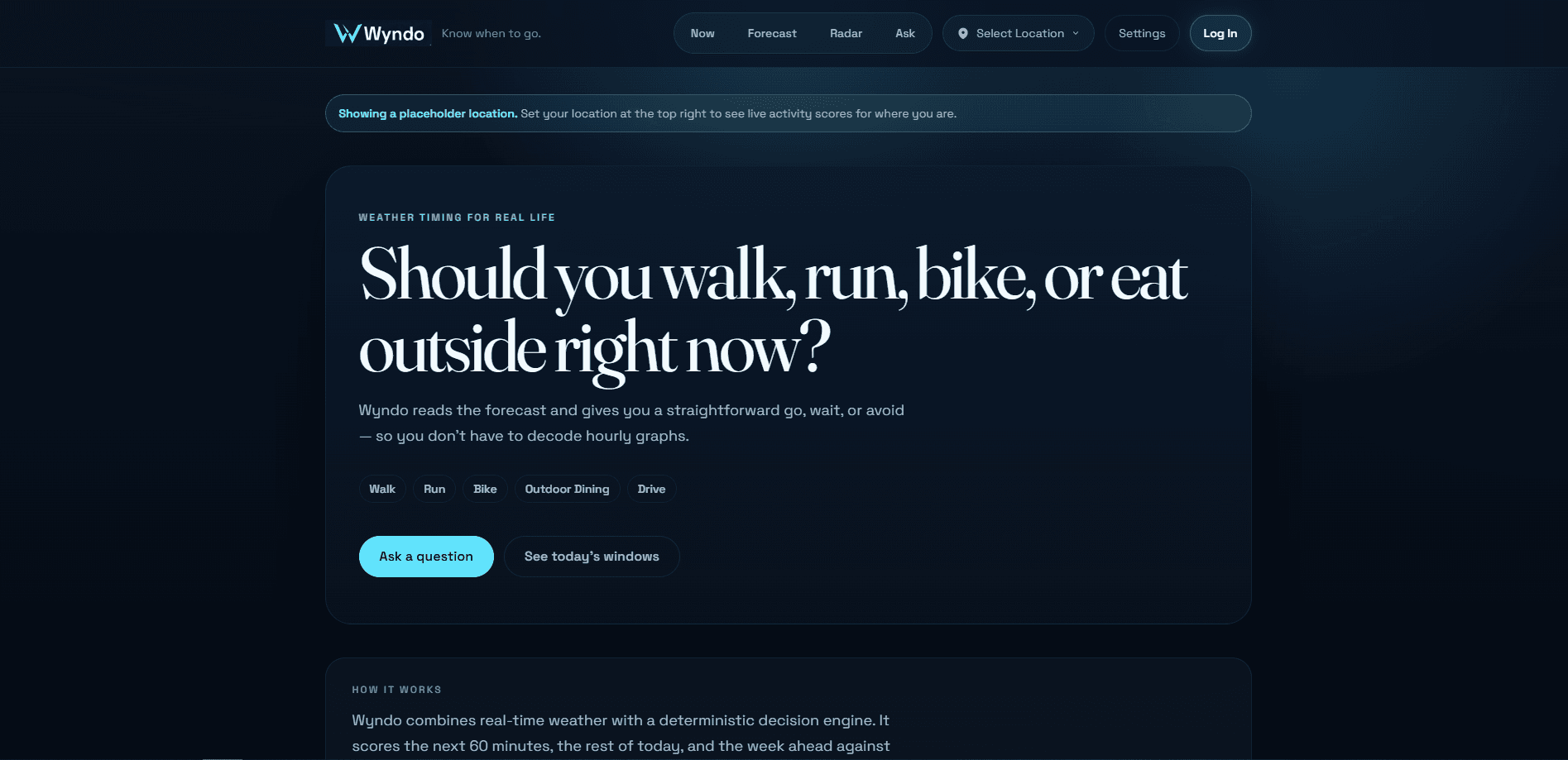
Wyndo is a web-based weather decision app built around one question: should you head out right now? A forecast can tell you it's 94°F at 3pm. Wyndo answers the thing you really want to know. Go, hold off for a better window, or skip it entirely.
The product covers six everyday activities: walking, running, biking, outdoor dining, driving, and dog walking. It reads conditions across the next hour, the rest of today, and the week ahead. When now isn't a good call, it points you toward the best time to go.
Verdicts come from a rule-based scoring engine, not a language model guessing at the weather. It pulls data from Open-Meteo, OpenWeatherMap, and the US National Weather Service, then runs a veto-then-grade check. Safety issues like extreme heat, storms, dangerous pavement temperature, or poor air quality can veto an outing outright. Comfortable conditions can never override a safety veto. One limit worth knowing: Wyndo is built and run by a solo founder, so it's a focused tool rather than a sprawling platform with a mobile app store presence.
Getting Started
- Open wyndo.app and set your location, which drives every verdict on the site.
- Pick the activity you care about, such as a run, a ride, or a dog walk, so the engine knows what to check.
- Read the go, wait, or avoid call along with the weather factors behind it.
- Create a free account to get an email when a good window opens for that activity.
- Check the weekly view or turn on an alert if you want Wyndo to watch for the next good window.
Product Information
A quick look at Wyndo's pricing, supported platforms, and performance.
Best for
The users, tasks, and scenarios where this tool fits best.
Users
- Runners and cyclists
- Dog owners
- Race-day planners
Tasks
- Deciding whether to leave now
- Finding a better window
- Pacing in the heat
Scenarios
- A quick dog walk before work
- Planning a long weekend ride
- An early race start
Key features
Go, Wait, or Avoid Verdicts
Each activity gets a direct call instead of a raw forecast. Wyndo reads the conditions and answers whether to head out now, wait for a better time, or avoid it, with the reasoning attached. Simple as that. It's the core difference between Wyndo and a standard forecast app.
Veto-Then-Grade Scoring Engine
The engine is deterministic and rule-based, not a language model making things up. It combines multi-source weather data and applies safety vetoes first. Hazards like extreme heat, storms, or bad air quality can block an outing no matter how comfortable the rest looks.
Paw Check for Dog Walks
Pavement gets far hotter than the air, and that's what burns paws. Paw Check publishes live pavement-heat estimates for 51 US cities and factors in your dog's size, coat, age, and health to warn sooner when needed. It's also a free embeddable widget for vet clinics and shelters.
Heat-Adjusted Pace Calculator
Running in the heat slows everyone down. Wyndo quantifies by how much. The calculator returns a pace range built on published research it cites on the page, and it stops giving numbers once conditions pass the point that research supports.
Race-Day Weather Pages
Wyndo has dedicated weather pages for 112 major marathons and road races. Pages with a computable calendar slot carry up to 20 years of start-hour weather history rebuilt from ERA5 reanalysis at the start line. That's useful for gauging what race morning usually feels like.
Email Alerts for Good Windows
Create an account and Wyndo watches the weather for you. No more refreshing a forecast all day. You get an email when a good window opens for the activity you chose. Check once, then let Wyndo handle the watching.
Shareable Location Answers
Wyndo lets you send a link to a friend, and they get a fresh answer for their own location. Small feature. It's handy when you're trying to settle whether to meet up for a ride or a walk.
Pros and cons
Pros
- Answers a real decision instead of handing you another hourly graph.
- Explains the verdict, showing rain, wind, heat, air quality, and warnings behind each call.
- Safety vetoes always win over comfort, which matters in extreme heat.
- Paw Check and pace tools go deeper than a generic weather app.
- Free to use, with email alerts on a free account.
Cons
- Web-only, so there's no iOS or Android app to install.
- Built by a solo founder, so feature depth depends on one person's roadmap.
- The veto-then-grade engine is conservative, which can mean more avoid calls than you might expect.
Frequently asked questions
Wyndo reads weather conditions for an activity you choose and gives a direct go now, wait, or avoid call, along with the weather factors behind it. It's a decision tool, not a general forecast.
Related content
Explore related tools, skills, and articles for Wyndo.
Wyndo Alternatives

Iplan AI
Iplan AI · Productivity · AI AssistantIplan AI is an AI travel planner that turns a few trip details into a full day-by-day itinerary in seconds. You answer questions about your destination, interests, budget, and travel companions, and the tool builds a plan you can edit, share, and carry with you on any device. It targets travelers who want a solid draft without spending hours in spreadsheets and browser tabs. Think of it as an itinerary generator that does the tedious part for you.

Screenhelp
Screenhelp · Productivity · AI AssistantScreenhelp is an AI screen assistant that turns a single keyboard shortcut into real-time help. You press Ctrl+Shift+Space, it captures what's on your screen, and it streams an answer into a private panel in about two seconds. Think of it as an AI screenshot helper you trigger on demand. It runs on Mac, Windows, and the web, starts free with 30 answers a month, and stays invisible during screen sharing on Zoom, Teams, and Google Meet.

Rainbow
Rainbow · AI AssistantRainbow is an AI weather forecast app built around short-term precipitation nowcasting. Its engine pushes min-by-min rain and snow predictions up to four hours ahead, blending live satellite and radar feeds into hyperlocal forecasts. The app adds live rain radar, a seven-day outlook, precipitation alerts, home-screen widgets, and a hurricane tracker, and it runs on both Android and iOS with a free tier plus paid upgrades.