

YAGNI
YAGNI · Productivity
YAGNI is a workspace for proactive AI agent Teams that you manage the way you manage engineers. Each worker has a defined job, a single performance number, time-bound commitments, and a review loop with approvals and receipts, so nothing consequential ships without a person's nod. It's aimed at AI software development teams that already run a backlog and want an AI coding agent to carry tickets from proposal to merged pull request.
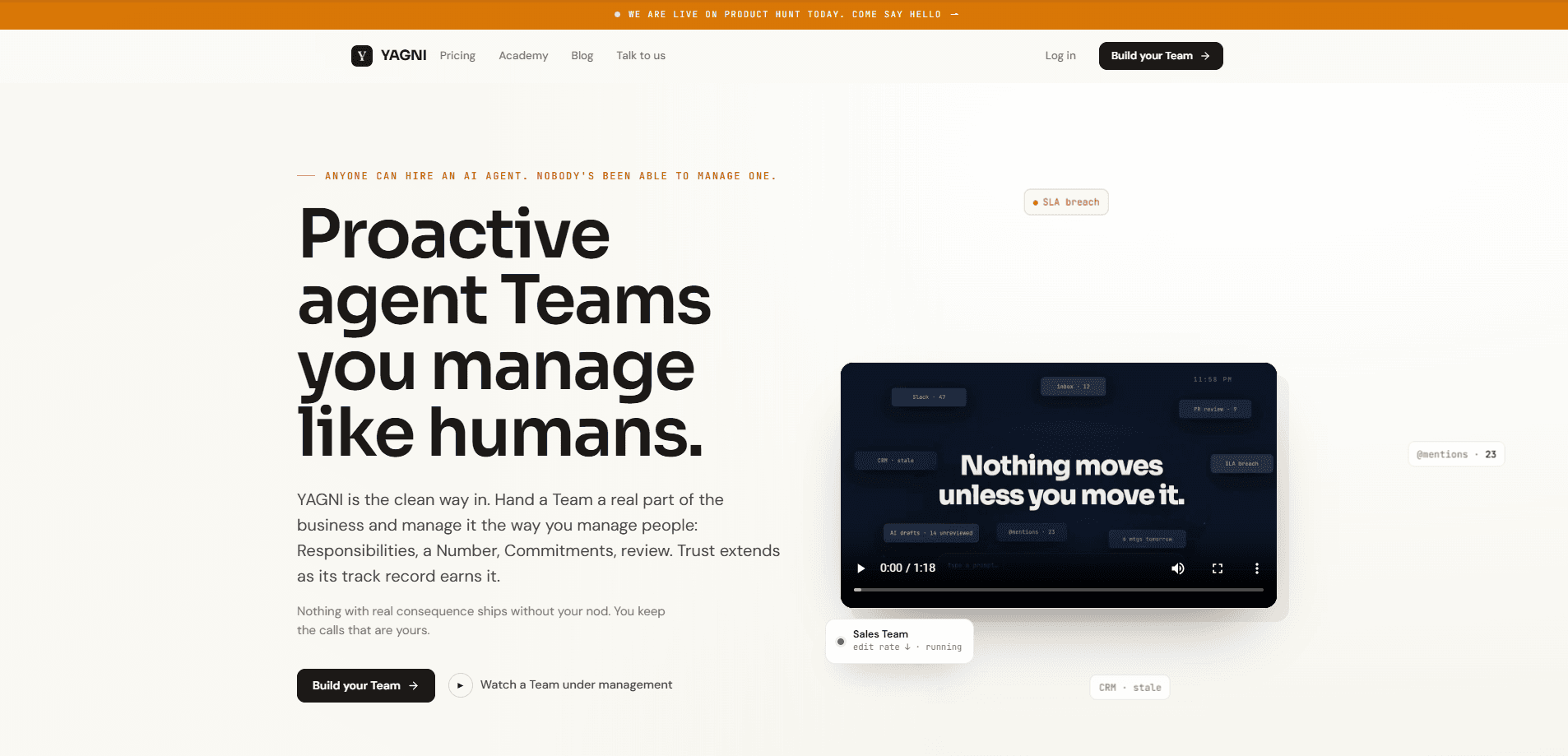
About YAGNI
What Is YAGNI
YAGNI is an agent workspace built around a simple premise: AI workers behave better when they're managed like people, not prompted like tools. Every worker starts at a training stage, carries a named responsibility, and reports onto a shared record. The record is the point. Proposals, plans, builds, reviews, tests, and the cost of each run all land in one place, and a person answers the gates.
The platform covers two related jobs. One is a Team of six named workers that carries a ticket all the way to a merged pull request. The other is an AI coding agent priced well below comparable frontier API rates. Both run on the same vetted, US-hosted open weight models, write to the same decision ledger, and bill through the same meter.
The main limitation is the operating model itself. YAGNI assumes you have a backlog in Jira or Linear, a repository to attach, and a person willing to answer approval gates. Want a hands-off bot that just pushes code? Then this is more structure than you need. Merging always stays with a human at every autonomy level, by design.
Getting Started
- Book a 30-minute call with the founder and bring a repo and a backlog, or a usage export if you care more about the bill.
- Connect a Team to your existing repositories, Playbook, and budget, and set the responsibilities each worker owns.
- Attach your backlog from Jira or Linear so the Product Manager worker can propose the next item with evidence attached.
- Review the proposal, approve a plan, and let the builder take it to a pull request in a cloud sandbox.
- Answer the review gates, read the test video, and merge when the record earns your trust. Loosen the gates as it does.
Product Information
A quick look at YAGNI's pricing, supported platforms, and performance.
Best for
The users, tasks, and scenarios where this tool fits best.
Users
- Engineering managers who already run a backlog and want agents to carry tickets to a pull request instead of writing throwaway snippets.
- Small product teams that need review coverage on every pull request but can't staff a dedicated reviewer for routine changes.
- Solo developers weighing a cheaper AI coding agent against frontier tools, keeping in mind that the Team model assumes a backlog and a repository.
- Finance and security leads at mid-size companies who need scoped credentials, a DPA on request, and per-worker spend caps before they allow agent access.
Tasks
- Turning backlog items into reviewed pull requests
- Browser-based QA on every change
- Weekly reporting
Scenarios
- A team drowning in small, low-risk pull requests that still need a pair of eyes before merge.
- Replacing repetitive routine coding work with a metered agent while keeping humans on the judgment calls.
- Auditing what agents actually did across a sprint, using the case file as the record of proposals, reviews, and cost.
Key features
Six Named Workers With Boundaries
YAGNI splits the job across six roles, each with a defined ceiling. Bailey proposes what comes next. Reeve critiques the plan. Wright builds to a pull request. Proctor reviews every PR. Fletcher runs browser QA. Harper reports what happened. The boundary matters as much as the job. Wright never merges, Proctor never blocks a merge, and Harper never acts at all.
One Case File Per Work Item
Every work item is a single page that holds the proposal, the plan, each run, the pull request, the review, the test evidence, the gates a person answered, and the total cost. Decisions resolve on that page rather than in scattered threads. A comment on it becomes a line in the plan or a new rule in the Playbook. When an agent did something you didn't expect, this is where you find out why.
An Autonomy Ladder You Control
Every Team starts at training, where each step waits for a person. As the record fills with resolved decisions, you promote an engagement one rung and it stops asking about the things it has earned the right to handle. Merging stays with a human at every rung, so the highest level of autonomy is still a supervised one.
One Rate Card, Four Lanes
Once you're past the setup call, workers and developers share the same meter. A router sizes each step before it runs and places it on the cheapest lane that holds quality, so routine reads never pay top rates. No seats. No platform fee. No per-worker charge. Every run prints what it cost while it runs.
Direct Repository and Backlog Integration
A Team mirrors one of your engineering teams rather than a single repository, with its own repos, Playbook, budget, and one accountable person. Workers read your backlog from Jira or Linear and report into Slack, so the tooling you already use stays in place. Tag a product manager in Slack at the proposal stage and their answer lands in the plan before work starts.
Scoped, Encrypted Credentials
Connector credentials are customer-scoped and encrypted, and access is narrower than you'd expect by default. An engagement can let one worker approve on the web app while only advising on an infrastructure repository, which keeps a broad permission from leaking into a sensitive one.
Pros and cons
Pros
- Clear role boundaries keep each agent on a single job, which makes failures easier to trace than with one general-purpose assistant.
- The case file gives audit-ready evidence of what ran, what it cost, and who approved it.
- Usage-based pricing with per-worker and per-day caps keeps spend predictable, and there are no per-seat charges for human readers.
- Every meaningful gate stays with a person, so adoption doesn't require trusting agents unsupervised on day one.
Cons
- There's no free plan, and pricing is set on a sales call rather than a public page, so you can't estimate cost without talking to the company first.
- The structured model assumes an existing backlog and repository, which makes it a poor fit for solo users or teams without that workflow.
- API availability isn't documented publicly, so you can't tell from the site whether the platform exposes programmatic access.
Frequently asked questions
It runs a Team of six AI agent team workers that carries a software ticket from your backlog to a merged pull request, with a person approving the plan and reviewing the result. Alongside it, the same platform offers a metered coding agent for individual engineers.
Related content
Explore related tools, skills, and articles for YAGNI.
YAGNI Alternatives

Base Code
Base44 (Wix) · Coding · ProductivityBase Code is a shared cloud development environment from Base44. Teammates describe changes to an existing GitHub codebase in chat, preview them live and send them back as pull requests.

Knocket
Knocket (Tencent RTC team) · Productivity · Business · ChatbotKnocket is a free live chat and contact page tool that lets visitors message you from your website, app, or a shareable link, with every reply handled from Telegram or one inbox.

FloorGen
Vinit Kumar (FloorGen) · Productivity · China AIFloorGen is a browser-based floor plan maker that turns a sentence or a sketch into an editable 2D plan and a 3D walkthrough. Export to PDF, DXF or video, and draw without an account.