

Yeti Confetti Kids
Lirvana Labs, Inc. · Leaning
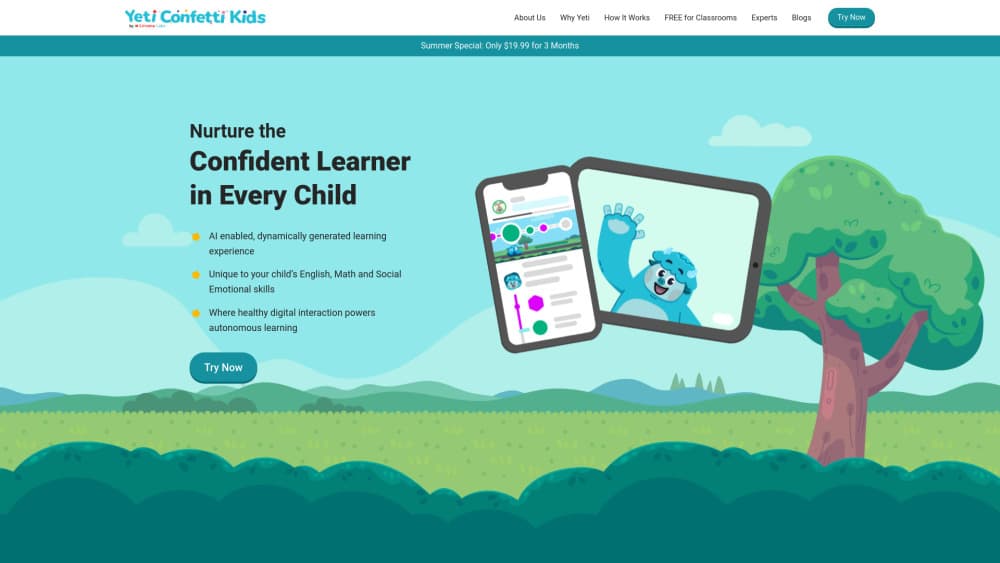
Yeti Confetti Kids is an adaptive learning app from Lirvana Labs that gives children in pre-K to grade 6 AI-guided practice in English, math and social emotional skills.
About Yeti Confetti Kids
What Is Yeti Confetti Kids
Yeti Confetti Kids is the family-facing side of Lirvana Labs, a company that builds AI learning tools for schools and homes. Lirvana Labs sells it as an AI learning app for kids, and the same build runs in classrooms and living rooms. The app pairs a library of more than 800 videos, cartoons, songs and audiobooks with short practice exercises, so a child watches something, then answers questions about it. Lessons cover English vocabulary, math reasoning and social emotional skills, and the company says the material is aligned to Common Core and International Baccalaureate standards.
The pitch is aimed at a problem parents know well. Most kids' apps compete for attention with endless recommendations, and the learning gets lost. Lirvana Labs says it replaced that loop with a guided track: each child gets a practice path based on what they've already answered correctly, and a cartoon yeti named Yeti Confetti walks them through the harder parts.
Schools buy it as a learning app for classrooms, which is why the teacher view gets as much attention as the kid view. The limits are worth knowing before you download. This is practice and reinforcement, not a full curriculum, so it works best alongside schoolwork. It's also built for touch screens, and the bulk of the teaching content ships in English with Spanish support for bilingual learners.
Getting Started
- Download the app on an iPhone, iPad or Android device and create a parent account.
- Add a child profile with their age or grade level so the app can place them on a starting track.
- Let the child work through the first few practice sets without help, since the answers set the difficulty.
- Open the parent view to check progress, then pick a subscription if you want the full library.
Product Information
A quick look at Yeti Confetti Kids's pricing, supported platforms, and performance.
Best for
The users, tasks, and scenarios where this tool fits best.
Users
- Parents of children in pre-K to grade 6
- Elementary teachers
- Bilingual and newcomer families
Tasks
- Daily math practice for kids
- English vocabulary practice
- Social emotional learning
- Summer and holiday review
Scenarios
- Classroom stations
- A 15 minute slot after school
- Screen time you can defend
Key features
Adaptive Practice Tracks
Every child answers a short set of questions, and the app adjusts the next set based on those answers. A strong reader moves ahead in vocabulary while staying at grade level in math, so the two subjects don't move in lockstep. Lirvana Labs describes this as meeting kids where they are, and it's the part that makes the app useful for mixed-ability classrooms.
Yeti Confetti, the Guided Companion
A cartoon yeti co-views the videos and reacts to answers. When a child gets something wrong, the character offers a hint and a spoken explanation rather than a red X. The company built this for kids who can't read fluently yet, and the voice support is why the app works for pre-readers in pre-K and kindergarten.
Curriculum-Aligned Media Library
The library holds more than 800 videos, cartoons, songs and audiobooks, vetted with teachers and pediatricians according to Lirvana Labs. Each item is tagged to a skill, so watching a clip feeds the same practice track as the exercises. It's a large enough collection that a child won't run out in a month, and new titles get added over time.
Three Subjects in One App
English, math and social emotional learning share one profile and one progress view. That matters for parents who are tired of juggling three subscriptions, and it gives teachers a single screen for a class that needs help in different areas.
Progress Views for Parents and Teachers
The app reports what a child practiced and where they stalled, in plain language rather than a test score. Teachers in Lirvana Labs case studies use it to spot gaps before a unit test and to print short reports for parents. The framing is deliberately non-evaluative, so a wrong answer reads as a next step instead of a grade.
Bilingual Support
Spanish and English run side by side, with spoken instructions in both. Teachers at dual immersion schools quoted on the company site say this is the reason they picked it over English-only apps. It's a real advantage for newcomer students, but it doesn't extend to other home languages.
Pros and cons
Pros
- Strong curriculum alignment: Common Core and IB tagging means the practice matches what a child sees in class.
- Kid-safe design: the guided track has an end point, and Lirvana Labs says it prioritizes learning outcomes over minutes watched.
- One app for English, math and social emotional learning, which cuts down on subscriptions.
- Genuine bilingual support with spoken Spanish and English, useful for dual immersion programs.
- Free to download with a parent view, so you can test the fit before paying.
Cons
- In-app purchases run from $9.99 to $69.99, and the free tier covers only part of the library, so the real cost depends on the plan you pick.
- No desktop or web version, which rules it out for schools with Chromebooks or computer labs.
- It reinforces school content rather than teaching new material, so it won't replace instruction for a child who is behind.
- Spanish is the only additional language, so families who speak something else at home get less out of it.
Frequently asked questions
It's built for learners from pre-K through grade 6, roughly ages 4 to 12. The starting track is set when you add a child profile, and the difficulty moves from there.
Related content
Explore related tools, skills, and articles for Yeti Confetti Kids.
Yeti Confetti Kids Alternatives

HireKey
HireKey · Voice & Language · Productivity · LeaningHireKey is an AI job search copilot built by a former tech recruiter. It checks role fit, tailors resumes, runs interview practice and tracks every application.

Lune
Retrograde Labs · Productivity · LeaningLune is a research search engine for scientific AI agents. It runs as an MCP server that lets Claude, ChatGPT and Cursor search peer-reviewed computer science papers and cite them.
Coddy
Coddy · Coding · LeaningCoddy is a gamified platform to learn to code through short interactive lessons in 20+ languages, with a browser editor, an AI tutor and free certificates.