

Yomio Budget & Expense Tracker
Yomio · Image
Yomio Budget & Expense Tracker is a mobile budget app that scans your receipts, splits them into individual line items, and tracks what you actually bought. Its built-in AI copilot, Yopilot, reads those line items and turns them into spending insights you can act on. It supports family sharing and runs in 20+ languages across 50+ countries.
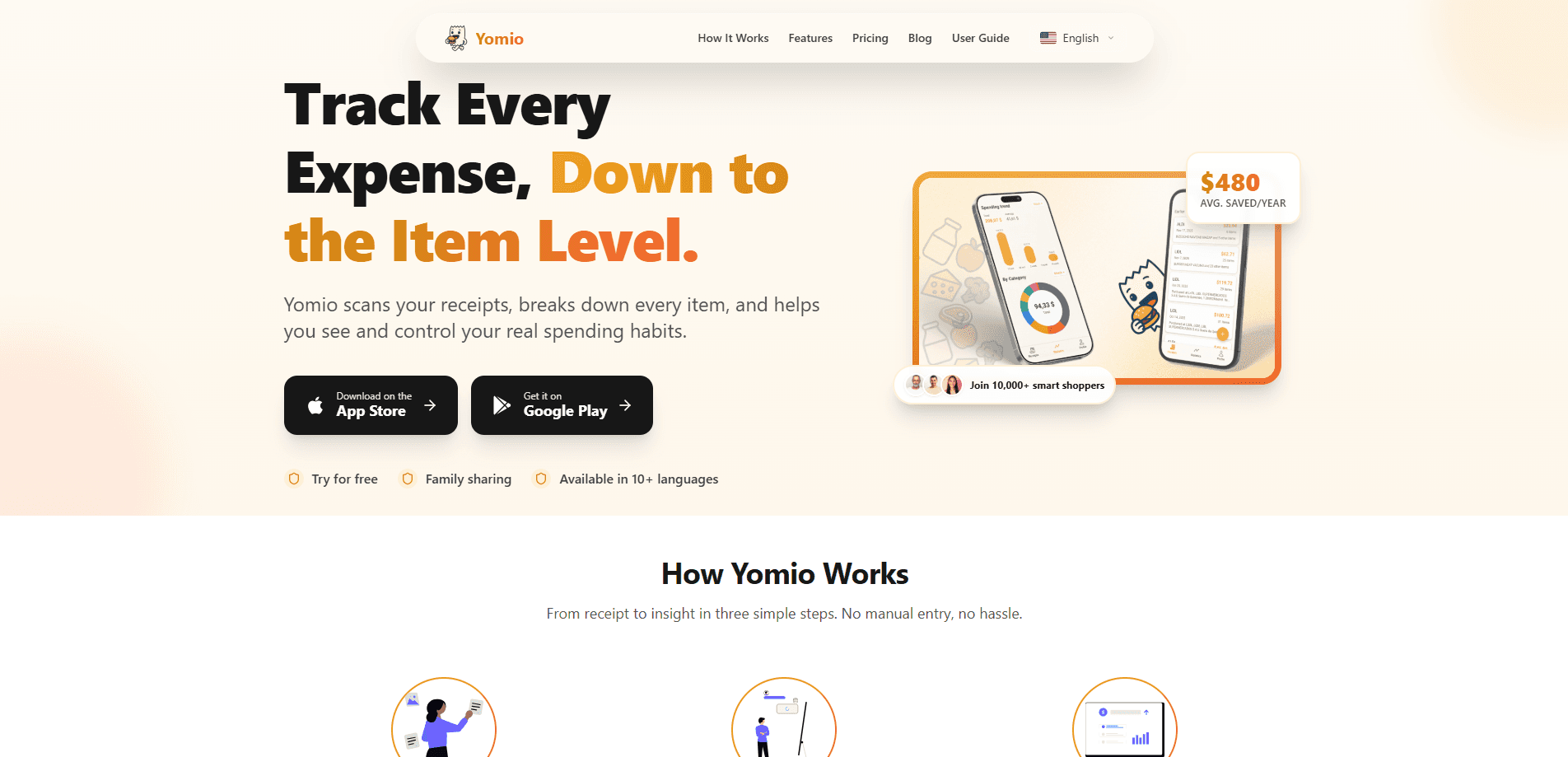
About Yomio Budget & Expense Tracker
What Is Yomio Budget & Expense Tracker
Yomio is a personal finance app built around one idea: your receipts hold more detail than a total. Most budget apps stop at the amount you paid. Yomio acts as a receipt scanner first, pulls out each item, and assigns it a category, so you can see whether your money went to groceries, snacks, or the two impulse buys at checkout.
The app leans on Yopilot, an AI copilot that reviews your itemized spending and answers plain questions about it. It's an AI expense tracker, not just a logging tool. Instead of scrolling through charts, you ask what changed this month and it tells you. What did you spend on snacks last week? Yopilot answers that in seconds. That's the pitch, and for people who never kept a spreadsheet going, it's a real difference.
The catch? Yomio is mobile-first and receipt-driven. If you mostly pay by card and never keep paper receipts, you'll get less out of it than someone who shops with a receipt in hand. There's no bank-account syncing mentioned on the official site either, so entry depends on scans and manual logs. I couldn't confirm an exact public price for the paid tier, so treat the numbers below as the current range and check the app store before subscribing.
Getting Started
- Download Yomio from Google Play or the App Store and create your account.
- Set your home currency and language from the supported list.
- Scan your first receipt with the camera so the app can read the line items.
- Confirm the categories Yomio assigns, then adjust any that are off.
- Ask Yopilot a question about your spending to start seeing patterns.
Product Information
A quick look at Yomio Budget & Expense Tracker's pricing, supported platforms, and performance.
Best for
The users, tasks, and scenarios where this tool fits best.
Users
- Families who split household spending and want one shared view of who bought what
- Shoppers who keep paper receipts and want the items logged without typing every line
- Budget beginners who never stuck with a spreadsheet and prefer asking questions over reading charts
- Travelers spending across currencies in different countries
Tasks
- Scanning a grocery receipt and seeing the cost of each item
- Tracking where a monthly budget actually went by category
- Spotting recurring small purchases that add up over time
- Getting a plain-language answer to "why did I spend more this month"
Scenarios
- Weekly grocery runs where the receipt lists dozens of items
- Splitting shared household costs across family members
- Reviewing a month of spending before payday
- Living abroad and tracking expenses in a second language
Key features
Receipt Scanning With Item-Level Detail
Yomio's camera works as a receipt scanner that reads a receipt and breaks it into separate line items rather than logging one total. You get to see that a $94 grocery run included $18 of snacks, not just that you spent $94. That's the whole point. Item level, not receipt level.
Yopilot, the AI Spending Copilot
Yopilot reviews your itemized spending and answers questions about it in everyday language. You can ask why your food spending jumped or which category grew fastest, and it responds with the numbers behind the answer. It works more like a budgeting assistant than a report screen.
Automatic Categorization
Every scanned item gets sorted into a category, which cuts down the manual tagging that makes most budget apps tedious. You still confirm or fix the results, so nothing gets misfiled silently. Over time the categories mirror how you actually shop.
Family Sharing
Yomio supports family sharing, so a household can track spending in one place instead of reconciling separate apps. Each member's purchases land in the shared view, which helps when several people buy groceries or supplies. It's aimed at households, not just solo budgeters.
Multi-Language and Multi-Country Support
The app runs in 20+ languages and covers 50+ countries, based on the official site. That matters if you track spending outside your home language or shop while traveling. Receipt formats and currencies vary by region, so wider coverage means fewer manual fixes.
Spending Insights and Savings Tracking
Yomio frames its value around understanding patterns rather than just logging them. It surfaces where your money goes and where you can cut back, and the site cites average yearly savings for its user base. As always, that figure comes from Yomio itself, so treat it as a claim rather than a guarantee. Not ideal if you want hard guarantees. Still, the framing fits a personal finance app.
Pros and cons
Pros
- Item-level receipt breakdown goes deeper than total-only expense trackers
- Yopilot answers spending questions in plain language instead of raw charts
- Family sharing keeps a household's spending in one shared place
- Supports 20+ languages and 50+ countries, useful for travelers and expats
- Free tier lets you try scanning before paying
Cons
- No bank syncing mentioned means you rely on scans and manual entry, which is more work
- The paid tier's exact price is hard to confirm without opening the app store
- Itemized detail depends on readable receipts, so digital-only purchases are harder to capture
Frequently asked questions
It scans your receipts, records each item separately, and sorts those items into spending categories. Its AI copilot, Yopilot, then turns that data into plain-language insights about your spending habits.
Related content
Explore related tools, skills, and articles for Yomio Budget & Expense Tracker.
Yomio Budget & Expense Tracker Alternatives

Google EmbeddingGemma 2
Google DeepMind · Writing · Image · CodingGoogle EmbeddingGemma 2 is a 740M-parameter open model that turns text, code, images, audio, and video frames into vectors in one 768-dimension space, running on phones and laptops.

Tractionwave
TractionWave · Image · MarketingTractionWave is an AI attention heatmap tool for static ads. Upload a PNG or JPG and it returns predicted attention, ranked hotspots, and fixes before you spend budget.

Imejis.io
Imejis.io · Image · MarketingImejis.io is an AI design studio for agents and marketing teams. Describe an image in plain words, and it writes the copy, builds the layout, reflows it to every size, then exports a finished file.