

YouCam AI & AR Business Solutions
Perfect Corp. · Image · China AI
YouCam AI & AR Business Solutions is Perfect Corp's B2B platform for virtual try-on, AI skin analysis and shade matching that brands embed in their own apps, websites and stores.
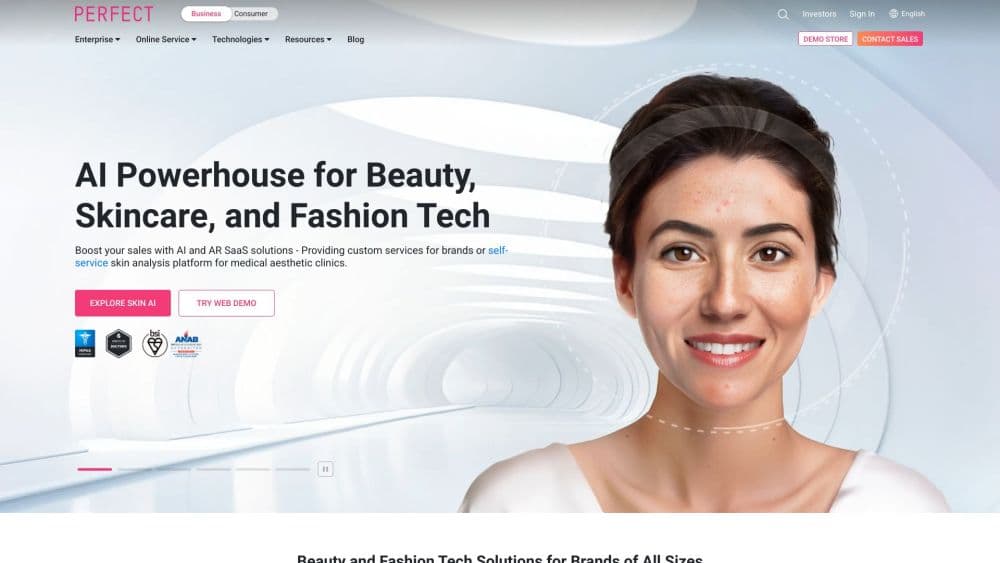
About YouCam AI & AR Business Solutions
What Is YouCam AI & AR Business Solutions
YouCam AI & AR Business Solutions is the business side of Perfect Corp., the company behind the YouCam consumer apps. Brands license the same AR beauty tech and put it inside their own shopping surfaces: a product page on the web, a native app, a store mirror or a pop-up kiosk. A shopper opens her camera, taps a lipstick, and sees the shade on her own face in real time.
The problem it addresses is old and expensive. Cosmetics, eyewear and jewelry are hard to judge from a photo, and a wrong shade ends in a return. Perfect Corp. sells brands a way to let customers test before they buy, then measures how many of them do. The company says beauty brands using virtual makeup try-on have seen conversion rates rise by up to 200 percent, a figure that comes from its own client reporting rather than an independent audit.
The limits show up in the sales model. There's no self-serve checkout and no public price list, so a small shop can't sign up on a card the way it would with a design tool. Integration also needs assets: shade-accurate product images, frame models for eyewear, a developer who can mount an SDK, and a plan for what happens when a SKU sells out.
Getting Started
- Request a demo through the Perfect Corp. business site and describe the categories you sell.
- Take the 30-day free trial on Perfect Console, the web dashboard where SKUs and campaigns live.
- Upload product catalog data, including shade references, textures and frame measurements, so the try-on renders the real item.
- Pick the modules you need, then integrate them with the web SDK, the mobile SDK or a hosted link, and style the interface to match your site.
- Publish, watch try-on counts and add-to-cart rates in the console, and adjust which products surface first.
Product Information
A quick look at YouCam AI & AR Business Solutions's pricing, supported platforms, and performance.
Best for
The users, tasks, and scenarios where this tool fits best.
Users
- Beauty brands with an online store
- Eyewear retailers
- Fashion and jewelry sellers
Tasks
- Matching foundation shades
- Diagnosing skin concerns
- Measuring campaign performance
Scenarios
- A seasonal color launch
- In-store self-service
- Retail media and social campaigns
Key features
Virtual Makeup Try-On
The makeup module tracks facial features and renders lipstick, eyeshadow, eyeliner, blush and lashes on live video or a still photo. Materials carry their real finish, so a matte lip reads matte and a metallic shadow keeps its sheen. AgileFace tracking, the company's patented facial mapping, keeps the color anchored when the head turns or the expression changes. This is the module most beauty clients start with.
AI Skin Analysis
One selfie produces 15 scores in about 7 seconds, covering pores, texture, redness, hydration, acne, pigmentation, dark circles, wrinkles, firmness and visible aging on a 0 to 100 scale. Results can be stored and compared over time, which turns a single scan into a reason to come back. The system also returns routine suggestions, so a skincare brand can attach products to the findings. It measures appearance, not medical condition, and brands should say so.
AI Shade Finder
Shade matching takes the skin tone reading from a selfie and ranks foundation and concealer options by closeness. For color cosmetics this answers the question that stops the most checkouts, because a swatch photo on a model says little about how a shade sits on someone else. Accuracy still depends on lighting and camera quality, and the console lets brands set a tolerance so the recommendation stays inside a sensible range.
Virtual Eyewear Try-On
The eyewear module measures pupillary distance from a face scan and uses it to suggest frame size, then renders frames, lens tints and coatings in a browser. Shoppers can compare shapes side by side without a store visit, and the sizing hint removes the main reason glasses go back. It runs on the web, so retailers don't need to push an app install first. Accuracy depends on a steady camera and a face that fills the frame.
Fashion and Jewelry Try-On
Generative AI swaps clothing on a single 2D photo, adjusting to different body shapes without a 3D scan. Shoes and jewelry use 3D viewers with motion simulation, and a virtual sizer helps customers pick a ring or bracelet size. Perfect Corp. says some 3D integrations go live in a day. Jewelry rendering adds depth, shadow and reflection, which matters for high-ticket pieces where a flat overlay looks fake.
Console, Analytics and Integration
Perfect Console holds the SKU catalog, campaign setup and the reporting that shows try-on counts, engagement and conversion by product. Distribution covers the web SDK, native iOS and Android SDKs, a hosted experience for teams without developers, and in-store hardware. An API is available for brands that want to call the analysis or try-on services from their own stack. The same catalog feeds every channel, so a new shade appears everywhere at once.
Pros and cons
Pros
- Broad category coverage: makeup, skincare, hair, eyewear, shoes, jewelry and clothing run on one platform instead of four vendors.
- Real rendering quality: material finishes, PD-based frame sizing and jewelry reflections hold up close, which is where cheap filters fail.
- Analytics attached to the experience: try-on and conversion numbers sit next to the SKU list, so performance is visible without a separate tool.
- Multiple integration paths: web SDK, mobile SDK, hosted link and in-store hardware cover teams with and without engineers.
- Clinical-adjacent skin scoring: 15 metrics with tracking over time give skincare brands a repeat-use hook.
Cons
- No published pricing: budgets start with a sales conversation, which slows down small teams and makes comparison shopping hard.
- Asset work is on the brand: shade-accurate images, frame models and 3D jewelry files are prerequisites, and weak assets produce weak results.
- Skin analysis has limits: scores shift with lighting and camera angle, so it works as a guide rather than a measurement.
- Enterprise-shaped setup: the console and SDK assume a catalog and a technical owner, which is heavy for a single-store retailer.
Frequently asked questions
It lets a brand put virtual try-on and AI skin analysis inside its own shopping experience. Shoppers test makeup shades, eyewear frames, jewelry or clothing on their own face or photo, and the brand sees which products get tried and bought. The consumer YouCam apps are separate products with their own subscriptions.
Related content
Explore related tools, skills, and articles for YouCam AI & AR Business Solutions.
YouCam AI & AR Business Solutions Alternatives

Google EmbeddingGemma 2
Google DeepMind · Writing · Image · CodingGoogle EmbeddingGemma 2 is a 740M-parameter open model that turns text, code, images, audio, and video frames into vectors in one 768-dimension space, running on phones and laptops.

Tractionwave
TractionWave · Image · MarketingTractionWave is an AI attention heatmap tool for static ads. Upload a PNG or JPG and it returns predicted attention, ranked hotspots, and fixes before you spend budget.

Imejis.io
Imejis.io · Image · MarketingImejis.io is an AI design studio for agents and marketing teams. Describe an image in plain words, and it writes the copy, builds the layout, reflows it to every size, then exports a finished file.