

YouMind - AI Chat & Create
YouMind · Leaning · China AI
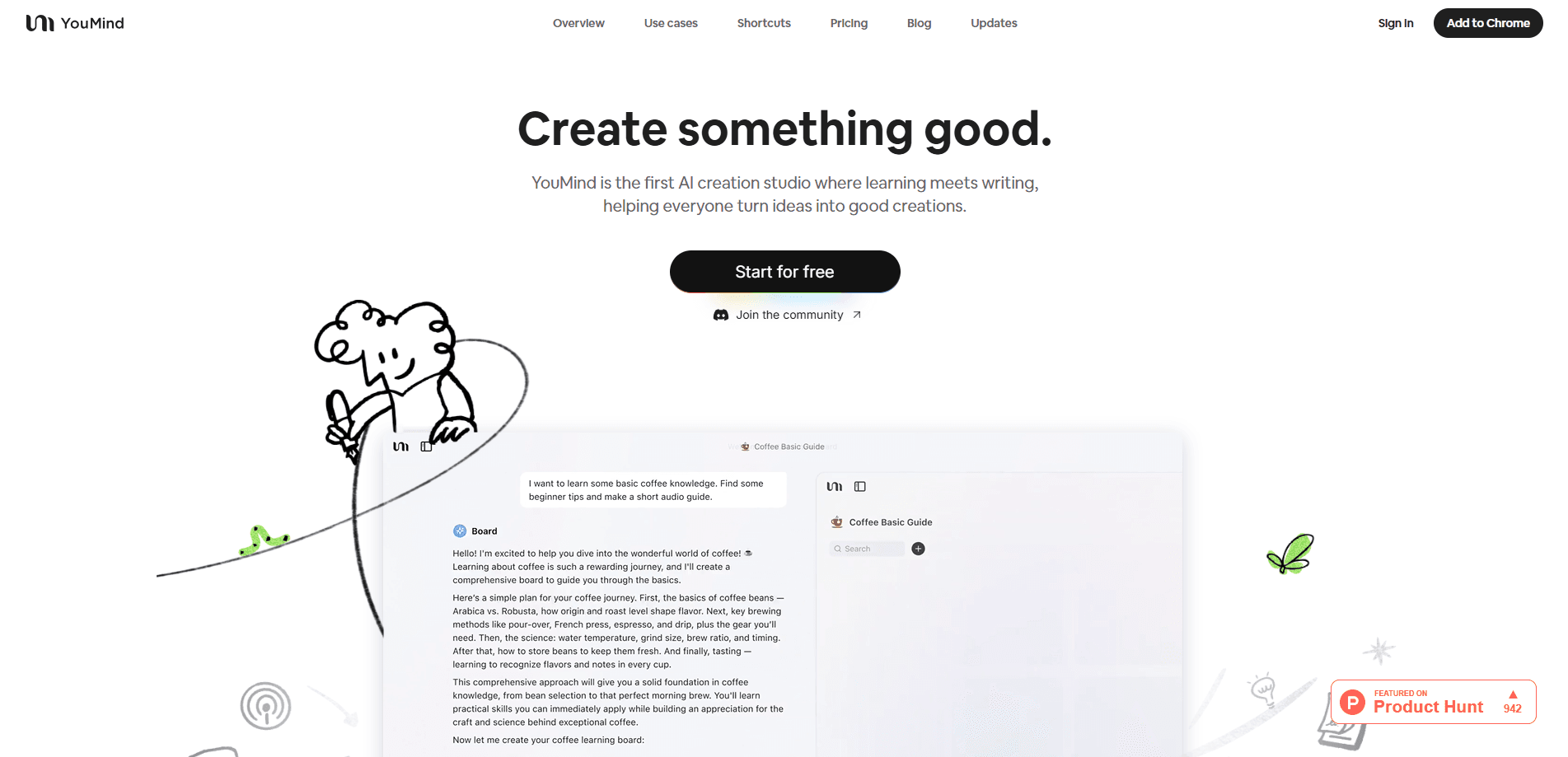
YouMind is an AI studio for research and creation that collects your sources, works through the thinking with you, then turns what you know into articles, slides, images, videos and webpages.
About YouMind - AI Chat & Create
What Is YouMind
YouMind is an AI writing and research studio built around a single idea: your notes and sources deserve to become finished work, not sit in a folder. It captures material you run into, helps you think about how the pieces connect, then shapes the result into an article, a slide deck, an image, a video or a webpage.
The tool is made by the same lineage of people behind well known knowledge and collaboration products, and it sells itself as a studio that thinks with you rather than one that just generates text on demand. On its own site the company describes the flow as capture, think, then shape. YouMind runs on top of several leading AI models rather than one in house model, so the quality of any single task depends on which provider powers it.
The main limit is positioning. YouMind is a workspace for collecting and reworking ideas, so someone who wants a push button essay generator will find it slower than a plain chatbot. It is also credit based, which means heavier users can hit usage limits and need a paid plan.
Getting Started
- Create a YouMind account on the web, or install the desktop, mobile or browser extension to start saving sources.
- Save material with one click from the web, or drop in videos, podcasts, PDFs, images and audio.
- Group related sources into a board so the project stays in one place.
- Chat with the AI and ask it to connect, question or extend what you collected.
- Turn the board into an article, slides, an image, a video or a webpage, then refine and publish it.
Product Information
A quick look at YouMind - AI Chat & Create's pricing, supported platforms, and performance.
Best for
The users, tasks, and scenarios where this tool fits best.
Users
- Writers and content creators who collect a lot before they draft
- Students and researchers working through long material
- Knowledge workers who want output, not just notes
Tasks
- Turning scattered reading into a first draft
- Building a slide deck from raw material
- Creating images, videos and webpages from a project
Scenarios
- Researching a topic you don't know well
- Working across many tools
- Preparing to share or publish
Key features
Multi-mode source collection
YouMind saves almost anything with one click, including YouTube videos, podcasts, webpages, audio files, PDFs and images. It gathers them into a board so your material sits together instead of scattered across tabs and apps, which is the foundation the rest of the studio runs on.
Creative boards
A board is the organizer that turns a mess of saved material into a sorted project. You group related sources, track what you have and haven't used, and watch a vague idea turn into a defined piece of work. The company treats the board as the core unit of the product rather than a folder.
Powerful AI on leading models
YouMind runs on top AI models from providers such as OpenAI, Anthropic, Google and DeepSeek. Because it draws on several, it can match a model to a task instead of forcing every job through one engine, and the company pitches that as consistent quality across learning and creation.
AI writing
The studio drafts articles, social posts, blog pieces, newsletters and scripts from what you collected. It leans on your own sources, so the text starts closer to your material than a blank page response from a general chatbot. You rewrite and refine until it sounds like you.
AI slides, images, videos and webpages
YouMind produces more than text. From one board you can generate a slide deck, an image, a video or a webpage, so the same research effort supports several formats. The company stresses that every output is a starting point you can rearrange rather than a fixed result.
Skills gallery
Skills are reusable AI routines for research, writing, social posts and presentations that you can install and run without coding. The gallery holds a large library of them, which cuts setup time and gives newcomers a set of proven workflows to borrow.
Pros and cons
Pros
- Collects sources from many places in one click, so you stop juggling a search tab, a chat window and a notes app.
- Turns research into multiple outputs, including articles, slides, images, videos and webpages, from a single project board.
- Runs on several leading models from OpenAI, Anthropic, Google and DeepSeek rather than a single in house engine.
- An installable Skills gallery gives usable workflows out of the box, even for people who have never written a prompt.
- Free plan gives real platform access with included credits, so you can test the flow before paying.
Cons
- Credit based usage means heavy users hit limits and need a paid plan, so cost rises with how much you create.
- Some output quality depends on the model behind a task, so results aren't uniform across every format.
- It is a slower, more deliberate workspace than a plain chatbot, which frustrates people who want an instant one line answer.
- As a newer product, the mobile and extension apps are still catching up to the web app, so some features appear first on the web.
Frequently asked questions
YouMind is used to collect sources, think through them with AI, and turn the result into finished work. You save articles, videos, PDFs and images into a board, chat about how they connect, then produce an article, slide deck, image, video or webpage from the same project.
Related content
Explore related tools, skills, and articles for YouMind - AI Chat & Create.
YouMind - AI Chat & Create Alternatives

HireKey
HireKey · Voice & Language · Productivity · LeaningHireKey is an AI job search copilot built by a former tech recruiter. It checks role fit, tailors resumes, runs interview practice and tracks every application.

Lune
Retrograde Labs · Productivity · LeaningLune is a research search engine for scientific AI agents. It runs as an MCP server that lets Claude, ChatGPT and Cursor search peer-reviewed computer science papers and cite them.
Coddy
Coddy · Coding · LeaningCoddy is a gamified platform to learn to code through short interactive lessons in 20+ languages, with a browser editor, an AI tutor and free certificates.