

Youtube Summarized
SummYT · Productivity · Leaning
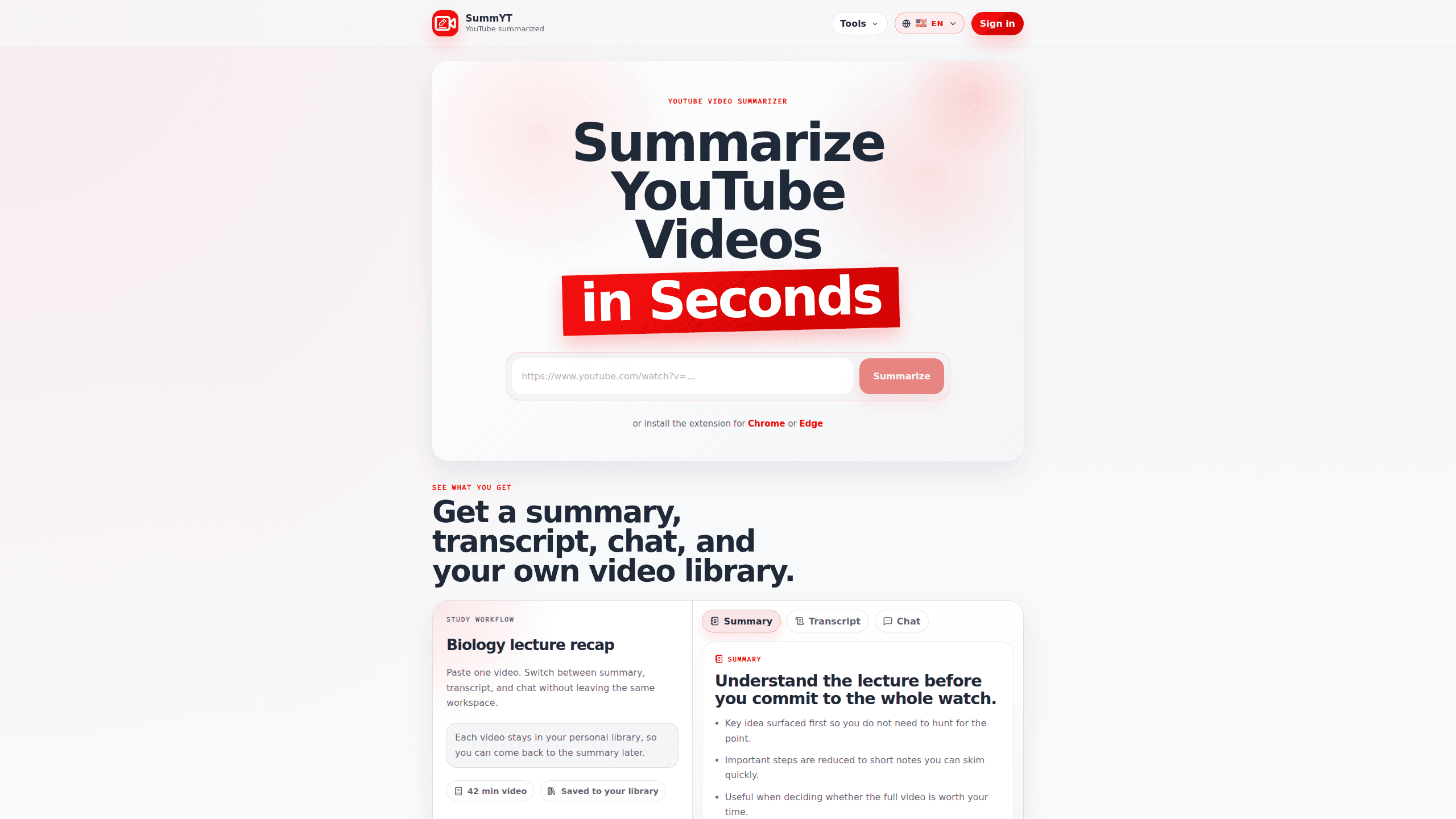
Youtube Summarized, also known as SummYT, is a web tool that turns long YouTube videos into short, skimmable summaries so you don't have to sit through the whole thing. It pairs each summary with a full transcript and a chat window, and it keeps everything in a personal library you can revisit. A browser extension adds the same features right inside YouTube, so you can summarize while you watch.
About Youtube Summarized
What Is Youtube Summarized
Youtube Summarized is a summarizer built around one bet: people want the point of a video, not the whole runtime. You paste a link or open the extension, and it pulls out the key idea first, then the supporting notes. That works best for lectures, tutorials, interviews, and explainers, which is exactly where a forty-minute video usually hides a five-minute answer that would have been enough on its own.
Most summarizers do their one job and forget you. SummYT doesn't. It stores the video, the summary, the transcript, and the chat together, so when you come back to a topic weeks later, you aren't starting over. If you're studying a subject across several videos, that saved library starts to look like notes you actually keep, which is a different thing from a summary you read once and forget.
It's also fast. That matters when you're triaging a watch-later list you'll never finish otherwise, because a tool that takes as long as the video is a tool nobody opens twice.
The main limit is scope. SummYT is a YouTube tool, so it won't touch videos hosted elsewhere. And a summary is still a summary. If a video's value lives in the visuals, watching the visuals is still on you. Pricing and plan details aren't posted publicly on the site, so I couldn't confirm exact numbers. Check the site yourself before committing.
Getting Started
- Open summyt.app in a browser and sign in to create your account.
- Paste a YouTube video link into the input field, or install the Chrome or Edge extension.
- Wait for the tool to process the video and generate the summary.
- Skim the summary, then open the transcript or chat if you need more detail.
- Save the video to your library so the summary, transcript, and chat stay together.
Product Information
A quick look at Youtube Summarized's pricing, supported platforms, and performance.
Best for
The users, tasks, and scenarios where this tool fits best.
Users
- Students
- Researchers and analysts
- Lifelong learners
Tasks
- Deciding whether a long video is worth watching
- Pulling quotes or talking points from an interview
- Following up on a video later
- Building a reference collection
Scenarios
- Weeknight study sessions
- Quick research before a meeting
- Watching on YouTube without switching tabs
Key features
Video Summaries
The core feature takes a YouTube link and returns a short AI video summary that leads with the main idea. Important steps are compressed into notes you can skim in seconds. That's what makes it useful for deciding whether the full video earns your time. No rewatching. No scrubbing.
Searchable Transcripts
Every summary comes with a transcript you can open, so you're not stuck trusting the summary's phrasing. That matters when you need the exact words of a quote, or when the summary skips a detail you care about. Both happen.
Chat With the Video
A chat window lets you ask follow-up questions about the video's content instead of rewatching it. Static summary, or something you can interrogate? That's the difference.
Personal Video Library
SummYT saves your videos, summaries, transcripts, and chats in one place rather than discarding them after each run. Come back a month later and the material is still there. That's the feature the tool leans on hardest.
Browser Extension
A Chrome and Edge extension puts the whole workflow inside YouTube. You can summarize, read the transcript, and open chat while you're already watching, without bouncing to another tab. It just works.
Pros and cons
Pros
- Combines summary, transcript, and chat in one tool instead of making you stitch three services together.
- The personal library keeps saved material around, which suits ongoing study or research better than one-off summarizers.
- The browser extension means you don't have to leave YouTube to use it.
- Works across lectures, tutorials, interviews, and explainers, so one tool covers most long-form viewing.
Cons
- Only handles YouTube videos, so content on other platforms is out of reach.
- Pricing and plan details aren't laid out publicly on the site, which makes it hard to compare before signing up.
- A summary can drop nuance that matters, so for anything technical you'll still want the transcript or the video itself.
Frequently asked questions
It turns a YouTube video into a short AI video summary, and gives you the transcript and a chat window alongside it. Then you save it. The tool exists to summarize YouTube videos specifically, so every link has to be a YouTube one, and videos from anywhere else simply won't process.
Related content
Explore related tools, skills, and articles for Youtube Summarized.
Youtube Summarized Alternatives

Swms
Swms AI · Writing · Productivity · BusinessSwms is an AI safety compliance tool that turns a plain description of a job into ready-to-use safety documents. Describe your project, trade, and known hazards, and it writes a safe work method statement, job hazard analysis, safe work procedure, RAMS, or safety data sheet in seconds. It also ships with Oscar, a chat assistant that answers workplace safety questions in any language. Teams in construction, mining, transport, and warehousing use it to cut the paperwork that usually eats into a workday.

Wordly AI Translation
Wordly · Voice & Language · ProductivityWordly AI Translation is a real-time AI translation and captioning platform built for meetings, conferences, and events. It delivers live translation, captions, transcripts, and summaries in more than 60 languages, and attendees join by scanning a QR code or opening a link instead of using dedicated headsets. The platform works with Zoom, Microsoft Teams, Google Meet, and Webex, and it's designed for organizations that want multilingual access without hiring human interpreters for every session. Simple as that.

Rows
Rows (Superhuman) · Productivity · BusinessRows is an AI spreadsheet and data analysis tool that imports live data from more than 50 sources, then lets you work with it using plain language instead of SQL queries or nested formulas. You can pull numbers out of PDFs, connect ad platforms, databases, and bank accounts, and ask the AI to build reports, merge datasets, or set up models that recalculate themselves. It runs in the browser, works like a spreadsheet, and now sits under the Superhuman umbrella.