

YuanbaoPower AI
YuanbaoPower AI · Image · Chatbot
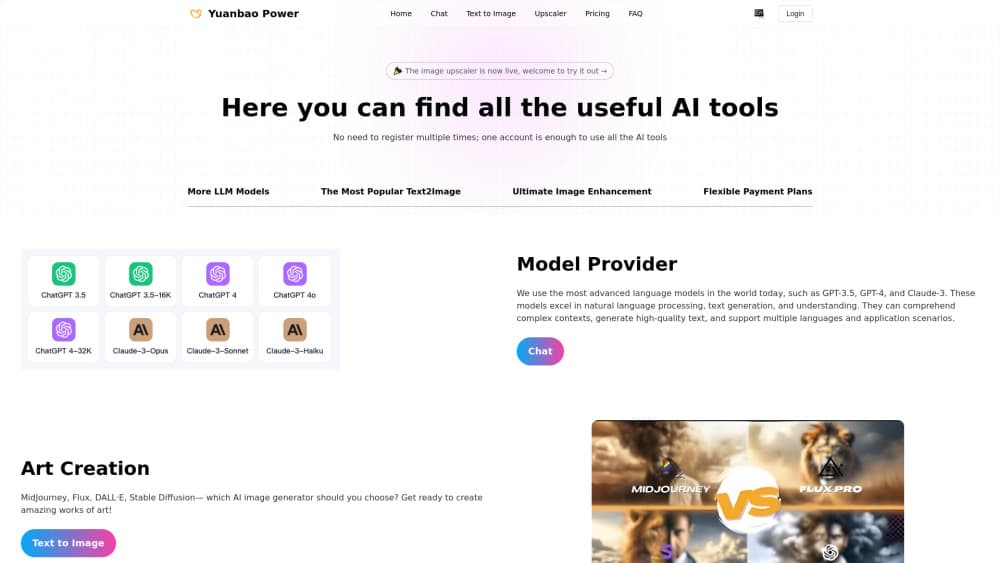
YuanbaoPower AI is a web platform that runs 28+ image and video models, including Midjourney, FLUX, and Sora, in one place. It adds 10x upscaling, style transfer, and node workflows.
About YuanbaoPower AI
What Is YuanbaoPower AI
YuanbaoPower AI is a multi-model AI visual creation platform that runs in a web browser. Instead of subscribing to Midjourney, FLUX, and a video tool separately, you open one console and pick a model for each job. The catalog covers image generation, AI video, style transfer, and HD upscaling.
The pitch is removing setup friction. Everything runs on the company's cloud cluster, so you don't need a GPU rig or a Python environment. You generate in the browser on a PC, tablet, or phone.
Credits are the pricing model. You buy credit packs, spend them on generations, and the balance doesn't expire. The site also states that visuals made with paid credits are yours to use commercially, which matters if you're producing for e-commerce listings or print.
The limits are worth naming. There's no published free tier on the site, so you pay to try it, and credit costs differ per model. Anything beyond images, video, and their editing tools isn't part of the platform.
Getting Started
- Sign up on yuanbaopower.com and open the console, which runs in any modern browser.
- Buy a credit pack, since the platform charges per generation and the site lists no free tier.
- Pick a model for the task, such as FLUX.1 Pro for photoreal images or Sora 2 for video, and enter your prompt.
- Add downstream steps if you need them, chaining style transfer, the upscaler, or video into one workflow.
- Download the result, which is cleared for commercial use when you paid with credits.
Product Information
A quick look at YuanbaoPower AI's pricing, supported platforms, and performance.
Best for
The users, tasks, and scenarios where this tool fits best.
Users
- E-commerce sellers
- Social media creators
- Designers and print buyers
- Users without powerful hardware
Tasks
- AI image generation
- Text-to-video and image-to-video
- Image upscaling
- Style transfer
- Workflow automation
Scenarios
- An online store needs a batch of product variations for a new listing before a launch date.
- A solo creator wants one clip per day for short-form video and has no editing team.
- A print shop gets a low-resolution customer image and has to make it usable for a poster.
- A small team wants access to several flagship models without juggling four subscriptions.
Key features
Multi-model generation in one console
YuanbaoPower AI packs 28+ foundation models behind a single interface, so you compare Midjourney v6.1 against FLUX.1 Pro or DALL·E 3 without switching accounts. The spread covers photorealism, anime, prompt adherence, and cinematic looks. For a user weighing styles, that range beats locking into one engine.
10x super-resolution upscaling
The platform uses Real-ESRGAN generative upscaling to push images up to 10,000px. That's the difference between a web thumbnail and a file that holds up in print or on a marketplace listing. It reconstructs fine detail like hair, fabric, and pore texture rather than just stretching pixels.
Node-based workflow canvas
The AI Workflow Canvas lets you wire steps into a pipeline, from prompt to style transfer to upscaling to video. You set it up once and rerun it, which suits a shop that produces the same kind of asset on a schedule. Single prompts remain the faster route for quick ideas.
Text-to-video and image-to-video
Alongside images, the console runs video models such as Sora 2, Kling 3.0, Veo 3.1, and Wan 2.1. You can turn a prompt into a clip or animate an existing still, and some models add synchronized audio. It keeps short-form video work in the same place as your images.
Multi-grid storyboard video
The storyboard engine splits a theme into 4 to 12 synchronized cinematic panels, built on the Seedance video engine. It's aimed at social formats like TikTok, Reels, and Shorts, where a multi-panel look stands out in a feed. Think of it as a template for a style rather than a one-off clip.
Style transfer
Style transfer applies a new visual direction to an existing image while holding onto the subject. It's useful when a client wants three different moods from one photo, or when a product shot needs to match a brand's look. You run it on its own or as a step inside a workflow.
Prompt Inspiration and gallery
The console includes a Prompt Inspiration section and a gallery of generated work covering products, fashion portraits, and 3D collectibles. For newcomers, seeing finished outputs from each model is a faster way to pick a starting point than reading model specs.
Pros and cons
Pros
- 28+ image and video models behind one login, so no separate Midjourney, FLUX, and video subscriptions.
- Credits never expire, which removes the pressure of a monthly reset.
- Commercial rights come with paid credits, fitting e-commerce and print work.
- Runs in a browser with no GPU or local install required.
- 10x upscaling reaches 10,000px, covering large-format print needs.
Cons
- No published free tier, so trying the platform costs money before you judge output quality.
- Credit cost varies by model, which makes it hard to predict spend without checking rates each time.
- It leans on third-party models, so access and behavior depend on those upstream providers.
- No public API documentation, which limits teams that want to wire generations into their own apps.
Frequently asked questions
YuanbaoPower AI is a browser-based platform for AI image and video creation. It runs more than 28 foundation models, including Midjourney, FLUX, Stable Diffusion, Sora, and Kling, behind one console, with extra tools for upscaling, style transfer, and node workflows.
Related content
Explore related tools, skills, and articles for YuanbaoPower AI.
YuanbaoPower AI Alternatives

Google EmbeddingGemma 2
Google DeepMind · Writing · Image · CodingGoogle EmbeddingGemma 2 is a 740M-parameter open model that turns text, code, images, audio, and video frames into vectors in one 768-dimension space, running on phones and laptops.

Tractionwave
TractionWave · Image · MarketingTractionWave is an AI attention heatmap tool for static ads. Upload a PNG or JPG and it returns predicted attention, ranked hotspots, and fixes before you spend budget.

Imejis.io
Imejis.io · Image · MarketingImejis.io is an AI design studio for agents and marketing teams. Describe an image in plain words, and it writes the copy, builds the layout, reflows it to every size, then exports a finished file.