

Zapier
Zapier, Inc. · Productivity
Zapier is workflow automation and task automation on zapier.com: it connects 9,000+ apps with no-code Zaps, Tables, Interfaces and AI Agents, plus MCP that lets AI clients run actions across your tools.
About Zapier
What Is Zapier
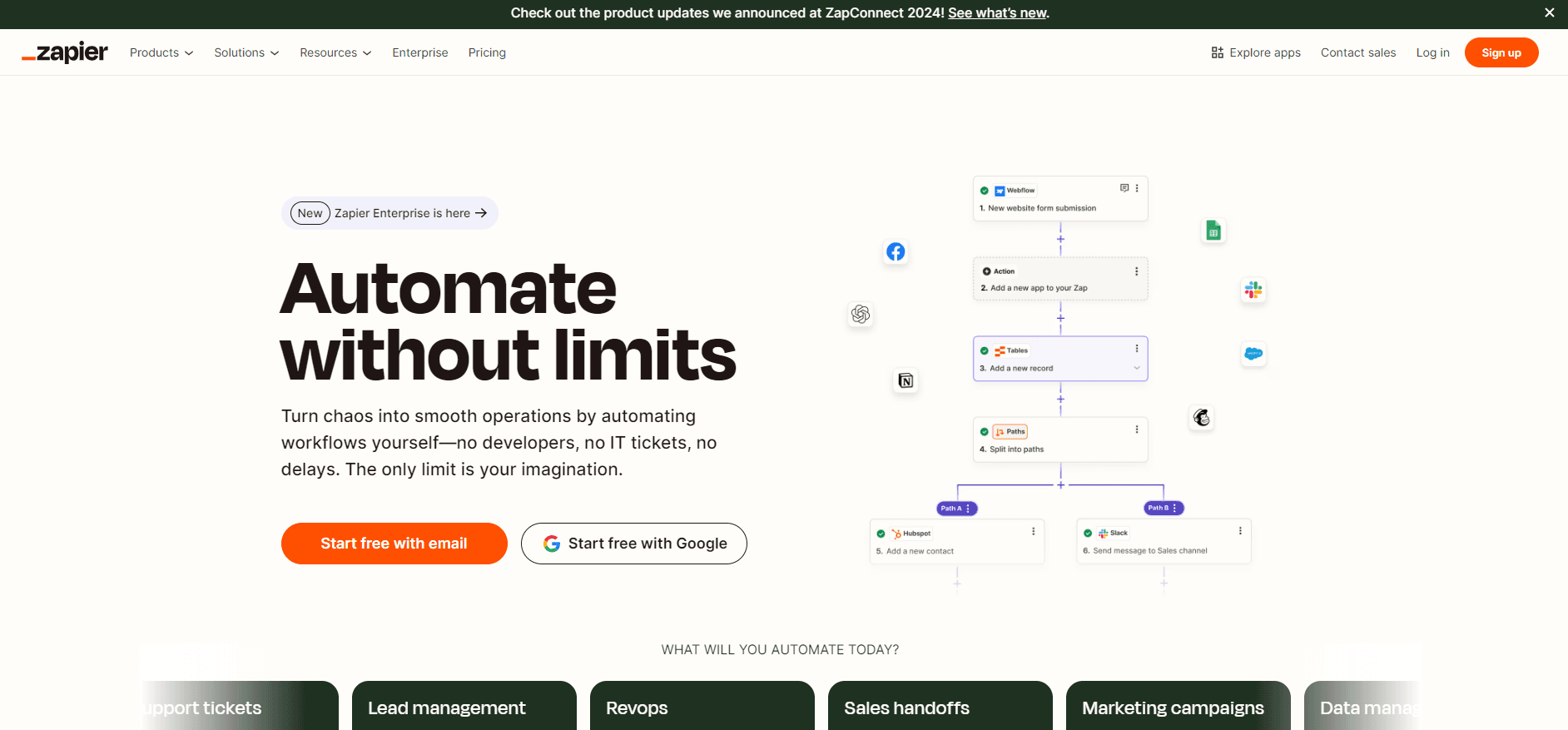
Zapier is a no-code automation platform that connects the apps you already use. You build a Zap, which is a workflow with a trigger (the event that starts it) and one or more actions (what happens next). When a new row lands in a spreadsheet, a Zap can post a message, create a record and send an email without anyone touching it. The company says the platform reaches more than 9,000 apps and 66,000+ triggers and actions.
The product is broader than the classic two-step task automation. Zapier also ships Tables for structured data, Interfaces for simple forms and pages, and a set of AI products: Agents, Chatbots and MCP. MCP connects AI clients like Claude, ChatGPT and Cursor to your apps, so an assistant can look up and change things on your behalf. Newer builds add Canvas, an AI-assisted way to map a process, and Next Gen Zaps.
Two things shape the cost. First, Zapier prices on tasks. Every successful step in a workflow and every programmatic call spends a task from your monthly allowance, so a busy multi-step Zap drains the pool faster than a simple one. Second, the plan level sets your features, and the paid tiers lift the limits on app connections, multi-step workflows, webhooks and team controls. The free plan covers two-step Zaps and 100 tasks a month, which is enough to test but not enough to run a business on.
Zapier is built for the person who does not write code. The workflow is visual, the connections are pre-built, and the goal is to move data between tools without a developer. Developers still have room through the MCP standard and Code Actions, where an agent can write and run custom code when no standard action fits.
Getting Started
- Create a free account on the web, no card required, and confirm your email
- Pick a trigger app and event, then add one or more action apps and events
- Connect each app with its login so Zapier can read from and write to it
- Test the Zap, turn it on, and watch the task history for each run
Product Information
A quick look at Zapier's pricing, supported platforms, and performance.
Best for
The users, tasks, and scenarios where this tool fits best.
Users
- Small business owners
- Marketers and sales teams
- Operations and support staff
- Solo founders and freelancers
- Developers and technical teams
Tasks
- Connect apps
- Build Zaps
- Store and shape data
- Automate with AI
- Collect input
- Monitor runs
Scenarios
- A lead fills out a form
- A support inbox gets busy
- A report is due weekly
- A new order arrives
- A meeting is coming
Key features
Zaps: Trigger-and-Action Workflows
A Zap is the core building block. You pick a trigger app and event, then one or more action apps and events, and Zapier runs the chain each time the trigger fires. The free plan covers two-step Zaps, a trigger and a single action. Multi-step Zaps, which can branch through filters and paths, sit on the paid plans. The mental model is simple: one event in, a sequence of steps out, with task history showing every run.
9,000+ App Integrations
The platform's reach is its selling point. Zapier lists more than 9,000 apps and 66,000+ triggers and actions, and names Gmail, Slack, Salesforce, HubSpot, Google Sheets and Notion among the common ones. Connections are pre-built, so you authorize an app once and reuse it across Zaps. The paid plans lift the cap on premium apps and allow webhooks and custom app connections.
Tables, Interfaces and Forms
Zapier is not only a pipe between other tools. Tables is a built-in database for structured records, so you can store and query data without leaving the platform. Interfaces turns that data into simple apps, forms and pages you can share. Forms collects input that feeds straight into a workflow. Together they let you build a small internal tool on top of the automations, which suits teams that want one place instead of a spreadsheet bolted to a third-party form.
AI Agents and Chatbots
Zapier ships AI products beside the classic automations. Agents are assistants you set up for a job, such as prepping for meetings or qualifying leads, and they run actions across your connected apps. Chatbots answer questions from your own knowledge. Zapier counts Agent work in activities rather than tasks, and the add-ons bill separately from the core plan. The pitch is that the same app connections power both plain Zaps and the AI layer, so you do not rebuild your integrations.
Zapier MCP
MCP is the bridge from AI chat to AI action. You connect Zapier MCP to a client like Claude, ChatGPT or Cursor, choose which apps it may use, and then tell the assistant what you want done. The agent searches Zapier's library for the right action, asks for anything missing and runs it. Zapier says each MCP tool call spends two tasks from your existing quota, and MCP is included in every plan. Access controls and action history are managed from your Zapier account, which matters for teams that need a record of what an agent did.
Canvas and Next Gen Zaps
Newer features extend the model. Canvas is an AI-assisted way to lay out a whole process, so you can describe in plain language how work should flow and let the system sketch it. Next Gen Zaps add a layer with a visible owner and a run record, meant for the workflows you want to keep alive long term. Both are pitched as the step from a one-off action to something a team can rely on, and both are tied to the newer AI features rather than the classic Zap editor.
Admin Controls for Teams
The higher plans turn Zapier into something a company can govern. Team adds shared Zaps, folders, connections and 25 users. Enterprise adds unlimited users, SAML single sign-on, SCIM user provisioning, app access controls, action restrictions, custom data retention and an observability API. Those controls exist so IT can decide which apps and actions an agent or employee may reach, which is the question that decides whether automation rolls out past a single team.
Pros and cons
Pros
- Largest app catalog in the category, with 9,000+ apps and 66,000+ triggers and actions
- No code needed for the core product, so non-technical staff can build and own workflows
- MCP included in every plan, which connects AI clients to the same apps your Zaps use
- Free plan and 100 tasks a month make it easy to test before paying
- Strong team and enterprise controls, from shared connections to SSO and action restrictions
Cons
- Task-based pricing means a busy multi-step Zap spends allowance quickly
- The free plan only covers two-step Zaps, and multi-step workflows need a paid tier
- Costs add up for small teams, since price scales with task volume and add-ons bill separately
- Agents and Chatbots are billed outside the core task economy, so the total is not one number
- Some reviewers say the documentation can be hard to follow and error handling on triggers is uneven
Frequently asked questions
Zapier is a no-code automation platform that connects 9,000+ apps. You build Zaps, which are workflows with a trigger and one or more actions, so an event in one app can automatically start steps in others. It also ships Tables, Interfaces and Forms for data and input, plus AI Agents, Chatbots and MCP for AI-driven work.
Related content
Explore related tools, skills, and articles for Zapier.
Zapier Alternatives

Udon
Udon · Coding · ProductivityUdon turns an Apple Silicon Mac into a home server you run from a browser, with container controls, file shares, and an optional AI sysadmin.

offstage
offstage cloud · Coding · Productivityoffstage gives AI coding agents and CI jobs a real Mac: a fresh macOS account on Apple silicon, driven over an API and billed by the second.

BotBus
Chengdu Tuyang Tusen Technology Co., Ltd. · Coding · ProductivityBotBus lets you control AI coding agents from your phone and watch: approve commands, start tasks and read results while the code stays on your desktop.