

Zario: Track & Limit App Usage
Zario AG · Leaning · AI Assistant
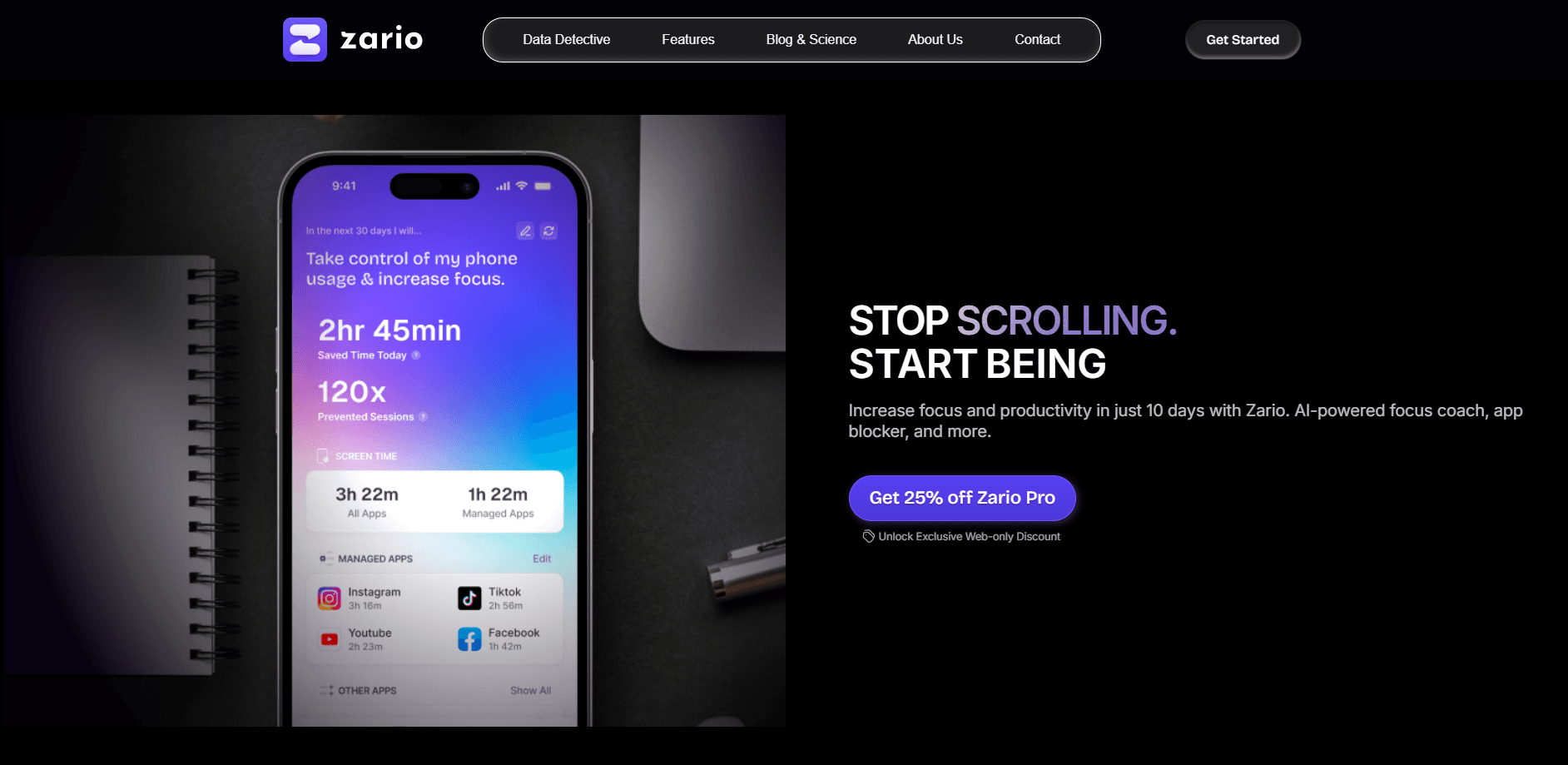
Zario is an AI-powered screen time app that tracks app usage, blocks distracting apps and coaches you through daily challenges to cut down mindless scrolling.
About Zario: Track & Limit App Usage
What Is Zario
Zario is a screen time app built by Zario AG, a remote-first company headquartered in the Swiss canton of Ticino. It targets a specific problem: the automatic reach for your phone when you have nothing better to do. Instead of blocking everything outright, Zario helps you track app usage, sets limits on the apps that pull you in, and adds friction before you open them again.
The approach rests on two behavioral psychology techniques, Cognitive Behavioral Therapy and Acceptance and Commitment Therapy. Both are used in clinical settings to reduce problematic smartphone use, and Zario wraps them in a gamified layer. You get daily micro challenges and focus sessions in place of an outright ban. An internal study at Maastricht University reported that 88.87% of participants classed as at-risk cut back on problematic phone use after one week with the app.
The main limits to know about: Zario is a mobile product for iOS and Android, so there's no desktop version for laptops or work machines. The most aggressive features, like cold turkey mode and AI negotiation, sit behind the paid plan, and free users get a narrower slice of what the app can do.
Getting Started
- Download Zario from the App Store or Google Play and create an account
- Pick the apps that eat most of your time and set a daily screen time limit for each
- Turn on a focus schedule or a focus timer to block those apps during the hours you need to work
- Work through the daily REDUCE and REPLACE challenges, then check your progress to see where the time went
Product Information
A quick look at Zario: Track & Limit App Usage's pricing, supported platforms, and performance.
Best for
The users, tasks, and scenarios where this tool fits best.
Users
- Students
- Remote workers
- Habit changers
- Parents
Tasks
- Tracking app usage
- Blocking distracting apps
- Running focus sessions
- Building better habits
- Negotiating access
Scenarios
- A phone in your hand at midnight
- A study block that keeps slipping
- You keep picking the phone up out of habit
- An all-or-nothing detox that failed
- You want to be honest about your usage
Key features
Smart AI Coaching
Zario's headline feature is its AI coach, which you can negotiate with. When you want extra time on a distracting app, you make your case and the AI decides whether to grant or deny it. That back-and-forth is the part the company pitches hardest, and it changes the dynamic from a hard wall to a conversation. It runs on the paid plan rather than the free tier.
Custom App Limits and Usage Tracking
The core of the app is a tracker plus a limit for each distracting app. You pick the apps that steal your time, set a daily budget for each one, and Zario watches the clock for you. When you near the cap, it warns you before the app closes. The app usage insights show patterns over time, which makes it easier to spot the one app doing most of the damage.
Focus Timer and Focus Schedules
Focus sessions block your chosen apps for a set stretch, so a single task gets your full attention. Focus schedules go further and bake that discipline into your day: you mark the hours you want to be locked in, and opening a distracting app becomes harder during those windows. Around it sits a timer that limits how long each individual app session runs, which is aimed squarely at mindless browsing.
Cold Turkey Mode
Cold turkey mode is Zario's strictest setting. Once you have used up your screen time, you can't delete the app or change its settings, so the limit holds whether you like it or not. It is the closest thing here to an app detox, and it is meant for the moments when willpower alone has already failed. Because it is deliberately hard to undo, it is worth setting up on a day when you are not going to need the blocked apps for work.
Mindful Pause and Challenges
Before you open a distracting app, a short mindful pause asks you to reconsider whether you really need it. The daily challenges go a step further. They come in two types, REDUCE and REPLACE, and push you toward cutting time or swapping it for something else. Over 200 of them are available, they earn you XP, and they are the gamified layer that keeps the habit work from feeling like punishment.
Strict Mode and Accountability
Strict mode protects your goals from your future self. It locks the app and its settings once your budget runs out, so a bad day doesn't undo a good week. Alongside it, Zario leans on its own community and its framing as a focus tool rather than a locker. The result is a system where the rules come from earlier you, and present you has to live with them.
Pros and cons
Pros
- Tracks app usage and sets per-app limits instead of blocking everything at once
- Blends CBT and ACT techniques with gamified challenges, so cutting back feels less like a punishment
- Backed by a Maastricht University study reporting reduced phone use in at-risk users
- Free tier is genuinely usable, with limits and tracking available before you pay
- Strict mode and cold turkey mode hold firm when willpower on its own does not
Cons
- Mobile only on iOS and Android, so there is no way to block distractions on a laptop
- The strongest features, including the AI coach, need the paid plan
- Cold turkey mode can be hard to reverse, which is painful if you need a blocked app for work
- Some users find the negotiation with the AI more of a novelty than a daily habit
Frequently asked questions
Zario tracks how much time you spend in each app, sets limits on the ones that distract you, and blocks them during focus sessions and schedules. It adds an AI coach you can negotiate with for extra time, plus daily challenges that help you build better habits instead of just banning apps.
Related content
Explore related tools, skills, and articles for Zario: Track & Limit App Usage.
Zario: Track & Limit App Usage Alternatives

HireKey
HireKey · Voice & Language · Productivity · LeaningHireKey is an AI job search copilot built by a former tech recruiter. It checks role fit, tailors resumes, runs interview practice and tracks every application.

Lune
Retrograde Labs · Productivity · LeaningLune is a research search engine for scientific AI agents. It runs as an MCP server that lets Claude, ChatGPT and Cursor search peer-reviewed computer science papers and cite them.
Coddy
Coddy · Coding · LeaningCoddy is a gamified platform to learn to code through short interactive lessons in 20+ languages, with a browser editor, an AI tutor and free certificates.