

Zemith: AI Chat, Art & Writer
Zemith · Coding · Productivity · Other
Zemith is an all-in-one AI app that puts GPT, Claude, Gemini, Grok and open models in one place, along with deep research, image and video tools and cloud tasks.
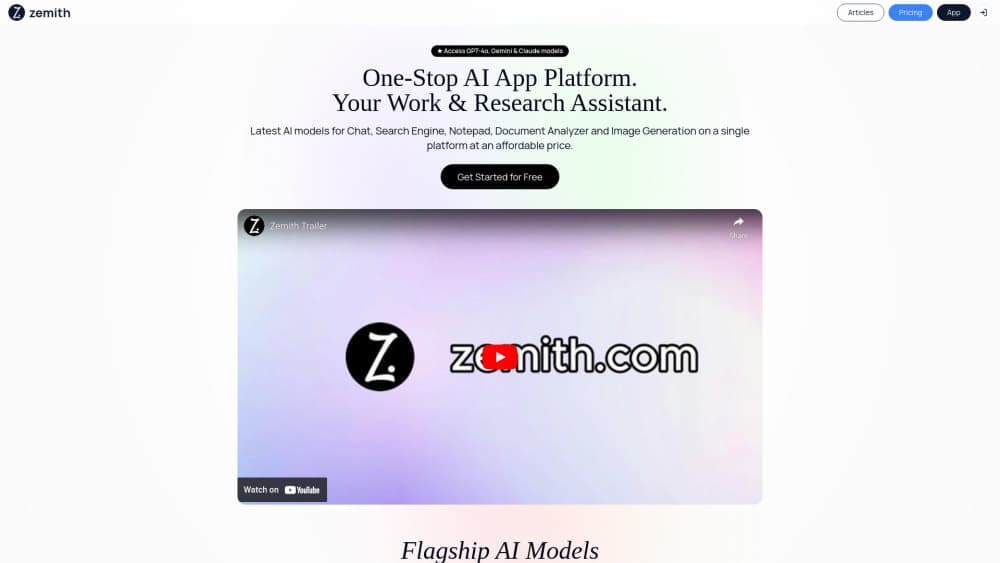
About Zemith: AI Chat, Art & Writer
What Is Zemith
Zemith is a productivity and research app that gathers the major AI models behind a single login on zemith.com and in its mobile apps. You chat with GPT, Claude, Gemini, Grok, DeepSeek, Kimi, Qwen and Mistral in one window, then switch models mid-conversation when a different one fits the job. The company calls the app a super-app, and the pitch is that you stop paying for five subscriptions and get one plan that covers chat, images, video, research and file creation.
The product spreads past plain chat. There is a Research and act mode that searches the web and reads sources before it answers. There is a Creative studio for images and video. There is a Project library that keeps files, chats and instructions together. FocusOS holds several screens side by side so you can keep a chat, a note and a whiteboard open at once. It runs on web, iOS and Android, and everything syncs across them.
Two facts matter before you sign up. The app runs on a credit system. Each message, task or tool costs an amount of credits based on the model it uses, and the monthly credits included in a plan reset at the end of the month. The other is that Zemith is a wrapper, not a model lab. It licenses access to other companies' models, so the quality of any single answer tracks with whichever model you pick.
Getting Started
- Create a free account on the web or install the app on iOS or Android, no card required
- Pick a model or let the default handle it, then start a chat or drop in a file to work with
- Open Research and act for cited reports, or Creative studio for images and video
- Hand a longer job to a cloud task and close the app, then check back when it pings you
Product Information
A quick look at Zemith: AI Chat, Art & Writer's pricing, supported platforms, and performance.
Best for
The users, tasks, and scenarios where this tool fits best.
Users
- Knowledge workers who juggle several AI tools
- Students and learners
- Marketers and content creators
- Founders and small teams
- Researchers
Tasks
- Multi-model chat
- Deep research
- File creation
- Image and video generation
- Voice and transcription
- Task automation
Scenarios
- A board memo is due
- A student shares their screen
- A launch is coming
- A recurring report is needed
- A research question needs sources
Key features
Every Top Model in One Chat
Zemith gives you a single chat window that runs GPT, Claude, Gemini, Grok, DeepSeek, Kimi, Qwen, Mistral, GLM and MiniMax. That's the part the company leads with on its homepage, where a row of model names sits under the headline "Every AI. One app." The useful detail is that you can switch model inside a conversation rather than starting over. If one answer feels thin, you rerun the same prompt on a different model without losing the thread.
Research and Act
Research and act is the mode for questions that need sources. You give it a task like checking competitor pricing, and it searches the web, reads pages and writes a memo you can keep. The site shows it read a spreadsheet of uploaded metrics, add a comparison table and produce a document the user can then post to a connected board. It sits between a chatbot and a research assistant, and the draw is that the output arrives as a file rather than a wall of text.
Creative Studio
The creative studio covers images and video. On the image side it lists Nano Banana, GPT Image, Flux, Recraft and Stability, along with tools for image to prompt, background removal, upscaling, generative fill and object replacement. On the video side it lists Veo, Kling, Seedance and MiniMax. You build a shot as a chain: a product photo, then a background removal, then a short promo clip, each step feeding the next.
Cloud Tasks and Scheduling
A cloud task keeps running after you close the app. You hand it a job like a competitor scan, and it works through search, reading and writing, then pings you when the result is ready. You can also put routine work on a schedule: a morning news brief, a weekly sales report, an invoice reminder on the first of the month. This is the feature that separates it from a chat window that stops the moment you leave.
Plugins With Approval
Zemith connects to tools you already use, and the site names Notion, Linear, Canva and Airtable. The wrinkle is the approval step. When a task would create or change something, the app asks before it acts, so you see a draft of the Linear issues and the Airtable entry before they land. For people wary of an agent editing their workspace unsupervised, that pause is the point.
Projects, Memory and FocusOS
Projects keep your files, chats and instructions in one place, so every answer in that project starts with the same context. Memory goes further and learns your role, preferences and plans, with you deciding what it keeps. FocusOS is the workspace layer: it holds chats, notes and whiteboards side by side, so you can switch between them without losing the thread you were working on.
Learning and Writing Tools
The app turns documents into study material. You can feed it a PDF, a link or a YouTube video and get a podcast, a quiz, flashcards or a mind map back. Alongside that sits a set of writing aids: a rewriter, a humanize tool, a translator, a YouTube to blog converter and PDF tools. It also does text to speech, voice cloning and speech to text, and turns any recording into a timestamped transcript.
Pros and cons
Pros
- One subscription covers chat, research, images, video and file creation instead of five separate bills
- Model switching happens inside a conversation, so comparing GPT, Claude and Gemini is quick
- Cloud tasks and scheduling keep work moving after you close the app
- Free tier and no credit card needed, so you can test the models before you pay
- Runs on web, iOS and Android with sync across all three
Cons
- Credits reset monthly, so unused allowance from a lighter month does not carry over
- It wraps other companies' models, so performance depends on whichever model you select
- No public API documentation is listed, which limits it for developers who want to build on it
- The feature list is long, and new users may need time to find the tools they actually need
- Some media tools sit on the higher paid tiers, so the free plan is thinner on images and video
Frequently asked questions
Zemith is an all-in-one AI app that puts GPT, Claude, Gemini, Grok and open models like DeepSeek, Qwen and Kimi behind one login. Along with chat, it runs deep research, creates images and video, produces Word, PowerPoint, Excel and PDF files, and hands long jobs to cloud tasks that keep working in the background.
Related content
Explore related tools, skills, and articles for Zemith: AI Chat, Art & Writer.
Zemith: AI Chat, Art & Writer Alternatives

Udon
Udon · Coding · ProductivityUdon turns an Apple Silicon Mac into a home server you run from a browser, with container controls, file shares, and an optional AI sysadmin.

offstage
offstage cloud · Coding · Productivityoffstage gives AI coding agents and CI jobs a real Mac: a fresh macOS account on Apple silicon, driven over an API and billed by the second.

BotBus
Chengdu Tuyang Tusen Technology Co., Ltd. · Coding · ProductivityBotBus lets you control AI coding agents from your phone and watch: approve commands, start tasks and read results while the code stays on your desktop.